Messagekit: Async Images on Message
Question
How is the best way to handle images asynchronous on the message body? I ask that because I want to put a loader on the upload and download, just to create a more user friendly interface.
How to you guys are handling that? Thx in advance!
 festrs
All 25 comments
I found a way searching in the MessageKit Slack, special thanks for jaunesarmiento for sharing
```
func messageStyle(for message: MessageType, at indexPath: IndexPath, in messagesCollectionView: MessagesCollectionView) -> MessageStyle {
switch message.data {
case .photo:
let configurationClosure = { (containerView: UIImageView) in
let imageMask = UIImageView()
imageMask.image = MessageStyle.bubble.image
imageMask.frame = containerView.bounds
containerView.mask = imageMask
containerView.contentMode = .scaleAspectFill
            containerView.kf.indicatorType = .activity

            guard
                let message = message as? Message,
                let url = URL(string: message.body)
            else {
                print("Could not convert message into a readable Message format")
                return
            }

            print("Setting image to \(url.absoluteString)")

            containerView.kf.setImage(with: url)
        }
        return .custom(configurationClosure)
    default:
        return .bubble
    }
}
Hi @festrs the main issue is that we currently reuse cells. So the call to set an image asynchronously could finish after the cell is used for another message resulting in the wrong URL
Sent with GitHawk
 nathantannar4
on 22 Dec 2017
nathantannar4
on 22 Dec 2017
Thanks @festrs for posting how you were able to accomplish this. As @nathantannar4 mentioned, you're going to want to take care to ensure that the image you're setting is on the proper cell by using the given IndexPath.
 SD10
on 22 Dec 2017
SD10
on 22 Dec 2017
Glad I could be of help, @festrs! Cheers!
 jaunesarmiento
on 24 Dec 2017
jaunesarmiento
on 24 Dec 2017
The main problem is to rending the image size after the download, how did u mount the message in this case @jaunesarmiento ? I'm creating a thumbnail image blank, and them after setting, but the size that is kept my the message is the thumbnail one. Can u provide more information about your solution?
festrs
on 26 Dec 2017
self.messagesCollectionView.reloadData() will update the message size after you put in a bigger image.
This is how I implemented it, was working on this exact issue last week.
            imageView.kf.setImage(with: url, completionHandler: {
                (image, error, cacheType, imageUrl) in
                if (image != nil) {
                    let oldMessage = self.messages[messageIndex]
                    self.messages[messageIndex] = message(
                        sender: oldMessage.sender,
                        messageId: oldMessage.messageId,
                        sentDate: oldMessage.sentDate,
                        data: MessageData.photo(image!)
                    )
                   self.messagesCollectionView.reloadData()
                   self.messagesCollectionView.scrollToBottom()
                }
            })
 NiklasWilson
on 26 Dec 2017
NiklasWilson
on 26 Dec 2017
@festrs I don't have @NiklasWilson's solution in my code.
I'm using static sizes for my media messages, maybe that's why I didn't have this problem.
In your MessageLayoutDelegate conforming view controller (mine's called ChatViewController), I have the following delegate methods:
extension ChatViewController: MessageLayoutDelegate {

    func widthForMedia(message: MessageType, at indexPath: IndexPath, with maxWidth: CGFloat, in messagesCollectionView: MessagesCollectionView) -> CGFloat {
        return (view.frame.width / 3) * 2
    }

    func heightForMedia(message: MessageType, at indexPath: IndexPath, with maxWidth: CGFloat, in messagesCollectionView: MessagesCollectionView) -> CGFloat {
        return (view.frame.width / 3) * 2
    }

}
You'll see here that I'm setting the width and height of any media message to 2/3 of the device's width. Along with this, I'm also displaying the local copy of the image as the thumbnail then replacing it with the remote image when upload finishes.
jaunesarmiento
on 28 Dec 2017
@NiklasWilson Can you provide more information about your whole solution? I want to know how do you show a spinner on the place of image. Did you customize the messageStyle as well?
festrs
on 29 Dec 2017
@festrs Mine doesn't show a spinner at the moment. Mine shows the url until an image is downloaded and then replaces the url with the image. In my app its possible to receive an unsupported image format and id rather show the url in that case instead of an error or loading indicator.
Here is what that part of my code currently looks like, I simplified it above for your convience.
    func setMessageData(data: String, contentType: String, messageIndex: Int) -> MessageData {
        if contentType.range(of:"image") != nil {
            let imageView = ImageView()
            let url = URL(string: data)!
            imageView.kf.indicatorType = .activity
            imageView.kf.setImage(with: url, completionHandler: {
                (image, error, cacheType, imageUrl) in
                if (image != nil) {
                    self.reloadMessage(messageIndex, MessageData.photo(image!))
                }
            })
            if (imageView.image != nil) {
                return MessageData.photo(imageView.image!)
            }
        } else if contentType.range(of:"video") != nil {
            let url = URL(string: data)!
            return MessageData.video(file: url, thumbnail: UIImage(named: "videoThumbnail")!)
        }
        return MessageData.text(data)
    }

    func reloadMessage(_ messageIndex: Int,_ messageData :MessageData) -> Void {
        if messageIndex < self.messages.count {
            let oldMessage = self.messages[messageIndex]
            self.messages[messageIndex] = message(
                sender: oldMessage.sender,
                messageId: oldMessage.messageId,
                sentDate: oldMessage.sentDate,
                data: messageData
            )
            self.messagesCollectionView.reloadData()
            self.messagesCollectionView.scrollToBottom()
        }
    }
@NiklasWilson When do you call setMessageData? And how do you determine messageIndex, do you just use indexPath.section?
I've gotten something working using your shorter code snippet, but every time i open a specific chat for the second time all the messages disappear. When not loading images with kf this doesn't happen. Any help would be appreciated.
 ascendedco
on 15 Jan 2018
ascendedco
on 15 Jan 2018
@ascendedco I call setMessageData in viewDidLoad, giewdidlaod also passes in the currentMessageCount as the index.
```swift
// Grab Messages
if let convo_id = conversationId {
NEXTmsDatastore.getMessages(coreDataContext, conversationId: convo_id) { messages in
for mes in messages {
NEXTmsDatastore.getProfile(self.coreDataContext,
profileId: mes.profileId
) { profile in
let messageStruct = message(
sender: Sender(
id: mes.profileId,
displayName: profile.display
),
messageId: mes.id,
sentDate: mes.datetime,
data: self.setMessageData(
data: mes.data,
contentType: mes.contentType,
messageIndex: self.messages.count
)
)
self.messages.append(messageStruct)
}
}
}
}
NiklasWilson
on 15 Jan 2018
@NiklasWilson Thanks for the quick response! I'll give it a go tomorrow and let you know. Are you on Slack?
ascendedco
on 15 Jan 2018
@ascendedco I am in slack for message kit. think my name there is wnik
NiklasWilson
on 15 Jan 2018
Is it within the scope of this project to add this as a built in MessageKit feature, where all the user needs to do is set an image URL? If so, perhaps I could come up with a PR for it..
 andreyrd
on 24 Apr 2018
andreyrd
on 24 Apr 2018
Hi @andreyrd, I think that's outside the scope of this project as that ventures from a UI feature to a networking feature. Personally I use Kingfisher with my MessageKit projects because it caches images.
Sent with GitHawk
nathantannar4
on 25 Apr 2018
You can set images asynchronously in MessageKit 1.0.0-beta.1 by using the method:
Thank you 👍
SD10
on 3 May 2018
@SD10 don't you mean https://github.com/MessageKit/MessageKit/blob/69c5414c224a98891e14984e83228740e4339219/Sources/Protocols/MessagesDisplayDelegate.swift#L162?
jaunesarmiento
on 4 May 2018
Thanks for catching my mistake @jaunesarmiento 👍
SD10
on 4 May 2018
I use SDWebImage which seems to be working fine. This is my snippet for Swift 4:
func configureMediaMessageImageView(_ imageView: UIImageView, for message: MessageType, at indexPath: IndexPath, in messagesCollectionView: MessagesCollectionView) {
        switch message.data {
        case .photo:
            if let msg =  message as? Message {
                let someUrl = msg.attachment?.upload?.filename
                imageView.sd_setImage(with: URL(string: someUrl!), completed: {  (image: UIImage?, error: Error?, cacheType: SDImageCacheType, imageURL: URL?) in
                })
            }
}
 ioronamakingsense
on 28 May 2018
ioronamakingsense
on 28 May 2018
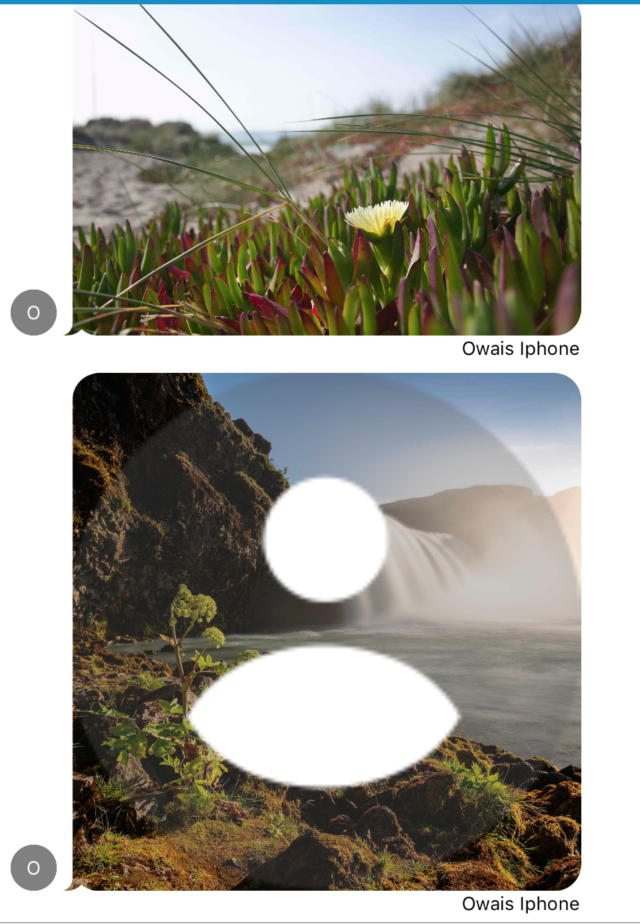
Even after changing message with indexPath.row and getting object, replacing it with new object(new image) and then doing reloadData, previous placeholder image remains on container. Please see what is the issue.
`func messageStyle(for message: MessageType, at indexPath: IndexPath, in messagesCollectionView: MessagesCollectionView) -> MessageStyle
{
let corner: MessageStyle.TailCorner = isFromCurrentSender(message: message) ? .bottomRight : .bottomLeft
guard
let message = message as? MockMessage
else
{
return .bubbleTail(corner, .curved)
}
    if message.imgURL.length<6
    {
        return .bubbleTail(corner, .curved)
    }
    switch message.data {
    case .photo:
        let configurationClosure = {
            (containerView: UIImageView) in
            let imageMask = UIImageView()
            imageMask.image = MessageStyle.bubbleTail(corner, .curved).image
            imageMask.frame = containerView.bounds
            containerView.mask = imageMask
            containerView.contentMode = .scaleAspectFill

            //containerView.kf.indicatorType = .activity

            guard
                let message = message as? MockMessage

                else {
                    print("Could not convert message into a readable Message format")
                    return
            }
            let fileManager = FileManager.default
            let imagePAth = (self.getDirectoryPath() as NSString).appendingPathComponent(message.imgURL+".png")
            if fileManager.fileExists(atPath: imagePAth)
            {

                let oldMessage = self.messageList[indexPath.row]
               let image = UIImage(contentsOfFile: imagePAth)!
                self.messageList[indexPath.row] = MockMessage(image: image, sender: Sender(id: oldMessage.sender.id, displayName: oldMessage.sender.displayName), messageId: oldMessage.messageId, date: oldMessage.sentDate,receiver:Sender(id: oldMessage.receiver.id, displayName: oldMessage.receiver.displayName),imgrUrl:"")
                //self.imagePicker.isHidden=true
                containerView.image=image
                self.messagesCollectionView.reloadData()
               //Actually this has **ISSUE.** Even after calling this, image given is happening.
                //return .custom(configurationClosure)
            }
            else
            {
                let storageRef = Storage.storage().reference(withPath: "media/"+String(self.chatId)+"/"
                    + message.imgURL)
                storageRef.downloadURL(completion: { (url, error) in
                    do
                    {
                        if error != nil
                        {
                            return
                        }
                        let data = try Data(contentsOf: url!)
                        let image = UIImage(data: data as Data)
                        let fileManager = FileManager.default
                        let paths = (NSSearchPathForDirectoriesInDomains(.documentDirectory, .userDomainMask, true)[0] as NSString).appendingPathComponent(message.imgURL+".png")
                        fileManager.createFile(atPath: paths as String, contents: data, attributes: nil)
                        //                        message = MockMessage(image: image!, sender: Sender(id: id, displayName: name), messageId: messageid, date: yourDate!,receiver:Sender(id: rec_id, displayName: (Constants.Userobj?.name)!))
                        print("Setting image to \(url?.absoluteString)")

                        containerView.image=image
                        let oldMessage = self.messageList[indexPath.row]
                        self.messageList[indexPath.row] = MockMessage(image: image!, sender: Sender(id: oldMessage.sender.id, displayName: oldMessage.sender.displayName), messageId: oldMessage.messageId, date: oldMessage.sentDate,receiver:Sender(id: oldMessage.receiver.id, displayName: oldMessage.receiver.displayName),imgrUrl:oldMessage.imgURL)
                        DispatchQueue.main.async
                            {
                                //self.messageList = messages
                                self.messagesCollectionView.reloadData()
                                self.messagesCollectionView.scrollToBottom(animated: true)

                        }
                        storageRef.delete { error in
                            if let error = error {
                                print(error)
                            } else {
                                // File deleted successfully
                            }
                        }
                        //self.profilePic.image = image
                    }
                    catch let parseError as NSError
                    {
                        print(parseError.localizedFailureReason ?? "")
                        print("No Image")
                        //                    if (Constants.logging)
                        //                    System.IO.File.AppendAllText(externalPath, ex.StackTrace);
                    }
                })
            }


        }
        return .custom(configurationClosure)
    default:
        return .bubbleTail(corner, .curved)
    }
// let configurationClosure = { (view: MessageContainerView) in}
// return .custom(configurationClosure)
}`
 umairali612
on 6 Jun 2018
umairali612
on 6 Jun 2018
Problem was indexPath.row was not accurate. Found index with
let indexrow = self.messageList.index(where: {$0.imgURL==message.imgURL})
let oldMessage = self.messageList[indexrow!]
It was setting the image right but not removing previous image.
umairali612
on 6 Jun 2018
Hello guys,
I still don't understand how to get the asynchronous pictures in the messages list.
I tried to override configureMediaMessageImageView, but the MessageKind is already set with an image, unless I have to use MessageKind.custom ?
Thanks (great update gg)
Update:
This is my code:
func configureMediaMessageImageView(_ imageView: UIImageView,
                                        for message: MessageType,
                                        at indexPath: IndexPath,
                                        in messagesCollectionView: MessagesCollectionView) {
        switch message.kind {
        case .photo:
            let urlString = messages[indexPath.section].imageURL
            if let url = URL(string: urlString) {
                DispatchQueue.main.async {
                    let resource = ImageResource(downloadURL: url, cacheKey: urlString)
                    imageView.kf.setImage(with: resource)
                }
            }
        default:
            break
        }
}
I also tried this:
func configureMediaMessageImageView(_ imageView: UIImageView,
                                        for message: MessageType,
                                        at indexPath: IndexPath,
                                        in messagesCollectionView: MessagesCollectionView) {
        switch message.kind {
        case .photo:
            if let messagee = message as? Message, let url = URL(string: messagee.imageURL) {
                DispatchQueue.main.async {
                    let resource = ImageResource(downloadURL: url, cacheKey: messagee.imageURL)
                    imageView.kf.setImage(with: resource)
                    messagesCollectionView.reloadItems(at: [indexPath])
                }
            }
        default:
            break
        }
}
This post is closed, I should probably open a new one.
 gorbat-o
on 4 Jul 2018
gorbat-o
on 4 Jul 2018
@jaunesarmiento @SD10 i haven't found any method named
func configureMediaMessageImageView(_ imageView: UIImageView, for message: MessageType, at indexPath: IndexPath, in messagesCollectionView: MessagesCollectionView)
in MessageDisplayDelegate
 commando24
on 23 Oct 2018
commando24
on 23 Oct 2018
Hey @commando24 I'm still using func messageStyle(for message: MessageType, at indexPath: IndexPath, in messagesCollectionView: MessagesCollectionView) -> MessageStyle to this date.
jaunesarmiento
on 23 Oct 2018
Thanks to everyone for your discussion on displaying images, this thread was a lifesaver. Also a big thanks to @nathantannar4 for a sweet messaging tool!
Here's my solution for displaying images:
` func configureMediaMessageImageView(_ imageView: UIImageView, for message: MessageType, at indexPath: IndexPath, in messagesCollectionView: MessagesCollectionView) {
    switch message.kind {
    case .photo:
        guard case .photo(let mediaItem) = message.kind else { fatalError() }
        if let url = mediaItem.url {
            imageView.pin_setImage(from: url)
        }
    default:
        break
    }
}
`
It was a bear trying to figure out how to get the URL out of the .photo enum.
This is working for me, so far. Suggestions appreciated.
imageView.pin_setImage(from: url) is from PINRemoteImage and can be downloaded from CocoaPods.org or on github.
 tkeithblack
on 3 Jan 2019
tkeithblack
on 3 Jan 2019
Related issues
 nitrag
·
3Comments
nitrag
·
3Comments
 yspreen
·
3Comments
yspreen
·
3Comments
 emmanuelay
·
3Comments
emmanuelay
·
3Comments
 TheDarkCode
·
3Comments
TheDarkCode
·
3Comments
 Abacaxi-Nelson
·
4Comments
Abacaxi-Nelson
·
4Comments
Most helpful comment
I found a way searching in the MessageKit Slack, special thanks for jaunesarmiento for sharing
```
func messageStyle(for message: MessageType, at indexPath: IndexPath, in messagesCollectionView: MessagesCollectionView) -> MessageStyle {
switch message.data {
case .photo:
let configurationClosure = { (containerView: UIImageView) in
let imageMask = UIImageView()
imageMask.image = MessageStyle.bubble.image
imageMask.frame = containerView.bounds
containerView.mask = imageMask
containerView.contentMode = .scaleAspectFill