Meshcentral: Android client crashing when connecting to desktop view
When connecting to POCO F2 Pro (Android 11) in desktop tab this happens:
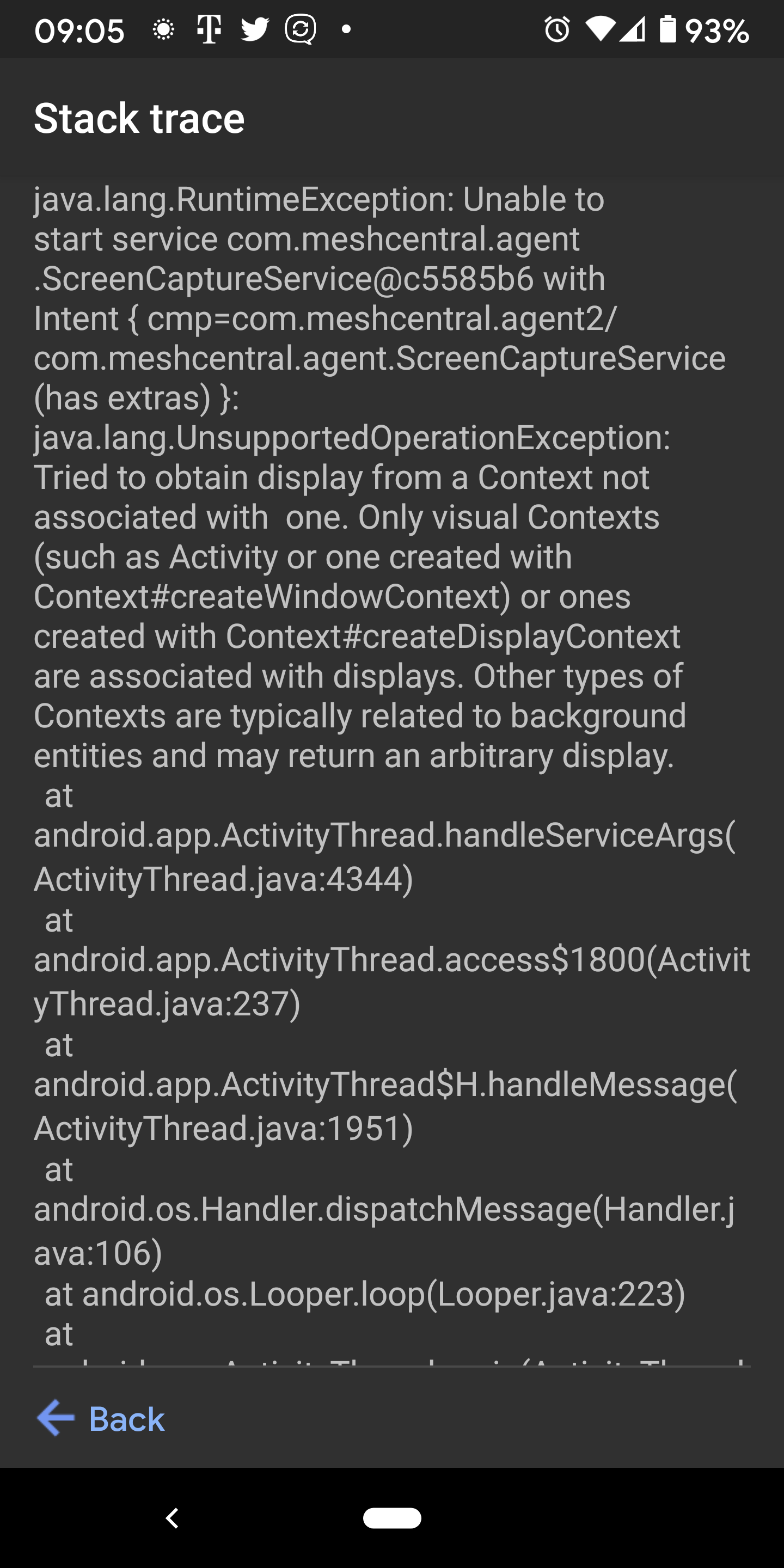
java.lang.RuntimeException: Unable to start service com.meshcentral.agent.ScreenCaptureService@6f91396 with Intent { cmp=com.meshcentral.agent2/com.meshcentral.agent.ScreenCaptureService (has extras) }: java.lang.UnsupportedOperationException: Tried to obtain display from a Context not associated with  one. Only visual Contexts (such as Activity or one created with Context#createWindowContext) or ones created with Context#createDisplayContext are associated with displays. Other types of Contexts are typically related to background entities and may return an arbitrary display.
    at android.app.ActivityThread.handleServiceArgs(ActivityThread.java:4409)
    at android.app.ActivityThread.access$1900(ActivityThread.java:246)
    at android.app.ActivityThread$H.handleMessage(ActivityThread.java:1993)
    at android.os.Handler.dispatchMessage(Handler.java:106)
    at android.os.Looper.loop(Looper.java:236)
    at android.app.ActivityThread.main(ActivityThread.java:7876)
    at java.lang.reflect.Method.invoke(Native Method)
    at com.android.internal.os.RuntimeInit$MethodAndArgsCaller.run(RuntimeInit.java:656)
    at com.android.internal.os.ZygoteInit.main(ZygoteInit.java:967)
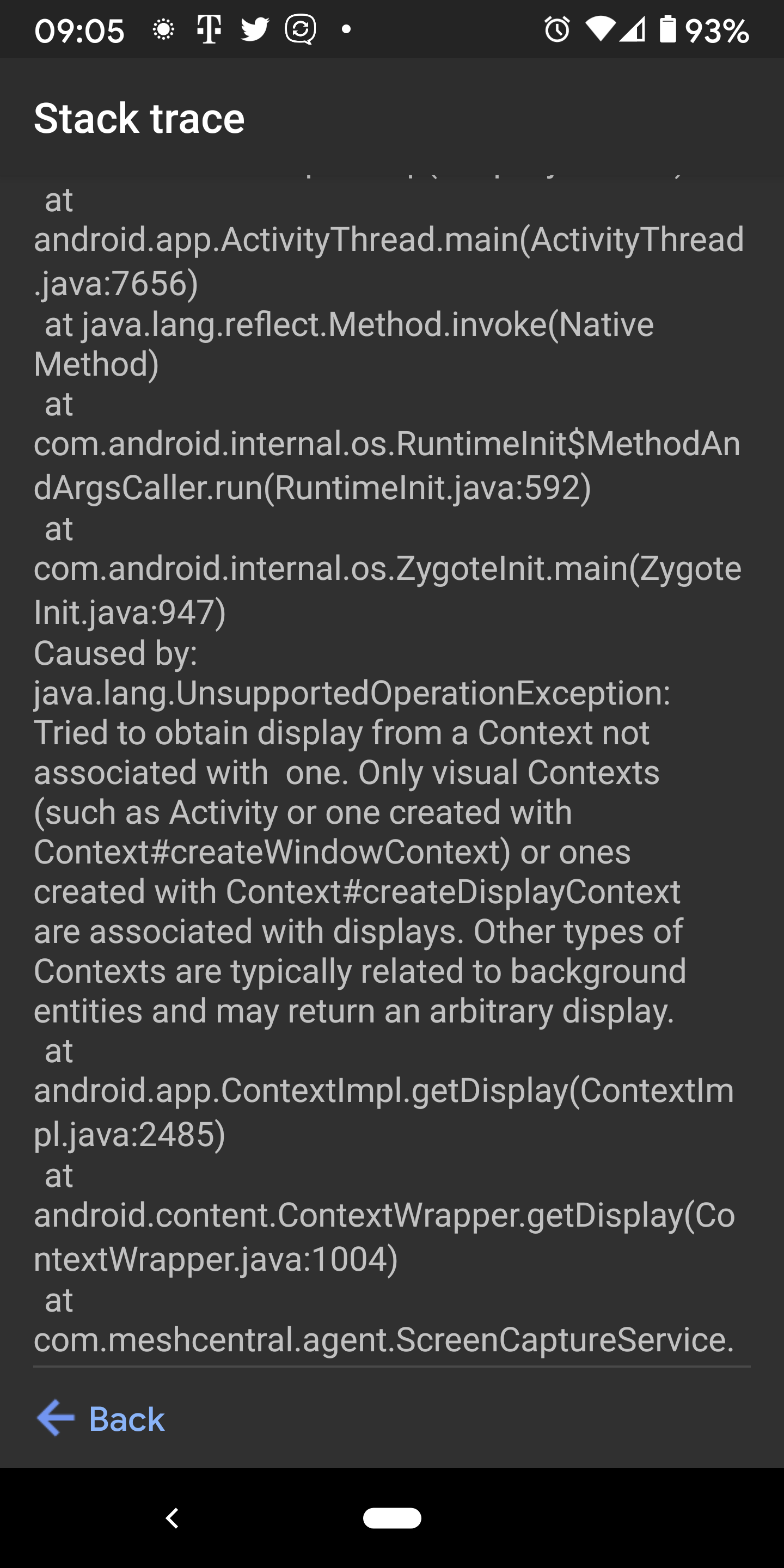
Caused by: java.lang.UnsupportedOperationException: Tried to obtain display from a Context not associated with  one. Only visual Contexts (such as Activity or one created with Context#createWindowContext) or ones created with Context#createDisplayContext are associated with displays. Other types of Contexts are typically related to background entities and may return an arbitrary display.
    at android.app.ContextImpl.getDisplay(ContextImpl.java:2497)
    at android.content.ContextWrapper.getDisplay(ContextWrapper.java:1015)
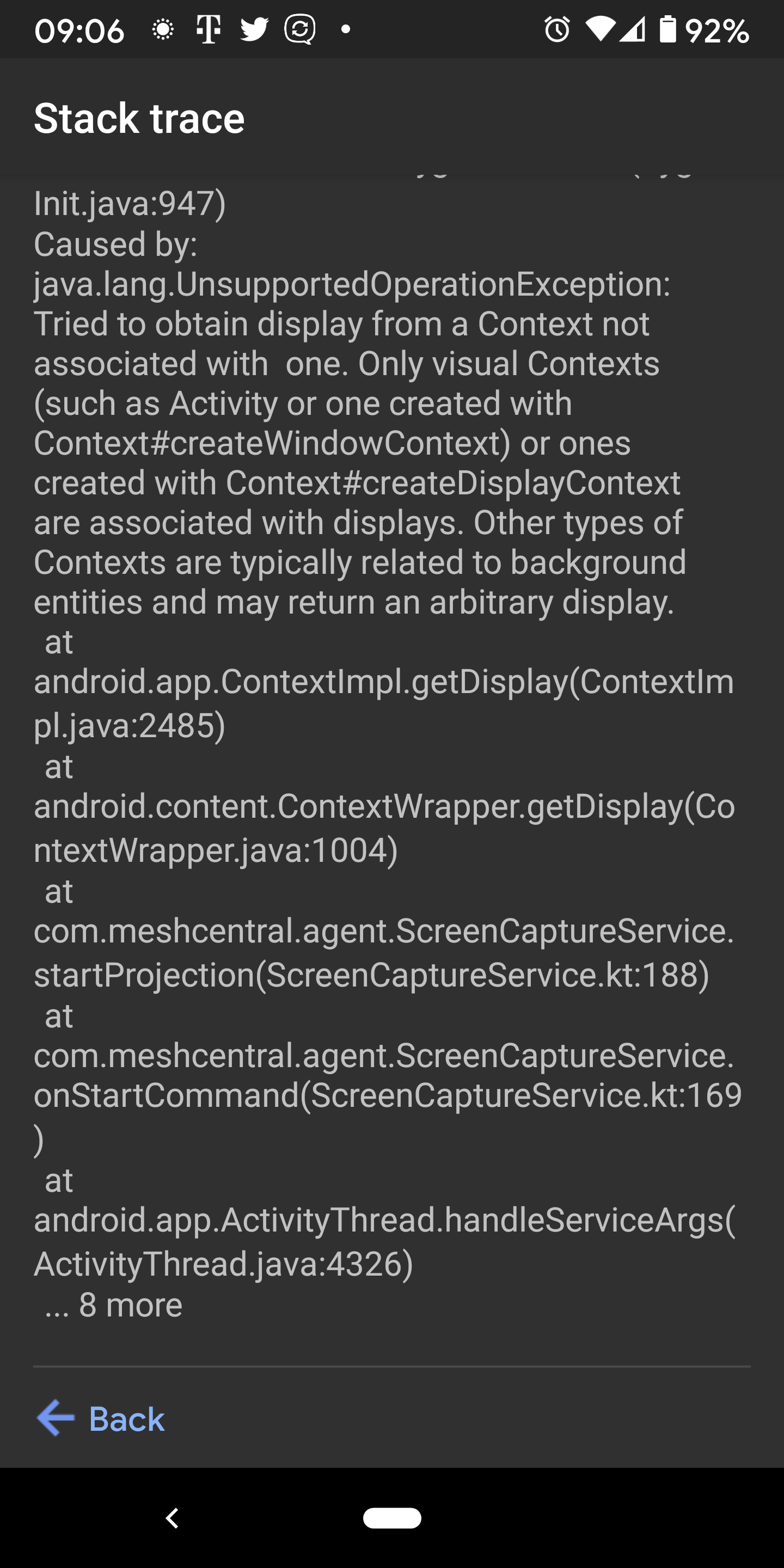
    at com.meshcentral.agent.ScreenCaptureService.startProjection(ScreenCaptureService.kt:188)
    at com.meshcentral.agent.ScreenCaptureService.onStartCommand(ScreenCaptureService.kt:169)
    at android.app.ActivityThread.handleServiceArgs(ActivityThread.java:4386)
    ... 8 more
 przemo-c
All 32 comments
Can confirm the same issue. I'm running stock android on a Galaxy S10+
 asasin114
on 10 Mar 2021
asasin114
on 10 Mar 2021
Thanks for the detailed report. I have only tested the screen sharing on a Google Pixel 1XL. I will get more devices and debug on that.
 Ylianst
on 10 Mar 2021
Ylianst
on 10 Mar 2021
Maybe this is the same issue:
I tested on a Samsung Galaxy Tab S5e running LineageOS 17.1 (Android 10) and a Samsung Galaxy S9 running LineageOS 16 (Android 9). When connecting desktop, both devides ask for permission. If granted, both devices say the screen is being shared (showing a screensharing icon) and for both devices the desktop states "Connected", but the window stays black.
No error message is emitted.
adb logcat emits multiple identical lines of
03-10 22:49:51.203 1154 1222 I DisplayManagerService: Display DisplayDeviceInfo{"screencap": uniqueId="virtual:com.meshcentral.agent2,10190,screencap,0", 1600 x 2463, modeId 7, defaultModeId 7, supportedModes [{id=7, width=1600, height=2463, fps=60.0}], colorMode 0, supportedColorModes [0], HdrCapabilities null, density 324, 324.0 x 324.0 dpi, appVsyncOff 0, presDeadline 16666666, touch NONE, rotation 0, type VIRTUAL, state ON, owner com.meshcentral.agent2 (uid 10190), FLAG_PRESENTATION} does not support input device matching.
per second while screen sharing is active (this is from the Tab S5e).
Both screen sharing with my TV or Laser TV using Miracast, which seems to use the same capturing function, works well for both devices.
adb based screen sharing, e.g. using scrcpy, work well, too.
 veitw
on 10 Mar 2021
veitw
on 10 Mar 2021
same crashing issue when enabling Desktop on Pixel 2XL
More details
Package Name: com.meshcentral.agent2
Package Version: 8
Package Version Name: 1.0.7
Model: Pixel 2XL
SDK Version: 30
Release: 11
Exception class name: java.lang.UnsupportedOperationException
Source file: ContextImpl.java
Source class: android.app.ContextImpl
Source method: getDisplay
Line number: 2485
Photos Attached of Stack, should also be available on the developers dashboard for Android Developer
 gcstang
on 11 Mar 2021
gcstang
on 11 Mar 2021
I have tested this last night on a Samsung Galaxy Edge 7 and it worked. Also just tried on my Google Pixel 1XL with developer mode turned off and the agent downloaded from the Google Play store, that also worked. Still trying to figure out what is going on.
Ylianst
on 11 Mar 2021
I have the same issue as veitw. No app crashing, but blank screen. I've tried with 2 browsers (Chrome and Brave) and 2 different phones - one running Android 10 (MIUI) and the other running Android 9 (fairly stock). Happy to provide anythign I can to assist.
 SpookOz
on 12 Mar 2021
SpookOz
on 12 Mar 2021
I tried with another device, a Sony Xperia Tablet Z2 running AICP 15 (Android 10). Same issue; screen stays blank. Have tried via Firefox and Chromium, MeshCentral is version 0.7.85.
Maybe it is something with certain MeshCentral servers that causes this issue?
veitw
on 12 Mar 2021
samsung SM-T310 with lineage os 14.1 (android 7.1.2) Same issue; screen stays black, but seeing an indication that the screen is beeing shared.
APK version 1.07
MeshCentral version 0.7.85
I tried it on my Nokia 8 (TA-1012 with android 9) and its working !!!!!!
 petervanv
on 12 Mar 2021
petervanv
on 12 Mar 2021
I think we're close to figuring it out. The black screen seems to be related to the multiplexor on the server. It also seems to crash on Android 11. Once I get more cycles I'll be able to help out on the android agent as I have way more devices than Ylian does. I literally have a drawer full of phones going all the way back to the nexus s, lol.
 krayon007
on 12 Mar 2021
krayon007
on 12 Mar 2021
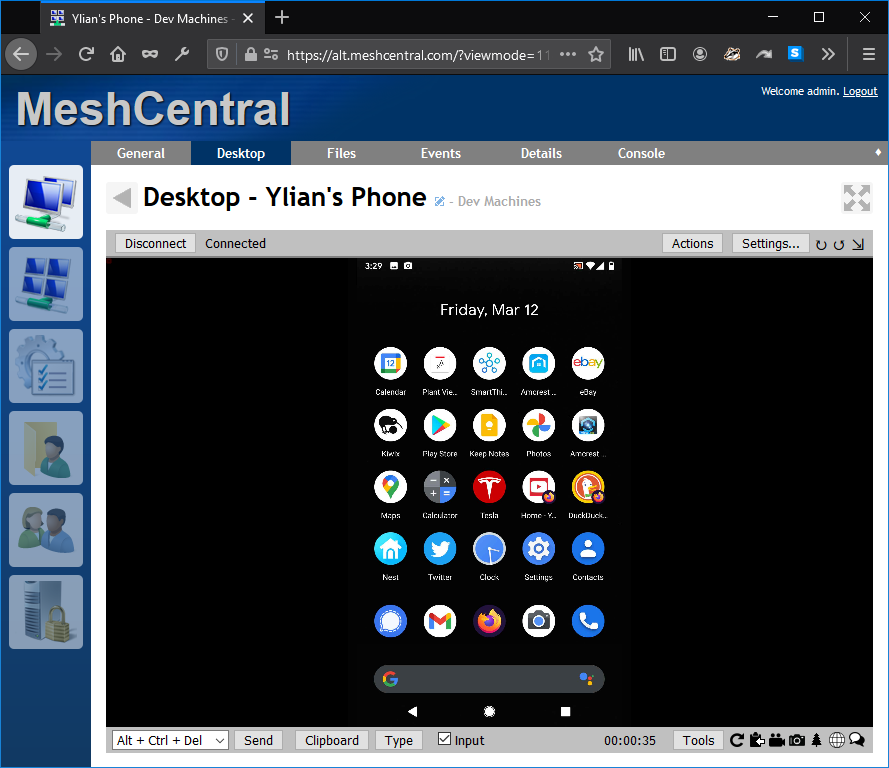
Just published MeshCentral v0.7.86 with a fix for Android black screen issue which was a server-side problem. Once you update the server, the same Android Agent will start working. Still need to work on agent crashes...
Ylianst
on 12 Mar 2021
Bryan not only has a pile on VM's to test the agent with, but also a huge collection on Android devices. Nice!
Ylianst
on 12 Mar 2021
I can not confirm its working, updated to version on my SM-T310, version of meshcentral: 0.7.86
petervanv
on 12 Mar 2021
Just patched MeshCentral.com to get that server working.
Ylianst
on 12 Mar 2021
I tested it also with multipleplexor at disable, it did'nt work either. :-(
petervanv
on 12 Mar 2021
It works too now with LineageOS 17.1 on motorola G 2015 (osprey), i had faced the same black screen problem with the previous meshcentral version.
Thank you
 cromra
on 12 Mar 2021
cromra
on 12 Mar 2021
0.7.86 confirmed to work for my devices! That is great, thank you!
Though the MC tab in Firefox crashed once when playing video. ;)
veitw
on 12 Mar 2021
I can confirm the screen sharing is not working on Android Version 11. I have tested on a Galaxy S21 Ultra and on a Galaxy Note10 Plus. Also tried multiple browsers. I receive the prompt on Android saying, "Start recording or casting with MeshCentral Agent?". I press button "Start Now" and it crashes. I have updated server to 0.7.86 and updated the Android application.
 jrodriguez142514-dev
on 12 Mar 2021
jrodriguez142514-dev
on 12 Mar 2021
Server 0.7.87. Android Agent v1.0.7 crashes on both Samsung S10e and S9+ when trying to use desktop feature. However, it works flawlessly for the "Files" function
 jclambert
on 13 Mar 2021
jclambert
on 13 Mar 2021
Google Play does report the Android Agent crashes and I think it's correct that it does not work on Android 11. I don't have a Android 11 device myself, but Bryan does. Based on the Google Play crash logs, I may be able to work something out.
The most frequent crash reported on GooglePlay is:
java.lang.RuntimeException:
  at android.app.ActivityThread.handleServiceArgs (ActivityThread.java:4729)
  at android.app.ActivityThread.access$2000 (ActivityThread.java:301)
  at android.app.ActivityThread$H.handleMessage (ActivityThread.java:2156)
  at android.os.Handler.dispatchMessage (Handler.java:106)
  at android.os.Looper.loop (Looper.java:246)
  at android.app.ActivityThread.main (ActivityThread.java:8425)
  at java.lang.reflect.Method.invoke (Native Method)
  at com.android.internal.os.RuntimeInit$MethodAndArgsCaller.run (RuntimeInit.java:596)
  at com.android.internal.os.ZygoteInit.main (ZygoteInit.java:1130)
Caused by: java.lang.UnsupportedOperationException:
  at android.app.ContextImpl.getDisplay (ContextImpl.java:2602)
  at android.content.ContextWrapper.getDisplay (ContextWrapper.java:1022)
  at com.meshcentral.agent.ScreenCaptureService.startProjection (ScreenCaptureService.kt:188)
  at com.meshcentral.agent.ScreenCaptureService.onStartCommand (ScreenCaptureService.kt:169)
  at android.app.ActivityThread.handleServiceArgs (ActivityThread.java:4711)
The important part is "getDisplay()" does not exist. Will work on this...
Ylianst
on 14 Mar 2021
Just published MeshCentral Android Agent v1.0.8 on Google Play and on the APK on the download site. I don't have a Android 11 device so if someone can try it and let me know if it works, that would be great. Thanks.
Ylianst
on 14 Mar 2021
It doesn't crash! It does show what's on the screen properly! But input is not working. Clicking the mouse doesn't do anything nor does typing or sending text to type.
przemo-c
on 14 Mar 2021
It doesn't crash! It does show what's on the screen properly! But input is not working.
Input, both pointer and keyboard, is not implemented yet.
veitw
on 14 Mar 2021
Ok, Good to know. Either way it doesn't crash anymore and it mirrors the screen properly on Android 11 on Poco F2 Pro
przemo-c
on 14 Mar 2021
The Android API for screen sharing explicitly does not support remote input. Supporting remote input requires OEM/Hardware enabling via device specific custom drivers/API hooks, so it is unlikely we would be able to support this.
krayon007
on 14 Mar 2021
@krayon007 is correct, applications need the KEY_INJECT_EVENT_PERMISSION and/or INJECT_EVENTS permission to perform remote input in other apps and that permission is difficult to get. You need a rooted device or your app needs to be signed by the device vendor. Good explanation here. So, I am going to fix this in future versions to make it clear the remote input is not allowed and this is a view-only device.
In any case, I think this issue can be closed now. Please open a new one if you see anything bad.
Ylianst
on 14 Mar 2021
Regarding android device control:
It is possible to inject key press and touch events using the adb API.
There are apps such as Helium Backup that use a one-time USB connection to a PC running an application containing adb to grant adb access to the app installed on the phone. The PC app is no longer required until you uninstall the Android app.
I have never used such apps and do not know details about the inner workings, or whether this introduces security issues, but maybe it is worth a look.
veitw
on 14 Mar 2021
Airdroid can be used too for remote control, maybe looking at the features could usefull to revers enginering
petervanv
on 14 Mar 2021
Airdroid can be used too for remote control, maybe looking at the features could usefull to revers enginering
AirDroid uses adb to install a custom USB driver onto the phone. AidDroid then uses the virtual USB driver for remote input.
krayon007
on 14 Mar 2021
Also the method above is problematic, because the virtual interface will invalidate if you reboot your phone, or if you connect a USB cable for anything other then charging. Doing either of these, will require you to have to connect to a PC over USB again, and re-do the setup.
krayon007
on 14 Mar 2021
Earlier i had an other tool (tested) it called (in google playstore) deel scherm, i did that a long time ago, so maybe you could look at that one too --) https://play.google.com/store/apps/details?id=nfo.oneassist&hl=nl&gl=US
petervanv
on 14 Mar 2021
@petervanv Interesting. Thanks for pointing that out.
Ylianst
on 14 Mar 2021
Desktop View is now working on my Galaxy S10+!!!
asasin114
on 17 Mar 2021
Related issues
 whalehub
·
3Comments
whalehub
·
3Comments
 guerby
·
3Comments
guerby
·
3Comments
 unguzov
·
3Comments
unguzov
·
3Comments
 Julien-asv
·
3Comments
veitw
·
4Comments
Julien-asv
·
3Comments
veitw
·
4Comments
Most helpful comment
Maybe this is the same issue:
I tested on a Samsung Galaxy Tab S5e running LineageOS 17.1 (Android 10) and a Samsung Galaxy S9 running LineageOS 16 (Android 9). When connecting desktop, both devides ask for permission. If granted, both devices say the screen is being shared (showing a screensharing icon) and for both devices the desktop states "Connected", but the window stays black.
No error message is emitted.
adb logcatemits multiple identical lines ofper second while screen sharing is active (this is from the Tab S5e).
Both screen sharing with my TV or Laser TV using Miracast, which seems to use the same capturing function, works well for both devices.
adb based screen sharing, e.g. using scrcpy, work well, too.