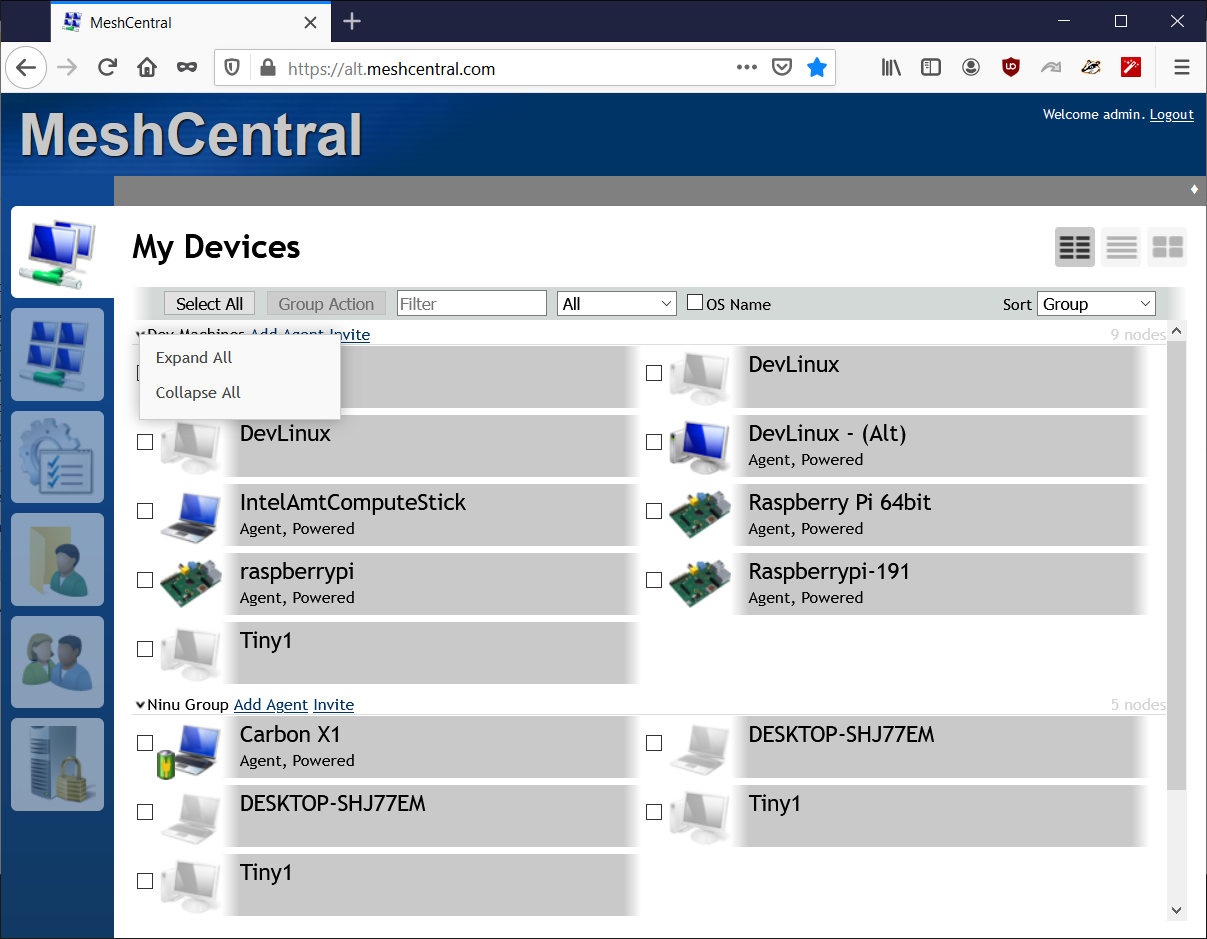
To quickly move to a group, it can be very usefull to have a shortcut 'collapse all' (and expand all) on top of the pc list:

Doing so you can quickly open te required group and have a dedicated list on screen, instead of clicking 5x to close unrelevant groups.
 jdvmanen
All 4 comments
Right click on the small arrow to open/close a group. You can select "Expand all" and "Collapse all". Let me know if that works.
 Ylianst
on 12 Feb 2021
Ylianst
on 12 Feb 2021
@Ylianst - it's works fine....
I am using meshcentral from 1year, but now I realise such feature is available. ....
Appreciate all the team behind this tiny but unbelievable tool......
 VINISHVV
on 12 Feb 2021
VINISHVV
on 12 Feb 2021
Nice. Next time, please close issue when done. Thanks.
Ylianst
on 12 Feb 2021
Nice, didn't know this. Great!
Op vr 12 feb. 2021 20:05 schreef Ylian Saint-Hilaire <
[email protected]>:
Closed #2286 https://github.com/Ylianst/MeshCentral/issues/2286.
—
You are receiving this because you authored the thread.
Reply to this email directly, view it on GitHub
https://github.com/Ylianst/MeshCentral/issues/2286#event-4326272363, or
unsubscribe
https://github.com/notifications/unsubscribe-auth/AQLKAHY26IJQSMCEYYQ6SH3S6V3WLANCNFSM4XQBGLRQ
.
jdvmanen
on 12 Feb 2021
Related issues
 hellofaduck
·
3Comments
hellofaduck
·
3Comments
 penguinthingie
·
4Comments
penguinthingie
·
4Comments
 Julien-asv
·
3Comments
Julien-asv
·
3Comments
 robclay
·
3Comments
robclay
·
3Comments
 M1CK431
·
3Comments
M1CK431
·
3Comments
Most helpful comment
@Ylianst - it's works fine....
I am using meshcentral from 1year, but now I realise such feature is available. ....
Appreciate all the team behind this tiny but unbelievable tool......