Meshcentral: Cannot download files: devicefile.ashx
Hello, MeshCentral latest version ver. 0.6.54, on Windows Server. All is working perfectly but no file can be downloaded from Files section of a conneceted device. If clicking on a file a save dialog appears with the filename set to "devicefile.ashx" and, even if I rename the file to the correct one, the download will fail.
The behavior is not constant as I was able -sometimes- to download a file but if I manage to do it the following one is doing that "devicefile.ashx" problem.
I even tested, if that could help you to understand, in the My Files section. If I upload a file then I can download it ONE TIME. The following time... devicefile.ashx.
This is a priority problem as it's preventing file transfer to connected devices!
If you want me to do some tests I can do it.
Thank you, however, for that a great software!
 energywave
All 21 comments
I am not seeing this problem on my servers. When you downloads the devicefile.ashx, what size is it and if you rename it to .txt and open it with notepad, what does it contain?
Also, can you go in the "My Server" / "Trace" tab, turn on the "cookie encoder" and "web server requests" tracing and try to download files using a different browser window. You should see something like this:

Let me know if you see any errors.
As an temporary alternative, you can add ?mobile=1 or &mobile=1 to the URL and download files using the mobile app, that should work since it uses a different system. You can also use MeshCentral Router as another alternative.
 Ylianst
on 1 Oct 2020
Ylianst
on 1 Oct 2020
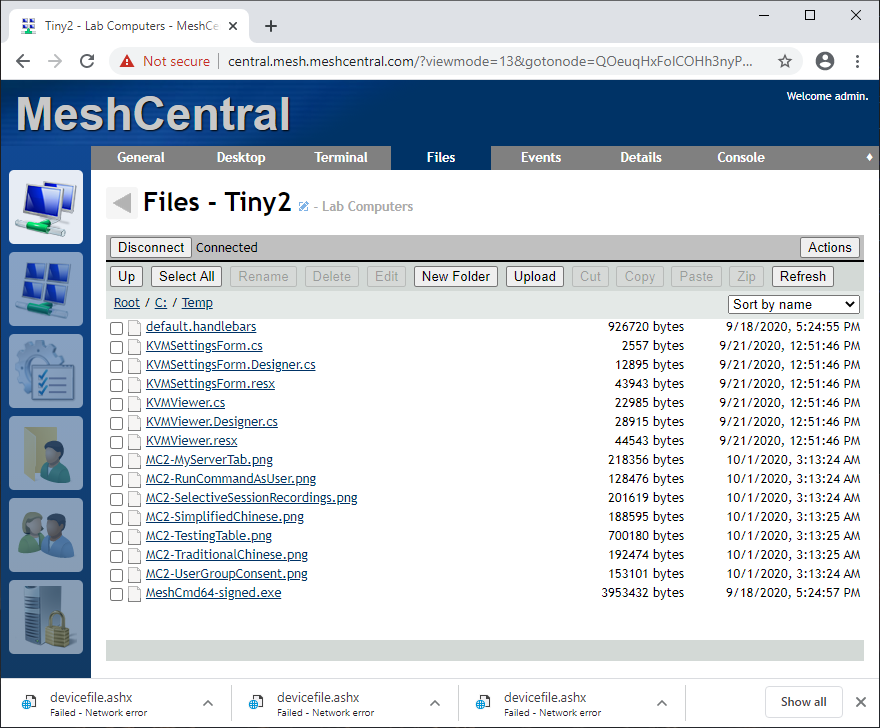
I cannot download that file as when I confirm the filename, even if I rename it, it then fails with something like "Operation not completed. Network error" (translated from the italian message), screenshot following:

I've enabled the trace as instructed and this is the result. Please note that I've seen populating these rows BEFORE entering the folder, clicking the file and try to download it. No rows where added after I've connected to the files of the device.

Thank you for the alternatives, I'll try them but I wanted to help you to resolve this issue, in first place :)
energywave
on 1 Oct 2020
Ok. So it seems that when you click on a file, the request is stopped before it gets to the MeshCentral server. Do you have a reverse proxy or firewall before MeshCentral that looks at the requests and blocks them? It does not seems like a problem I can fix.
Normally, I would expect to see the "devicefile.ashx" request to at least reach the server, but it is not. Not sure I can do anything more.
Ylianst
on 1 Oct 2020
Hi. I have the same problem with version 0.6.53. Using Chrome and Edge both fail to download, but Firefox download the file without problem
 billymoox
on 1 Oct 2020
billymoox
on 1 Oct 2020
@billymoox OH!!! That helps a lot! Checking now.
Ylianst
on 1 Oct 2020
Arg. I am not seeing the problem on my server... but still looking into it.
Ylianst
on 1 Oct 2020
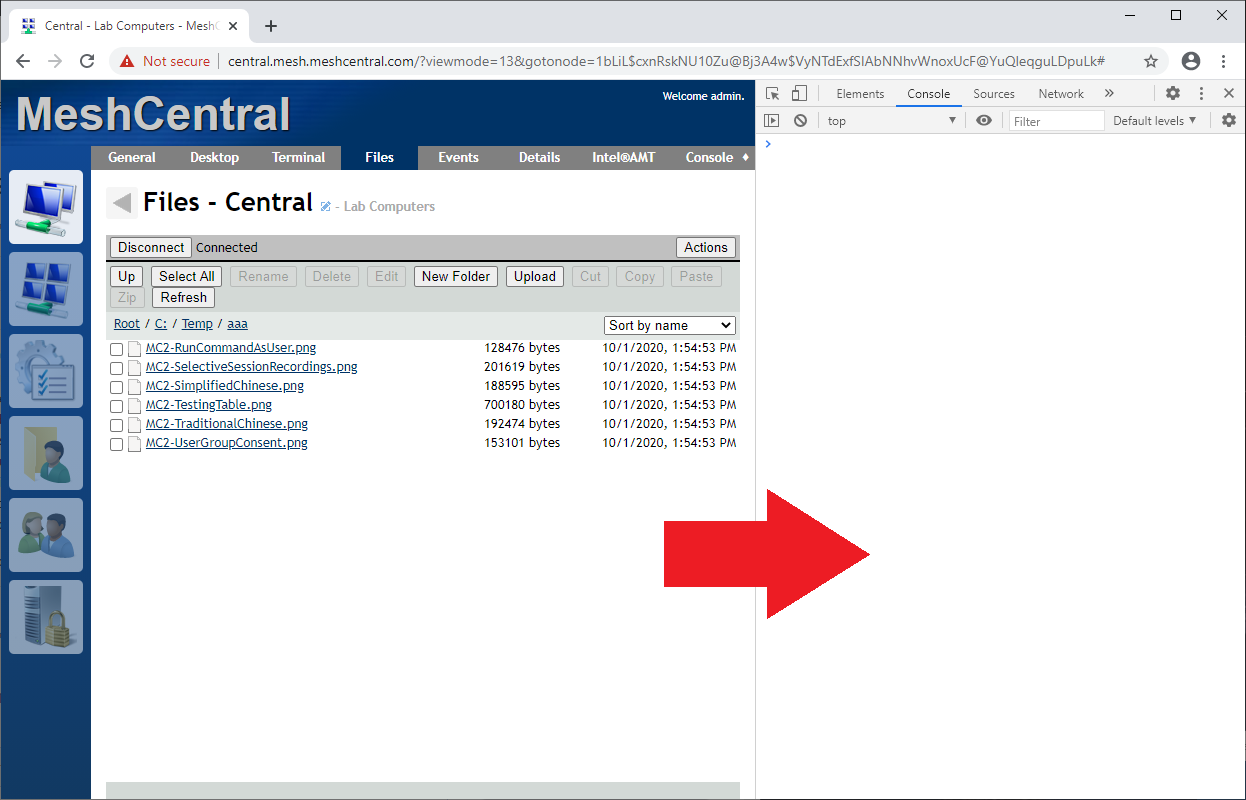
If anyone that gets this error can open the browser console, make this happen and let me know if you see any errors? Thanks. CTRL-SHIFT-I on Chrome.
Ylianst
on 1 Oct 2020
No error message in the browser console. But if I copy the link and put into a new browser tab, the file download ok.
billymoox
on 2 Oct 2020
@billymoox Interesting!
Ylianst
on 2 Oct 2020
I'm not seeing this either. I'm running 0.6.55 and just tried downloading a file from a device via Microsoft Edge. No issues at all. It's working exactly as it should. For those having trouble, are you using any particular antivirus or browser plugins? Just wondering if there is something in common?
 PathfinderNetworks
on 2 Oct 2020
PathfinderNetworks
on 2 Oct 2020
@PathfinderNetworks Excellent question. I can't replicate this problem. If there is any other information that could help. Please let us know.
Ylianst
on 2 Oct 2020
Thank you for checking on this. I just made some debug to better understand. I can confirm that with Firefox the download is working but it's not with Chrome and the latest version of Edge (Chromium based).
I have a clean installation of MeshCentral on my server, without reverse proxy (for now). The server is on the same LAN where I'm using my PC, now, but same behavior from the outside of my LAN. I expose directly a port with HTTPS (self signed certificate that give me warning but then works)
So I've tried with Chrome in Incognito mode, to exclude all extensions I have and... hey, it works! So it could be and extension... I'll try enabling them one by one to understand what extension give problems...
I also tried Dev tools on all browser and I have different observations:
- on Edge and Chrome when I click on a file link to download it I cannot see any network activity (even when it's working!)
- on Firefox, when I click on file, I see the HTTP GET on devicefixle.ashx that give back the correct file.
I made further tests with Chrome in Incognito mode and then.... it stopped to work again and that damns devicefile.ashx came up again.
So, the only sure information, for now, is that Firefox works. I'll use that for now but we have to understand what's going on... :(
energywave
on 2 Oct 2020
Further investigating. Disabled all extensions I have on Chrome. No change, same problem.
Tried again Incognito mode, it don't works anymore, tested several times... So I don't understand why at first I could download more than one file and then stopped to work...
Could it be related to the self signed certificate that is handled differently on Chrome? But then, why sometimes it works and sometimes don't?
What a strange thing...
Another inconsistency: I managed to download multiple times files from the My Files global section... But first time it worked only first time.
There is something intermittent with other browser than Firefox.
@Ylianst : I can provide you in private with an access link on my server with a user and pass, if that could help you.
On my side I'll further investigate from other OS / browsers.
energywave
on 2 Oct 2020
One thing I forgot to ask, what version of NodeJS are you using? Type node -v to look. I would like to try with the exact same version you are using. I am going to do more testing now on a different server I have, but testing on the same NodeJS version would be best. If I still can't find anything, I will take you up on the offer to debug on your server.
One idea is that the cache settings I send back in the header are not right. That would explain why it always works the first time. It would also cause it to work again if you clear your browser cache.
Ylianst
on 2 Oct 2020
node -v gives the result "v11.10.1". I installed NoeJS with MeshCentral, never used it and never updated it. If that could be an option please give me a hint on how to do it ;)
If that could help MeshCentral is installed on an old virtual Windows Server 2012 Standard.
I'm planning to install it on a newer one with reverse proxy to expose it through the standard HTTPS port, within other services exposed by IIS.
Thank you for all your efforts, very appreciated! 👍
energywave
on 2 Oct 2020
Thanks, installing v11.10.1 now. MeshCentral should just work on this version, should not need to reinstall anything. Let me do some testing now.
Ylianst
on 2 Oct 2020
Ha. Finally. I got it to happen! Looking into it.
Ylianst
on 2 Oct 2020
Yeah! Happy that you could reproduce it! I'm a programmer and I know exactly how difficult is to bust a bug that you cannot reproduce yourself! 👍
Let me know if I can be of some help for you.
energywave
on 2 Oct 2020
Looks like a bug in Webkit that impacts Chrome and Edge. I just published MeshCentral v0.6.56 with a workaround. Let me know if it works.
Ylianst
on 2 Oct 2020
I'll be at office on Monday but if I'll have time I'll update it tomorrow and let you know.
In the meanwhile... Thank you so much for your work!!!
energywave
on 3 Oct 2020
Ok, I tested it in Chrome and Edge: it works! Thank you so much, your work is great!!!
energywave
on 5 Oct 2020
Related issues
 coolwormgit
·
3Comments
coolwormgit
·
3Comments
 robclay
·
3Comments
robclay
·
3Comments
 veitw
·
4Comments
veitw
·
4Comments
 guerby
·
3Comments
guerby
·
3Comments
 penguinthingie
·
4Comments
penguinthingie
·
4Comments