Meshcentral: Problem detecting laptops with removed battery
I have an "only laptops" device group, today I realized two of my computers weren't displaying the battery icon, then I realized the icon wasn't the laptop one (like the others in the group) but the one for my desktops. I contacted the final users of the laptops and they had manually removed the internal battery (may God know why)...
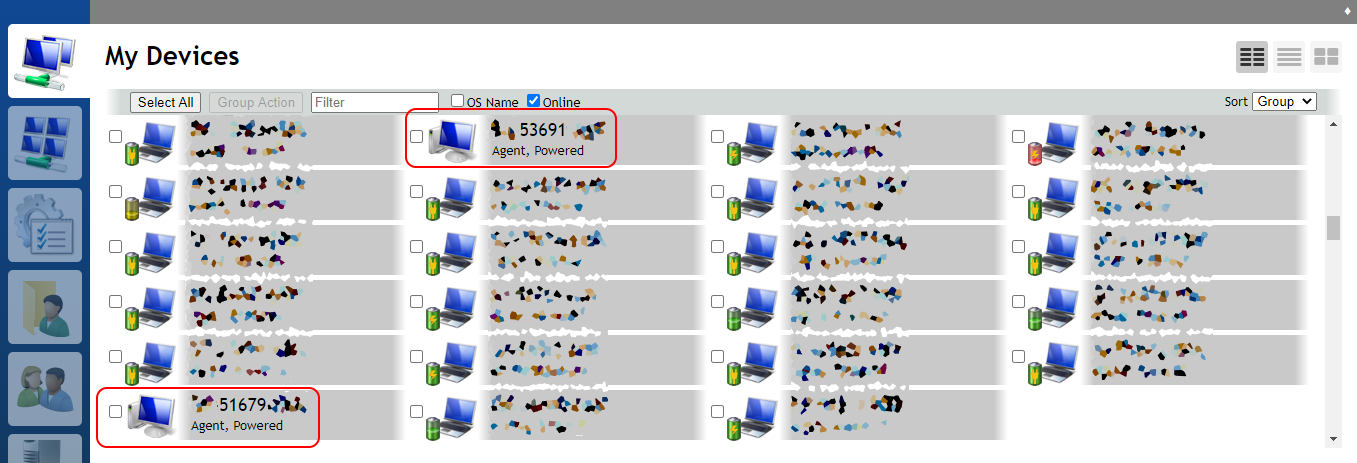
I think there's a miss situation where the battery is absent but the device is a laptop.
If the battery is reconnected again, the battery icon doesn't appear (tested without rebooting the laptop).
 LFM8787
All 7 comments
Couple things going on here... First, is that I detect the platform type, by querying the power controls of the OS, to see if a battery is present... Which explains why it shows up as a desktop. The other issue, is that once an icon is "selected" on first connect, it doesn't change if the platform type changes, by design. @Ylianst can probably look at the latter, because currently it doesn't change, because when the icon is first selected, the server doesn't differentiate if it was set by the platform, or if it was set by the user. The assumption is that when the user sets the icon, it doesn't change in order to honor what the user has set. But I can envision that it should be possible to only do this behavior after the user has set the icon via the web interface, otherwise it can use whatever the platform says what it thinks it is... @Ylianst ?
As far as the former is concerned, can you tell me what OS that device is? I can see if there is a more accurate way to identify the platform type. I was only using battery detection so I could make it more cross platform as far as the logic goes...
 krayon007
on 11 Sep 2020
krayon007
on 11 Sep 2020
Of course:
53691 - Windows 10 Pro 1903
51679 - Windows 7 Pro SP1
LFM8787
on 11 Sep 2020
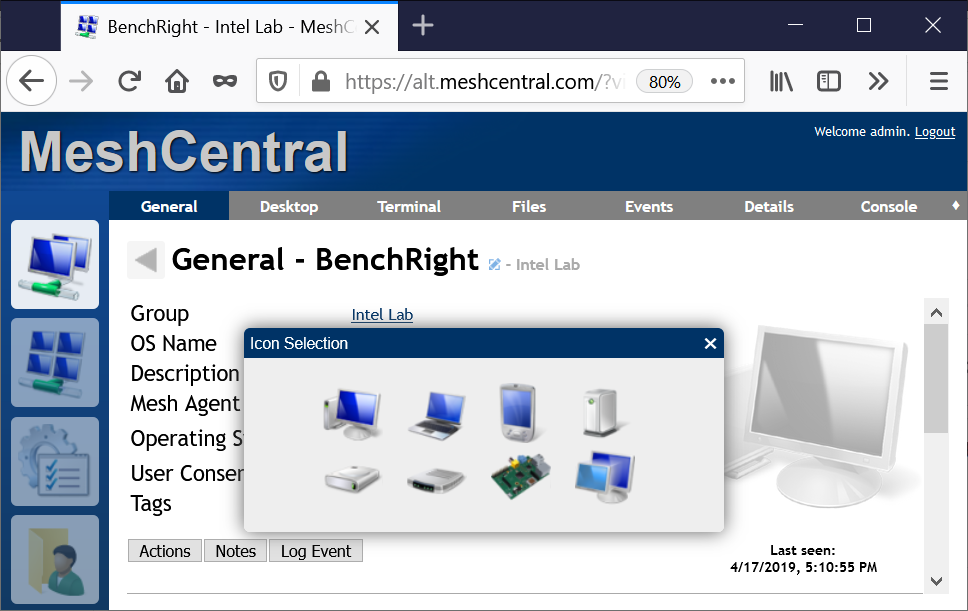
One quick note on this, you can click on a device and click on the large device icon to change the icon. So for now, just select the laptop icon since MeshCentral did not start out by selecting the correct one. Hope that helps.
 Ylianst
on 13 Sep 2020
Ylianst
on 13 Sep 2020
I updated laptop detection on windows. Previously, I only checked for the presence of a battery. Now if a battery is not detected, I also query the ChassisType and the PCSystemType. This should be in the next agent update. (Note: The icon won't change if the device has already connected to the server. But for agents that have not connected, the proper icon will display on first connect)
krayon007
on 13 Sep 2020
I updated laptop detection on windows. Previously, I only checked for the presence of a battery. Now if a battery is not detected, I also query the ChassisType and the PCSystemType. This should be in the next agent update. (Note: The icon won't change if the device has already connected to the server. But for agents that have not connected, the proper icon will display on first connect)
Great news, I'll check by reinstalling it in a laptop with removed battery. No chance to update already added ones? It's not a big deal for me to reinstall but to know if it's necessary or not.
Thank you both!
LFM8787
on 14 Sep 2020
You won't actually have to reinstall, all you'll need to do is just remove the device on the server side. When the agent reconnects it'll come back with the correct icon
krayon007
on 14 Sep 2020
But if you're going to do that you might as well just manually change the icon
krayon007
on 14 Sep 2020
Related issues
 robclay
·
3Comments
robclay
·
3Comments
 vish84
·
3Comments
vish84
·
3Comments
 unguzov
·
3Comments
unguzov
·
3Comments
 PathfinderNetworks
·
3Comments
PathfinderNetworks
·
3Comments
 haxmachine
·
3Comments
haxmachine
·
3Comments
Most helpful comment
I updated laptop detection on windows. Previously, I only checked for the presence of a battery. Now if a battery is not detected, I also query the ChassisType and the PCSystemType. This should be in the next agent update. (Note: The icon won't change if the device has already connected to the server. But for agents that have not connected, the proper icon will display on first connect)