Meshcentral: Change notification message in meshcore.js
Hi, Ylianst
I would like to change the above phrase to Japanese. If I change it to English, it works fine. But when I change it to Japanese, I got a meshcore error, so the Desktop menu is not shown? Is there a way to solve it?
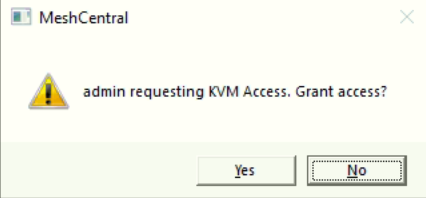
Thanks in advance.
 hchkim
All 13 comments
I'll take a look at it
 krayon007
on 9 Jun 2020
krayon007
on 9 Jun 2020
Thank you :)
hchkim
on 11 Jun 2020
This is fixed in v0.5.58 for Windows and Linux... It will be in the next update for macOS.
krayon007
on 13 Jun 2020
Thank you for updating.
I tested it after update. But it didn't work.
I upgraded meshcentral and I reinstall meshagent.
I changed message in meshcore.js to japanese.

I updated meshcore.js to /agents/meshcore.js
I restarted meshcentral.
It doesn't show desktop/terminal menu on meshcentral.
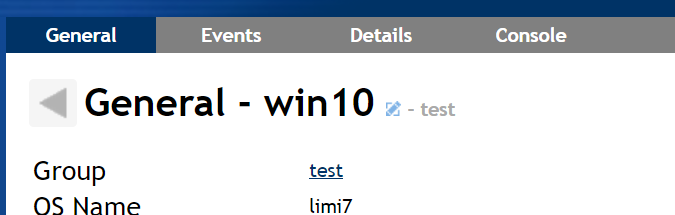
How should I do to solve it?
hchkim
on 13 Jun 2020
ok, I see the issue... I had fixed the method call, to support UTF-8 messages... But it looks like the problem you are seeing, is that the meshcore.js file was not loaded as a UTF-8 document, the Javascript file was getting corrupt.... I'll take a look at it in the morning...
krayon007
on 13 Jun 2020
Hi. Just published MeshCentral v0.5.60 with an official way to change the user consent messages. In the domain section of the config.json, add the new "consentMessages" section like this:
"domains": {
"": {
"consentMessages": {
"Desktop": "{0} requesting remote desktop access. Grant access?",
"Terminal": "{0} requesting remote terminal access. Grant access?",
"Files": "{0} requesting remote files access. Grant access?"
}
}
Make sure to save the config.json in "UTF8" format. You can edit the strings like you want and {0} will be replaced with the username that is making the request, but it is not required to use {0} in the string.
Let me know if this works.
 Ylianst
on 13 Jun 2020
Ylianst
on 13 Jun 2020
Like a charm!
 amenolo
on 13 Jun 2020
amenolo
on 13 Jun 2020
Just published MeshCentral v0.5.61 and you can now customize the consent prompt title and notification messages by adding this to the domain section of config.json:
      "consentMessages": {
        "Title": "MeshCentral",
        "Desktop": "{0} requesting remote desktop access. Grant access?",
        "Terminal": "{0} requesting remote terminal access. Grant access?",
        "Files": "{0} requesting remote files access. Grant access?"
      },
      "notificationMessages": {
        "Title": "MeshCentral",
        "Desktop": "{0} started a remote desktop session.",
        "Terminal": "{0} started a remote terminal session.",
        "Files": "{0} started a remote files session."
      }
This would make everyone happy :)
Ylianst
on 13 Jun 2020
Uhm...how are notificationMessages supposed to be displayed?
I guess in the same way of this one...
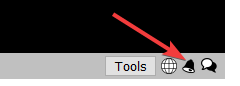
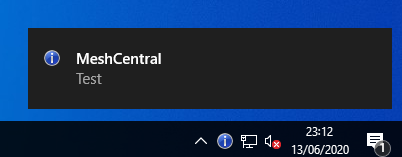
...anyway nothing happens...what am I missing? :confused:
amenolo
on 13 Jun 2020
In user consent options, enable "Notify User"

Ylianst
on 13 Jun 2020
Wasn't so hard to get there...my bad, sorry :flushed:
amenolo
on 13 Jun 2020
Also, on windows, (at least with Windows 10), if you have any apps running fullscreen, toast notifications are blocked by the OS, until you exit out of your fullscreen app.... Personally, I found it quite annoying, because I had the fullscreen app on a secondary monitor, but Windows still blocked all toast notifications...
krayon007
on 14 Jun 2020
It works well.
Thank you for all :)
hchkim
on 16 Jun 2020
Related issues
 petervanv
·
3Comments
petervanv
·
3Comments
 penguinthingie
·
4Comments
penguinthingie
·
4Comments
 darryl-h
·
3Comments
darryl-h
·
3Comments
 veitw
·
4Comments
veitw
·
4Comments
 coolwormgit
·
3Comments
coolwormgit
·
3Comments
Most helpful comment
Just published MeshCentral v0.5.61 and you can now customize the consent prompt title and notification messages by adding this to the domain section of config.json:
This would make everyone happy :)