Meshcentral: Right Click to Open Device in New Tab - Enhancement Request
Add the ability to open numerous devices at the same time in their own tabs.
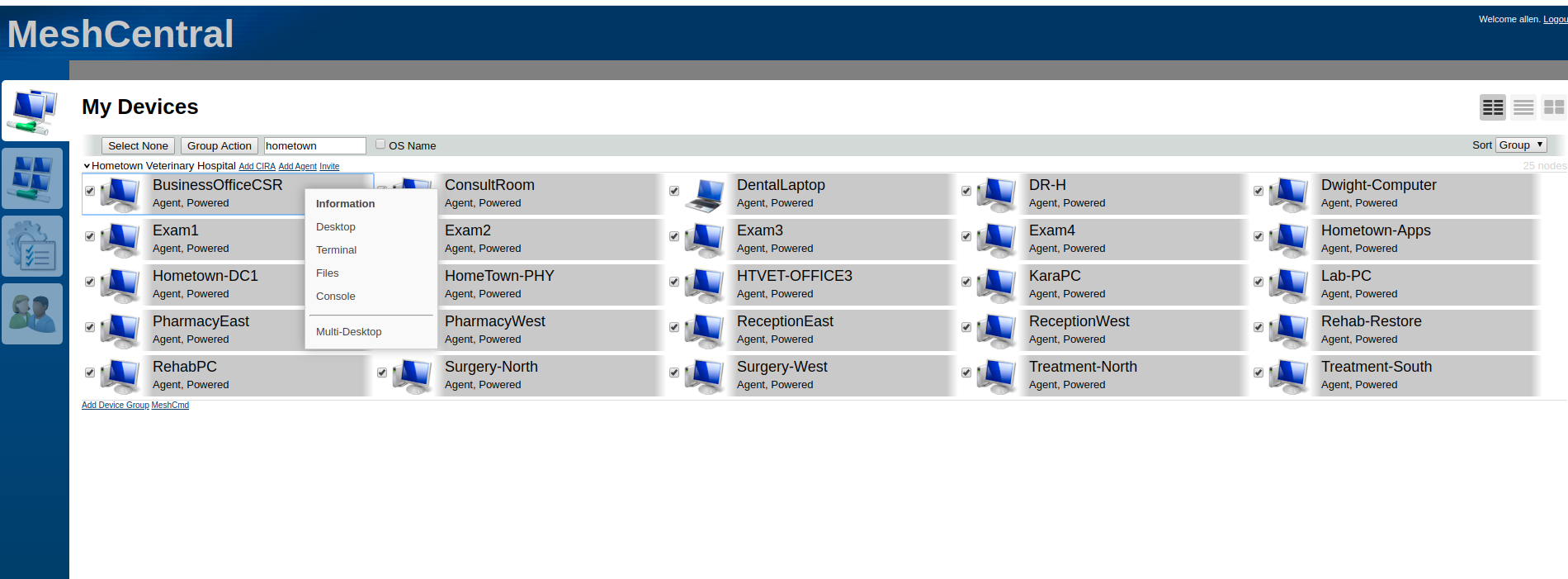
If you have several devices, the ability to right click on the device and have that device open in a different tab would be very nice. If you need to work with multiple devices at once, it's much faster.
Or, alternatively the ability to do a group action in order to have multiple devices in their own tab would work as well.
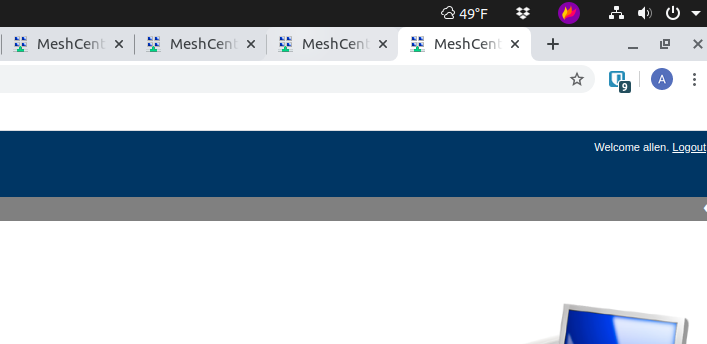
Also for the tab label instead of having MeshCentral-Device name, change to devicename first. That way if you do have multiple tabs open with different devices, it's easy to go back and forth between them.
 CCWTech
All 11 comments
Showing example of why MeshCental first is less efficient. No way to determine device name by what is shown in the tab unless you hover over or select the tab.
CCWTech
on 18 Apr 2020
Try holding the shift key when clicking on a device, or right click on device, hold shift and select and option. Let me know what you think.
 Ylianst
on 18 Apr 2020
Ylianst
on 18 Apr 2020
Holding the shift key opens in a new window, but a new tab would be more efficient. Easier to go from tab to tab, vs between different windows.
I may not be doing something right as right clicking the device then holding the shift key down (or) holding the shift key down and right clicking I don't see Option. I see Information, Desktop, Terminal Files and Console.
CCWTech
on 18 Apr 2020
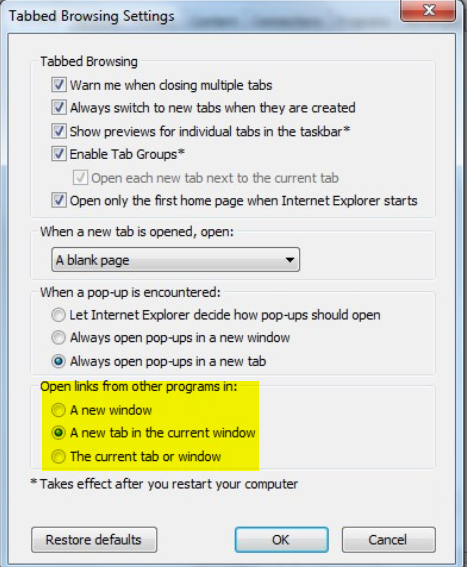
Truth to be told, holding shift key when clicking on device results in a new tab under FireFox only if following option checked
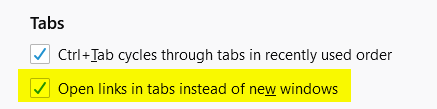
Option which isn't available in other known browsers except dear old I.E., if I recall right...
 amenolo
on 18 Apr 2020
amenolo
on 18 Apr 2020
Let me check Chrome to see if there is a setting for that.
CCWTech
on 18 Apr 2020
Not sure how to set it by default, but it looks like CTRL-SHIFT+Left Mouse Click does it.
Thank you!
CCWTech
on 18 Apr 2020
Ouch, never tried that combo, good to know!
amenolo
on 18 Apr 2020
It looks like the behavior of new tab vs new window is browser defined by the spec. By default, in FireFox it will open in a new tab, in Chrome in a new Window. There is nothing I can do about that, user must configure it.
Ylianst
on 18 Apr 2020
Sounds like a good workaround. Should I create a different feature request for the TAB labels?
CCWTech
on 18 Apr 2020
If you hold shift and hit any of the tabs, it should open in a new window/tab now. If it's something I missed, yes, open a new issue for it. Please be specific in the request (screenshots are appreciated). Thanks.
Ylianst
on 18 Apr 2020
Ok, I'm closing this one and putting in a new one for the Tabs request.
CCWTech
on 18 Apr 2020
Related issues
 nroach44
·
3Comments
nroach44
·
3Comments
 hellofaduck
·
3Comments
hellofaduck
·
3Comments
 robclay
·
3Comments
robclay
·
3Comments
 veitw
·
4Comments
veitw
·
4Comments
 darryl-h
·
3Comments
darryl-h
·
3Comments