Meshcentral: Windows Agents not connecting, only mac\linux after Caddy (LetsEncrypt) Proxy update
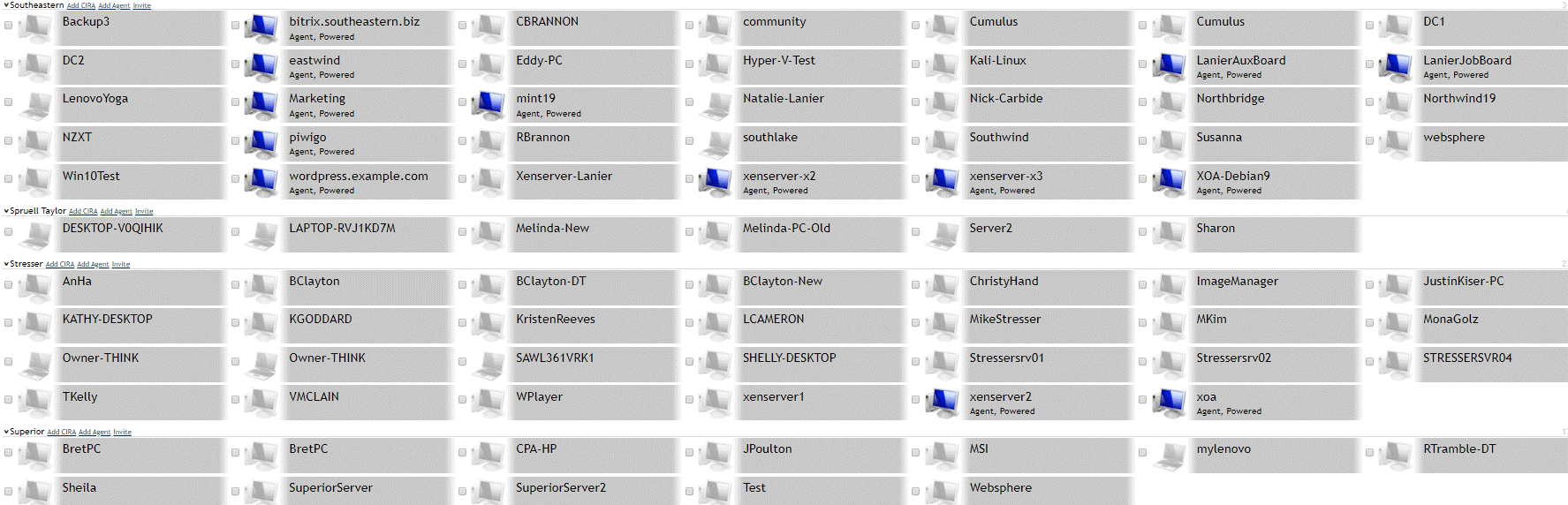
Updated our Caddy Reverse Proxy (Lets Encrypt) to the latest version , and now nothing but Linux and Mac connect. Any ideas why?
 southeasterntech
All 28 comments
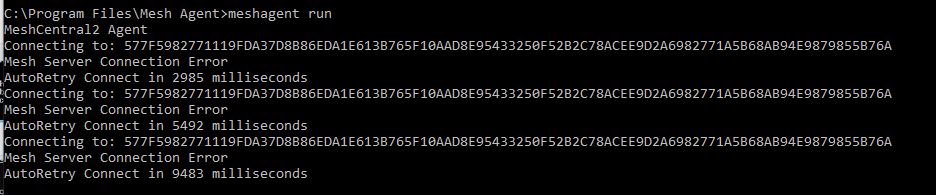
Mesh Agent Win, not connecting
southeasterntech
on 18 Jan 2020
Might be having the same issues as:
MeshAgent on Windows 10 Enterprise LTSC doesn't show up in MeshCentral #568
https://github.com/Ylianst/MeshCentral/issues/568
southeasterntech
on 18 Jan 2020
Oh dear!!! I have some ideas, but if i can get the same problem to happen on my development system, that would be great. What exact version of Caddy are you using? Caddy 1 or 2 Beta?
 Ylianst
on 18 Jan 2020
Ylianst
on 18 Jan 2020
I'm having the same problem as Shane, except nothing is connecting. We're both using the latest version of Caddy 1.
 GoodComputerGuy
on 18 Jan 2020
GoodComputerGuy
on 18 Jan 2020
I've managed the narrow down the origin of the problem to v0.11.5 so far. The problem does not exist in Caddy v0.11.4, so the culprit must be one of these commits: https://github.com/caddyserver/caddy/compare/v0.11.4...v0.11.5
@Ylianst @krayon007 You can find the information that is required to reproduce the problem below.
Caddyfile used in both tests
mesh.yourdomain.com:443 {

  proxy / 127.0.0.1:7450 {
    transparent
    websocket
  }

  tls /root/cert.pem /root/key.pem
}
MeshCentral config used in both tests
{
  "settings": {
    "AliasPort": 443,
    "Cert": mesh.yourdomain.com",
    "Port": 7450,
    "TlsOffload": "127.0.0.1"
  },
  "domains": {
    "": {
      "certUrl": "mesh.yourdomain.com:443",
      "newAccounts": 0
    }
  }
}
Test with Caddy v0.11.4
root@vps-01:~# caddy -version
Caddy 0.11.4 (+c1d6c92 Fri Feb 15 19:06:02 UTC 2019) (unofficial)
1 file changed, 1 insertion(+), 1 deletion(-)
caddy/caddymain/run.go
root@vps-01:~#
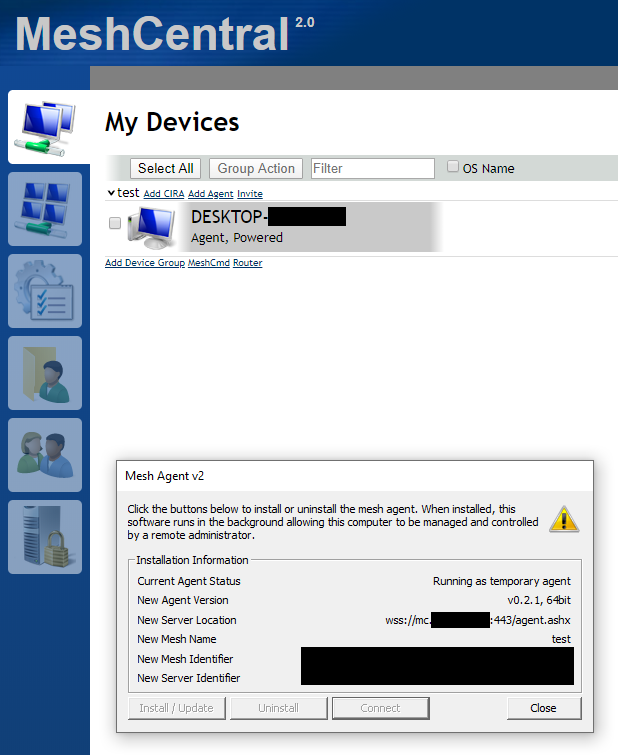
Test with Caddy v0.11.5
root@vps-01:~# caddy -version
Caddy 0.11.5 (+80dfb8b Mon Mar 04 19:50:49 UTC 2019) (unofficial)
1 file changed, 1 insertion(+), 1 deletion(-)
caddy/caddymain/run.go
root@vps-01:~#
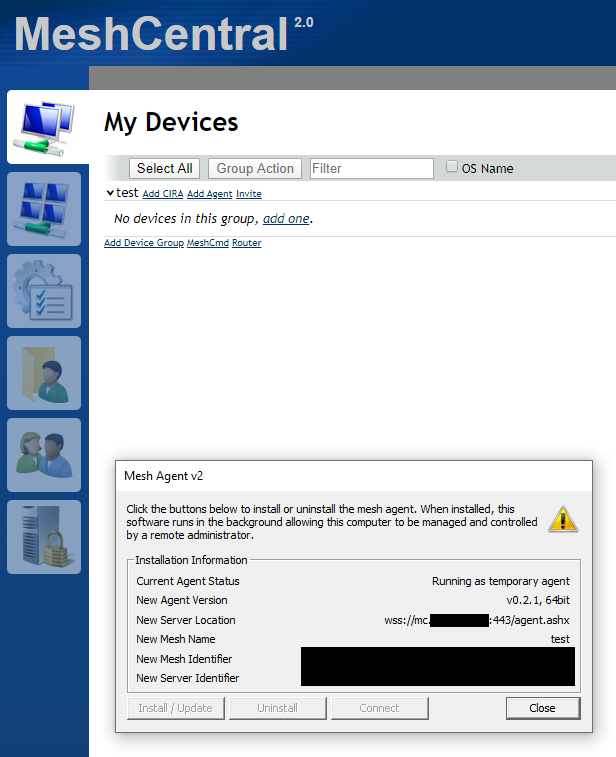
 whalehub
on 19 Jan 2020
whalehub
on 19 Jan 2020
This is certainly top priority. Thank you for the find, looking at the change log, the TLS in latest Caddy has been changed.
`
0.11.5 (March 4, 2019)
- TLS 1.3
- Built with Go 1.12
- More organized output at startup
- internal: Paths are now hidden from other middlewares
- staticfiles: Allow HEAD method
- tls: TLS 1.3 default max version (1.2 still default min)
- tls: Better handling of empty ACME email addresses
- tls: Removed CBC ciphers from defaults
- Other minor improvements and bug fixes
`
TLS 1.3 or removal of the CBC ciphers are the two likely causes. Agent TLS connection is probably failing. If this is true, a new native MeshAgent update will be required. As soon as I can, I will run tests on this.
Ylianst
on 19 Jan 2020
Don't know if this is related or not, I've been fiddling with my mesh server this morning, including updating to 0.4.7-K and I can see Windows desktops, but can't do anything on them
I know that windows doesn't have TLSv1.3 support at all, and Microsoft seem to be dragging their feet with it. Programs written for windows using OpenSSL can have TLSv1.3 support (eg Thunderbird or Firefox.
Stepping back to 0.4.7-J fixes this, going forwards again to 0.4.7-k breaks
 OutbackMatt
on 19 Jan 2020
OutbackMatt
on 19 Jan 2020
@Ylianst @krayon007 @southeasterntech @GoodComputerGuy I just finished doing a whole lot of testing with different certificate types and ciphers and can now conclusively say that the removal of CBC ciphers in Caddy v0.11.5 is not the cause of this issue. MeshCentral supports the GCM ciphers that Caddy has been using since v0.11.5. It turns out that the issue is instead caused by having TLS 1.3 enabled in Caddy.
You can confirm this by first running Caddy with this config:
mesh.yourdomain.com:443 {

  proxy / 127.0.0.1:7450 {
    transparent
    websocket
  }

  tls /root/cert.pem /root/key.pem
}
And then running it with this config:
mesh.yourdomain.com:443 {

  proxy / 127.0.0.1:7450 {
    transparent
    websocket
  }

  tls /root/cert.pem /root/key.pem {
    protocols tls1.2
  }
}
MeshAgent on Windows will not be able to connect to MeshCentral when running Caddy with the first config because TLS 1.3 started being enabled by default in v0.11.5. It will be able to connect just fine using the second config.
In conclusion, MeshAgent needs to be updated to support TLS 1.3.
whalehub
on 19 Jan 2020
That's interesting, becuase the Mesh Agent should already support TLS/1.3, since it uses OpenSSL/1.1.1d. Stranger that it works on Linux/MacOS and not Windows, since the code should be identical. I'll do further testing when I get into the office.
 krayon007
on 19 Jan 2020
krayon007
on 19 Jan 2020
The only difference I can think of, is that by default, Windows Agent, will use the WinCrypto to generate the certificates it uses for TLS, while Linux/MacOS uses OpenSSL to generate the Certs.... But this can be overriden ...
To test, run the agent in console mode , using the following parameter, after first stopping the service.
MeshAgent run -nocertstore
This will cause the agent to use OpenSSL to generate it's cert rather than WinCrypto.
Note: Copy the .db file to a backup, so you can revert the change when you are done, by copying the .db file back...
krayon007
on 19 Jan 2020
I don't think WinCrypto is TLSv1.3 capable yet
OutbackMatt
on 19 Jan 2020
I'm just using WinCrypto to generate the cert, I still use OpenSSL for the TLS connection.
krayon007
on 19 Jan 2020
But if you run the agent with the -nocertstore option, you can see if that is the culprit...
krayon007
on 19 Jan 2020
Can we make that the default behaviour??
Bit tricky to connect to remote machines and stop the MeshAgent Service, only to start the service manually with the switch
OutbackMatt
on 19 Jan 2020
Oh sorry, I was thinking you had the PC locally that you could test... I was thinking of having the certstore thing be something you can set in the MSH file, so the server could set the policy.. That might be the best way, since many people think using the Windows Cert Store, to be more secure.
krayon007
on 19 Jan 2020
This was my issue
https://github.com/Ylianst/MeshCentral/issues/841
OutbackMatt
on 19 Jan 2020
@krayon007 That command unfortunately leads to the same error message:
D:\Libraries\Downloads
λ .\meshagent64-Default.exe run -nocertstore
MeshCentral2 Agent
** Not using Certificate Store **
Generating Certificate...
Connecting to: 954D0952C3C609379E88EB86754B9B24AB2F1263D3DA324C316CF73A391C318A868ED7A4298451989736658390C3301F
Mesh Server Connection Error
AutoRetry Connect in 1009 milliseconds
Connecting to: 954D0952C3C609379E88EB86754B9B24AB2F1263D3DA324C316CF73A391C318A868ED7A4298451989736658390C3301F
Mesh Server Connection Error
AutoRetry Connect in 1795 milliseconds
Connecting to: 954D0952C3C609379E88EB86754B9B24AB2F1263D3DA324C316CF73A391C318A868ED7A4298451989736658390C3301F
Mesh Server Connection Error
AutoRetry Connect in 3451 milliseconds
Connecting to: 954D0952C3C609379E88EB86754B9B24AB2F1263D3DA324C316CF73A391C318A868ED7A4298451989736658390C3301F
Mesh Server Connection Error
AutoRetry Connect in 5190 milliseconds
@Ylianst sounds like an inner cert issue, not a tls issue?
krayon007
on 19 Jan 2020
FYI. I just got this problem to happen on my developer machine with Caddy. Linux works, Windows does not. Investigating the problem now...
Ylianst
on 20 Jan 2020
FYI. So far, I found that if I disable TLS 1.3 in the MeshAgent using...
SSL_CTX_set_options(ctx, SSL_OP_NO_TLSv1_3);
...the Windows agent connects. So, it's TLS 1.3 related. Still investigating why.
Ylianst
on 20 Jan 2020
More details I found: If I use NodeJS 13.x with TLS 1.3 support on the server side, the Windows agent connects to it with TLS 1.3 correctly. I do notice that NodeJS selects "TLS_AES_256_GCM_SHA384" but Caddy selects "TLS_AES_128_GCM_SHA256"...
Ylianst
on 21 Jan 2020
An easy way to work around the problem server side is to disable TLS 1.3 in Caddy like this:
mc.<redacted>:443 {
  proxy / 127.0.0.1:7450 {
    transparent
    websocket
  }

  tls /root/cert.pem /root/key.pem {
    protocols tls1.2
  }
}
You need to add the "protocols tls1.2" like shown above.
Ylianst
on 21 Jan 2020
With NodeJS 13.x, if I force "TLS_AES_128_GCM_SHA256" to be selected just like Caddy does, it still works. So, it's likely not a cipher suite issue.
Ylianst
on 21 Jan 2020
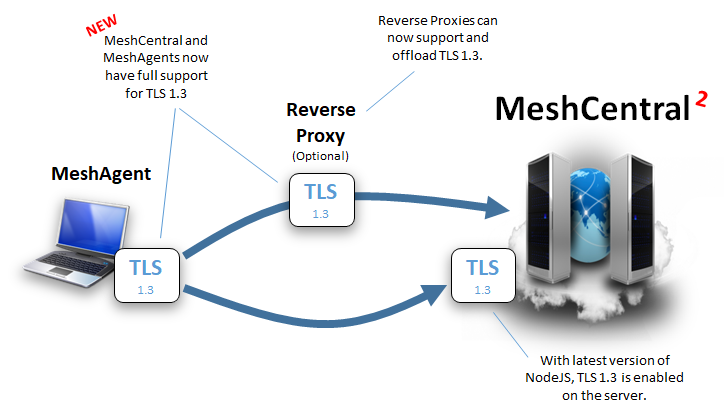
Fixed it. I committed a fix to the Mesh Agent here. TLS 1.3 allows application data to be added along with the TLS negotiation to speed up the connection setup and reduce round trips, that seems to be been the issue. Bryan will have to check and see if my fix is acceptable. An updated MeshAgent executable will be needed, will be released in MeshCentral hopefully this week.
Ylianst
on 21 Jan 2020
@Ylianst Awesome. Thank you for your hard work!
whalehub
on 21 Jan 2020
Published MeshCentral v0.4.7-o with new MeshAgents that support TLS 1.3. Let me know if it works. Note that you will need to disable TLS 1.3 in Caddy as shown above to update agents. Probably wise to disable TLS 1.3 for a while to make sure all agents have shown up at least once and got the update.
Ylianst
on 23 Jan 2020
@Ylianst I can confirm that everything works correctly with TLS 1.3 enabled now.
whalehub
on 23 Jan 2020
Thanks for confirming. I will close this one since I am pretty sure it's fixed. Please open a new issue if needed.
Ylianst
on 23 Jan 2020
Related issues
 veitw
·
4Comments
veitw
·
4Comments
 guerby
·
3Comments
whalehub
·
3Comments
guerby
·
3Comments
whalehub
·
3Comments
 haxmachine
·
3Comments
haxmachine
·
3Comments
 vish84
·
3Comments
vish84
·
3Comments