Meshcentral: Bug Connect All on Multi monitor view
When a filter is made on the My Devices main tab, and the the multi-monitor view is selected
Then 'connect all' wants to open all computers with an active agent, even though only the filter list is shown.
If, however, I 'Select all' on the filtered list on the main 'My Devices' tab, then go to the Multi-monitor view and push 'connect all' only the visible (selected previous screen) are connected
(Thanks for your great work, and the weekend before Christmas too. My country, Australia has already shut down for a summer break)
 OutbackMatt
All 14 comments
Your welcome. I may have fixed this in MeshCentral v0.4.6-i, the "Connect All" button on the multi-desktop view should now only connect to devices that you see on the screen. Let me know if that works -Thanks.
 Ylianst
on 22 Dec 2019
Ylianst
on 22 Dec 2019
Sorry, the above feedback was AFTER I upgraded to v0.4.6-i
You need to actually select them in the main screen to only connect to those that are visible
Just re-loaded v0.4.6-i to check. still the same
OutbackMatt
on 22 Dec 2019
Published MeshCentral v0.4.6-m with a fix for the filter with multi-desktop. Also in this version, you can put t:(tagname) or tag:(tagname) in the filter box and it will only show devices with that tag. Let me know if it works as expected.
Ylianst
on 24 Dec 2019
The tags were being searched correctly previously (just not group names)
The new change doesn't work for me
I have a common product ABCSoftware used at multiple medical centres
I have a tag on the server of each medical centre 'ABCServer'
If I filter 'ABCServer' then only the servers with that tag show up as expected.
If I filter 'ABCServer)' then ALL machines show in the list
If I filter 't:(ABCServer)' then NO devices show
If I filter 'tag:(ABCServer)' then NO devices show
If I filter simply 't:' then NO devices show
OutbackMatt
on 24 Dec 2019
Also the multi-desktop works as expected,
'Connect All' only connects to those that are visible
Thanks for your work
OutbackMatt
on 24 Dec 2019
I'm not sure, but I think he meant the parentheses to indicate that (tagname) was placeholder text, similar to how I usually use the less than (<) and greater than (>) symbols, so I would have written it as "you can put tag:<tagname> in the filter box" and to use your example tag "ABCServer", you would put tag:ABCServer in as the filter.
 MailYouLater
on 24 Dec 2019
MailYouLater
on 24 Dec 2019
As soon as I put a colon ':' in the filter, I get NO devices shown
Brackets, '(' or ')' seem to work like wild cards, haven't quite worked that out yet
OutbackMatt
on 24 Dec 2019
Apologies, @MailYouLater is right. I intended to say you supposed to type:
tag:SampleTag
t:SampleTag
That should show only devices tagged with "SampleTag". No parentheses supported.
Ylianst
on 26 Dec 2019
As soon as I put a colon ':' in the filter, I get NO devices shown
OutbackMatt
on 30 Dec 2019
Can you give an example of what you are using as the filter? Are you using : twice? Like "tag:home:computers"? More details / screenshots appreciated.
Ylianst
on 30 Dec 2019
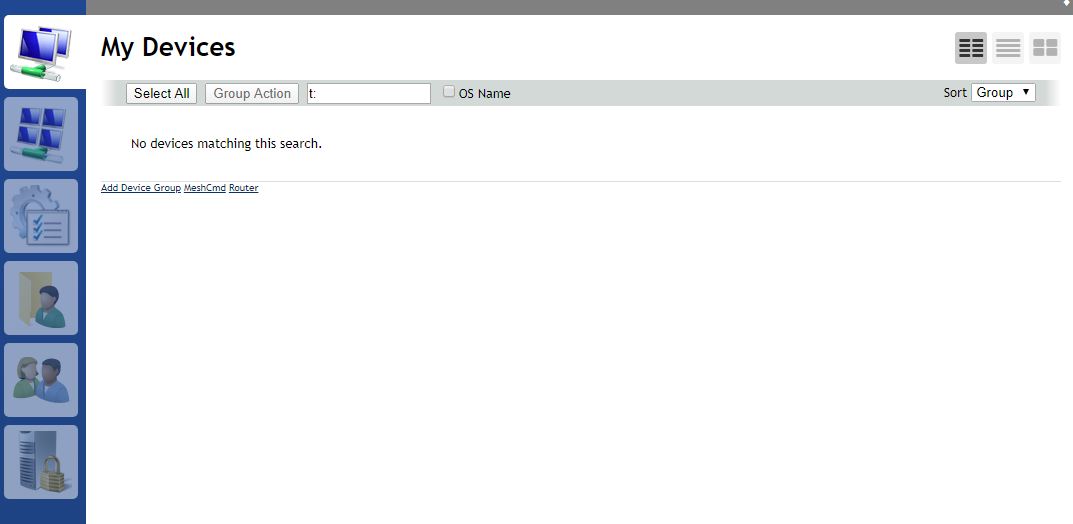
OutbackMatt
on 30 Dec 2019
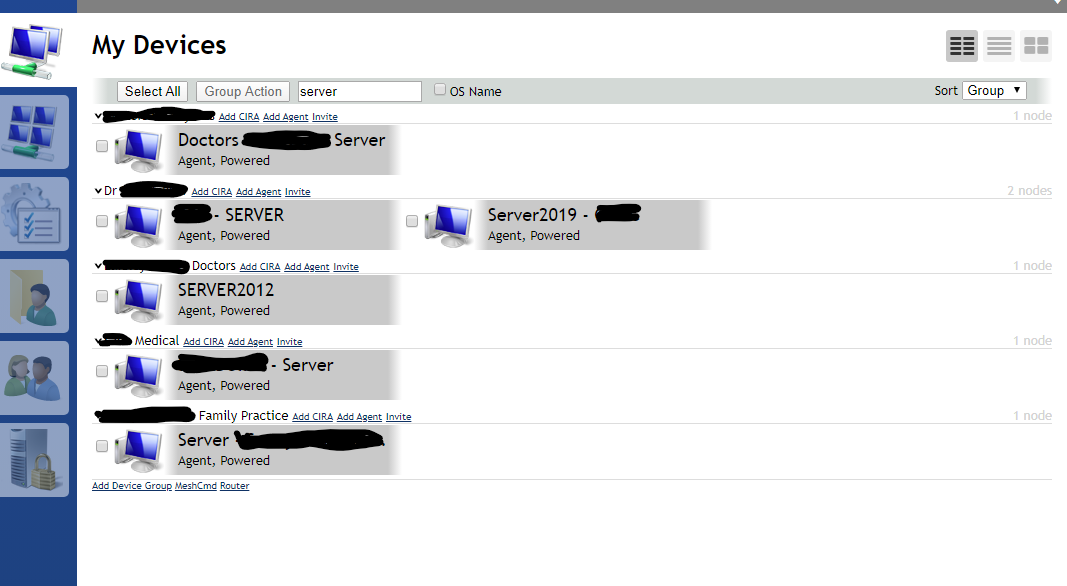
Where as just typing part of a tag name gets me this (as expected)
OutbackMatt
on 30 Dec 2019
Typing just the tag name (ABCServer) will work, but if for example your tag is something that also appears in other searched places (e.g. device name/description, group name, etc.) you will get those too. (e.g. if you have ABC clients with just the tag ABC and one of your device groups is related enough to have "ABC" in the name, those will all show up too.) In such a case, you may want to bring up ONLY the devices with the ABC tag, in which case, you would search for tag:ABC and it would hide the group(s) and devices with it in the name or description if they don't also have the tag. Searching for t: or tag: is now looking for a device with a tag of ... nothing, which doesn't make sense, as a tag of nothing would simply not be a tag, so nothing shows up.
MailYouLater
on 30 Dec 2019
Ah yes
Thanks - makes more sense, especially when I realised that the tag name needs to be typed in full and is case sensitive
So that 'Server' is different to 'server', and to get 'ABCServer' that complete text needs to be entered
Whereas without the t: deliminator a search for 's' will get all machines with an s anywhere in the name or in the tag
Thanks for the tip MailYouLater
OutbackMatt
on 31 Dec 2019
Related issues
 penguinthingie
·
4Comments
penguinthingie
·
4Comments
 haxmachine
·
3Comments
haxmachine
·
3Comments
 guerby
·
3Comments
guerby
·
3Comments
 nroach44
·
3Comments
nroach44
·
3Comments
 darryl-h
·
3Comments
darryl-h
·
3Comments