Meshcentral: Upload Files 401 (Unauthorized)
Hi, I have problems uploading files to the private groups folder. I have made and assigned permissions chmod –R 755 / opt / meshcentral / meshcentral-files but 401 (Unauthorized) still appears in the google chrome console.
I can create folders but not upload files.
Error: Failed to load resource: the server responded with a status of 401 (Unauthorized)
 mrkacg1
All 14 comments
Ok, I will check on this.
 Ylianst
on 4 Dec 2019
Ylianst
on 4 Dec 2019
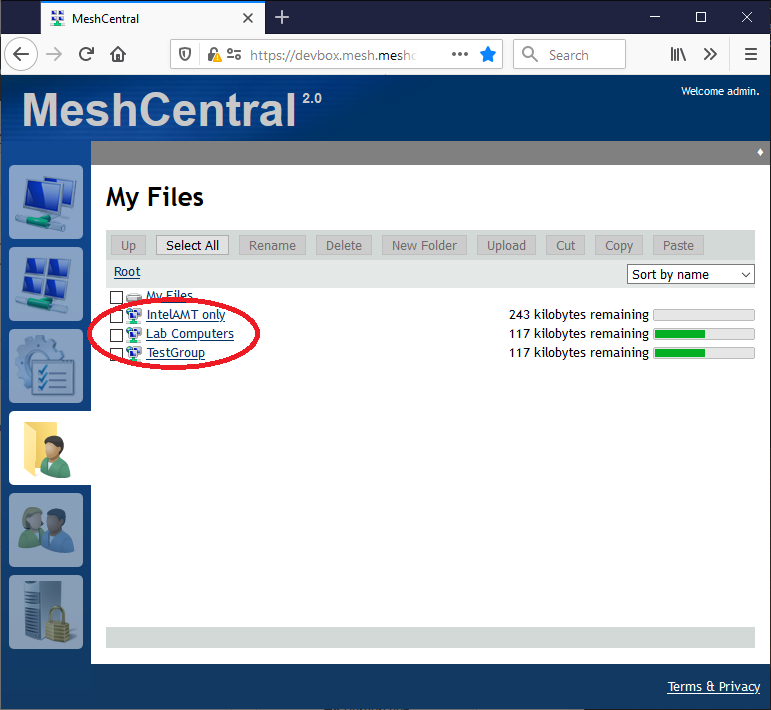
I am not seeing this problem on my servers. Can you confirm the problem is in the "My Files" and the device group folders? It does not happen in "My Files"?
Ylianst
on 4 Dec 2019
Hi, it happens in folders by groups or my files. I can create folders but it doesn't let me upload files. They do not appear there.
mrkacg1
on 5 Dec 2019
I no longer get error 401 but the files are not seen in the folders
mrkacg1
on 5 Dec 2019
Note that there is a file size quota. Can you try very small files and see if that works? If you try to send a big file that exceeds the quota it will currently ignore it. This is a bug, I need to display an error that the quota is exceed.
Ylianst
on 5 Dec 2019
Não estou vendo esse problema nos meus servidores. Você pode confirmar que o problema está nas pastas "Meus arquivos" e no grupo de dispositivos? Isso não acontece em "Meus arquivos"?
Ylianst, good afternoon!
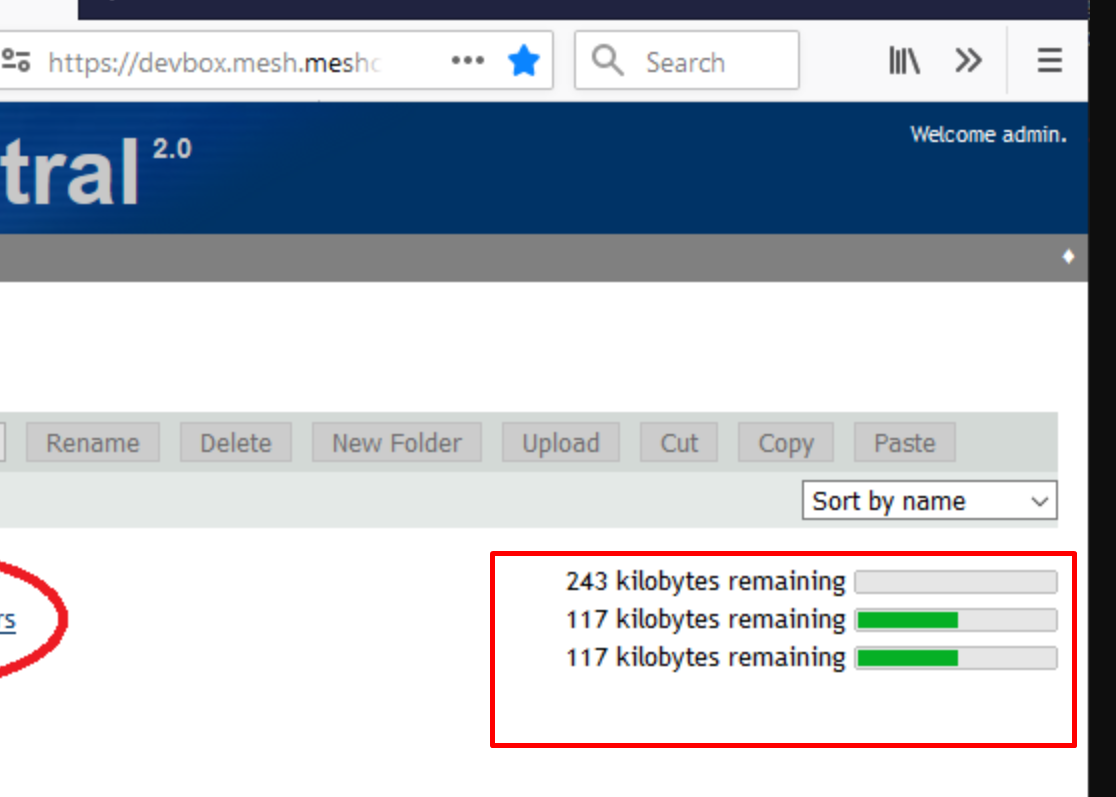
How do I display this spacebar that is in the print you posted?
 geanferrani123
on 5 Dec 2019
geanferrani123
on 5 Dec 2019
You mean the spaces between words in those links? The links you circled in that image reflect the names of device groups. If you want a space there, then you should include a space in the device group's name.
 MailYouLater
on 5 Dec 2019
MailYouLater
on 5 Dec 2019
The "My Files" tab is only available to server administrators or users that have permission to store files on the server. If you have an account on meshcentral.com for example, you will not see this tab. Hopefully this answers the question.
Ylianst
on 6 Dec 2019
Hi, it doesn't allow me to upload my 100k files.
I have an account on my own full admin server but I don't get the bar that indicates the space occupied.

mrkacg1
on 6 Dec 2019
@desarrollocdb When you did the sudo chmod 755, did you add the user to the folder in groups? I have found that even though I was 755 to the folder that once inside of the meshcentral, I had to turn back around and go back out to the server and set my user by which I execute MeshCentral on, to be owner of the folder to fix the 401 error inside of my MeshCentral server. It has to do with folder ownership I found in my instance... Now that I have done that add I am able to transfer the files much easier now...
 SomeGuru
on 8 Dec 2019
SomeGuru
on 8 Dec 2019
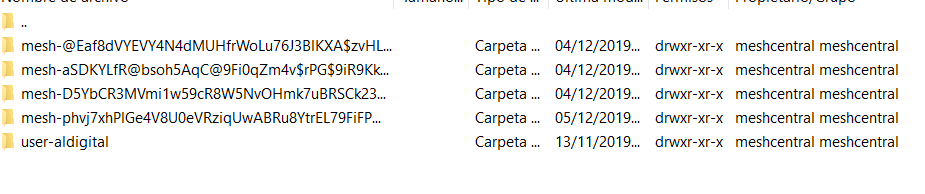
Hi, so I have the permissions currently assigned:
mrkacg1
on 9 Dec 2019
@SomeGuru
This is how permissions look in the folders and so I have the service configured
[Unit]
Description=MeshCentral Server
[Service]
Type=simple
LimitNOFILE=1000000
ExecStart=/usr/bin/node /opt/meshcentral/node_modules/meshcentral
WorkingDirectory=/opt/meshcentral
Environment=NODE_ENV=production
User=root
Group=root
Restart=always
Restart service after 10 seconds if node service crashes
RestartSec=10
Set port permissions capability
mrkacg1
on 17 Dec 2019
Você quer dizer os espaços entre as palavras nesses links? Os links que você circulou nessa imagem refletem os nomes dos grupos de dispositivos. Se você quiser um espaço lá, inclua um espaço no nome do grupo de dispositivos.
I was talking about this featured part
geanferrani123
on 17 Dec 2019
Hello, any update or something that requires review?
mrkacg1
on 8 Jan 2020
Related issues
 hellofaduck
·
3Comments
hellofaduck
·
3Comments
 robclay
·
3Comments
robclay
·
3Comments
 M1CK431
·
3Comments
M1CK431
·
3Comments
 petervanv
·
3Comments
petervanv
·
3Comments
 LPJon
·
3Comments
LPJon
·
3Comments