Meshcentral: MeshCommander display black screen or incomplete via SOL reset to BIOS in UTF-8 Terminal
Hi Yilan,
I check the Meshcommander v0.7.9 tool can duplicate the black screen or incomplete screen when target system reset to BIOS via SOL in UTF-8 Terminal. I check Putty console and Meshcommander v0.7.4 are works, could you help to check this issue?
Best regards,
Joshua
 JoshuaSYChang
All 17 comments
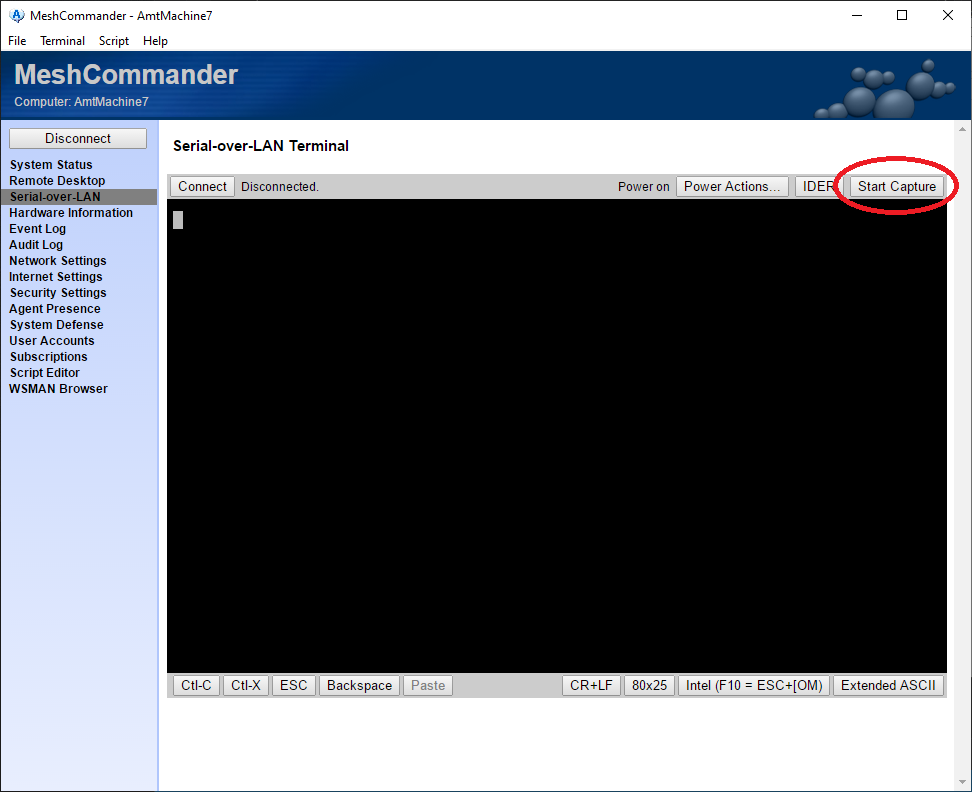
Can you send screen shot or picture of the problem? One more thing you can do it do "Start Capture" in MeshCommander terminal, make the problem happen, stop the capture and send the file. I should be able to replay the data in the terminal and fix any issues.
 Ylianst
on 25 Oct 2019
Ylianst
on 25 Oct 2019
Hi Ylian,
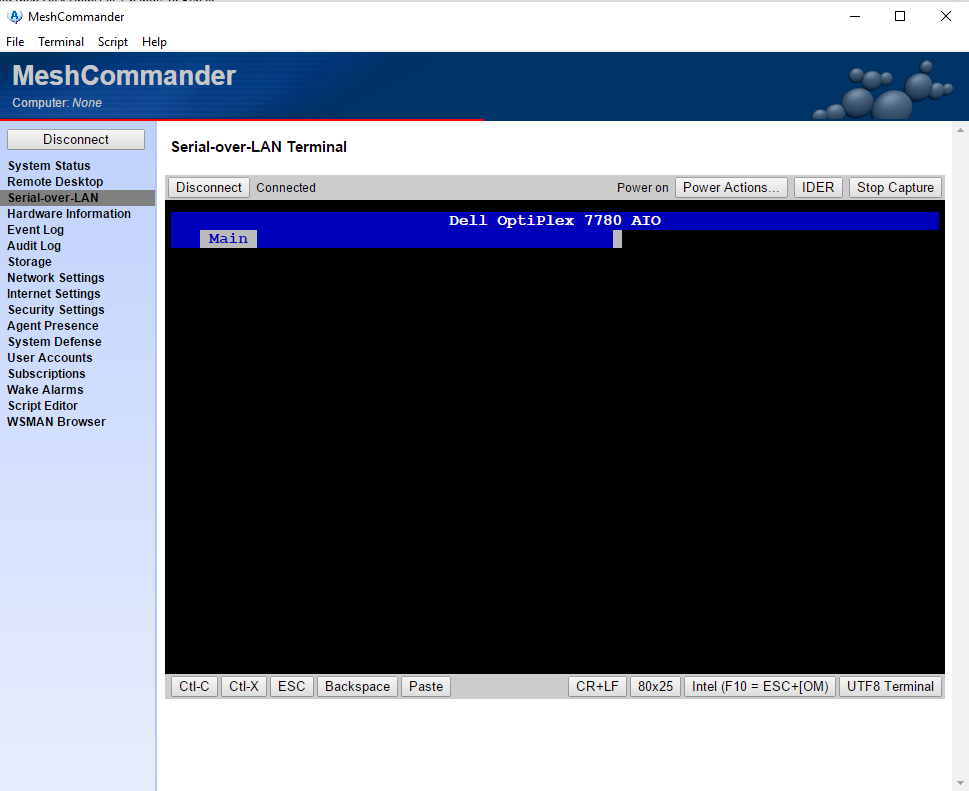
Please refer the log and the screenshot for UTF-8 during issue is reproduced in SOL. Once issue is reproduced, the console will not update screen any more until the codec is changed to ASCII.
TerminalCapture--2019-10-28-20-08.txt
Best regards,
Joshua
JoshuaSYChang
on 28 Oct 2019
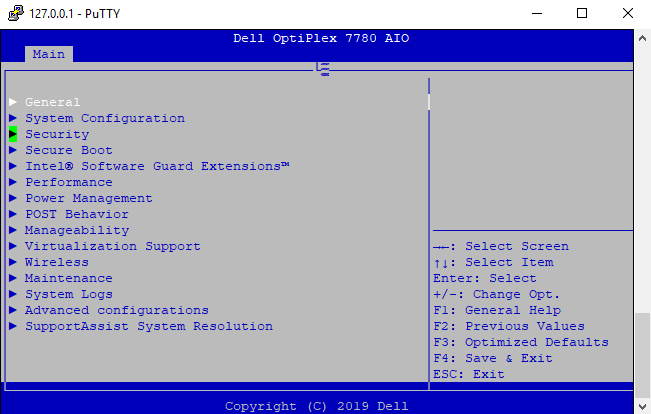
For isolation, the putty is worked and MeshCommander display garbled screen in ASCII.

JoshuaSYChang
on 28 Oct 2019
Hi,
Is there any finding for this issue?
Best regards,
Joshua
JoshuaSYChang
on 31 Oct 2019
No findings now, sorry. I am traveling until November 13th and again November 18 to 22. I will take a look at this when I get back.
Ylianst
on 3 Nov 2019
As v0.7.4 is pass, could you help to provide the previous version from v0.7.5 to v0.7.9? I may do a isolation to check this issue is present from which version.
JoshuaSYChang
on 6 Nov 2019
I find the one v0.7.8 installer, but it is still fail to display in UTF-8. Could you share 0.7.5, 0.7.6 and 0.7.7 for isolation this issue?
JoshuaSYChang
on 20 Nov 2019
Can you check with the NPM versions?
If so, then (assuming you have Node installed) you can use the command npm install meshcommander@<version> where <version> is one of the versions listed at https://www.npmjs.com/package/meshcommander?activeTab=versions (or by npm show meshcommander versions). For instance npm install [email protected].
 MailYouLater
on 21 Nov 2019
MailYouLater
on 21 Nov 2019
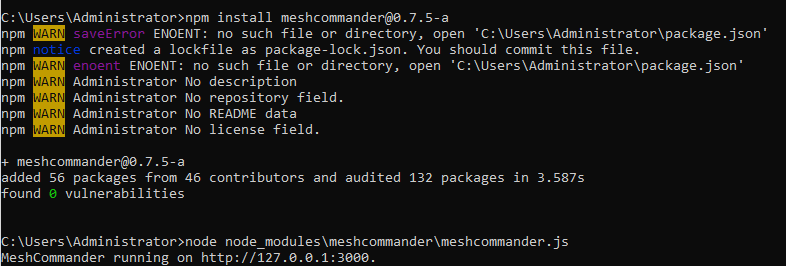
@MailYouLater Thanks for the information, I have check out the NPM version based on your advice. I try to run MeshCommander node meshcommander but there is no any GUI window to test. If I'm doing the wrong way to run the meshcommander, please correct me.
JoshuaSYChang
on 25 Nov 2019
@MailYouLater I can get work after open the web browser with http://127.0.0.1:3000. :) Please ignore my previous comment.
JoshuaSYChang
on 26 Nov 2019
@Ylianst , I check the issue can be reproduced since the version NPM v0.7.9-a and v0.7.8-b is work. May be there is a change cause this issue in UTF-8.
JoshuaSYChang
on 26 Nov 2019
Here's the downloads for each, and a link to the difference between the two versions.
meshcommander-0.7.8-b.tgz
meshcommander-0.7.9-a.tgz
Edit: This post was too long with the diff embedded in it, moved to pastebin: https://pastebin.com/B8cf2khZ
MailYouLater
on 27 Nov 2019
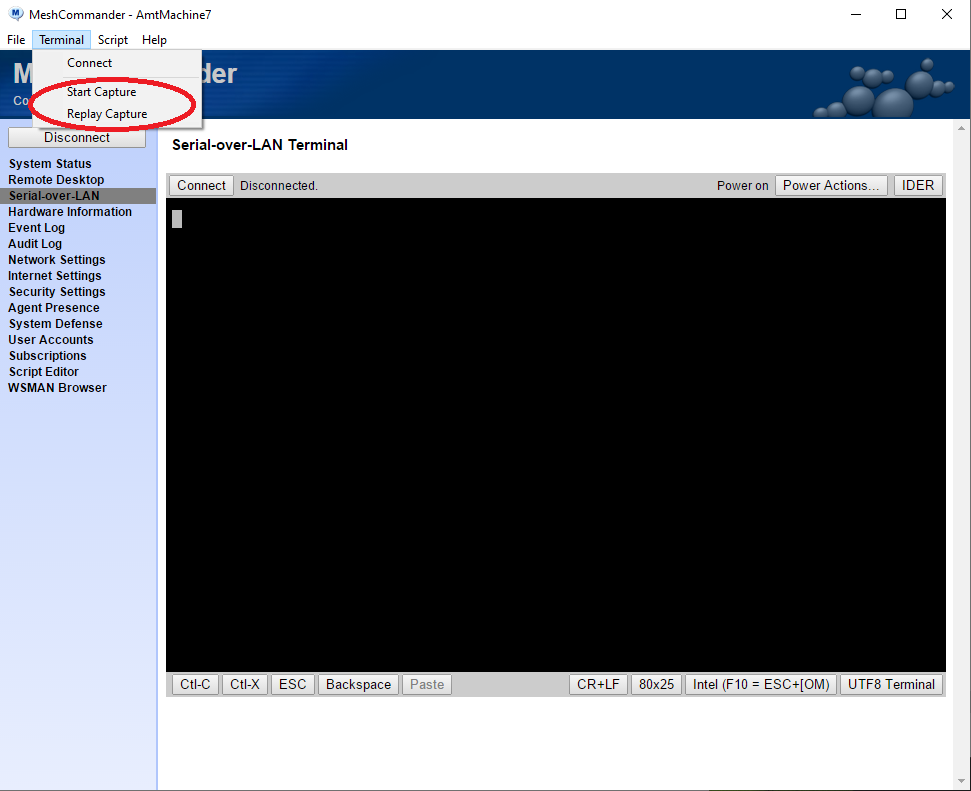
Just posted a new version of MeshCommander v0.8.0 with improved terminal capture and added terminal capture replay support. For the Windows version, since I did not change the version number, you need to uninstall/download/install again. I also published MeshCommander v0.8.0-b on NPM. The MeshCommander icon was also updated (See #554).
On the Windows MSI version it's in the "terminal" menu. In the NPM version it is still the buttons on the terminal bar. If you hold "Shift" and hit "Start Capture", it will bring up the capture replay dialog.
I am hoping this new version will make it easier to capture a file that shows the problem so I can fix it. The capture file above just stops in the middle of the screen.
Ylianst
on 27 Nov 2019
The trace log is based on v0.8.0-b on NPM.
TerminalCapture--2019-11-28-10-54.txt
The trace log is based on v0.7.8-b on NPM.
TerminalCapture--2019-11-28-11-02.txt
I try to use v0.8.0-b to replay the log capturing from v0.7.8-b, and the terminal stop in the beginning of the third low under UTF-8.
JoshuaSYChang
on 28 Nov 2019
Oh! I see. Both these captures are very interesting. I should be able to fix the problem. Thank you. I will try to fix this tomorrow.
Ylianst
on 29 Nov 2019
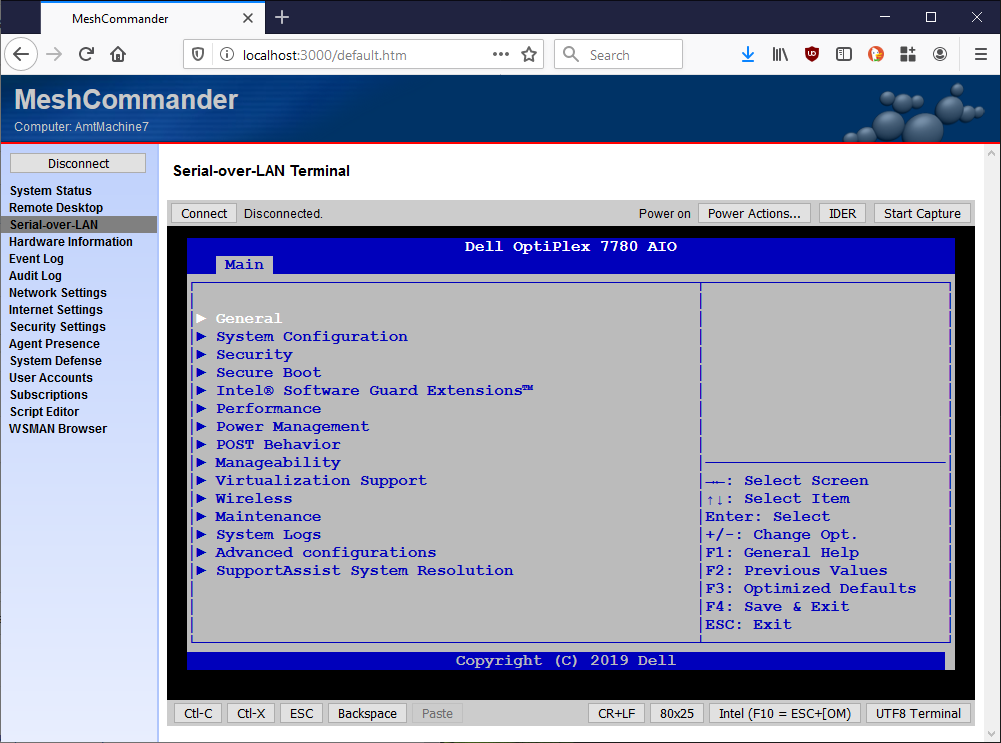
Just published MeshCommander v0.8.0-c on NPM and updated the MeshCommander MSI that is still v0.8.0 (you will need to uninstall, download, reinstall). The new version updates how UTF8 decoding is done, it was completely broken in all previous versions and could cause intermittent corruptions. Let me know if the new version works for you.
Ylianst
on 29 Nov 2019
Thanks @Ylianst , issue is fixed on v0.8.0-c.
JoshuaSYChang
on 11 Dec 2019
Related issues
 darryl-h
·
3Comments
darryl-h
·
3Comments
 nroach44
·
3Comments
nroach44
·
3Comments
 M1CK431
·
3Comments
M1CK431
·
3Comments
 unguzov
·
3Comments
unguzov
·
3Comments
 LPJon
·
3Comments
LPJon
·
3Comments
Most helpful comment
Just posted a new version of MeshCommander v0.8.0 with improved terminal capture and added terminal capture replay support. For the Windows version, since I did not change the version number, you need to uninstall/download/install again. I also published MeshCommander v0.8.0-b on NPM. The MeshCommander icon was also updated (See #554).
On the Windows MSI version it's in the "terminal" menu. In the NPM version it is still the buttons on the terminal bar. If you hold "Shift" and hit "Start Capture", it will bring up the capture replay dialog.
I am hoping this new version will make it easier to capture a file that shows the problem so I can fix it. The capture file above just stops in the middle of the screen.