Mermaid: Render issue on chromium based browsers.
Describe the bug
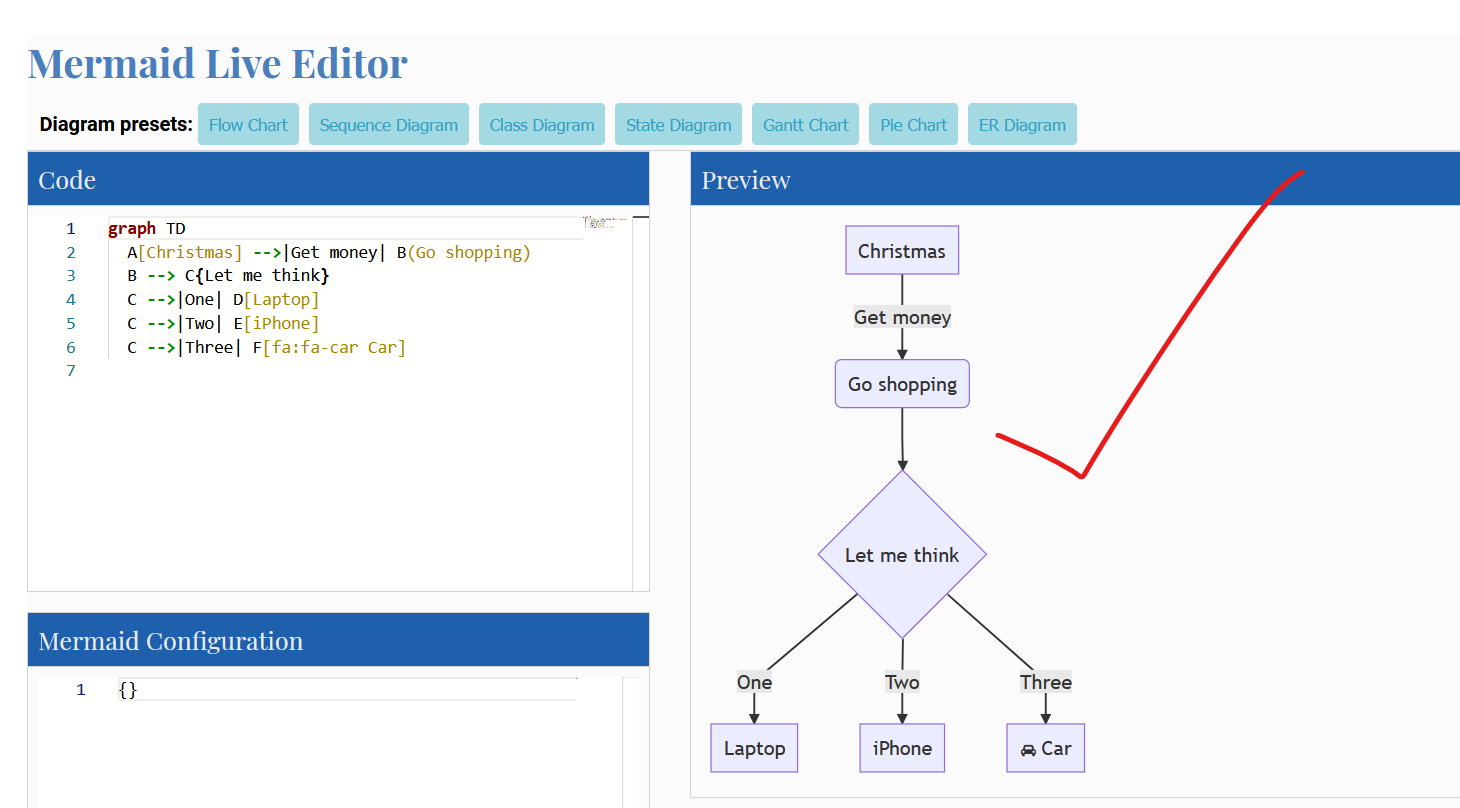
UML Diagrams have text overflow in chromium browsers, rendering fine on Firefox.
To Reproduce
Steps to reproduce the behavior:
- Open https://mermaid-js.github.io/mermaid-live-editor on chrome
- Open https://mermaid-js.github.io/mermaid-live-editor on Firefox
- Works fine on Firefox but text overflows in chrome
Expected behavior
Should work similarly on chrome and firefox.
Screenshots
If applicable, add screenshots to help explain your problem.
Chrome:

Firefox:
Desktop (please complete the following information):
- OS: Windows 10, 1080p screen, 15 Inch Laptop (125% UI Scaling)
- Browser Chrome
- Version Latest
 tokyo786
All 3 comments
Try using flowchart instead of graph.
This seems to fix the issue on the latest version of Chrome (v87) and Edge (v87)
 dcrouch79
on 21 Dec 2020
dcrouch79
on 21 Dec 2020
Try using
flowchartinstead ofgraph.This seems to fix the issue on the latest version of Chrome (v87) and Edge (v87)
Yep, it fixes the issue on chrome and edge - What's the difference between flowchart and graph which fixes it?
tokyo786
on 22 Dec 2020
Try using
flowchartinstead ofgraph.
This seems to fix the issue on the latest version of Chrome (v87) and Edge (v87)Yep, it fixes the issue on chrome and edge - What's the difference between
flowchartandgraphwhich fixes it?
But the edges are rounded, not the sharp one. Is there any configuration parameter for edges curves?
 singhprabhanshu
on 23 Dec 2020
singhprabhanshu
on 23 Dec 2020
Related issues
 init-dcat-ap-de
·
3Comments
init-dcat-ap-de
·
3Comments
 zumdahl76
·
5Comments
zumdahl76
·
5Comments
 yk-liu
·
4Comments
yk-liu
·
4Comments
 pirDOL
·
3Comments
pirDOL
·
3Comments
 mestaritonttu
·
3Comments
mestaritonttu
·
3Comments
Most helpful comment
Try using
flowchartinstead ofgraph.This seems to fix the issue on the latest version of Chrome (v87) and Edge (v87)