Mdx-deck: Invalid HTML attributes in rendered slides
I really wanted to use MDX-Deck for my next series of talks, including An Event Apart. However, there is some invalid HTML in the final output that I can't live with. Any way to prevent these attributes from being rendered?
color="heading"
font-size="4"
You can see these invalid attributes in the live example: https://jxnblk.com/mdx-deck/#0
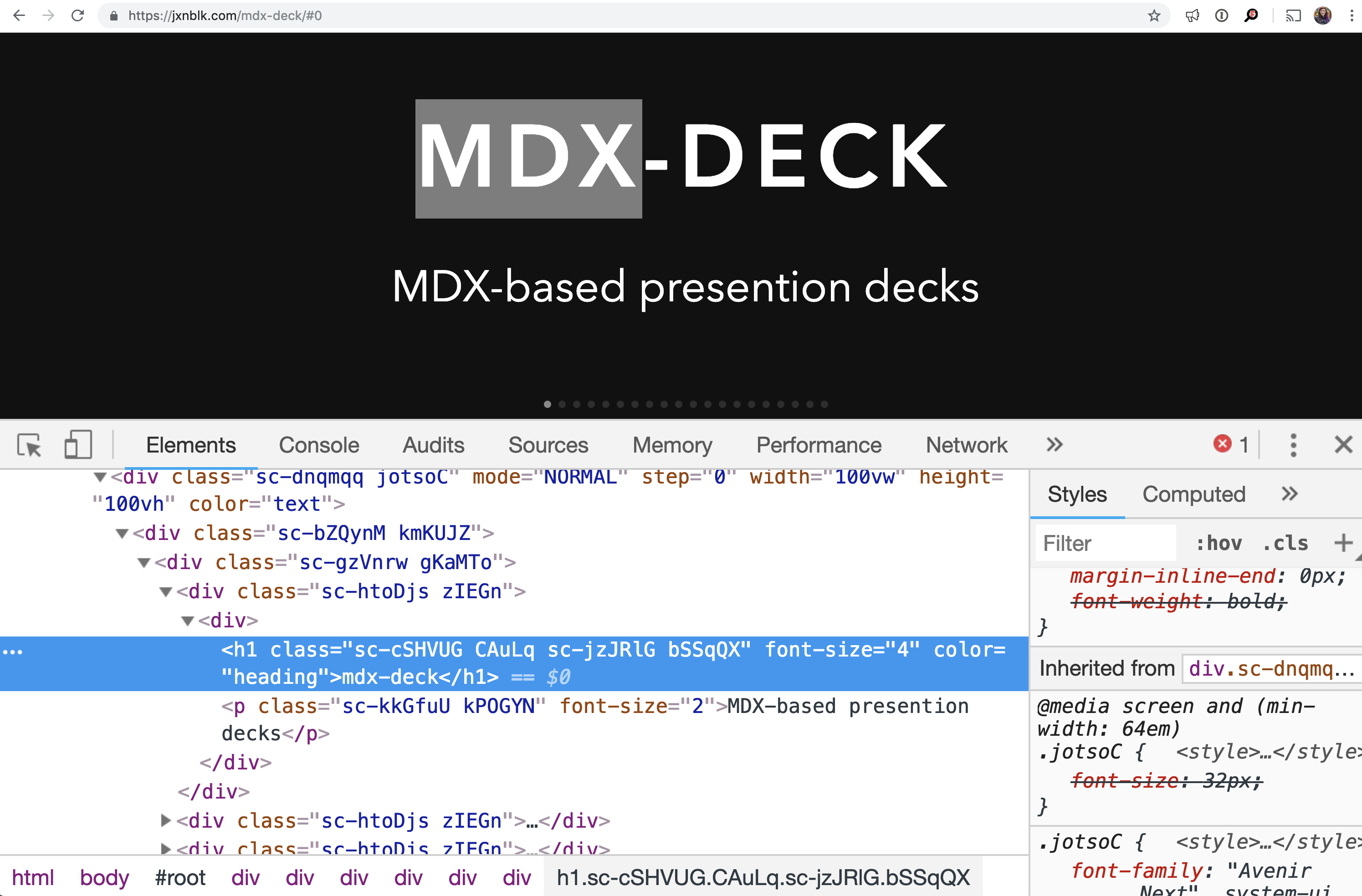
Perhaps data attributes would ease this issue without having to make substantial changes?
 marcysutton
All 4 comments
Thanks for checking the library out! This is a long-standing issue with styled-components and how it whitelists valid HTML attributes (some legacy, some I'm unsure about) to determine which props are passed on to the underlying HTML element. Chiming in on this thread might help: https://github.com/styled-components/styled-components/issues/439
That said, I've been pondering and working on a major update to mdx-deck that should get rid of these random attributes. But for the current version, all rendered MDX HTML components can be overwritten with a theme.components object in a custom theme. If you'd like some guidance on how to "reset" all the default components, I'd be happy to create an example
 jxnblk
on 18 Feb 2019
jxnblk
on 18 Feb 2019
I raised a pull request yesterday on styled-components that provides a mechanism to deal with this issue: https://github.com/styled-components/styled-components/pull/2392
 stevesims
on 18 Feb 2019
stevesims
on 18 Feb 2019
With the changes in v2, the DOM elements should no longer include these extra attributes – the beta can be installed with npm i mdx-deck@next if you'd like to give it a shot
jxnblk
on 10 Mar 2019
Woo! Awesome, I'll check it out!
marcysutton
on 11 Mar 2019
Related issues
 DSchau
·
5Comments
DSchau
·
5Comments
 wpannell
·
4Comments
wpannell
·
4Comments
 broccolini
·
4Comments
broccolini
·
4Comments
 Irev-Dev
·
4Comments
Irev-Dev
·
4Comments
 janhesters
·
3Comments
janhesters
·
3Comments