Mattermost-server: [Edge] Cannot upload screenshot image using Ctrl + V
Summary
Edge users cannot upload the screenshot image using Ctrl + V.
Steps to reproduce
- Press
Print ScreenorAlt + Print Screento take screenshot to clipboard. - Focus to post box.
- Press
Ctrl + Vto upload screenshot image.
Reproduced in 5.10.0 EE (without license), community.mattermost.com, commuity-daily.mattermost.com.
Expected behavior
Screenshot image file will upload.
Observed behavior (that appears unintentional)
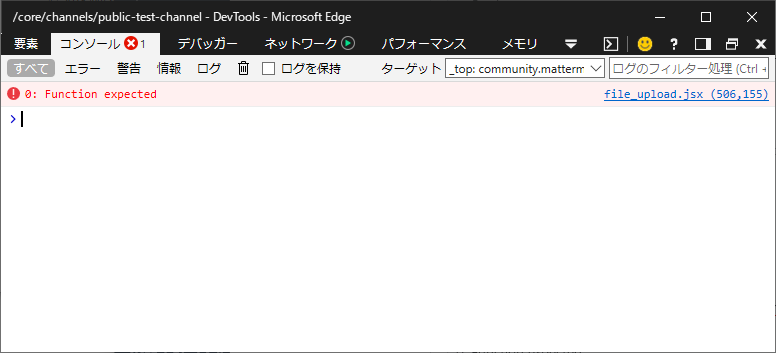
Below error was reported in console.
0: Function expected
file_upload.jsx (506,155)
Other browsers (Firefox, Chrome, DesktopApp) are no problem.
 maruTA-bis5
All 6 comments
Hi @maruTA-bis5, I believe the shortcut for uploading an image is Ctrl + U, let me know if I've misunderstood anything?
 amyblais
on 18 May 2019
amyblais
on 18 May 2019
The issue here is that Edge does not support the File constructor (https://developer.mozilla.org/en-US/docs/Web/API/File), used in file_upload.jsx on line 508: https://github.com/mattermost/mattermost-webapp/blob/master/components/file_upload/file_upload.jsx#L508
This same issue occurs in IE, which may be more of an issue since Edge is moving to Chromium and the full File API should then be supported.
I'd be happy to take a stab at a workaround when the File constructor is not supported if a fix seems valuable.
 steevsachs
on 26 May 2019
steevsachs
on 26 May 2019
Hi @steevsachs, thank you, and that would be great if you are open to submitting a fix for this issue. Please let us know if you have any questions on how to get started.
amyblais
on 27 May 2019
Sure thing, I’ll give it a go!
steevsachs
on 27 May 2019
@amyblais PR opened. Pinging you here because I'm not sure how this gets assigned internally :)
steevsachs
on 29 May 2019
Thank you! Opened a Jira ticket for reference: https://mattermost.atlassian.net/browse/MM-15916.
amyblais
on 29 May 2019
Related issues
 esethna
·
3Comments
esethna
·
3Comments
esethna
·
3Comments
esethna
·
3Comments
esethna
·
3Comments
esethna
·
3Comments
 tumbl3w33d
·
3Comments
tumbl3w33d
·
3Comments
 NotSqrt
·
3Comments
NotSqrt
·
3Comments
Most helpful comment
Sure thing, I’ll give it a go!