Mattermost-plugin-github: Replace GitHub usernames with Mattermost usernames in notifications
We already resolve the GitHub user to the Mattermost user when generating the template and posting to Mattermost -- e.g. @saturninoabril becomes @saturnino.abril, given our knowledge of the linking in the GitHub plugin:

but let's also consider doing this in the body of notifications as well, so that @asaadmahmood, @marianunez and @lieut-data become @asaad.mahmood, @maria.nunez and @jesse.hallam respectively:
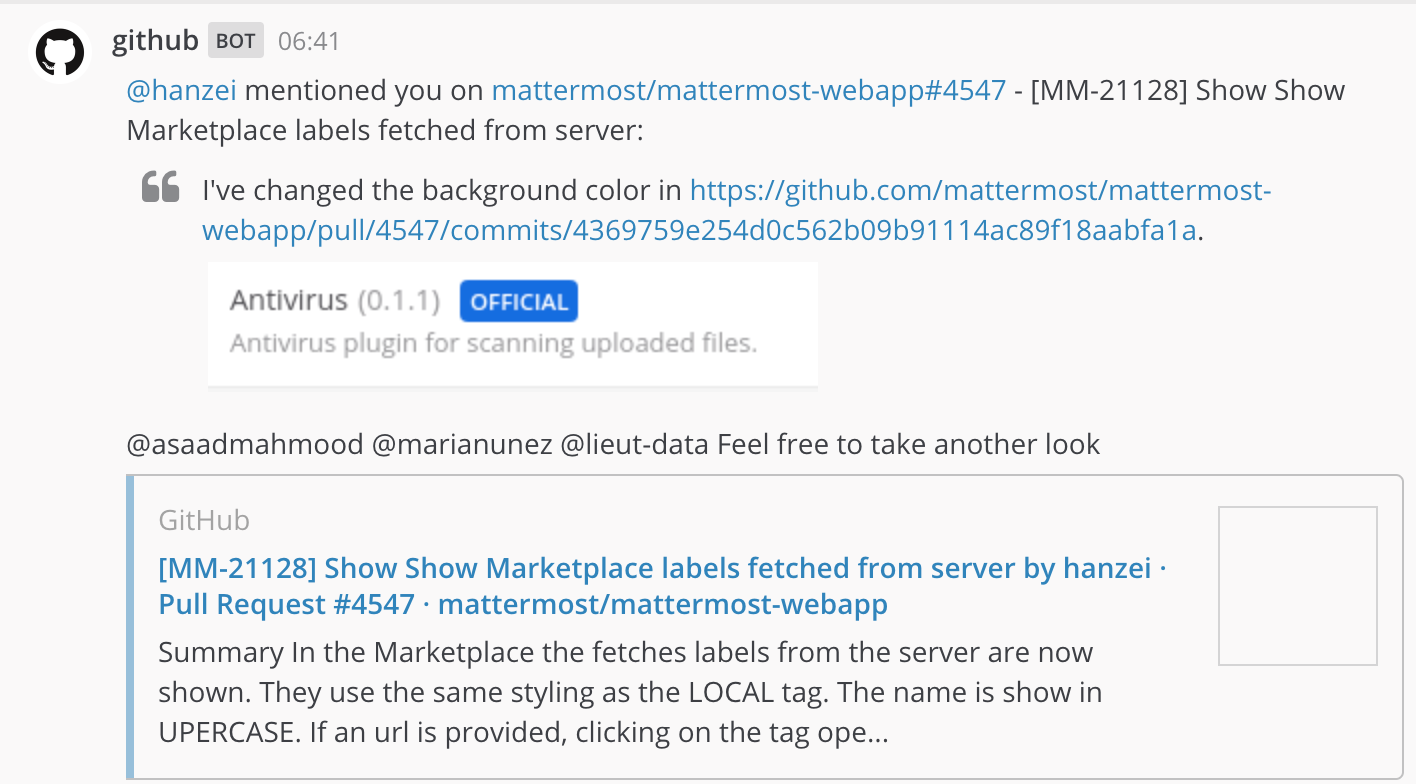
Of course, if no known Mattermost user has that GitHub username, we can leave the GitHub user intact.
 lieut-data
All 4 comments
The Jira plugin does it already, see https://github.com/mattermost/mattermost-plugin-jira/blob/ec8f206261f3b96045f58378b70469333538aac7/server/webhook.go#L145
 levb
on 10 Jan 2020
levb
on 10 Jan 2020
I would like to work on this one.
 agarciamontoro
on 18 Jan 2020
agarciamontoro
on 18 Jan 2020
I am planning to solve this as follows:
- Add a new function to
funcMapintemplate.gothat receives a string and returns that same string with all the GitHub usernames resolved to their assigned Mattermost usernames, if any. If no Mattermost username is found, the GitHub username will remain unchanged. This function will be really similar to the one @levb pointed to,replaceJiraAccountIds. - Add unit tests for this function in
template_test.goso we can make sure it resolves all mapped GitHub usernames. - Modify all templates that call the
.GetBodyfunction, piping that body into the new registered function. The templates to modify are:
newPRnewIssueissueCommentpullRequestReviewEventnewReviewCommentcommentMentionNotificationcommentAuthorPullRequestNotificationpullRequestReviewNotification
- Adapt the tests in
template_test.goso that we test the changes in the body both when there is agitHubToUsernameMappingCallbackregistered and when there is not.
Some notes:
- The titles of the issues and pull requests may contain usernames, but they do not trigger notifications to the mentioned GitHub users, so I would let the usernames there unchanged.
- I have not found any public documentation about the requirements that a valid GitHub username must fulfill, so I am using the error messages returned in https://github.com/join (inspired by https://github.com/shinnn/github-username-regex); namely:
- The username must be between 1 and 39 characters long.
- The username may only contain alphanumeric characters or single hyphens (i.e., not two adjacent hyphens, as in
@wrong--username). - The username cannot begin or end with a hyphen.
- I see no way of both checking the length and assuring that there are not two adjacent hyphens without lookaheads, so I am proposing to only check constraints
iiandiiibut noti. In the rare case that we would match a string with more than 39 characters, we would not have any mapping to a Mattermost user, so the string will remain unchanged. - When writing comments in GitHub, the usernames are converted into mentions unless they are prepended by an alphanumeric character (this discards things such as
[email protected]), an underscore (_) or a backtick (`). - Following the two previous comments, the proposed regular expression would be
[^_\x60[:alnum:]]@[[:alnum:]](-?[[:alnum:]]+)*, where\x60is the backtick character.
I have already started working on this, but please tell me if you would like me to implement something in a different way.
agarciamontoro
on 19 Jan 2020
Thanks again, @agarciamontoro!
lieut-data
on 29 Jan 2020
Related issues
 hanzei
·
3Comments
hanzei
·
3Comments
 jfrerich
·
3Comments
hanzei
·
6Comments
jfrerich
·
3Comments
hanzei
·
6Comments
 tgly307
·
3Comments
hanzei
·
5Comments
tgly307
·
3Comments
hanzei
·
5Comments