Matter-js: Raycasting intersection points?
Is it at all possible to find the intersection points of a ray cast or at least the distance from the start? Also, I've noticed that the ray cast is done by creating a rectangular body and checking for overlapping bounds. Is this how most physics engines do ray casting?
 jakemayeux
All 16 comments
There's nothing built in for this at the moment. The current ray casting approach is very basic as it mostly leverages the built in collision detection so I could get something working quickly, but I do plan to improve raycasting to include intersection points, so I've marked this as a feature request.
 liabru
on 15 Dec 2015
liabru
on 15 Dec 2015
Ok awesome. In the meantime I'm using this to find the point
    function raycast(bodies, start, r, dist){
      var normRay = Matter.Vector.normalise(r);
      var ray = normRay;
      var point = Matter.Vector.add(ray, start);
      for(var i = 0; i < dist; i++){
        ray = Matter.Vector.mult(normRay, i);
        ray = Matter.Vector.add(start, ray);
        var bod = Matter.Query.point(bodies, ray)[0];
        if(bod){
          return {point: ray, body: bod};
        }
      }
      return;
    }
+1
 nikitaosyak
on 21 Jan 2016
nikitaosyak
on 21 Jan 2016
regarding your method of point finding, @jakemayeux, my guess is as good as yours, but I think you better off using half-division approach instead of iterate though the length of the ray - what if you have ray distance of 1000?
also, correct me if I wrong, @liabru, but I noticed while playing with Matter's raycast, that the order of bodies in Collision result is by they id's in World, not the order of how ray hit them. so, @jakemayeux , if you have multiple bodies on the way of the ray, the [0] body in collision will depend of the order of when you added them to the world.
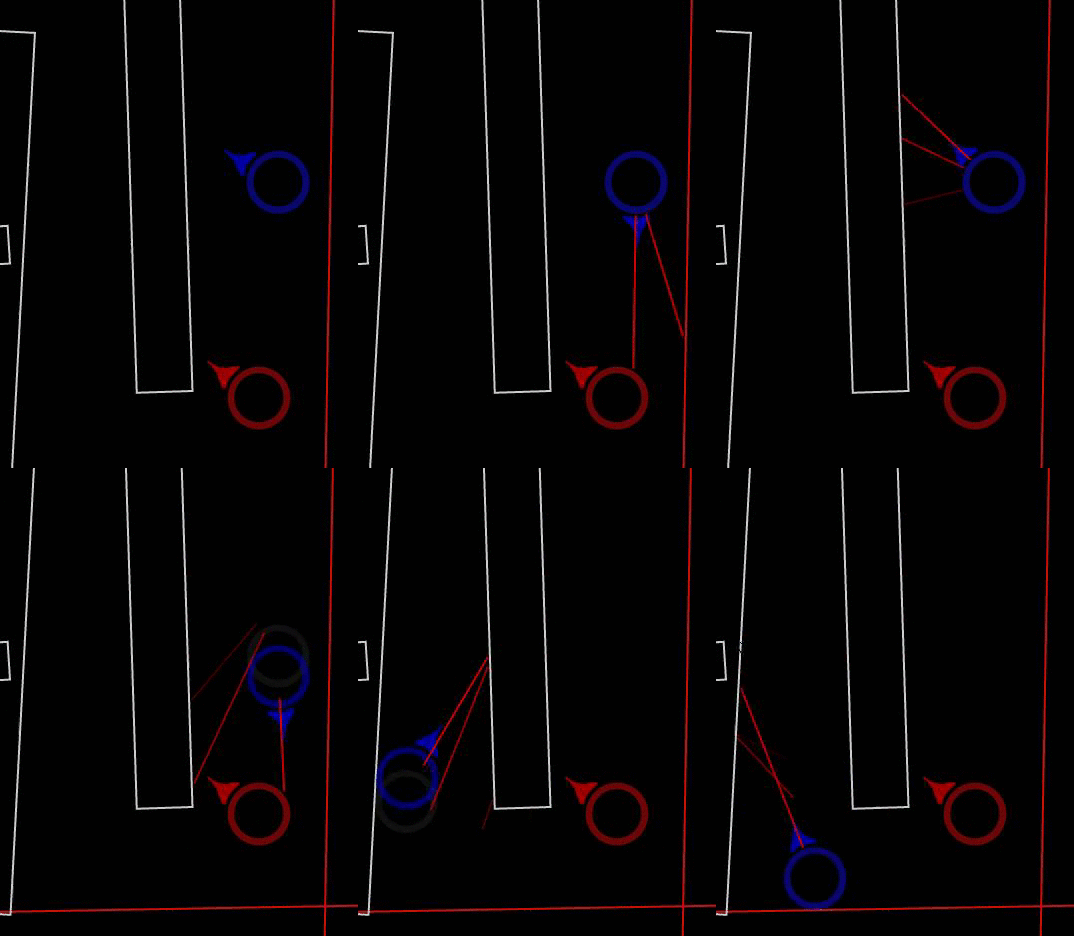
So regarding how to cope with that situation, while good stuff is on the way, I wrote ad-hoc cast utility using half-division method, it seems to work decent regarding speed and the order of objects, I'm using it in my pet project i'm doing for fun.
here is the code: https://gist.github.com/grozamorei/f00ead53a6823154a1b4
I use it like this
var engine = Matter.Engine.create();
var rayCall = function(from, to) {
  var bs = Matter.Composite.allBodies(engine.world);
  return Matter.Query.ray(bs, from, to);
};

var fromVec = {x:0, y:0};
var toVec = {x:100, y:100};
var accuracy = 1;
/*instead of null you can use object where rayCall callback is wraped*/
ShitCast.ray(rayCall, null, fromVec, toVec, accuracy);
it works okay i guess (i have 3ms tops on my middle-hardware pc)
nikitaosyak
on 21 Jan 2016
@grozamorei My raycast function doesn't use Matter's Raycast at all, it uses multiple point queries instead (Matter.Query.point). My use of raycast only needed to find the first body it hit, so the function returns as soon as it finds a collision so, it doesn't matter whether or not there are multiple bodies in the way of the ray. In the project I'm making (which looks very similar to yours) the rays actually do use a distance of 1000, however, they only cast when the user clicks - no noticeable lag though, but maybe I could end the cast at the edge of the screen?
I took a look a your code for ShitCast. I'm pretty bad at reading other people's code so I only have a rough idea of what is going on there. Are you using Matter.js's RayCast function in increasing/decreasing steps? If so, I would imagine there would be a more efficient way since the Matter.js Raycast would be testing the same pixels multiple times.
One last thing - what exactly do you mean by "using half-division approach"? It sounds like it could be faster but would it still be as accurate?
jakemayeux
on 22 Jan 2016
I'm trying to use Rays as well.
Im migrating my home-made physics engine to matter.js because I want to do some tests with AI and genetic algorithms. demo of what I'm migrating
But I found a bottleneck when trying to make some raycasts, the performance just goes down.
I made all the improvements I could with three.js (made some sprite buffers so I can get +10.000 sprites without any problem) and also I can manage to have 1000 matter circles without problem
Is there anything I'm missing regarding how to use these raycasts ? I wish I could just query a less portion of the bodies in the space in each iteration.
I tried using the Query.point approach and I found a significant increase of performance, but I lost accuracy, and I may need to make more point queries.
Any advice will be well received ! I was thinking about running the entire Matter.js in a web worker thread, but please save me from needing that! hahah
 linorabolini
on 28 Mar 2016
linorabolini
on 28 Mar 2016
Try doing a bounds test first to find all bodies that would intersect the ray. Basically make a rectangle in front of your ship and all the enemies inside that rectangle are then placed in some sort of group. Then do a raycast just on that group to find which of the bodies the ray hits first. This should allow you to "query a less portion of the bodies in the space in each iteration" and will hopefully boost performance!
jakemayeux
on 29 Mar 2016
If you're using circles for everything, it might be a good idea to write an optimised ray-circle cast because built in one is not particularly efficient for this case (at the moment). You may also want to involve the grid broadphase as someone did here.
liabru
on 29 Mar 2016
@liabru do you happen to have the source to that raycasting algorithm that takes advantage of the grid broadphase? I tried contacting Sam Redfern to get it, but it seems that he doesn't use that twitter account any more.
Currently I am using a custom raycasting algorithm that iterates through each body in the world but it is terribly inefficient, and I have no idea how to go about raycasting against the grid broadphase.
 Technostalgic
on 14 Apr 2017
Technostalgic
on 14 Apr 2017
Nevermind, I found found a speedy way to do it. Basically just collect all the bodies that are gonna intersect the ray with Matter.Query.ray() into an array and then test custom ray collisions for each of the bodies in that array.
I'll post the code after I clean up the method a bit, right now it has a dependency for one of my older libraries. It might might be a while because I am a lazy pos.
Technostalgic
on 15 Apr 2017
Alright sorry guys for spamming this post, but I finished up the raycasting method, you can get it here on pastebin because it is 316 lines, including comments, and didn't want to make a wall of code. The comments give a pretty good in-depth explanation of what's going on but if you are confused about anything feel free to ask.
let me know if the paste expires, supposedly it's never supposed to though. Also if you find any bugs lemme know.
It's written in ES6, using class declarations but you can port it to ES5 pretty quickly and easily using babel js or a similar transpiler
Technostalgic
on 15 Apr 2017
@liabru do you happen to have the source to that raycasting algorithm that takes advantage of the grid broadphase? I tried contacting Sam Redfern to get it, but it seems that he doesn't use that twitter account any more.
I don't sorry, I think he should still be using that account maybe he's too busy. The Matter.Grid module should probably expose a query function but I never got around to it (and I'm considering replacing it with a different implementation eventually).
To use the grid essentially you will want to find the ray's grid region (using its AABB), then find union of all unique bodies in engine.broadphase.buckets that are inside the ray's region. Then pass those to Query.ray. The code would look a little bit like this section in [Matter.Grid](https://github.com/liabru/matter-js/blob/master/src/collision/Grid.js#L97-L1040, much of the functions for finding regions are in there but currently they're private so you'd need to copy them out. Then to find the intersections, loop over the bodies returned by Query.ray and then loop over each body.vertices, using a standard line intersection solver to find the point.
Alright sorry guys for spamming this post, but I finished up the raycasting method, you can get it here on pastebin because it is 316 lines
Cool thanks for posting (but why not use Matter.Vector)!
liabru
on 17 Apr 2017
To use the grid essentially you will want to find the ray's grid region (using its AABB)
Okay, that makes much more sense, I assumed he was using some algorithm to get all the grid buckets that the ray was intersecting, instead of using everything inside the bounding box. Would be cool if there was a (simple ?) way to do that though.
Since the Matter.Query.ray essentially creates a "ray shaped" body, doesn't it already do this though, since all bodies only test collisions with the broad-phase grid regions that they are inside?
Cool thanks for posting (but why not use Matter.Vector)!
I suppose I could have used the Matter.Vector object but the project(the one that I wrote the raycasting method for) that I'm using Matter.js in already depended on the vec2 object that I defined so I just kind of have it work side by side with the physics engine instead of refactoring. Also in the case of the raycasting method I posted it is a bit more consistent with my code since most of the objects already have member functions where as Matter.Vector does not have any member functions.
But from my understanding, since Matter.Vector is just plain object datatype with no class definition, vec2 is still compatible in all the cases that an {x, y} object is since the vec2 object has both the x and y fields.
Technostalgic
on 17 Apr 2017
@Technostalgic and anyone using his code here: https://pastebin.com/7M2CvK29
the callback function you pass to sort the collisions doesn't work the way you intend...I think it should look like this:
cols.sort(function(a,b){
    return a.point.distance(start) - b.point.distance(start);
});
Thanks for the code though it's working great!
 singerbj
on 11 Dec 2017
singerbj
on 11 Dec 2017
@singerbj hey good catch, I forgot about the sort algorithm using signed numbers instead of bools. Anyway I'm glad the code's working for you otherwise!
Technostalgic
on 11 Dec 2017
@Technostalgic Wow! You saved my night :-)
After 10 minutes of implementing, it works like a charm.
Thx @singerbj for the sort-tweak.
 marcelschiering
on 25 Feb 2019
marcelschiering
on 25 Feb 2019
Related issues
 koko236
·
3Comments
koko236
·
3Comments
 maximilianberndt
·
4Comments
maximilianberndt
·
4Comments
 moe091
·
3Comments
moe091
·
3Comments
 cluber22
·
3Comments
cluber22
·
3Comments
 TimuJiang
·
4Comments
TimuJiang
·
4Comments
Most helpful comment
@singerbj hey good catch, I forgot about the sort algorithm using signed numbers instead of bools. Anyway I'm glad the code's working for you otherwise!