Matomo: Device Type and Browser plugins reports: hide rows without visits
For consistency and clarity, let's remove rows that don't have "visits" in the Device Type report. The report currently looks like this:
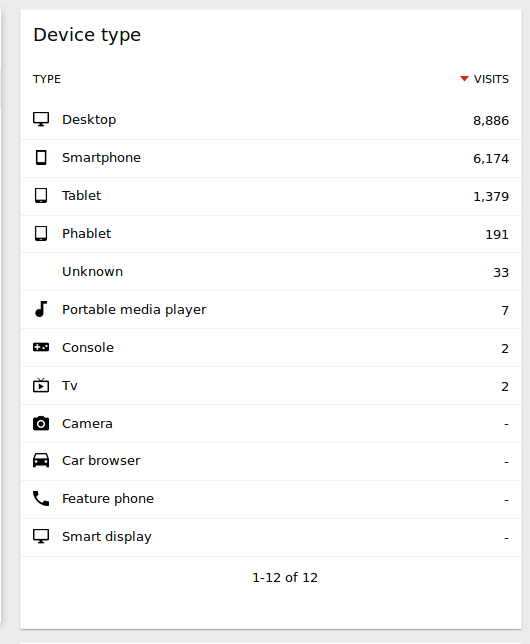
The rows Camera/Car browser/Feature phone/Smart display should be hidden.
 mattab
All 12 comments
This is on purpose. We do similar stuff in the browser plugins report. All plugins will be shown there even if some didn't have a visit.
Imho that makes very much sense if we have a static number of records, as this makes the report consistent - the device types will likely never change - and that way it is possible to show row evolution for an entry even if there were no visits in the current period.
 sgiehl
on 10 Nov 2017
sgiehl
on 10 Nov 2017
I'd still hide them, because same reasoning could apply to all reports (show rows that once had a value but don't in the selected period), but if we did it everywhere it would end up cluttering all reports (and in general, is not needed). So for consistency we should hide them all. If a user wants to see all "possible" rows/values, they can select "Year" report and it will show all values they got within the year. Other values are not useful anyway. Making the report consistent number of rows is not needed in these cases (as opposed to other reports in Engagement for example, where it is useful and more clear to show all values)
mattab
on 11 Nov 2017
Edited issue to also hide rows in the Browser plugin report as you point out
mattab
on 11 Nov 2017
The biggest reason I see why displaying all rows makes sense in this cases is that the user directly sees what Piwik is able to detect.
sgiehl
on 12 Nov 2017
👍 to keep existing behaviour
 tsteur
on 12 Nov 2017
tsteur
on 12 Nov 2017
The biggest reason I see why displaying all rows makes sense in this cases is that the user directly sees what Piwik is able to detect.
To provide the same information we could list all the possible values that can be detected in the report documentation, so that users can click the Help icon to see what possible values can be detected. We do this already in "All Referrers > Referrer Types" and possibly others. IMHO it's not good use of screen to list empty rows just for 1% of the time where users may need this information.
mattab
on 12 Nov 2017
Not sure there is too much space wasted? I quite liked the thought of the ability to apply eg row evolution on all the rows etc. but no big opinion on that
tsteur
on 13 Nov 2017
Not having the ability to apply row evolution etc makes this really a no go. I'm not seeing much value in this issue and as @sgiehl suggested it even helps seeing what we can detect etc. It's not like there are crazy many rows.
tsteur
on 18 Sep 2018
Limit to 10 by default, replace - by 0
tsteur
on 5 Oct 2018
IMHO "-" values are not relevant inside the report, just a cognitive waste
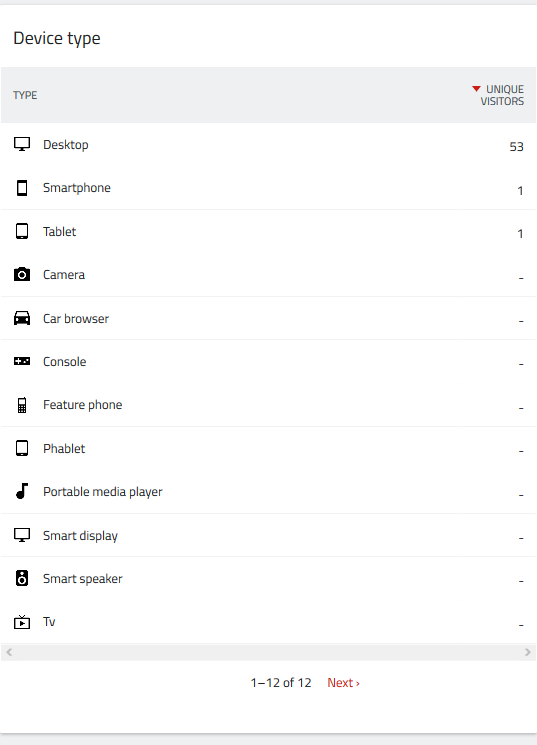
 tassoman
on 9 Jan 2020
tassoman
on 9 Jan 2020
Showing those lines makes it possible to use the row actions like row evolution even if there were no visits in the current period.
sgiehl
on 9 Jan 2020
Workaround is to set the limit to 5 and you almost get same result
tsteur
on 9 Jan 2020
Related issues
 jangrewe
·
4Comments
tassoman
·
4Comments
jangrewe
·
4Comments
tassoman
·
4Comments
 khlipeng
·
4Comments
khlipeng
·
4Comments
 danchello
·
4Comments
mattab
·
4Comments
danchello
·
4Comments
mattab
·
4Comments