Materialize: Bug: Carousel is not displaying images in full-width
Expected Behavior
http://materializecss.com/carousel.html#slider
The Full-Width Slider should work :P
Current Behavior
@MiniSquash tried to use the Carousel in full-width.
He had the Problem, that his locally stored images are not shown, but loaded.
So i tested this and i had the same issue.
In the pictures below you can see, that the normal slider is working, but if i'm adding the class .carousel-slider OR/and the config {fullWidth: true}, the pictures are not shown.
The Wrapper container gets the style argument height:0px
Thats the working one:

This one is exactly the same, but with local images in the same dir.
You can see here, that no image is shown
The image gets loaded (you can see this in the dev-tool).
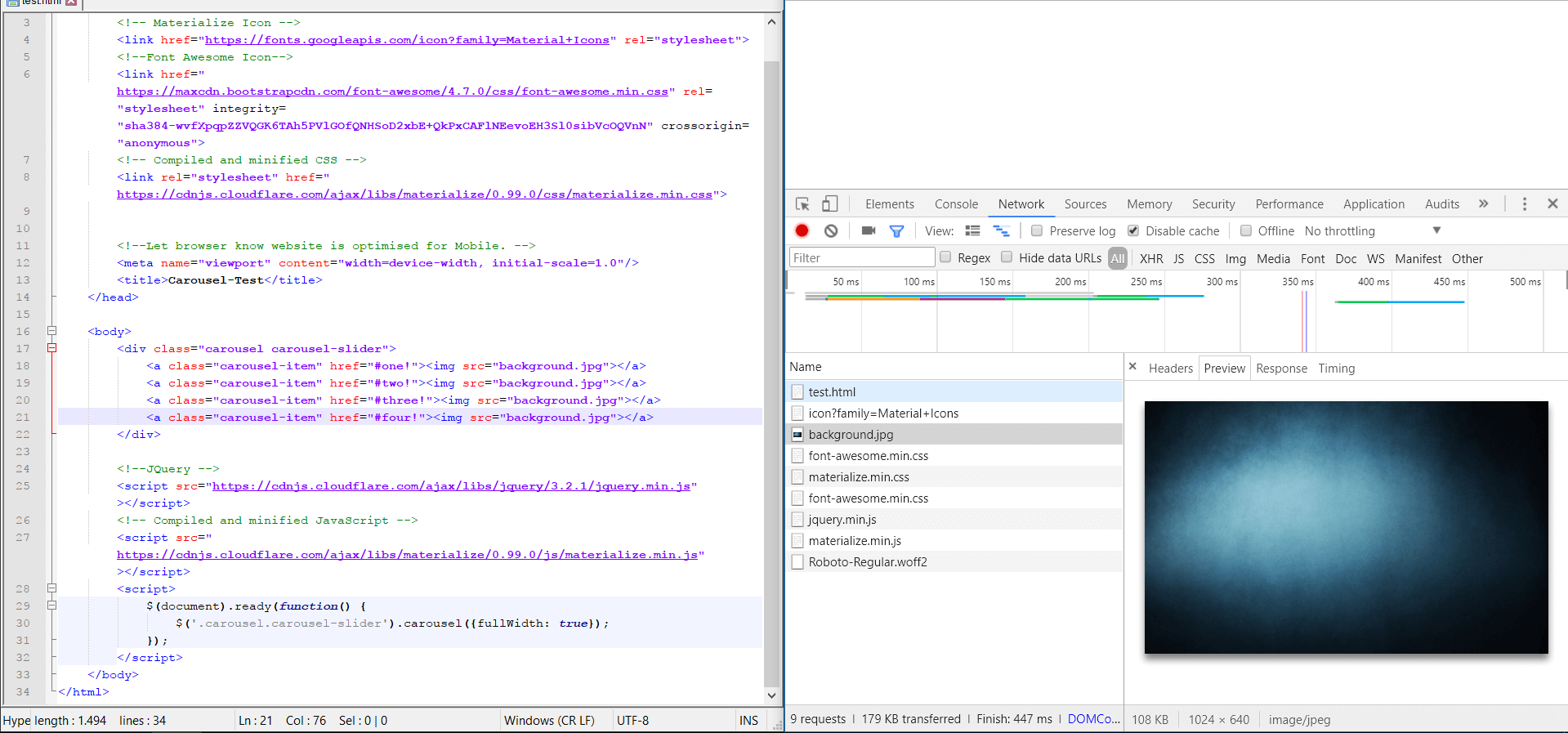
And here i'm testing the local stored images for you, with the normal slider:
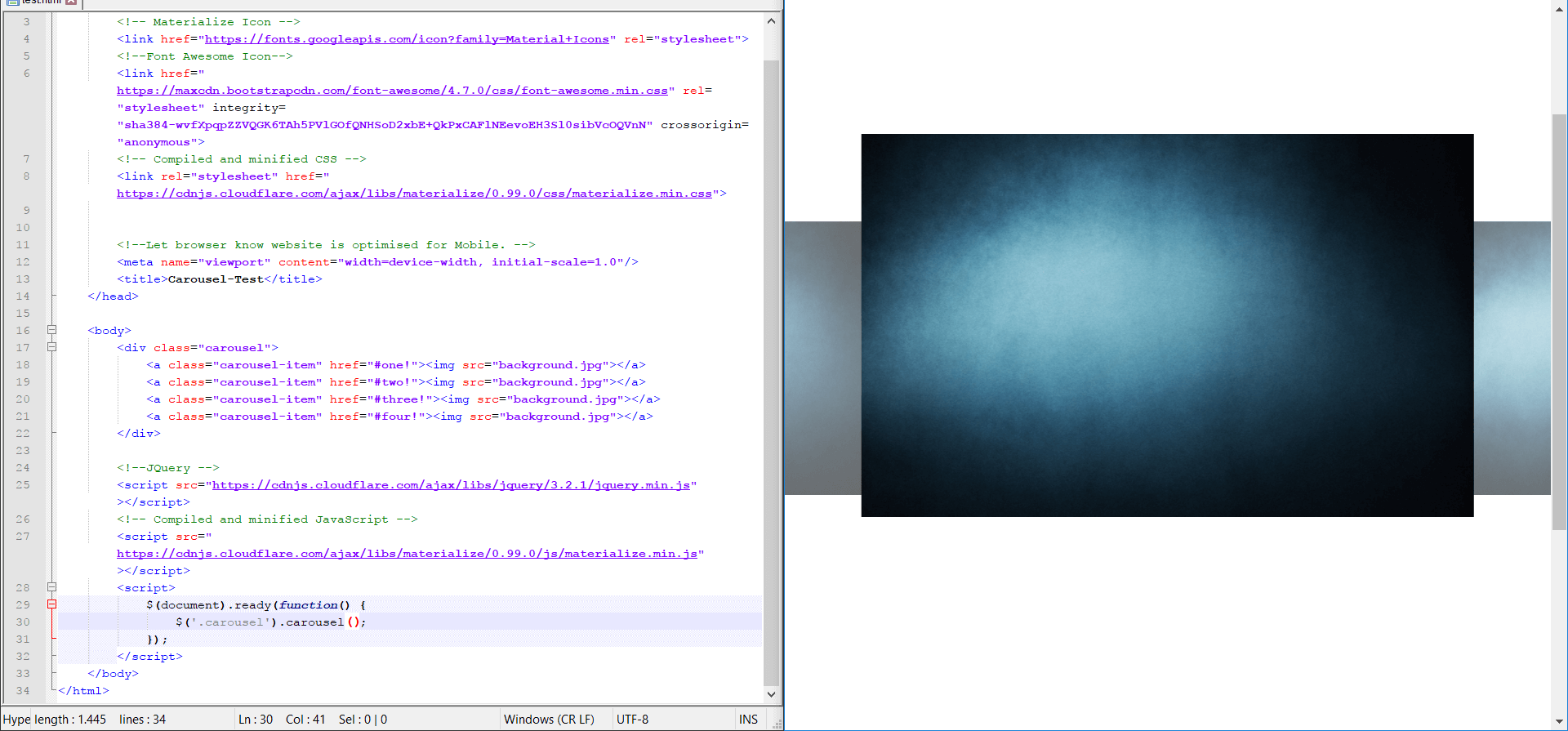
So i tried a thing more: Online stored pictures.
And every image is working. Except of the local ones. Damn!
Possible Solution
So i had a small "conversation" ( #4979 ) with @DanielRuf and he thinks, that this Problem is related to jquery or to one of following lines:
https://github.com/Dogfalo/materialize/blob/master/js/carousel.js#L42
https://github.com/Dogfalo/materialize/blob/master/js/carousel.js#L45
jQuery Prop definition (Stackoverflow) :
https://stackoverflow.com/questions/31700206/jquery-window-load-vs-window-propcomplete
Workaround
You could set a fixed height in your own style.css as important.
Steps to Reproduce (for bugs)
test.html.txt
So here's the test-code, so you don't have to type it again.
Just use a local stored image and you'll see the magic will begin ♥
Your Environment
Materialize version: v0.99.0
Tested in following browsers:
- Chrome
- FireFox
- Edge
- Safari
 Maqsyo
All 27 comments
I have the same problem but I used linked image files instead of local image files.
I'm using a !important css rule. it is the only one solution for me
 leedoe
on 19 Jul 2017
leedoe
on 19 Jul 2017
Related issues #3899 #4372
 tomscholz
on 19 Jul 2017
tomscholz
on 19 Jul 2017
@tomscholz sure.. Sorry haven't seen them before.
So the issue is older than v0.98.2 ^^
Maqsyo
on 19 Jul 2017
Setting the height in CSS is not really working since the item might be a lot bigger on mobile and require overflow. Using overflow on carousel items is not working, I see the scroll bar but seems the pointer/touch events are not working.
 AugmentBLU
on 19 Jul 2017
AugmentBLU
on 19 Jul 2017
I have the same problem too.
 gusbemacbe
on 19 Jul 2017
gusbemacbe
on 19 Jul 2017
@Maqsyo
I solved the bug and it worked!
Copy the following codes:
$('.carousel.carousel-slider').carousel({fullWidth: true}).style.height = window.innerHeight + "px";
gusbemacbe
on 19 Jul 2017
@gusbemacbe this is not a clean fix imho.
 DanielRuf
on 19 Jul 2017
DanielRuf
on 19 Jul 2017
Fixed the local image bug with 538f9dee04d7b8589b179cd78e1e20ad6a164787. Let me know if this works for cached images as well because I am having trouble reproducing it.
 acburst
on 20 Jul 2017
acburst
on 20 Jul 2017
@acburst
It worked nothing.
I added carousel.js to my project and nothing worked.
gusbemacbe
on 20 Jul 2017
@gusbemacbe did you try recompiling the files using grunt js_compile? You should get a new materialize.js file.
DanielRuf
on 20 Jul 2017
@DanielRuf, no, I never used grunt. I use only node. i tried, but it gave an error:
npm materialize-css
cd materialize
npm install grunt
grunt js_compile
grunt: command not found
No, you have to clone https://github.com/Dogfalo/materialize, run grunt and use the compiled files. npm uses tagged releases, not the masterby default (or use the dev / master / preferSource option).
DanielRuf
on 20 Jul 2017
Also grunt should be globally installed using the -g flag.
DanielRuf
on 20 Jul 2017
In your case you have just a local grunt in node_modules and you need the path to it and execute it with node.
DanielRuf
on 20 Jul 2017
It still gives some errors.
cd node_modules/materialize_css
grunt -g
grunt -g Gruntfile.js
node grunt Gruntfie.js
node grunt -g Gruntfile.js
...
I tried more than 20 commands and nothing worked.
I am not familiar with Grunt. I am new to Grunt. It gave the following errors:
Loading "Gruntfile.js" tasks...ERROR
>> Error: Cannot find module 'autoprefixer'

node grunt -g Gruntfile.js
module.js:471
    throw err;
    ^

Error: Cannot find module '/Users/gusbemacbe/node_modules/materialize-css/grunt'
    at Function.Module._resolveFilename (module.js:469:15)
    at Function.Module._load (module.js:417:25)
    at Module.runMain (module.js:604:10)
    at run (bootstrap_node.js:389:7)
    at startup (bootstrap_node.js:149:9)
    at bootstrap_node.js:504:3
I have already installed Grunt before one hour ago. But I discovered the problem, because folder materialize had folders bootstrap inside. I had to clean ad exclude, and reinstall materialize and run grunt monitor, it worked, I got materialize.css and materialize.js version 0.100, and the carousel worked now.
gusbemacbe
on 20 Jul 2017
So the fix is working and you can test the pull request? Yeihhh.
And still no version 1.x? :P
Maqsyo
on 20 Jul 2017
Right, 0.100.0 was released today and fixed this.
I think we can close the issue.
DanielRuf
on 20 Jul 2017
Mhpf. Updated materialize a few days ago xD
Okay. I'll test this!
See ya!
Maqsyo
on 20 Jul 2017
@Maqsyo we have a release almost every month.
DanielRuf
on 20 Jul 2017
FYI, I'm using v0.100.2 and I am having this issue. sigh
 jessegilbride
on 14 Oct 2017
jessegilbride
on 14 Oct 2017
@jessegilbride please provide a codepen. I guess this is all related to image loading and when the DOM is ready.
DanielRuf
on 14 Oct 2017
@DanielRuf I think you're right because if I put the carousel initialization inside the modal's 'ready' statement it works as expected (or close to it). Here's the pen, as requested:
jessegilbride
on 15 Oct 2017
@jessegilbride right, this should be done in the ready callback in the modal (and when the referenced images are available - testing with something like imagesloaded). That's how the DOM works and how it is solved in other frameworks too.
DanielRuf
on 15 Oct 2017
@DanielRuf do you mean those famous TypeError of undefined functions errors?
gusbemacbe
on 15 Oct 2017
@gusbemacbe this is probably unrelated.
DanielRuf
on 15 Oct 2017
Related issues
 ruslandzhumaev
·
3Comments
ruslandzhumaev
·
3Comments
 djensen47
·
3Comments
djensen47
·
3Comments
 alexknipfer
·
3Comments
alexknipfer
·
3Comments
 locomain
·
3Comments
locomain
·
3Comments
 hartwork
·
3Comments
hartwork
·
3Comments