Autocomplete is problematic for a number of reasons:
- can't limit results
- can't use IDs instead of strings
- difficult to internationalize values (see previous about using IDs)
- drop down pushes other elements down on the page
Here's a library that has solved many of these issues:
https://github.com/icefox0801/materialize-autocomplete
I would like to suggest either integrating this library or all of it's features.
- [x] Limit maximum results (we don't need 1000 line items after typing 1 character)
- [x] Specify number of chars before the autocomplete begins (default is 1)
- [x] Chips
- [ ] Allow each item to be represented by an id that is placed into a hidden field when selected
- [ ] Allow an array of objects to be passed as the data
Converting arrays to objects is a pain in the neck. I suggest the following:
[{value: 'apple', id: '4rew65s1', img: '…'}, {value: 'banana', id: '7r98vv8s', img: '…'}] - [ ] Backward compatibility with the existing object {value: image} structure
- [ ] Option to require that an item from the list is selected, e.g., blank the field onBlur if nothing was selected
 djensen47
All 45 comments
Added a first pass at chips autocomplete integration in 83e6ba0.
Would appreciate some testing. You can check it out on the latest master version under the chips docs.
 acburst
on 12 Jan 2017
acburst
on 12 Jan 2017
Great!
Before the new year, he made such a revision, did not manage to propose the inclusion of improvements.
 gewisser
on 12 Jan 2017
gewisser
on 12 Jan 2017
Chips are cool but I was actually more concerned about the other items. I've updated the issue above to specify the features that I'm looking for in a robust autocomplete solution.
djensen47
on 12 Jan 2017
Regarding using IDs. This helps immensely with a few things including i18n.
For instance:
[{value: 'apple', id: '4rew65s1', img: '…'}, {value: 'banana', id: '7r98vv8s', img: '…'}]
and
[{value: 'manzana', id: '4rew65s1', img: '…'}, {value: 'plátano', id: '7r98vv8s', img: '…'}]
would be the same with the labels localized
With the current autocomplete implementation, I would have to have a lookup table for every single language that I support to get the proper id, which is not scalable.
djensen47
on 12 Jan 2017
+1 really need IDs... now I need to first match a string then make another db-call to fetch the ID :(
 hfrid
on 25 Jan 2017
hfrid
on 25 Jan 2017
I ended up building my own autocomplete from scratch to support IDs. It's built using Aurelia, however, so it might not be helpful to you unless you're using Aurelia.
djensen47
on 25 Jan 2017
Autocomplete Pushes other content down looks like non standard behavior.
I fixed it by adding CSS:
.autocomplete-content {
position: absolute;
}
 bkrajendra
on 28 Jan 2017
bkrajendra
on 28 Jan 2017
Hi,
I decided to contribute a bit with my feedback. 2 things are critical to autocomplete that are missing, the first one is the ability to pull data from outside source (JSON/XML) and as djensen47 pointed out, the ability to combine ID's is also critical / [{value: 'apple', id: '4rew65s1', img: '…'} ]
 bugsoftware
on 8 Feb 2017
bugsoftware
on 8 Feb 2017
Another big feature in this library that the existing functionality is lacking is the ability to click out of the autocomplete suggestions without selecting one. Typing 'a' in the official demo and clicking out of the field doesn't get rid of the autocomplete dropdown. However, clicking out of the field in materialize-autocomplete does remove the dropdown.
This is important for tabbing from field to field as well.
 drusepth
on 23 Feb 2017
drusepth
on 23 Feb 2017
Definitely the IDs and the JSON dataset ..
 morinx
on 2 Mar 2017
morinx
on 2 Mar 2017
Here is how devbridge jquery-autocomplete could be used with MaterializeCSS
https://github.com/Dogfalo/materialize/pull/3541#issuecomment-285310000
 kmmbvnr
on 11 Mar 2017
kmmbvnr
on 11 Mar 2017
I made a pull #4724 on the autocomplete improvement allowing to include attributes in the ID`s, and also added a new property in the function called scrollLength that allows defining the limit of items to be displayed before scrolling.
_example_:
$(document).ready(function() {
        $('input.autocomplete').autocomplete({
            data: {
                "Apple": {
                    id: 1,
                    text: 'Apple Inc',
                    image: null,
                },
                "Microsoft": {
                    id: 2,
                    text: 'Microsoft Inc',
                    image: 'http://placehold.it/250x250',
                },
                "Google": {
                    id: 3,
                    text: 'Google Inc',
                    image: null,
                },
                "Google Alphabet": {
                    id: 4,
                    text: 'Alphabet Inc',
                    image: null,
                },
            },
            limit: 20,
            onAutocomplete: function(data) {
              console.log(data);
            },
            minLength: 1, // The minimum length of the input for the autocomplete to start. Default: 1.
            scrollLength: 2, // The maximum number of elements to display before the scroll. Default: disable scroll.
        });
    });
 jonathanarodr
on 26 May 2017
jonathanarodr
on 26 May 2017
scrollLength: 2, // The maximum number of elements to display before the scroll. Default: disable scroll.
Godsend! Need this asap.
 JayHoltslander
on 5 Jun 2017
JayHoltslander
on 5 Jun 2017
Can we also have it so results that start with what's currently typed, come first. EG: Google should come first

 ChildishGiant
on 20 Sep 2017
ChildishGiant
on 20 Sep 2017
is there a way to refresh autocomplete data list as user writes?
 baldemir
on 12 Oct 2017
baldemir
on 12 Oct 2017
I'd love to have these upgraded id too.
I have been using this example as a work around... https://codepen.io/arg3ni5/pen/ygpZLx
 maxkaplan
on 15 Oct 2017
maxkaplan
on 15 Oct 2017
an onClickItem is a good idea too.
if you are refreshing the data, i think the performance adding a onclick with jquery is not the best.
 potter777
on 17 Oct 2017
potter777
on 17 Oct 2017
godness I just don't want to send that Get request
how to stop it ?
 amovsisyan
on 21 Oct 2017
amovsisyan
on 21 Oct 2017
Is there a way to give the autocomplete dialog a fixed position so that it's over top of the rest of the page?
 ghost
on 10 Nov 2017
ghost
on 10 Nov 2017
I used position: absolute; to do that.
ChildishGiant
on 10 Nov 2017
@ChildishGiant worked for me too! thx!
ghost
on 14 Nov 2017
I too use a custom template?
As example, I would like to use a list of cards instead of a collection, and include more elements than ID, text, and Image.
How could I do that?
Also, how to load from external URL ?
Is that autocomplete function a native of jquery or part of materialize extension ?
I tried something like this to load from external url, but it is messy.
Anything neater to wrap up in Autocomplete.js?
$input.on('keyup', function () {

      $.ajax({
        url: 'http://example.com/fuzzyautocomplete',
        type: 'GET',
        data: {
          q: function() {
            return $input.val();
          }
        },
        success: function( data ) {

              // $input.remove(); // Clear the old elements
              var newData = $.extend({}, $input.autocomplete()); // Create copy of autocomplete object
              for (var i = 0; i < 20 && i < data.length; i++) {
                newData.data(
                    (data[i]["name"]),
                    {
                      'id' : data[i]["id"],
                      'text' : data[i]["extract"],
                      'image' : 'http://lorempixel.com/400/300/food/1/'
                    }); // Iterate through results and add to the copied autocomplete object (I set the limit to 20 as this is the limit I set below for the autocomplete)
              }

            console.log(newData.data());

            // for (var i = data.length - 1; i >= 0; i--) {
            //   data[i]
            // };

            $input.autocomplete({
                data: newData.data(),
                limit: 20,
                onAutocomplete: function(data) {
                  console.log('data', data);


                },
                minLength: 1, // The minimum length of the input for the autocomplete to start. Default: 1.
                scrollLength: 2, // The maximum number of elements to display before the scroll. Default: disable scroll.
            });


        }
      })


  });
Other issues:
There is also something wrong with 'image' property passed to data structure for autocomplete like the example above by @jonathanarodr :
data: {
                "Apple": {
                    id: 1,
                    text: 'Apple Inc',
                    image: null,
                },
It seems onAutcomplete() searches for the image (or the data obejct) in the my uri domain :
http://example.com/app/[object%20Object] error not found
And last issue (UX) related:
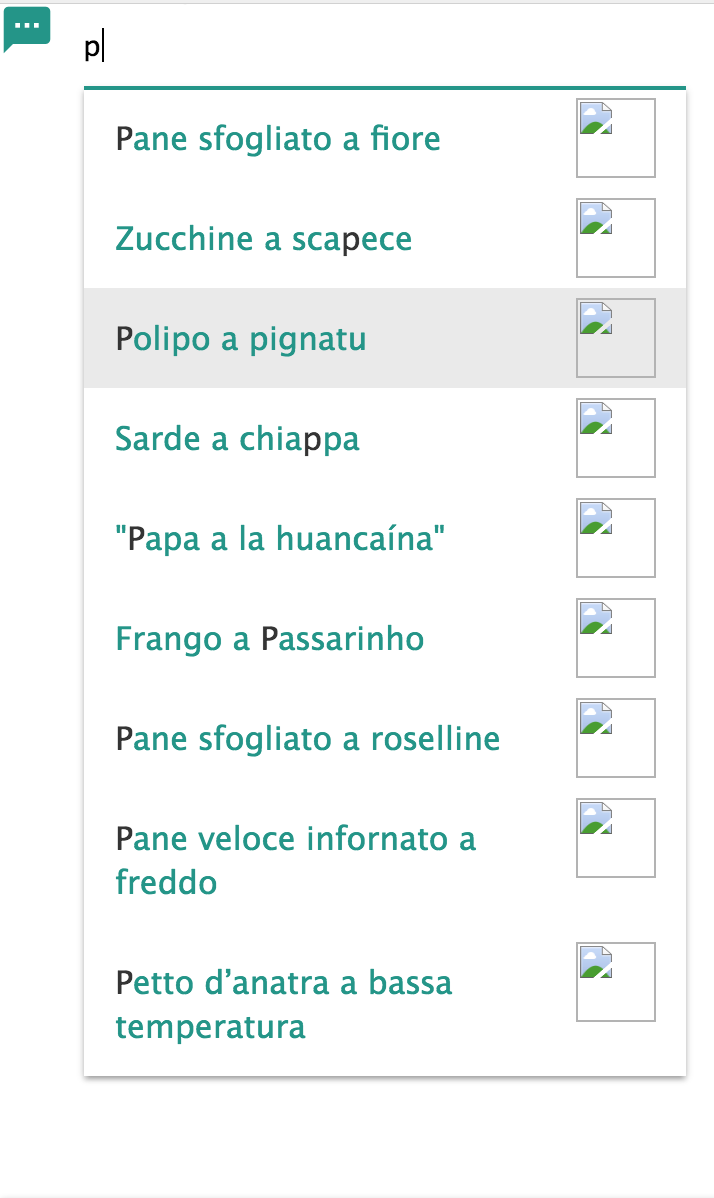
If will have a long list, I would like to keep the search bar fixed, and the scrolling of a list of custom items (like in Google Maps).
But it fails, for all the list and input search get scrolling (I was not able to fix it using position : fixed on the input field, because it prevents all the list from scrolling. I would like to have scrolling behind the input search, like in Google Maps indeed.
see below:
 gg4u
on 20 Nov 2017
gg4u
on 20 Nov 2017
Ajax suggestions would be a great enhancement. I have too much values on a field that I can't load the autocomplete.
Using a label is really not enough, we have at least to deal with a value associated with the label, just like a select element would do.
For exemple : { value : '', label : '' }
Or with picture : { value : '', label : '', image : '' }
Same datas format would be nice too between chips datas and autocomplete.
Thanks !
 Dahkon
on 23 Nov 2017
Dahkon
on 23 Nov 2017
Not sure if this has also been reported, but if the size of the data to show is one, autocomplete doesn't display at all.
 eamonnmag
on 3 Dec 2017
eamonnmag
on 3 Dec 2017
@gg4u nice hack-fu !
However, it seems like this will generate many requests on the server if the user types several caracters, did you try using a jquery deferred and also make sure to cancel existing requests if keyup is triggered again very fast ?
 jpic
on 16 Dec 2017
jpic
on 16 Dec 2017
Hey guys, There is any way for knowing when the input feald have no values?
 Reelock
on 10 Jan 2018
Reelock
on 10 Jan 2018
I'd like to post some suggestions/questions regarding autocomplete - I have been struggling with the problem of autocomplete inserting only selected text w/o the ability to link the selection with underlying data for a while. Just to clarify, as a result of selecting a value from the autocomplete options I'd like to fire some events that would further modify some model and/or on-page form.
This also should resolve problems where I search users (for example) and with current autocomplete it seems impossible to distinguish between users in data:
{
 "John Doe": null,
 "Jane Doe": null,
 "John Doe": null, //different user with same name
 [...]
}
I generally have many cases where I use autocomplete with dynamic data fetched through some REST calls and depending on the selection I want to take some further actions, i.e. the data above should at least have the user id as the name is obviously not enough to identify the user. Selecting the name should allow me to figure out the user id (so for example I can insert the user id into hidden input and send it with the form submission). I also use the data fetched from the api to populate some models in angular app so in the end I came up with the following solution:
I changed the data format to the following:
{
 "John Doe": {
   "dataAttribute": {
     "id": 100
   },
   "someProperty": "value",
   "img": "http://blah...",
   "whateverYouWant": null
    [...]
  },
 [...]
}
I am using the dataAttribute property elements to generate data-[...] attributes in the spans that surround the selectable options, selecting the option now also returns the actual element that was clicked. So in the example above I get the clicked li that has the span with data-id="100" - that is already enough to extract the real user id from the clicked option. I can add more properties to dataAttribute if necessary or add even more complex data structure as "other" properties (and easily find them in the data set using some id from the dataAttribute(s) stored in clicked span).
I don't know if that is the right approach but works well. It sure is pain in the back as I have to modify and recompile each Materialize release and I'd really want this to be addressed - the id option suggested above is fine but having the ability to add more properties to the dataset is very useful as the dataset then can be used for model changes / complex form updates (like selecting user populates address fields from dataset). Just to make clear - the post-selection logic is not in the actual autocomplete but this way anything can be easily implemented in the onAutocomplete callback...
Here is the diff for the version 1.0.0-alpha.3 if anyone cares (non-breaking changes, current format of data is also supported):
 PanzerLlama
on 27 Jan 2018
PanzerLlama
on 27 Jan 2018
Please add the possibility for Ajax. Or maybe anyone has a solution? Thanks.
 DSKonstantin
on 16 Feb 2018
DSKonstantin
on 16 Feb 2018
Are there any good news with the ajax call for images ??
http://example.com/app/[object%20Object] error not found
 adiazarya100
on 23 Feb 2018
adiazarya100
on 23 Feb 2018
Any news for ajax ?
Dahkon
on 23 Mar 2018
@Dahkon I'm used select2 plugin.
In template:
= f.association :respondent,  label_method: :full_name,
      input_html: { data: { 'respondent-dropdown': true, url: auto_complete_respondents_path }, class: 'select2-autocomplete' }
In JS:
initializeAutocomplete: ($scope = $('body')) =>
$input = $scope.find('.select2-autocomplete')
url = $input.attr('data-url')
$input.select2({ajax: { url: url, dataType: 'json'}})
And styles: - https://gist.github.com/DSKonstantin/45033ba19af0471a3474e767cfc65518
Maybe not the best solution, but there was no other way.
DSKonstantin
on 23 Mar 2018
var myarr = {
"Apple": {
id: 1,
text: 'Apple Inc',
image: null,
},
"Microsoft": {
id: 2,
text: 'Microsoft Inc',
image: 'http://placehold.it/250x250',
},
"Google": {
id: 3,
text: 'Google Inc',
image: null,
},
"Google Alphabet": {
id: 4,
text: 'Alphabet Inc',
image: null,
},
};
$('input.autocomplete').autocomplete({
data: myarr,
limit: 20,
onAutocomplete: function(data) {
console.log(myarr[data]);
},
minLength: 1, // The minimum length of the input for the autocomplete to start. Default: 1.
});
 eaksangha
on 4 Apr 2018
eaksangha
on 4 Apr 2018
It'd be great to have a built in limiter.
Example: don't make the ajax call until the user stops typing for x milliseconds.
I'm really struggling getting the autocomplete to work with an ajax call. Are there any good examples with 1.0.0.0-rc1?
update: I got it working, but required some hackery.
please see my article. https://www.aligneddev.net/blog/2018/materializecss-beta-autocomplete-ajax/
I apologize for no CodePen or JsFiddle.
Thanks for the great CSS library!
 aligneddev
on 16 May 2018
aligneddev
on 16 May 2018
I have the same issue.
here is also something wrong with 'image' property passed to data structure for autocomplete like the example above by @jonathanarodr :
data: {
"Apple": {
id: 1,
text: 'Apple Inc',
image: null,
},It seems onAutcomplete() searches for the image (or the data object) in the my uri domain :
http://example.com/app/[object%20Object] error not found
 hugmax
on 8 Aug 2018
hugmax
on 8 Aug 2018
Yes, there is a big problem.
I'm using it to autocomplete town but data is an object so i can't have the same town twice..
We need an update.
 wakuu
on 21 Jan 2019
wakuu
on 21 Jan 2019
@wakuu Why on earth would you want duplicate auto-complete possibilities? It sounds like your code needs an update.
ghost
on 24 Jan 2019
@Native-Coder .
Lol... In my country, there are towns that have the same name but not in the same department.
The main problem is that autocomplete data is an object so if keys are the name, autocomplete will not work as I would want...
I manage to solve this problem by naming keys like that : town.department+'|'+town.name
Now keys are unique..
Do you understand why on earth I would want to duplicate autocomplete possibilities........?
wakuu
on 25 Jan 2019
@waku No, I don't. I've use autoconplete in the same way. Dozens of cities have the same name in America. So do Roads. Your solution is the correct one. Just because they have the same name does not make them duplicates. They are still unique just with one piece of metadata in common.so your problem was not duplicate entries, but how to key your data so as to avoid duplicate keys
ghost
on 25 Jan 2019
@Native-Coder .
I would like to display that kind of data :
{
"myTown": "img/department64",
"myTown": "img/department32"
}
This object is only rendering 1 town because the key is the same.. I have to concatenate but I don't want to..
I would like to have ids in an array rather than an object. [{"id":1, "text": "myTown"},{"id":2, "text": "myTown"}].
wakuu
on 25 Jan 2019
@wakuu France ?
You can name your keys like this : "myTown (64)" "myTown (32)" I think.
Dahkon
on 25 Jan 2019
If you are desperate like me ;) you can use the diff I posted above (about a year ago). I am using it since then and it resolved the problem but I agree that it should be implemented in materialize directly...
PanzerLlama
on 25 Jan 2019
One other improvement could be to allow a custom function to filter the matching results since using indexOf cannot capture all locale specific matches, e.g. accented characters, etc...
 glampr
on 16 Feb 2019
glampr
on 16 Feb 2019
One other improvement could be to allow a custom function to filter the matching results since using indexOf cannot capture all locale specific matches, e.g. accented characters, etc...
Uhm. I'm reading your proposal after writing this: #6420. Maybe we are talking about the same feature.
 valerio-bozzolan
on 26 Jul 2019
valerio-bozzolan
on 26 Jul 2019
@valerio-bozzolan what I'm saying is just a case of the more generic problem you are describing.
I was referring to a case where for example: you searched for haagen but you wanted Häagen to match as well.
glampr
on 26 Jul 2019
Also element.scrollIntoView(); should be used to make sure that options scrolled to using the arrow keys are visible.
ChildishGiant
on 27 Feb 2020
Related issues
 lpgeiger
·
3Comments
lpgeiger
·
3Comments
 Robouste
·
3Comments
Robouste
·
3Comments
 cope
·
3Comments
cope
·
3Comments
 bradley-varol
·
3Comments
bradley-varol
·
3Comments
 onigetoc
·
3Comments
onigetoc
·
3Comments
Most helpful comment
I made a pull #4724 on the autocomplete improvement allowing to include attributes in the ID`s, and also added a new property in the function called scrollLength that allows defining the limit of items to be displayed before scrolling.
_example_: