Materialize: Add option for changing the breakpoint (opening/closing) of the sideNav
This width should be an option in order to be able to modify the breakpoint where sidenav open/close.
I need to make the breakpoint for opening/closing the sidenav to a screen width of 1440. I've surcharged sidenav.js to do it...
 MathieuDerelle
All 10 comments
you can change the breakpoints by adapting the variables in _navbar.scss or change/add a varibale in _variables.scss. then you can modify the breakpoint easily.
 dstN
on 23 Feb 2016
dstN
on 23 Feb 2016
It won't affect the JS behaviour since 992 is hardcoded https://github.com/Dogfalo/materialize/blob/master/js/sideNav.js#L43
MathieuDerelle
on 23 Feb 2016
Anyone here having found a good solution or workaround for this? I'm having the same problem and don't really wanna change the code of the sideNav component...
 sebastianbinder
on 3 Nov 2016
sebastianbinder
on 3 Nov 2016
This should really be an option..
Dirty hack:
$(document).ready ->
  collapseRightNav = ->
    $nav = $('#right-nav')
    $nav.css('transform', 'translateX(100%)') if $nav.length > 0 && window.innerWidth < 1440
  $(window).resize(collapseRightNav)
  collapseRightNav()
Works only if collapsing earlier, not later. Flip translateX for left nav, change breakpoint as appropriate.
 RavenXce
on 24 Feb 2017
RavenXce
on 24 Feb 2017
There isn't a good way to do this, because changing the breakpoint in js only will break the css that needs to go along with it.
 Dogfalo
on 15 Aug 2017
Dogfalo
on 15 Aug 2017
:fearful: I'm using the wrong framework?
@Dogfalo does this mean you will always force the people to have the navbar to break at 992px?
I'm using materializecss for documentation and I have just two menu entries. Materializecss, jquery and materializecss.js is included via cdn - no customization. To open a menu on a 800px device with two items that fit easly to the navbar with 400px is no option for me.
A solution will be to have a class nav.collapse-small for the css part and an option for the jquery fn.
 tflori
on 27 Aug 2017
tflori
on 27 Aug 2017
these are my two cents to solve this issue:
5150
with these changes you can add the class collapse-small or collapse-large to the <nav> element and the button-collapse is showed earlier or later.. Also the .brand-logo is later or earlier moved to center.
For the $.fn.sidenav() you can add an option when it should break:
<nav class="collapse-small">
  <div class="nav-wrapper">
    <a href="#!" class="brand-logo">Logo</a>
    <a href="#" data-activates="mobile-demo" class="button-collapse"><i class="material-icons">menu</i></a>
    <ul class="right hide-on-med-and-down">
      <li><a href="sass.html">Sass</a></li>
      <li><a href="badges.html">Components</a></li>
      <li><a href="collapsible.html">Javascript</a></li>
    </ul>
    <ul class="side-nav" id="mobile-demo">
      <li><a href="sass.html">Sass</a></li>
      <li><a href="badges.html">Components</a></li>
      <li><a href="collapsible.html">Javascript</a></li>
    </ul>
  </div>
</nav>
<script>
$(document).ready(function() {
  $(".button-collapse").sideNav({break: 'small'});
});
</script>
Here is my solution, this completely fix the breakpoints.
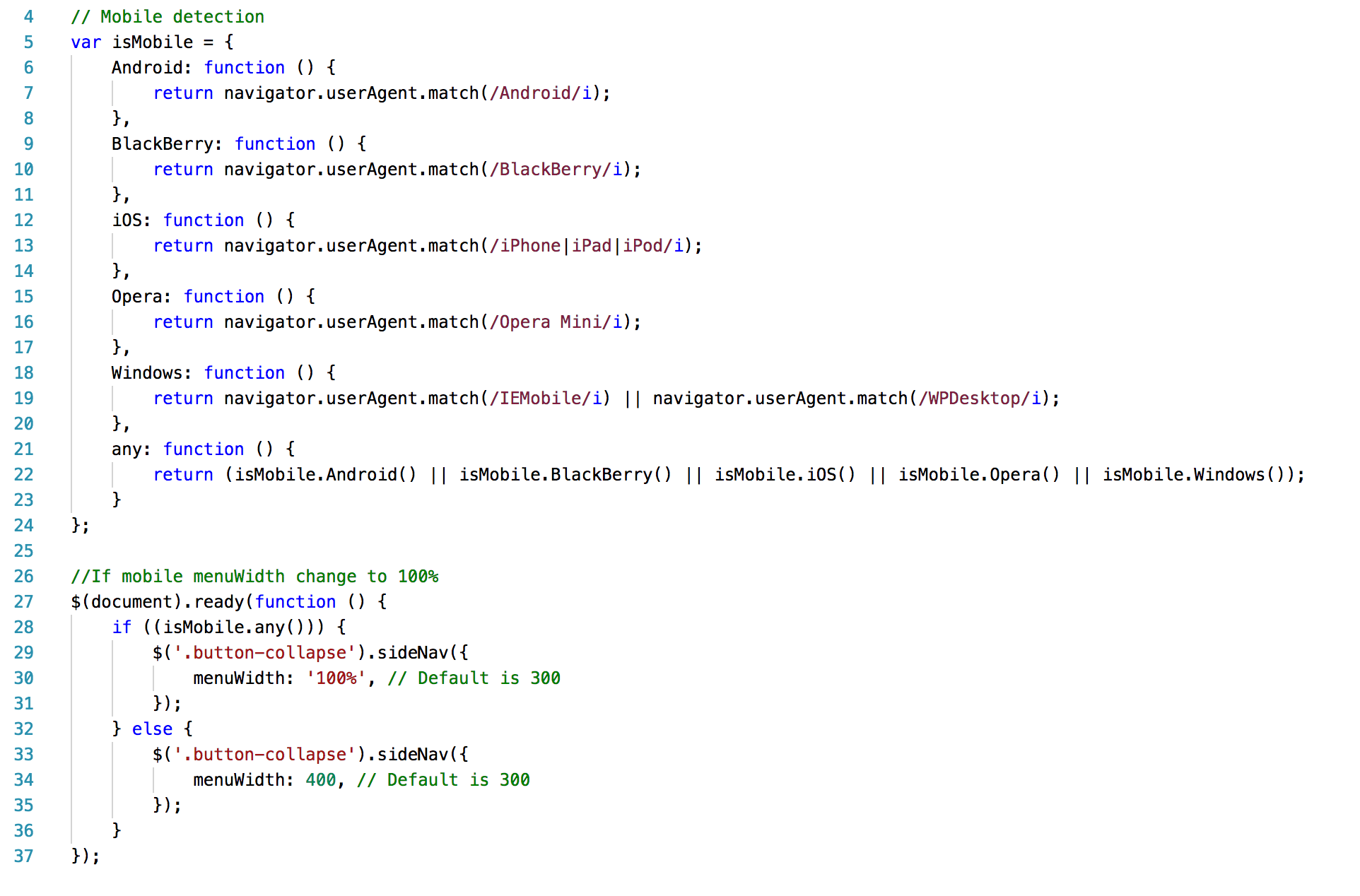
 laureenpe
on 6 May 2018
laureenpe
on 6 May 2018
For anyone who's interested, I managed to change the width at which the navbar collapses into the sidenav menu (whilst centering the brand-logo) from the default of 992px to 1320px.
CSS:
@media only screen and (max-width: 1320px){
  a.sidenav-trigger{
    display: block !important;
  }

  .hide-on-med-and-down {
      display: none !important;
  }

  nav .brand-logo {
      left: 50%;
      -webkit-transform: translateX(-50%);
      transform: translateX(-50%);
  }
}
 ghost
on 21 May 2018
ghost
on 21 May 2018
Cheers @awedge1 - here's a modified version of your snippet to also show the collapse toggle button:
@media only screen and (max-width: 1150px) {
  a.sidenav-trigger {
    display: block !important;
  }

  .hide-on-med-and-down {
    display: none !important;
  }

  nav .brand-logo {
    left: 50%;
    -webkit-transform: translateX(-50%);
    transform: translateX(-50%);
  }

  nav a.button-collapse {
    display: block;
  }
}
 maxmumford
on 20 Dec 2018
maxmumford
on 20 Dec 2018
Related issues
 cope
·
3Comments
cope
·
3Comments
 heshamelmasry77
·
3Comments
heshamelmasry77
·
3Comments
 ReiiYuki
·
3Comments
ReiiYuki
·
3Comments
 artur99
·
3Comments
artur99
·
3Comments
 locomain
·
3Comments
locomain
·
3Comments