Materialdrawer: Getting Installation error when adding dependency
I keep getting an error like this in my brand new application:
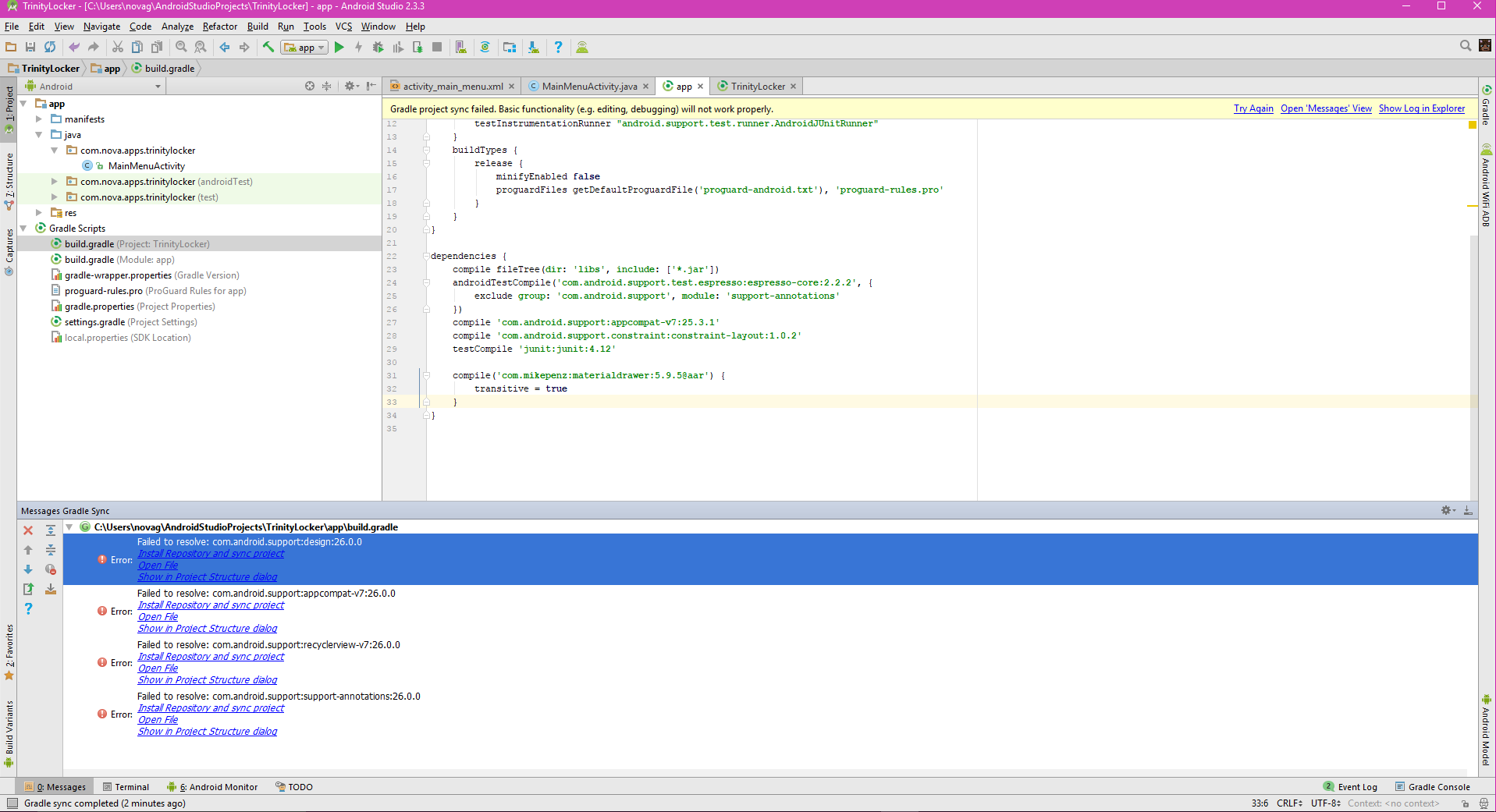
I keep clicking the install button but Android Studio doesn't do anything. I'm not sure what I'm doing wrong. Is there any way I can fix this?
 NovaViper
All 9 comments
 mikepenz
on 28 Aug 2017
mikepenz
on 28 Aug 2017
Like it
Thanks @mikepenz
 Alirezadell
on 28 Aug 2017
Alirezadell
on 28 Aug 2017
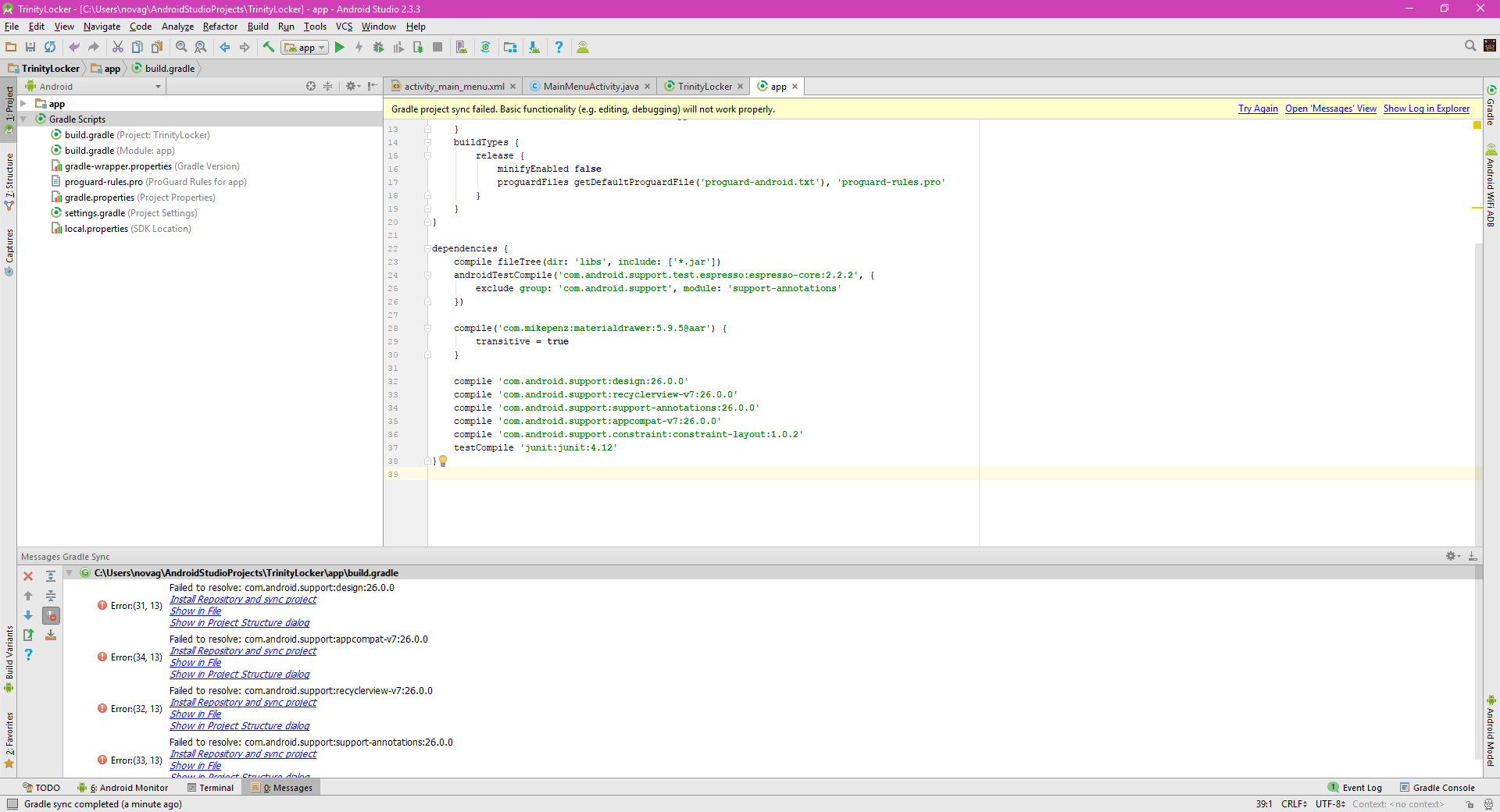
I'm still having trouble getting the errors to go away. I added the support libraries but I'm still getting that error
NovaViper
on 1 Sep 2017
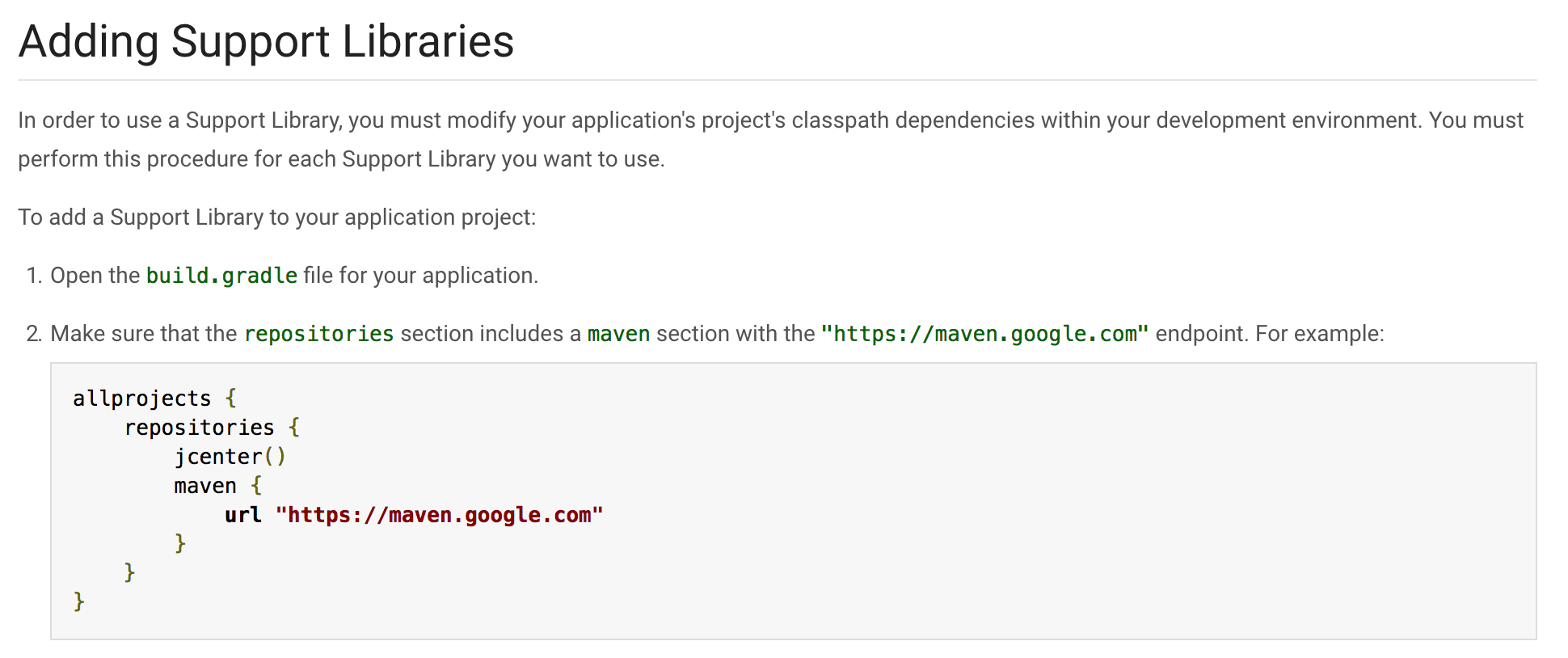
@NovaViper please read the support library page a bit more closely ;)
https://developer.android.com/topic/libraries/support-library/setup.html
Make sure that the repositories section includes a maven section with the "https://maven.google.com" endpoint. For example:
mikepenz
on 1 Sep 2017
I do have a maven section, it's called mavenCentral(), I have used that for all of my other repos and it worked before
--Edit--
Just tried the maven with the maven link endpoint, still the same error
NovaViper
on 1 Sep 2017
please read the documentation very very closely.
mikepenz
on 1 Sep 2017
I did, still spits up the same error
NovaViper
on 1 Sep 2017
so you have the google maven repository in your repositories? for all projects?
mikepenz
on 1 Sep 2017
Sorry for not responding, I was in class. And I finally got the error to go away, I cleared everything and put in the configurations from my previous repo with only changing the version numbers. Thanks for the help
NovaViper
on 1 Sep 2017
Related issues
 HanderWei
·
3Comments
HanderWei
·
3Comments
 kakai248
·
4Comments
kakai248
·
4Comments
 y2kshane
·
4Comments
y2kshane
·
4Comments
 ghost
·
3Comments
ghost
·
3Comments
 armoun
·
3Comments
armoun
·
3Comments
Most helpful comment
@NovaViper https://developer.android.com/topic/libraries/support-library/setup.html