Materialdesign: Shipment booking
I found myself looking for an icon representing "shipment booking". I combined the MDI truck and phone icons, and added a diagonal line for clarity.
I have:
- [x] Searched open issues to make sure there isn't a request for this icon.
- [x] Followed the material guidelines.
Comment: If there's something in the guidelines that I've missed then please point it out and I will try to correct it.
Preview
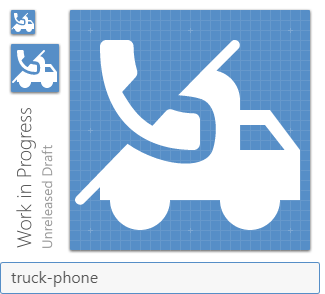
I'm not sure why the wheels on the truck are filled in the preview. They look correct when I open the svg in chrome.
Zip Download
 johnknoop
All 6 comments
I'm not sure this really fits in with our project as it is pretty specific and the icon is a bit too detailed.
 JamesCoyle
on 16 Jul 2019
JamesCoyle
on 16 Jul 2019
No worries. I can use the svg directly instead.
It would be nice if there was a simple way to add local extensions to MDI. That way I wouldn't need two different ways to show icons.
johnknoop
on 16 Jul 2019
If you're using React, you can use @mdi/react in conjunction with @mdi/js. This gives you the ability to use our icons directly, but then also provide your own combined path data.
import Icon from '@mdi/react';
import { mdiChevronLeft } from '@mdi/js';

...

return (
  <>
    <Icon path={mdiChevronLeft} size={1} />
    <Icon path='M...MY PATH DATA...Z' size={1} />
  </>
);
 goyney
on 16 Jul 2019
goyney
on 16 Jul 2019
I still think this issue could be used to track the intent of the icon, though: "shipment booking". I have some ideas I can mess with tonight. Renaming the issue and dropping the Contribution label for now.
goyney
on 16 Jul 2019
Wouldn't truck-check work?
 MrGrigri
on 16 Jul 2019
MrGrigri
on 16 Jul 2019
Gonna close this out for the reasons stated above. Thank you for your contribution!
JamesCoyle
on 9 Aug 2019
Related issues
 giooliveira
·
3Comments
giooliveira
·
3Comments
 Kanga-Who
·
3Comments
Kanga-Who
·
3Comments
 puytr
·
3Comments
puytr
·
3Comments
 jonnyborg
·
3Comments
jonnyborg
·
3Comments
 buutqn
·
3Comments
buutqn
·
3Comments
Most helpful comment
I still think this issue could be used to track the intent of the icon, though: "shipment booking". I have some ideas I can mess with tonight. Renaming the issue and dropping the
Contributionlabel for now.