Material: autocomplete: two clear buttons are displayed
Bug, enhancement request, or proposal:
bug
CodePen and steps to reproduce the issue:
CodePen Demo which demonstrates the issue:
https://codepen.io/anon/pen/YvgprG?editors=1111
Detailed Reproduction Steps:
- click inot autocomplete's input field
- type aaa
What is the expected behavior?
there is single 'x' button
What is the current behavior?
there are two 'x' buttons
What is the use-case or motivation for changing an existing behavior?
desire for perfection
Which versions of AngularJS, Material, OS, and browsers are affected?
- AngularJS: 1.5.11
- AngularJS Material: 1.1.10
- OS: windows
- Browsers: IE11, not reproducible in Chrome
Is there anything else we should know? Stack Traces, Screenshots, etc.
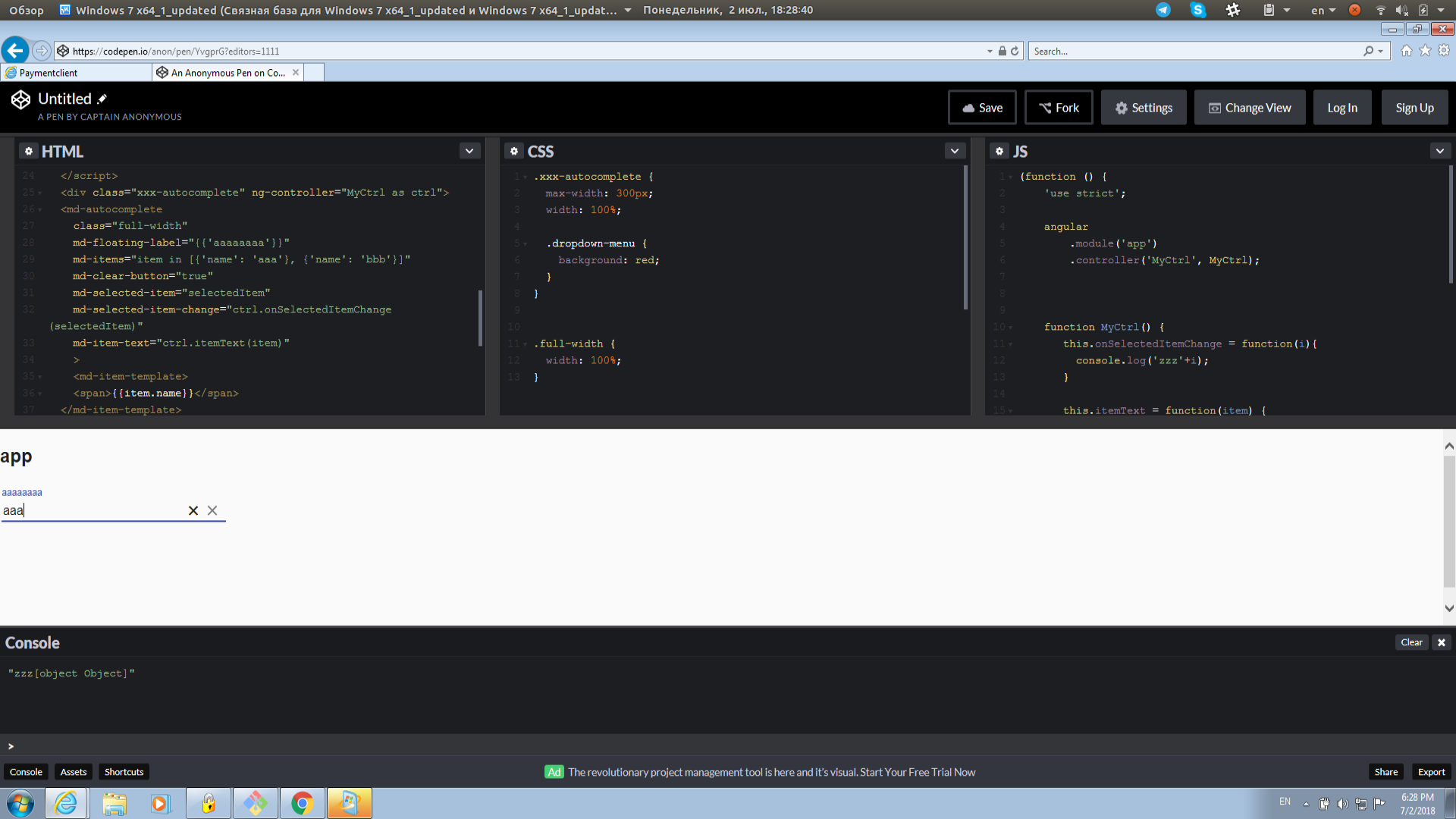
 bushuyev
All 2 comments
The black X on the left is inserted by the browser, not material.
Use this to globally remove them from your site:
::-ms-clear {
    display: none;
}
But if you just want to remove them from md-autocomplete, use this:
md-autocomplete ::-ms-clear {
    display: none;
}
 bersLucas
on 2 Jul 2018
bersLucas
on 2 Jul 2018
👍3
❤1
thank you!
bushuyev
on 3 Jul 2018
Was this page helpful?
0 / 5 - 0 ratings
Related issues
 rtprakash
·
3Comments
rtprakash
·
3Comments
 pablorsk
·
3Comments
pablorsk
·
3Comments
 ghost
·
3Comments
ghost
·
3Comments
 bobber205
·
3Comments
bobber205
·
3Comments
 nikhildev
·
3Comments
nikhildev
·
3Comments
Most helpful comment
The black X on the left is inserted by the browser, not material.
Use this to globally remove them from your site:
But if you just want to remove them from
md-autocomplete, use this: