Material: Pod Compilation issue on Xcode 9 , Swift 4.0
Today I update my Xcode to latest Xcode and my project won't compile anymore. If I use
pod "Material" , "2.9.1"
I get following compilations issues.
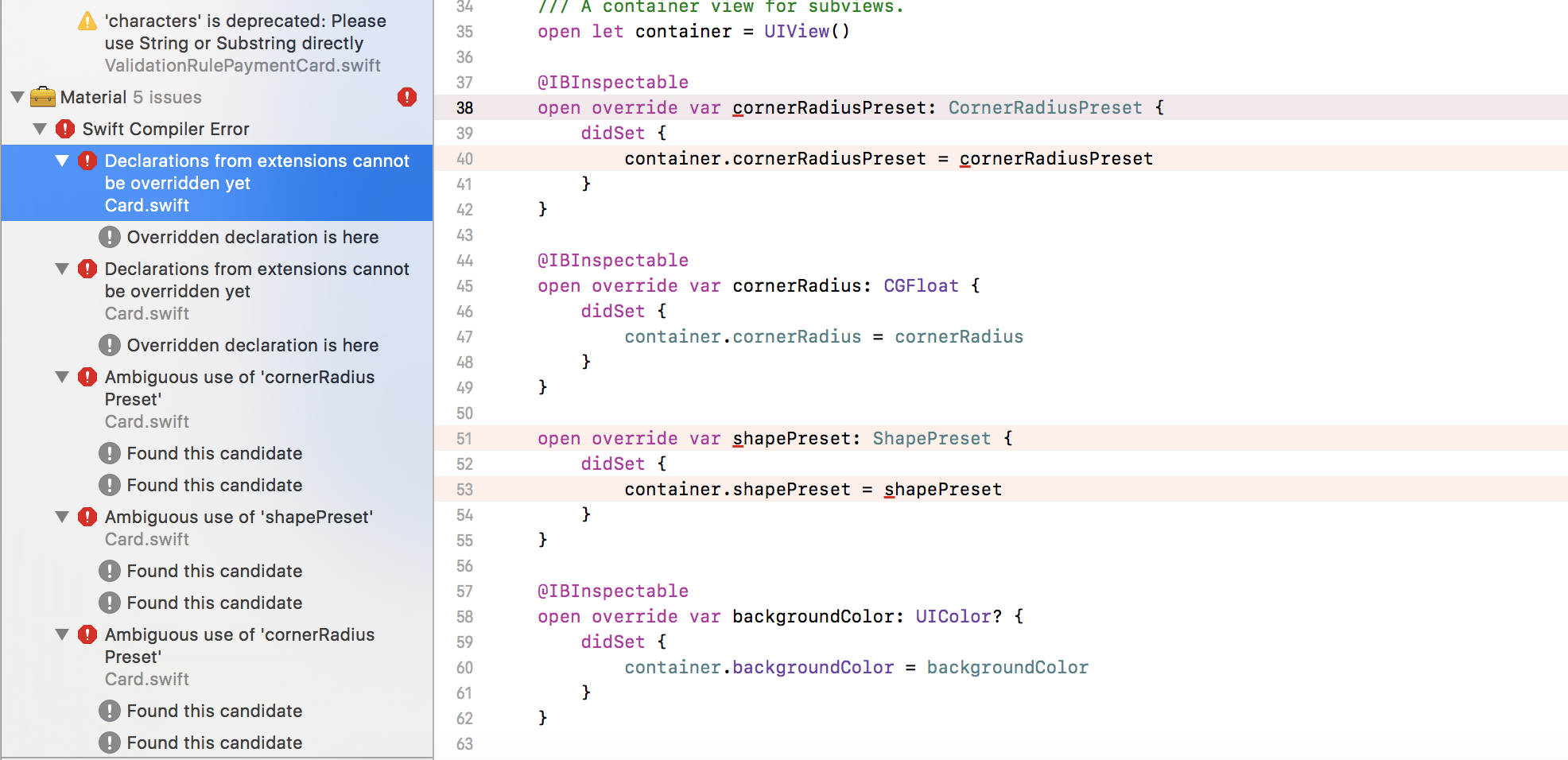
However if I use latest version available like this
pod "Material"
this installs the latest 2.12.13 version but then I get this compilation issue.
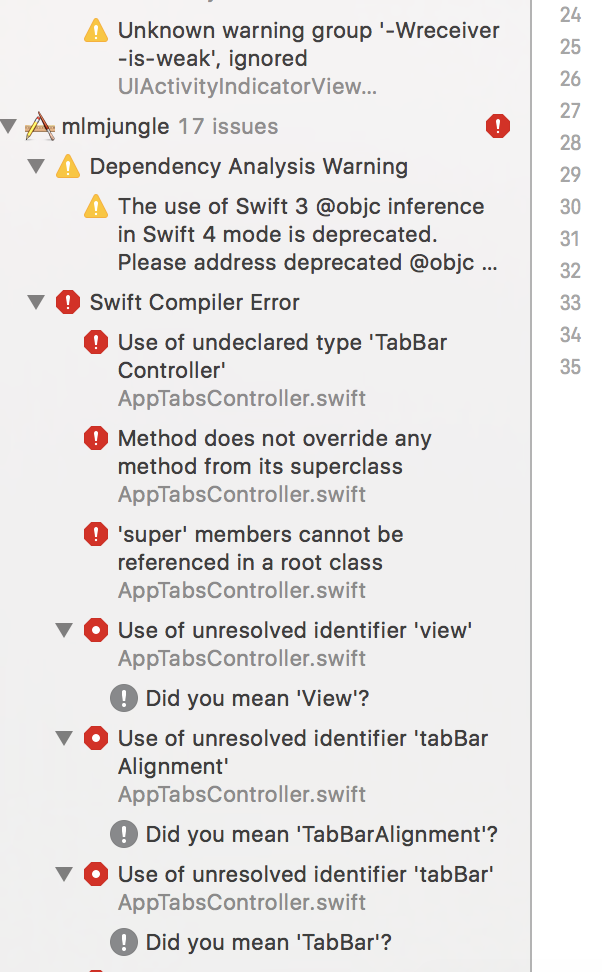
It was all fine until Xcode 8 , swift 3.0 and Material version 2.9.1
Can you please help ?
 ijameelkhan
All 23 comments
change swift version to 4 in build setting for target Material in Pods project
 yasirmturk
on 3 Nov 2017
yasirmturk
on 3 Nov 2017
Thank you @yasirmturk, that is the correct answer :)
 danieldahan
on 3 Nov 2017
danieldahan
on 3 Nov 2017
Please don't close.
It would still won't import the library for me.
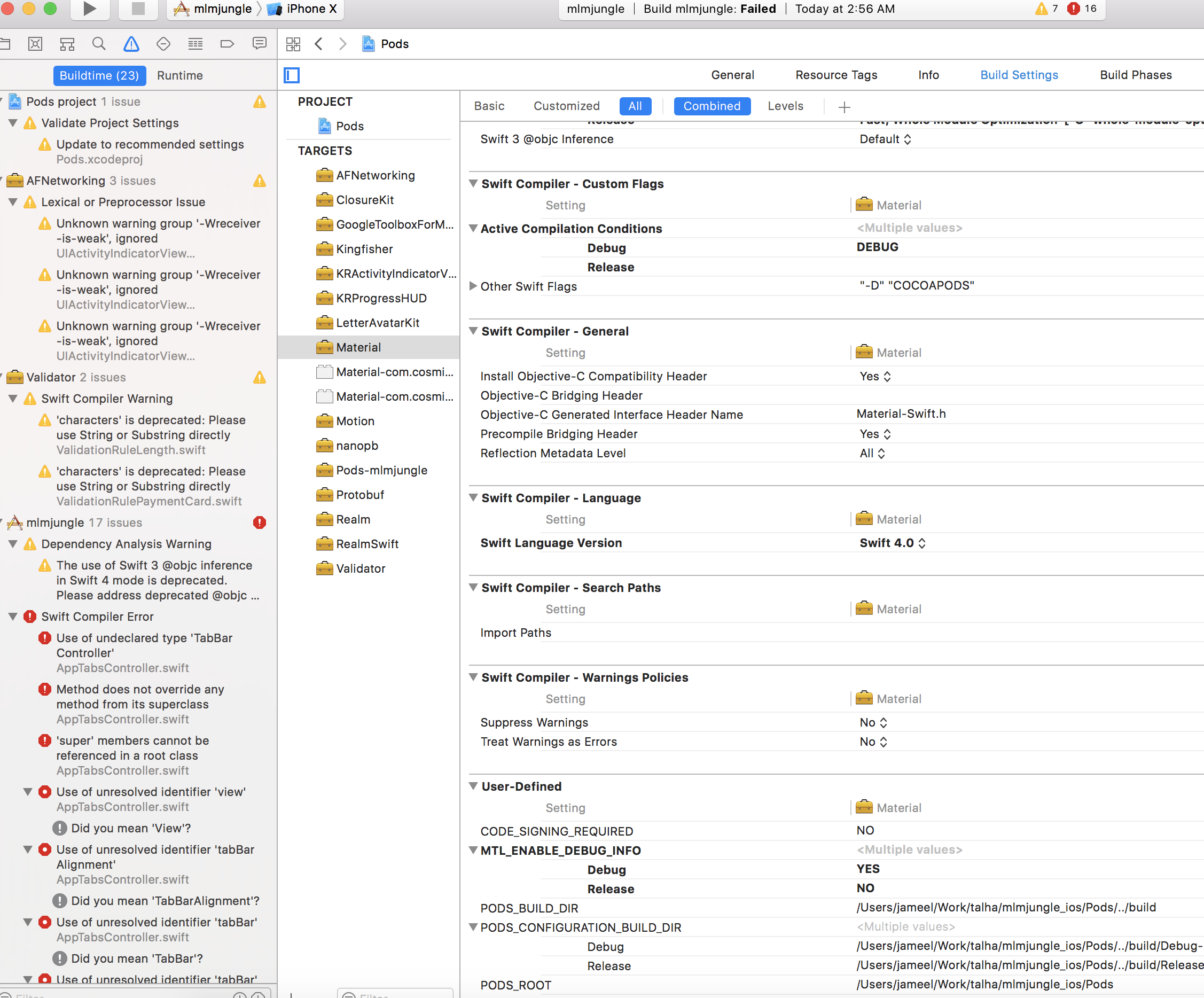
Check I have update the pod settings to swift 4.0. The project it self is set to swift 4.0 and I am using latest Xcode and coco pods. I tried removing all pods and reinstalling still no luck.
ijameelkhan
on 3 Nov 2017
Please try changing the Pods project settings, not Materials alone.
danieldahan
on 3 Nov 2017
Still no luck :(
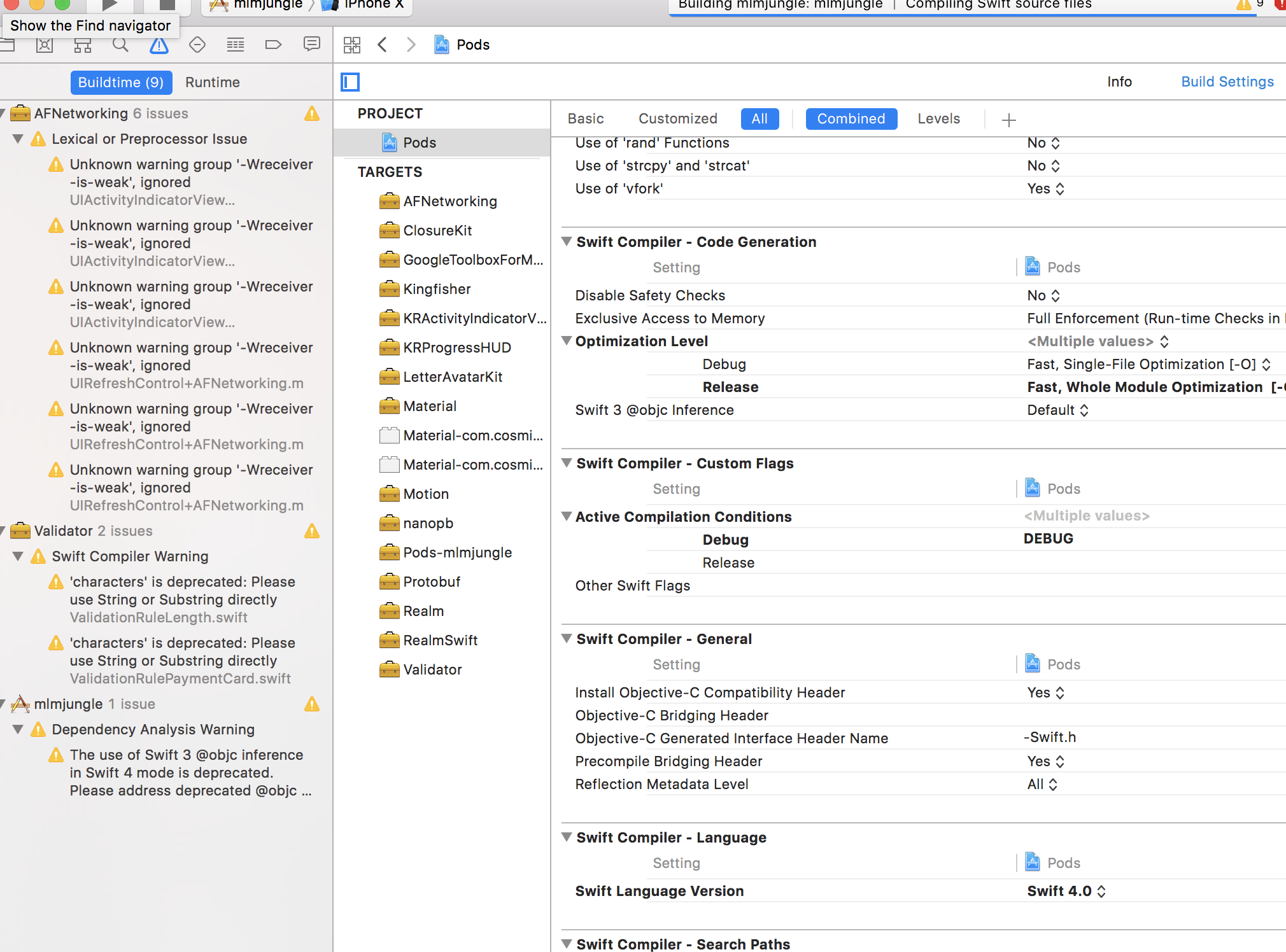
Every single thing is now set at swift 4.0.
ijameelkhan
on 3 Nov 2017
Can you email me your project? [email protected]
danieldahan
on 4 Nov 2017
Pull from here: https://github.com/ijameelkhan/mlmjungle_ios.git. You have access.
ijameelkhan
on 4 Nov 2017
I will check shortly. I am not near my computer now.
danieldahan
on 4 Nov 2017
I have the same error with the samples. Trying the tabbar controller sample, but it shows the same error in Pods=>Material=>Core=>PageTabBarController.swift line 225,
and says the overidden declaration is here in ...Core=>RootController.swift line 154
 varijkapil13
on 5 Nov 2017
varijkapil13
on 5 Nov 2017
I will be back to investigating issues in the morning. I was on a vacation during the past few days :) Thank you!
danieldahan
on 6 Nov 2017
@varijkapil13 PageTabBarController has been long replaced and it was removed in version "2.8.0" and before that the project was definitely not in swift 4
yasirmturk
on 6 Nov 2017
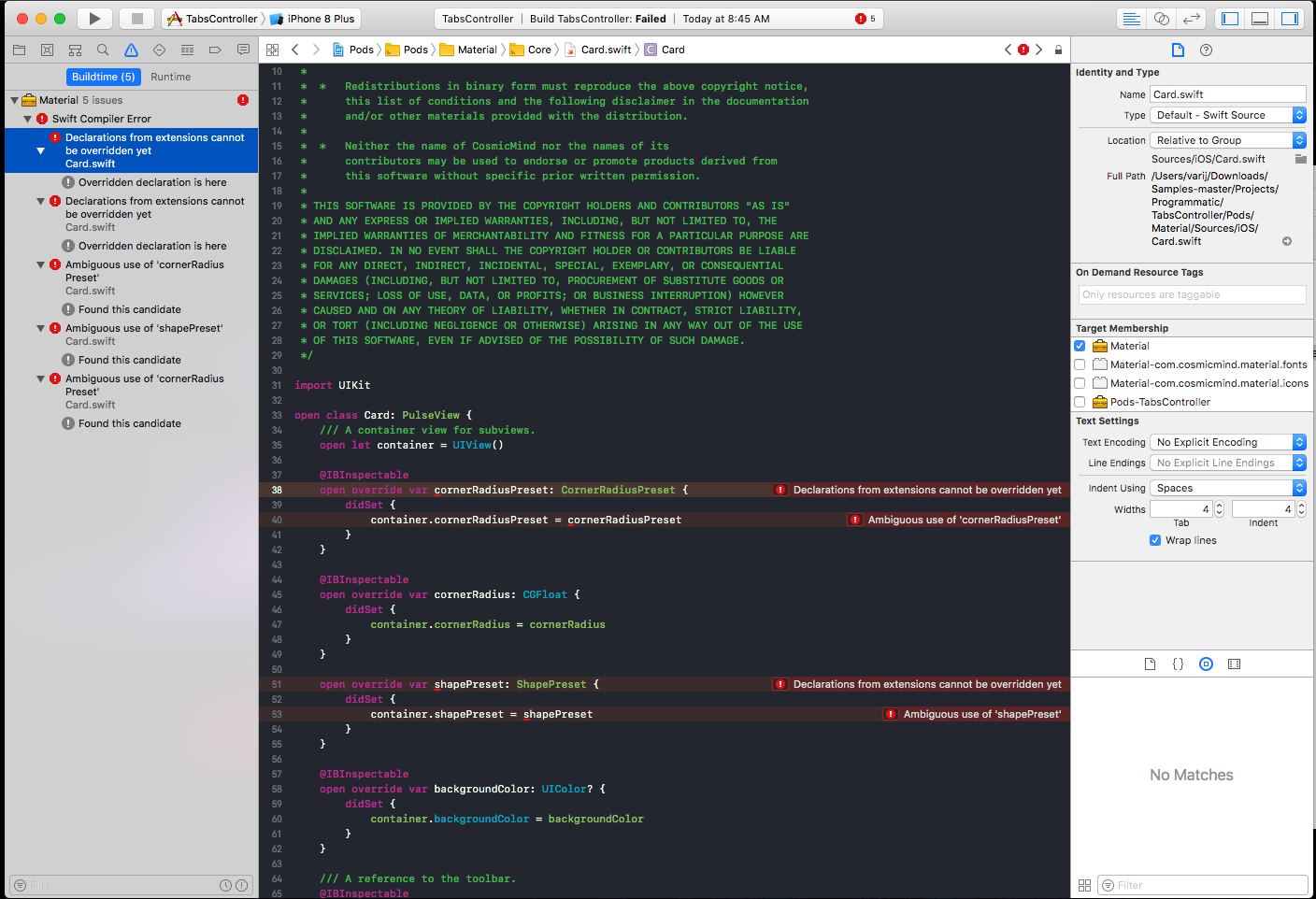
@yasirmturk thank you for pointing it out. By default the samples download version "2.0". Anyways I updated Material to "2.8.1" but still have problem. The project wont build due to "Declarations from extensions cannot be overridden yet".
now it is in Pods=>Material=>Core=>Card.swift
varijkapil13
on 6 Nov 2017
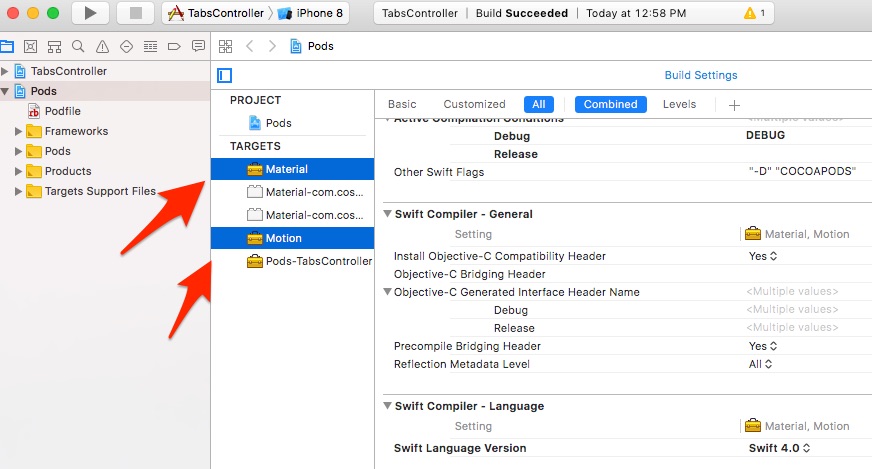
@varijkapil13 if u want to compile for swift 4 then download version "2.10.3" or above.. for latest master repo in @CosmicMind/Samples, which uses version "2.12.13":
- download as Zip
- run $ ./install_all_pods.sh
- open your TabsController.xcworkspace
- select Pods project and change swift to 4.0 for "Material" and "Motion"
- Build or Run
yasirmturk
on 6 Nov 2017
thanks. pods version 2.12.13 did the trick. I already performed all the steps as you mentioned with the samples during my first install, but it installs version 2.0 with that script. Anyways, I updated the podfile and installed Material again, and it works fine now. Thanks :)
varijkapil13
on 6 Nov 2017
Amazing! Thank you!
danieldahan
on 6 Nov 2017
@danieldahan - Bro this really doesn't solve my problem. I am having everything latest and my imports won't work for this library. I am having a total different issue then @varijkapil13 .
ijameelkhan
on 6 Nov 2017
Any update here please ?
ijameelkhan
on 7 Nov 2017
Can u send ur project?
On Tue, 7 Nov 2017 at 3:52 PM ijameelkhan notifications@github.com wrote:
Any update here please ?
—
You are receiving this because you were mentioned.
Reply to this email directly, view it on GitHub
https://github.com/CosmicMind/Material/issues/954#issuecomment-342446319,
or mute the thread
https://github.com/notifications/unsubscribe-auth/AASuA3lklDCazSK4rG5gELMeXnPlOZ7eks5s0DZ9gaJpZM4QQX5C
.>
Yasir M Turk
http://yasirmturk.com | Meet Me
http://www.vcita.com/v/765f51a0a74fd4aa/online_scheduling | Web Hosting
http://apnisite.net/ | Technowledge http://technowledge.pk/ | Mad Joint
http://madjoint.com/ | Youth Plugged http://www.youthplugged.com/
yasirmturk
on 7 Nov 2017
download from here: https://github.com/ijameelkhan/mlmjungle_ios.git I gave you access
ijameelkhan
on 7 Nov 2017
got it
yasirmturk
on 7 Nov 2017
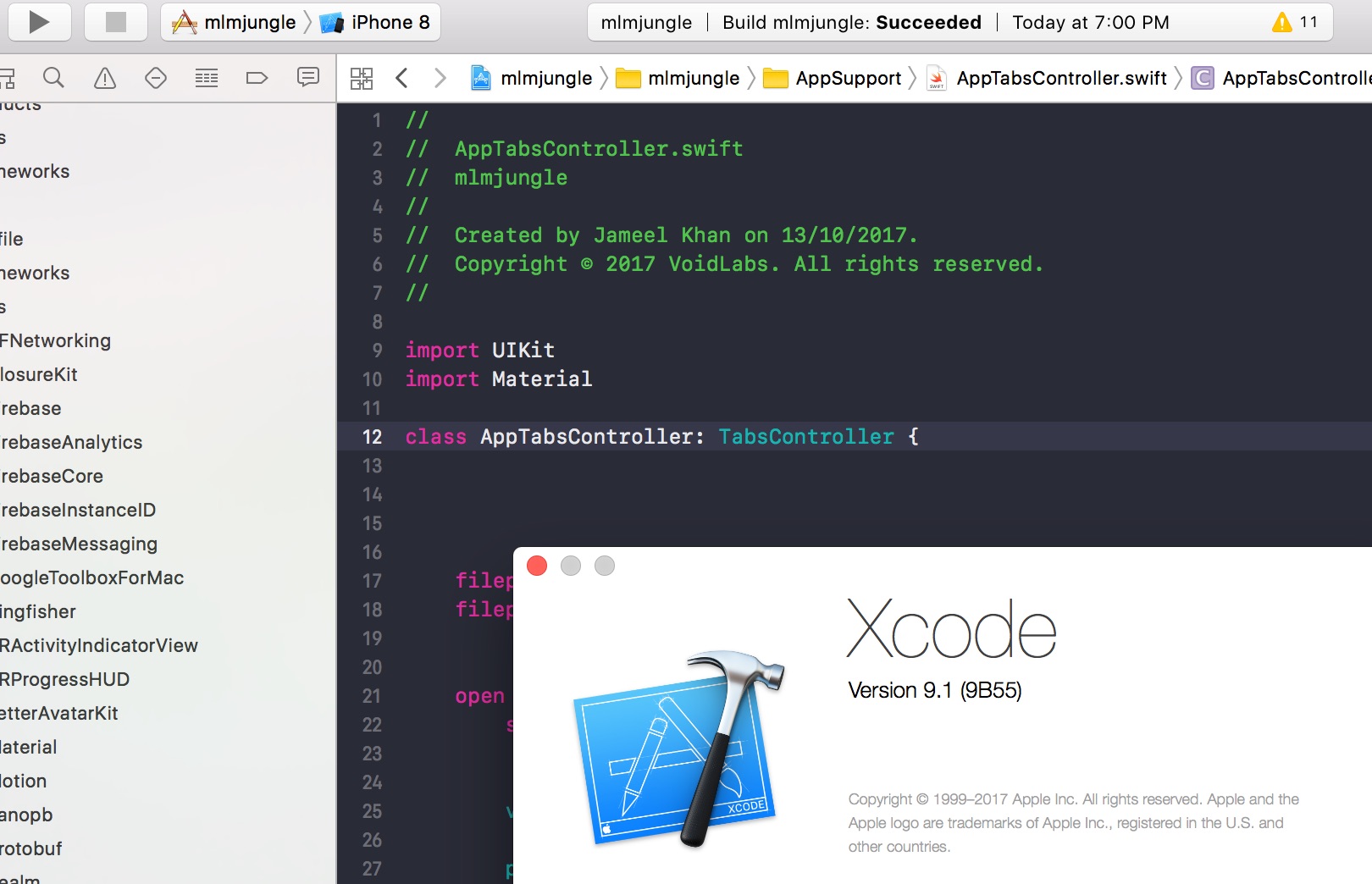
pushed.. it is compiling now .. TabBarController is now TabsController in later versions on Material
yasirmturk
on 7 Nov 2017
Ok worked thank you :)
ijameelkhan
on 7 Nov 2017
@yasirmturk thank you for your help, and @ijameelkhan happy all is working for you now :)
danieldahan
on 7 Nov 2017
Related issues
 ariedoelman
·
34Comments
ariedoelman
·
34Comments
 timoschwarzer
·
16Comments
timoschwarzer
·
16Comments
 ayham-achami
·
26Comments
ayham-achami
·
26Comments
 tato469
·
17Comments
tato469
·
17Comments
 mohpor
·
24Comments
mohpor
·
24Comments
Most helpful comment
@varijkapil13 if u want to compile for swift 4 then download version "2.10.3" or above.. for latest master repo in @CosmicMind/Samples, which uses version "2.12.13":