Material: How to start using Material's NavigationBar instead of UINavigationController's default one?
Hi!
I didn't really know where to go for help on this and since I wasn't finding anything relevant I thought it was pretty easy to implement. I also checked the examples but none really covered what I wanted to do.
I built an app using Swift and iOS defaults controls. Today I started using Material, I switched a few controls like UIButton to FlatButton in Interface Builder (using storyboards) for example which really worked great.
Now my goal is to use Material's NavigationBar instead of iOS' default one to match the rest of my app's style and also to use Material's icons, switches, buttons, etc.
I've been trying various approaches, got to see the NavigationBar but without any title, my right item button worked though. Also pushed views weren't triggering the back button to appear like it would in a normal UINavigationBar/Controller.
Any suggestions of where to look or how to implement a UINavigationController with Material's NavigationBar?
EDIT: http://d.pr/i/1cGNx
Thanks!
 tbergeron
All 19 comments
Uh actually the navigation controller works sometimes. The first "Add" button isn't responding but when I push a new detail view the next view's "Edit" button is working and the "back button" works though invisible.
You can see a demo here http://d.pr/v/FGEu
tbergeron
on 13 May 2016
I think there might be an issue with icons altogether?
I pulled the App example and here's what I see:
1: http://d.pr/i/13TNi
2: http://d.pr/i/11IVG
tbergeron
on 13 May 2016
For the icon part I guess this is related https://github.com/CosmicMind/Material/issues/231
EDIT: Once I dragged the Assets from your repo to the Pods, I started to see icons. So I guess you still have issues with icons+cocoapods hehe
Still the Add button isn't working, I cannot set any titles for the navigationbar so I guess I'm still doing it wrong hehe
tbergeron
on 13 May 2016
I've been able to set the NavigationBar's title this way:
let navigationController : NavigationController = self.navigationController as! NavigationController
let navigationBar : NavigationBar = navigationController.navigationBar as! NavigationBar

navigationBar.topItem?.titleLabel.textColor = FlatWhite()
navigationBar.topItem?.titleLabel.text = "That Title!"
e.g. http://d.pr/i/1baDm
I feel I'm forcing my way through the process LOL :P
tbergeron
on 13 May 2016
Hello, what version of CocoaPods are you using?
We have not updated Material for support for v1.0.* of CocoaPods. If you want immediate usage of Material, use 0.39.*.
 danieldahan
on 13 May 2016
danieldahan
on 13 May 2016
Hi! I'm using the latest 1.41.1.
So I'd need to use Material 0.39.* right? Or is that the CocoaPods version?
Thanks
tbergeron
on 13 May 2016
No, CocoaPods 0.39._. They recently updated to 1.0._. Please continue to use Material 1.41.1 :) Also, checkout the App example for usage of the NavigationBar. Tonight I am signing off, but tomorrow I will share an example with you to better demonstrate its usage.
danieldahan
on 13 May 2016
Awesome! I'll do so!
I played with the App demo, it's the NavigationController side of things I'm having a hard time with. Though after playing more with the App demo I've been able to progress a bit more with the UI side of things. Thanks for helping me out and good night!
tbergeron
on 13 May 2016
No worries :) If you follow this installation example, you wont need to wait for the CocoaPods update.
danieldahan
on 13 May 2016
Downgrading Cocoapods fixed the icon issue straightaway.
It almost work well now except for the non-working "Add" UIBarButtonItem and the title-less pushed views i.e. http://d.pr/i/8YR1 and also I clearly feel I'm doing something wrong just take a look at the left UIBarButtonItem here http://d.pr/i/11ukL
Looking at the App example, I'm feeling I use the storyboards "too much" and I should implement more of the navigationcontroller/bar stuff from the code instead. I'll keep playing with that demo, I feel I'm getting pretty close to having it working.
Making progress! 👍
tbergeron
on 13 May 2016
Excellent. I am going to be working on documentation all day and this weekend. This will help you out. We have undergone many updates, and the documentation is behind.
danieldahan
on 13 May 2016
Checking the source greatly helped me understand how it works. Updated docs will be even better! Thanks a lot for all your work!
From checking out the demos, I'm starting to believe I should stop using Interface Builder and lay everything down from the code. I always did this with other languages but storyboards made me think I'd like to use UI instead of code. I wonder how difficult it would be to rewrite my app with code instead of IB...
tbergeron
on 13 May 2016
I think you would be on a great track to drop Interface Builder and look from the code perspective. It gives you unbelievable control and understanding.
danieldahan
on 13 May 2016
I am going to close this, and let's continue the discussion on Gitter/CosmicMind/Material. I will be updating the docs. Thank you!
danieldahan
on 15 May 2016
Hi,
I'm using MaterialComponents.MaterialAppBar, I want know how change navigationBar tintColor black to white.... leftBarButtonItem image height is showing bigger....I tired I didn't get .....
Here is my code 👎
override func viewDidAppear(_ animated: Bool) {
    super.viewDidAppear(true)

    addChildViewController(appBar.headerViewController)
    appBar.headerViewController.headerView.backgroundColor = UIColor(red: 23/255, green: 188/255, blue: 212/255, alpha: 1)
   appBar.navigationBar.tintColor = UIColor.white
   appBar.addSubviewsToParent()
    title = "Map View"

    // first logic
    self.navigationController?.navigationBar.tintColor = UIColor.white

   // Second logic
    let textAttributes = [NSForegroundColorAttributeName:UIColor.white]
    navigationController?.navigationBar.titleTextAttributes = textAttributes

    // Third logic
     appBar.navigationBar.tintColor = UIColor(red: 255/255, green: 255/255.0, blue: 255/255, alpha: 1.0) as? Any as! UIColor

    // Fouth logic
     navigationItem.title = UIColor(red: 255/255, green: 255/255.0, blue: 255/255, alpha: 1.0) as? Any as? String
}
func application(_ application: UIApplication, didFinishLaunchingWithOptions launchOptions: [UIApplicationLaunchOptionsKey: Any]?) -> Bool {
    // Override point for customization after application launch.
    UINavigationBar.appearance().titleTextAttributes = [NSForegroundColorAttributeName : UIColor.white]
    return true
}
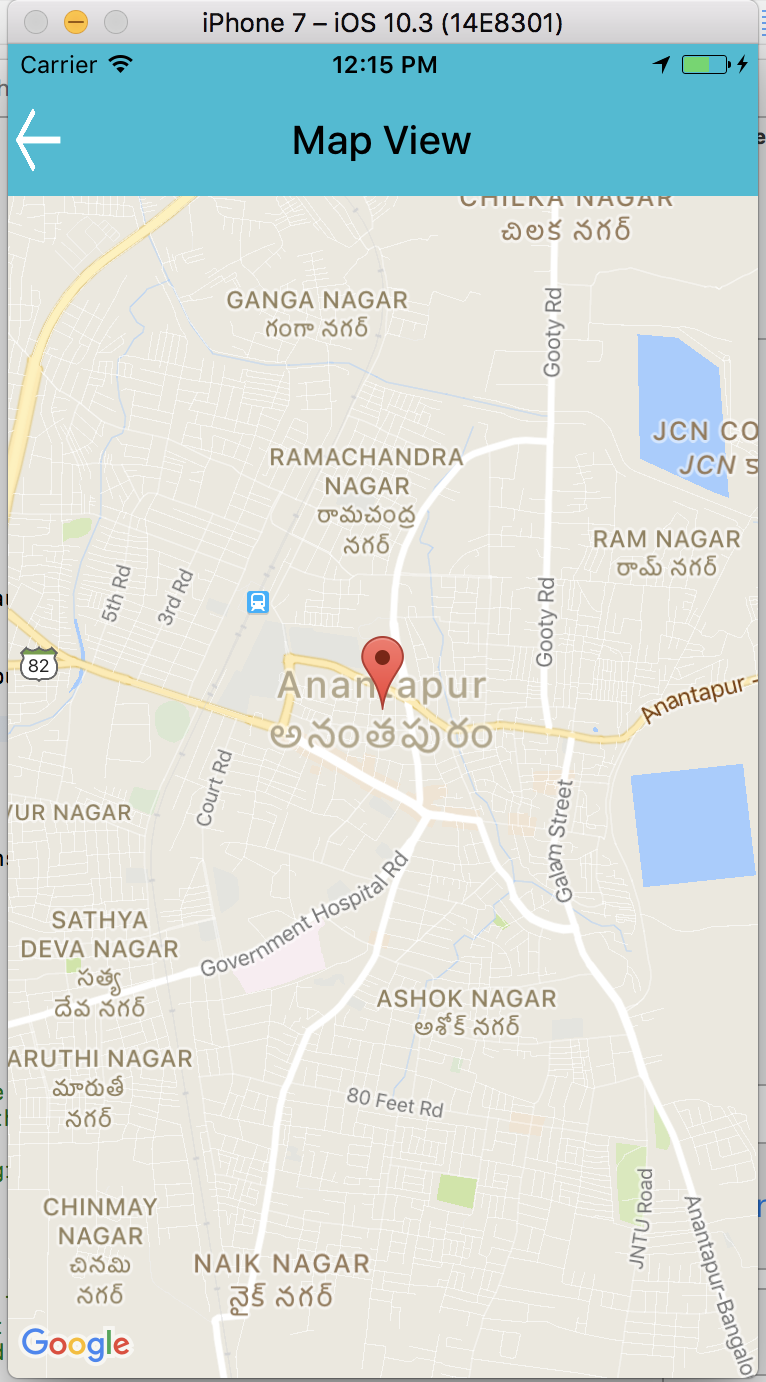
Note 👎
I'm using MaterialComponents.MaterialAppBar this particular screen only..I didn't use previous screens
Thanks in advance,
 SreekanthGudisi
on 27 Sep 2017
SreekanthGudisi
on 27 Sep 2017
@Sreekanth1234 I believe you want to post your question to this repo https://github.com/material-components/material-components-ios :) All the best!
danieldahan
on 27 Sep 2017
@danieldahan , I have tried my level best..But I didn't get solution of leftSide BarButtonItem..I'm for iOS app Development...
Without Coding 👎
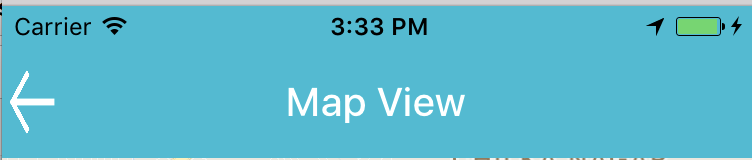
WithCoding 👎
override func viewDidLoad() {
    super.viewDidLoad()

    // Do any additional setup after loading the view.

    self.addChildViewController(appBar.headerViewController)
    self.appBar.headerViewController.headerView.backgroundColor = UIColor(red: 23/255, green: 188/255, blue: 212/255, alpha: 1)
    title = "Map View"
    self.appBar.navigationBar.tintColor = UIColor.white
    self.appBar.navigationBar.titleTextAttributes = [ NSForegroundColorAttributeName: UIColor.white ]
    appBar.navigationBar.leftBarButtonItem = UIBarButtonItem(image: UIImage(named:"Back2"), style: .plain, target: self, action: #selector(MapViewController.backButtonTapped))
    self.appBar.addSubviewsToParent()
}
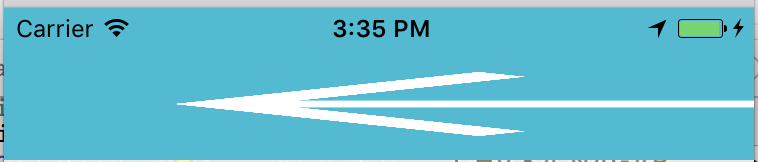
But, I need like below image 👎
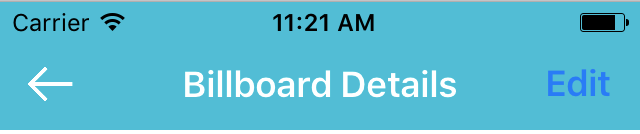
Thanks in advance,
SreekanthGudisi
on 5 Oct 2017
@danieldahan , No need ur help...I have done myself.....Thank you
SreekanthGudisi
on 5 Oct 2017
@Sreekanth1234 okay, we are here if you need :)
danieldahan
on 6 Oct 2017
Related issues
 0zguner
·
16Comments
0zguner
·
16Comments
 OrkhanAlikhanov
·
17Comments
OrkhanAlikhanov
·
17Comments
 sovata8
·
15Comments
sovata8
·
15Comments
 Arkezis
·
28Comments
Arkezis
·
28Comments
 timoschwarzer
·
16Comments
timoschwarzer
·
16Comments
Most helpful comment
Downgrading Cocoapods fixed the icon issue straightaway.
It almost work well now except for the non-working "Add" UIBarButtonItem and the title-less pushed views i.e. http://d.pr/i/8YR1 and also I clearly feel I'm doing something wrong just take a look at the left UIBarButtonItem here http://d.pr/i/11ukL
Looking at the App example, I'm feeling I use the storyboards "too much" and I should implement more of the navigationcontroller/bar stuff from the code instead. I'll keep playing with that demo, I feel I'm getting pretty close to having it working.
Making progress! 👍