Material-ui: [SSR] Client Rendering mismatch NODE_ENV=production
Hello,
I am having Client Rendering mismatch. However the Server Rendering Classnames works fine.
First of all it works fine during 2 seconds. When I load the page during the first seconds I am on SSR and then it switches on CSR. This is when I switch in CSR that all my css styles get fucked up.
I give you the code below just in case, I do like everybody does.
Server side
  const context = {};
  const html = ReactDOMServer.renderToString(
    sheets.collect(
      <Provider store={store}>
        <StaticRouter location={req.url} context={context}>
          <ThemeProvider theme={theme}>
            <App />
          </ThemeProvider>
        </StaticRouter>
      </Provider>
    )
  );
  const css = sheets.toString();
Client side
const render = Component => {
  const jssStyles = document.querySelector('#jss-server-side');
  if (jssStyles) {
    jssStyles.parentNode.removeChild(jssStyles);
  }

  ReactDOM.hydrate(
    <Provider store={store}>
      <ConnectedRouter history={history}>
        <ThemeProvider theme={theme}>
          <Component />
        </ThemeProvider>
      </ConnectedRouter>
    </Provider>,
    document.querySelector('#root')
  );
};

render(hot(App));
To not let you carry away, I give you a clue. I have already tried the <StylesProvider> solution. This is the same (Like I said my problem is not Server Side, but it's Client Side)
Server side with StylesProvider
  const generateClassName = createGenerateClassName({
    productionPrefix: 'TDR'
  });
  const html = ReactDOMServer.renderToString(
    sheets.collect(
      <Provider store={store}>
        <StaticRouter location={req.url} context={context}>
          <StylesProvider generateClassName={generateClassName}>
            <ThemeProvider theme={theme}>
              <App />
            </ThemeProvider>
          </StylesProvider>
        </StaticRouter>
      </Provider>
    )
  );
  const css = sheets.toString();
  "dependencies": {
    "@material-ui/core": "4.4.1",
    "@material-ui/icons": "4.4.1",
    "@material-ui/styles": "4.4.1",
When you open the website (Server side rendering is PERFECT !)
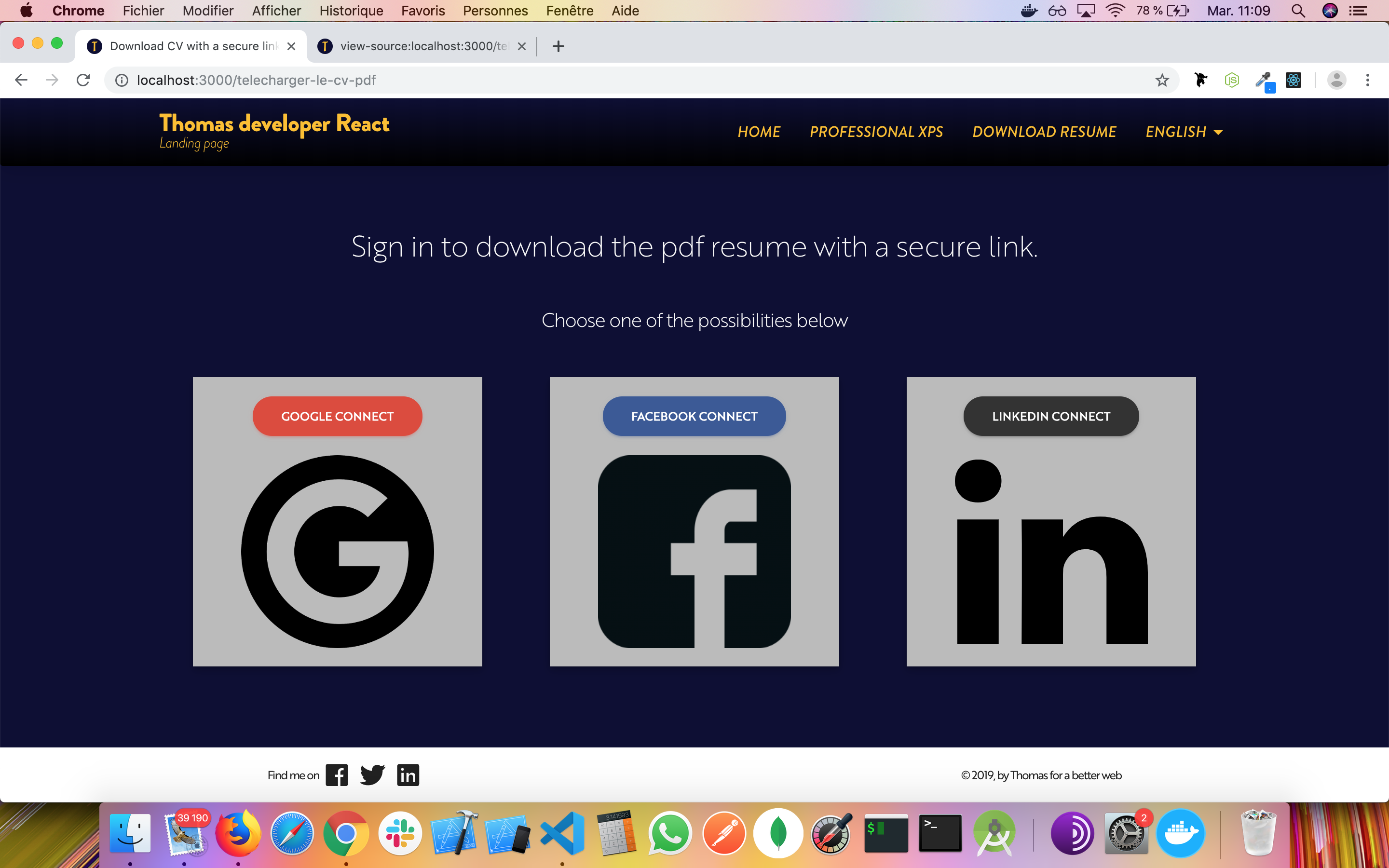
Then 2 seconds after we switch on the Client side (CSS is really bad)

Would you help me ?
 tomtom94
All 4 comments
@tomtom94 Do you have a reproduction?
 oliviertassinari
on 10 Sep 2019
oliviertassinari
on 10 Sep 2019
@oliviertassinari Of course I have a repo for you https://github.com/tomtom94/landingpage
In production mode you have to do npm run build and then after npm start
Open your browser on http://localhost:3000
tomtom94
on 10 Sep 2019
@tomtom94 Thanks, This part https://material-ui.com/getting-started/faq/#react-class-name-hydration-mismatch should help. The first problem I could see: the server runs in development mode.
I could make it work by removing the class name generators and making sure everything runs in production mode. I wish React could warn about it. Consider using Next.js, CRA or Gatsby for the infrastructure. It should cover +90% of the use cases.
oliviertassinari
on 10 Sep 2019
@oliviertassinari YOU NAILED IT !!!!!
  "scripts": {
    "build": "node scripts/build.js",
    "start": "node dist/server/server.js",
Change to
  "scripts": {
    "build": "node scripts/build.js",
    "start": "NODE_ENV=production node dist/server/server.js",
Just add NODE_ENV=production
Many thankssss Cheers
tomtom94
on 10 Sep 2019
Related issues
 ghost
·
3Comments
ghost
·
3Comments
 iamzhouyi
·
3Comments
ghost
·
3Comments
iamzhouyi
·
3Comments
ghost
·
3Comments
 chris-hinds
·
3Comments
chris-hinds
·
3Comments
 mattmiddlesworth
·
3Comments
mattmiddlesworth
·
3Comments
Most helpful comment
@oliviertassinari YOU NAILED IT !!!!!
Change to
Just add
NODE_ENV=productionMany thankssss Cheers