material-ui 4.3.2 dark theme not working
- [x] The issue is present in the latest release.
- [x] I have searched the issues of this repository and believe that this is not a duplicate.
Current Behavior 😯
Expected Behavior 🤔
Steps to Reproduce 🕹
Steps:
1.
2.
3.
4.
Context 🔦
Your Environment 🌎
| Tech | Version |
| ----------- | ------- |
| Material-UI | v4.3.2 |
| React | 16.9.0 |
| Browser | chrome |
| TypeScript | |
| etc. | |
 hoangtient9
All 5 comments
@hoangtient9 See https://material-ui.com/getting-started/faq/#i-have-several-instances-of-styles-on-the-page.
 oliviertassinari
on 13 Aug 2019
oliviertassinari
on 13 Aug 2019
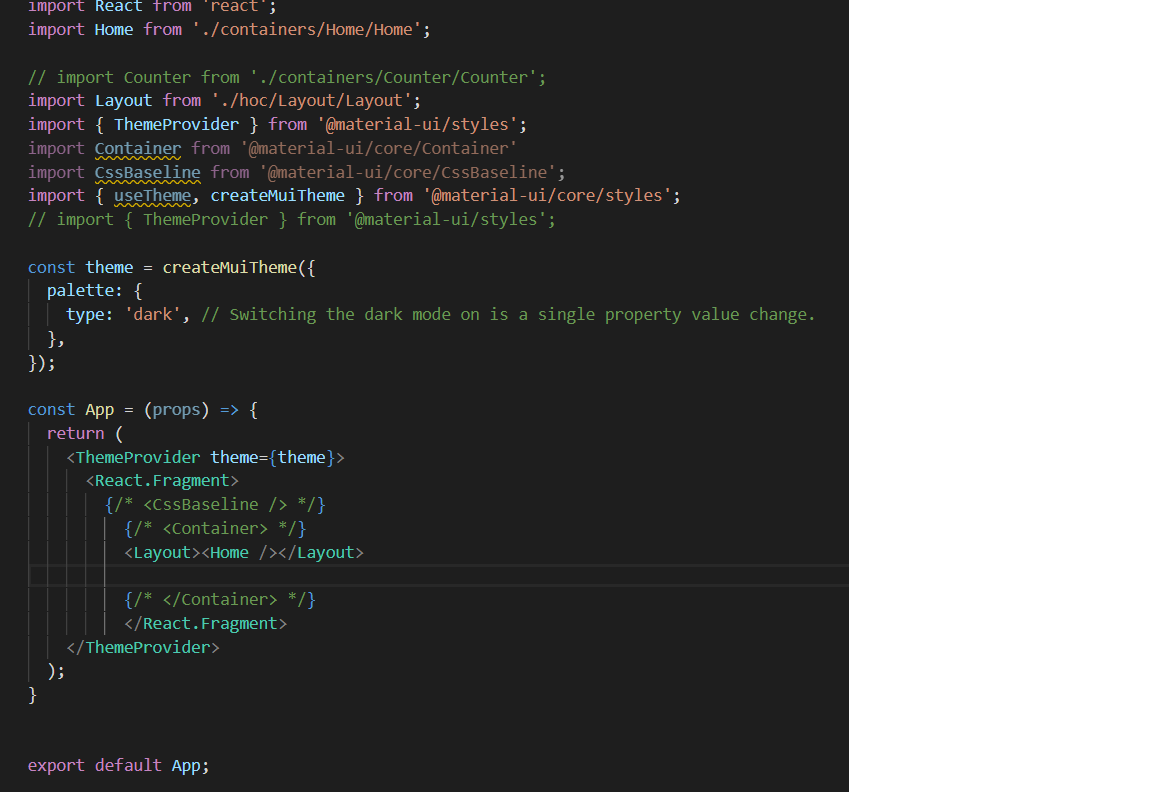
Here is an example of dark theme not working. Any ideas?
 prionkor
on 16 Sep 2019
prionkor
on 16 Sep 2019
@prionkor You miss the global styles (body background-color and color), you can use the CssBaseline component to apply them automatically. https://codesandbox.io/s/material-ui-dark-theme-kc8t7
oliviertassinari
on 16 Sep 2019
@oliviertassinari I see. Also when I use <AppBar /> component I don't see dark theme showing up automatically. I had to use <AppBar color="inherit" /> in order to make appbar dark. do I have to do it for all components? Is there any way to auto inherit dark theme?
prionkor
on 17 Sep 2019
I see. Also when I use
component I don't see dark theme showing up automatically.
@prionkor This is another concern, color="default" should work better. But we need to sync with the latest dark specification in v5.
oliviertassinari
on 17 Sep 2019
Related issues
 ericraffin
·
3Comments
ericraffin
·
3Comments
 ghost
·
3Comments
ghost
·
3Comments
 activatedgeek
·
3Comments
activatedgeek
·
3Comments
 finaiized
·
3Comments
finaiized
·
3Comments
 sys13
·
3Comments
sys13
·
3Comments
Most helpful comment
@prionkor This is another concern,
color="default"should work better. But we need to sync with the latest dark specification in v5.