Material-ui: Can’t use IconComponent to set a custom icon for TableSortLabel Components.
- [ ] The issue is present in the latest release.
- [x] I have searched the issues of this repository and believe that this is not a duplicate.
Current Behavior 😯
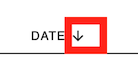
Still get the default ArrowDownward icon
Expected Behavior 🤔
Instead of rendering default ArrowDownward icon, I want it to render ArrowDropDown icon

Steps to Reproduce 🕹
Steps:
- imported
ArrowDropDownat the top of the file:import ArrowDropDown from '@material-ui/icons/ArrowDropDown'; - Passed in
ArrowDropDowntoIconComponentwithin theTableSortLabelcomponent:
<TableSortLabel
  IconComponent={ArrowDropDown}
  active={ currentSort.field === (field.props.sortBy || field.props.source) }
  direction={currentSort.order === 'ASC' ? 'asc' : 'desc'}
  data-sort={field.props.sortBy || field.props.source}
  onClick={updateSort}
  classes={classes}
>
- run
yarn start
There is the Sandbox link: https://codesandbox.io/embed/create-react-app-oupku
Context 🔦
I am trying to change the default ArrowDownward icon by setting IconComponent to ArrowDropDown icon, but it doesn't work, I still get the default ArrowDownward icon in the Chrome
Your Environment 🌎
| Tech | Version |
| ----------- | ------- |
| @material-ui/icons | v1.0.0 |
| Material-UI | v1.4.0 |
| React | v16.8.4 |
| Browser | Chrome |
 jennajiang777
All 4 comments
Can you provide a minimal reproducible example please. Potentially a codesandbox
 joshwooding
on 12 Aug 2019
joshwooding
on 12 Aug 2019
Material-UI | v1.4.0
This feature was only added in v3.0.0.
 oliviertassinari
on 13 Aug 2019
oliviertassinari
on 13 Aug 2019
Can you provide a minimal reproducible example please. Potentially a codesandbox
Sorry I didn't take a closer look at the step.
There is the Sandbox link:
https://codesandbox.io/embed/create-react-app-oupku
jennajiang777
on 14 Aug 2019
We only provide (free) support for the last active version. You need to upgrade to v3.0.0 or more recent version.
oliviertassinari
on 14 Aug 2019
Related issues
 mattmiddlesworth
·
3Comments
mattmiddlesworth
·
3Comments
 rbozan
·
3Comments
rbozan
·
3Comments
 revskill10
·
3Comments
revskill10
·
3Comments
 iamzhouyi
·
3Comments
iamzhouyi
·
3Comments
 reflog
·
3Comments
reflog
·
3Comments
Most helpful comment
This feature was only added in v3.0.0.