Material-ui: Make theme.breakpoints function to take a delta
Quick to the point
Could be a nice feature if functions inside the theme.breakpoints take a delta?
So: if my "lg" is at "1024px" calling theme.breakpoints.up('lg', -10) will means "1014"?
My usecase
I'm building a layout where I'm controlling offcanvas icon to "move-in" from a certain resolution.
Let me attach a demo gif to better explain the issue
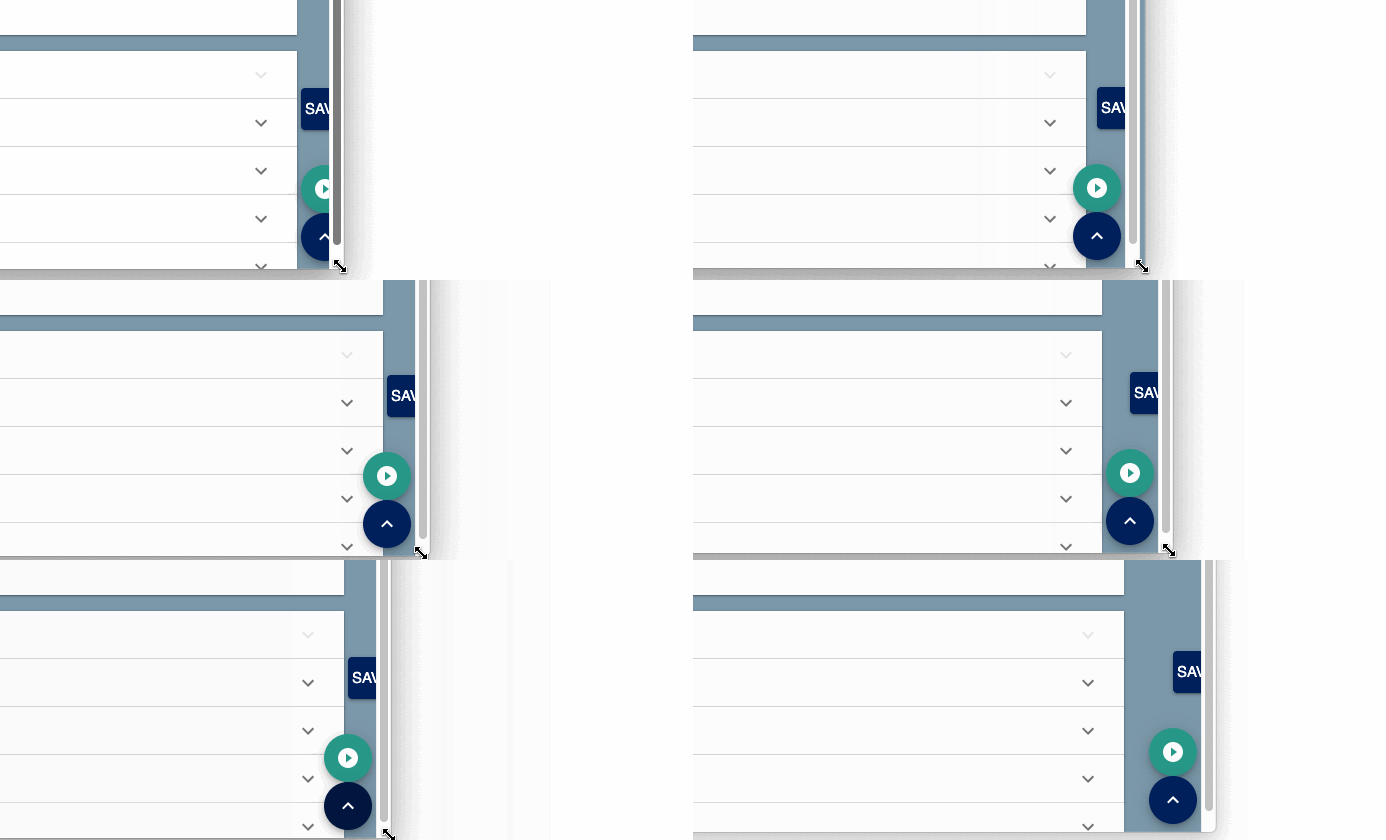
I'm applying a style like the following:
  stickyToolbar: {
    position: 'fixed',
    right: theme.spacing(-5),
    // ...
    [theme.breakpoints.up('lg')]: {
      right: theme.spacing(1),
    },
    transition: 'right 300ms ease-in',
  },
So: my scope is to keep button offcanvas until the main content stop expading so we have enough external space to keep it (so at lg size and up).
The small issue I've. The media-query start applying at lg, but I don't have enough space at "lg+1px" to host the whole button.
I can obviously wite the mediaquery myself manually, but this will be less dynamic in case I need to change default theme settings.
- [X] This is not a v0.x issue.
- [X] I have searched the issues of this repository and believe that this is not a duplicate.
 keul
keul
All 9 comments
@keul You should be able to do:
theme.breakpoints.up(theme.breakpoints.values.lg - 10)
Does is solve the problem?
 oliviertassinari
on 1 Aug 2019
oliviertassinari
on 1 Aug 2019
Wow! I was not aware that theme.breakpoints.up and similar functions can receive a number.
This seems not documented at https://material-ui.com/customization/breakpoints/
However, that's great. This fix my issue! 🍻
keul
on 2 Aug 2019
@oliviertassinari let me push this forward a little (just to test the limit).
Let say that the number "10" in the example above should be dynamic, like to be controlled by a props I want to interpolate.
Something like [theme.breakpoints.up(theme.breakpoints.values.lg + (props => (props.foo ? 10 : 20)))] seems not supported.
keul
on 2 Aug 2019
Use a dynamic style style rule, it should work.
oliviertassinari
on 2 Aug 2019
Wow! I was not aware that theme.breakpoints.up and similar functions can receive a number.
This seems not documented at https://material-ui.com/customization/breakpoints/
The TypeScript type definitions specify it here, so if you're using an editor like VSCode it should show that to you
https://github.com/mui-org/material-ui/blob/14bbd57c5fe1d9be367fe3ccfdc84736d511f094/packages/material-ui/src/styles/createBreakpoints.d.ts#L8-L9
Something like [theme.breakpoints.up(theme.breakpoints.values.lg + (props => (props.foo ? 10 : 20)))] seems not supported.
Here is a way to control it dynamically using props
stickyToolbar: props => ({
  position: "fixed",
  right: theme.spacing(-5),
  // ...
  [theme.breakpoints.up(theme.breakpoints.values.lg + props.foo ? 10 : 20)]: {
    right: theme.spacing(1)
  },
  transition: "right 300ms ease-in"
})
 merceyz
on 2 Aug 2019
merceyz
on 2 Aug 2019
Great, thanks. This way of defining rules is also not easy to be found in documentation (this is probably JSS, not MUI problem maybe?)
As a side node: saying "it's documented because of TypeScript definition" is not the same as "Is documented". Not everybody use TS.
keul
on 2 Aug 2019
This way of defining rules is also not easy to be found in documentation
https://material-ui.com/styles/basics/#adapting-based-on-props
As a side node: saying "it's documented because of TypeScript definition" is not the same as "Is documented". Not everybody use TS.
I'm aware, which is why I said so if you're using an editor like VSCode it should show that to you, because VSCode uses the type definitions for autocomplete in JavaScript as well.
merceyz
on 2 Aug 2019
I'm using it, so someway it's not working on my side (for MUI). Thanks for the hint!
keul
on 2 Aug 2019
It would only work in JS when directly accessing the theme in makeStyles and withStyles
merceyz
on 2 Aug 2019
Related issues
 ghost
·
3Comments
ghost
·
3Comments
 anthony-dandrea
·
3Comments
anthony-dandrea
·
3Comments
 rbozan
·
3Comments
ghost
·
3Comments
rbozan
·
3Comments
ghost
·
3Comments
 ryanflorence
·
3Comments
ryanflorence
·
3Comments
Most helpful comment
The TypeScript type definitions specify it here, so if you're using an editor like VSCode it should show that to you
https://github.com/mui-org/material-ui/blob/14bbd57c5fe1d9be367fe3ccfdc84736d511f094/packages/material-ui/src/styles/createBreakpoints.d.ts#L8-L9
Here is a way to control it dynamically using props