Material-ui: drawer component in Microsoft Edge
In Microsoft Edge Open Top button in https://material-ui.com/components/drawers/ causes the page to scroll back to the top. I tried to resolve it by sending a PR. But I couldn't solve it, I'll still try though. But I wanted to make you all aware of this issue.
Expected Behavior 🤔
Open top button should not cause the page to scroll back to the top
Current Behavior 😯
The page scrolls to the top when Open Top button is clicked
Steps to Reproduce 🕹
https://material-ui.com/components/drawers/
Context 🔦
All the buttons work fine in other browsers but in Microsoft Edge. Open Top button causes the page to scroll to the top.
Your Environment 🌎
| Tech | Version |
|--------------|---------|
| Material-UI | v4.0.2 |
| React | 16.8 |
| Browser | Microsoft Edge 44.18362.1.0 |
| TypeScript | |
| etc. | |
 aditya1906
All 24 comments
This is strange.
 oliviertassinari
on 5 Jun 2019
oliviertassinari
on 5 Jun 2019
@oliviertassinari
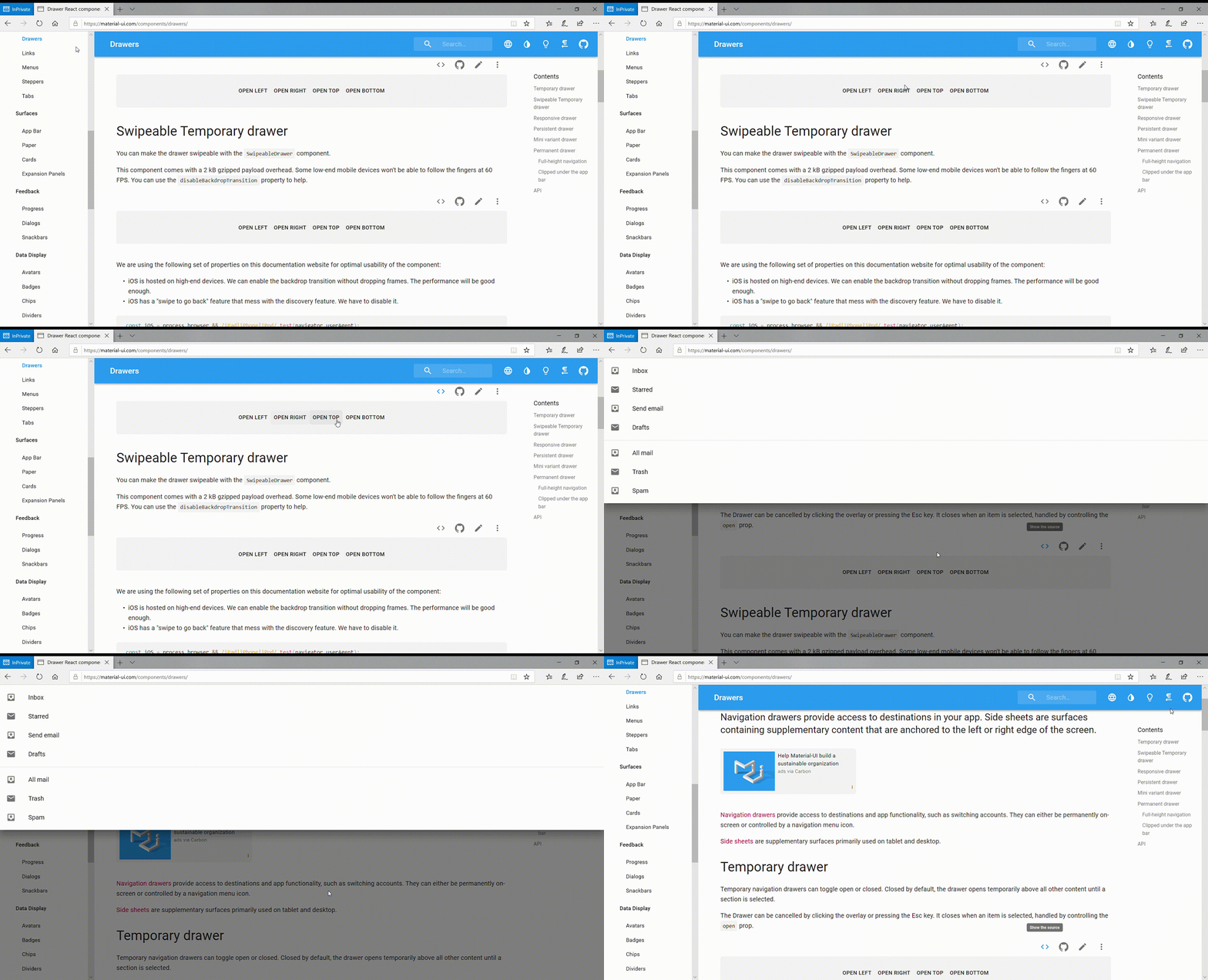
It is clear here that the page goes up when we click Open Top Button.
aditya1906
on 5 Jun 2019
I can reproduce it too. It's strange that it behaves this way.
oliviertassinari
on 5 Jun 2019
I'll try to find a fix. But wanted to raise this issue
aditya1906
on 5 Jun 2019
I have dived a bit into the issue. I could find the origin of it. The scroll moves as soon as .focus() is called. You can manually reproduce it.

- Load:
import React from 'react';
import { makeStyles } from '@material-ui/core/styles';
import Drawer from '@material-ui/core/Drawer';
import Button from '@material-ui/core/Button';
import List from '@material-ui/core/List';
import Divider from '@material-ui/core/Divider';
import ListItem from '@material-ui/core/ListItem';
import ListItemIcon from '@material-ui/core/ListItemIcon';
import ListItemText from '@material-ui/core/ListItemText';
import InboxIcon from '@material-ui/icons/MoveToInbox';
import MailIcon from '@material-ui/icons/Mail';

const useStyles = makeStyles({
  list: {
    width: 250,
  },
  fullList: {
    width: 'auto',
  },
});

function TemporaryDrawer() {
  const classes = useStyles();
  const [state, setState] = React.useState({
    top: false,
    left: false,
    bottom: false,
    right: false,
  });

  const toggleDrawer = (side, open) => event => {
    if (event.type === 'keydown' && (event.key === 'Tab' || event.key === 'Shift')) {
      return;
    }

    setState({ ...state, [side]: open });
  };

  const fullList = side => (
    <div
      className={classes.fullList}
      role="presentation"
      onClick={toggleDrawer(side, false)}
      onKeyDown={toggleDrawer(side, false)}
    >
      <List>
        {['Inbox', 'Starred', 'Send email', 'Drafts'].map((text, index) => (
          <ListItem button key={text}>
            <ListItemIcon>{index % 2 === 0 ? <InboxIcon /> : <MailIcon />}</ListItemIcon>
            <ListItemText primary={text} />
          </ListItem>
        ))}
      </List>
      <Divider />
      <List>
        {['All mail', 'Trash', 'Spam'].map((text, index) => (
          <ListItem button key={text}>
            <ListItemIcon>{index % 2 === 0 ? <InboxIcon /> : <MailIcon />}</ListItemIcon>
            <ListItemText primary={text} />
          </ListItem>
        ))}
      </List>
    </div>
  );

  return (
    <div>
      aa<br />
      aa<br />
      aa<br />
      aa<br />
      aa<br />
      aa<br />
      aa<br />
      aa<br />
      aa<br />
      aa<br />
      aa<br />
      aa<br />
      aa<br />
      aa<br />
      aa<br />
      aa<br />
      aa<br />
      aa<br />
      aa<br />
      aa<br />
      aa<br />
      aa<br />
      aa<br />
      aa<br />
      aa<br />
      aa<br />
      aa<br />
      aa<br />
      aa<br />
      aa<br />
      aa<br />
      aa<br />
      aa<br />
      aa<br />
      aa<br />
      aa<br />
      aa<br />
      aa<br />
      aa<br />
      aa<br />
      aa<br />
      aa<br />
      aa<br />
      aa<br />
      aa<br />
      aa<br />
      aa<br />
      aa<br />
      aa<br />
      aa<br />
      aa<br />
      aa<br />
      aa<br />
      aa<br />
      aa<br />
      aa<br />
      aa<br />
      aa<br />
      <Button onClick={toggleDrawer('top', true)}>Open Top</Button><br />
      <Drawer
        ModalProps={{
          keepMounted: true,
        }}
        anchor="top"
        open={state.top}
        onClose={toggleDrawer('top', false)}
      >
        {fullList('top')}
      </Drawer>
      aa<br />
      aa<br />
      aa<br />
      aa<br />
      aa<br />
    </div>
  );
}

export default TemporaryDrawer;
- Open the drawer
- Find the drawer's paper element
- Change the transition to make it off screen (top)
document.activeElement.blur()$0.focus()
Oh, and you can repeat steps 5 and 6, it will keep scrolling…
So I believe it's a bug in Edge. I also believe that it's not an important bug as this demo target mobile devices.
@aditya1906 If you have time, you can open an issue on Edge side with a cleaned-up reproduction (no Material-UI, no React, pure CSS & JS).
oliviertassinari
on 9 Jun 2019
@oliviertassinari this is strange according to my code the drawer seems to work with the changes I made
aditya1906
on 9 Jun 2019
@aditya1906 It breaks the animation, the starting position is no longer valid.
oliviertassinari
on 9 Jun 2019
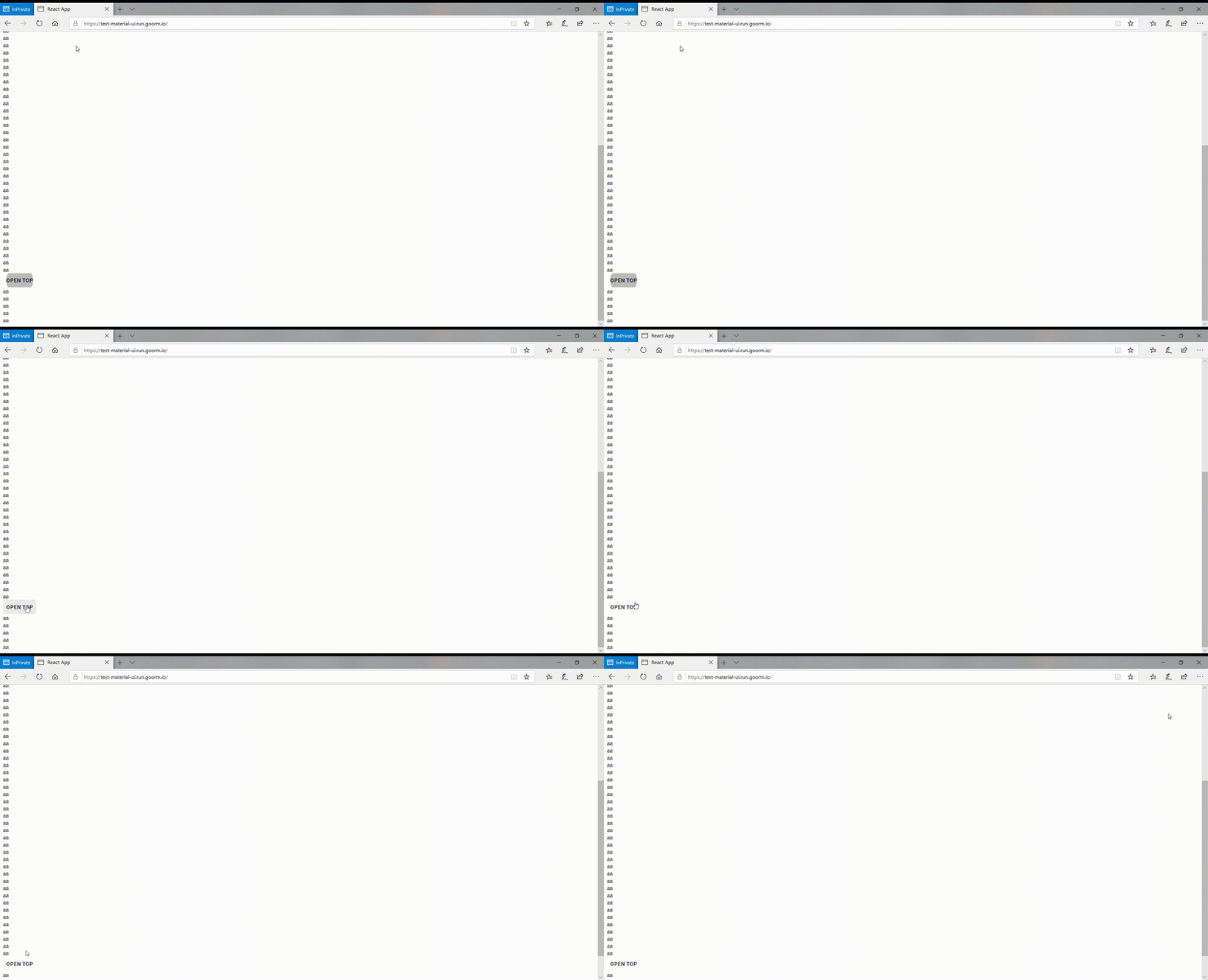
@oliviertassinari I cannot reproduce the problem. The animation seems to be fine for me.
aditya1906
on 9 Jun 2019
@aditya1906 There are 6 steps. But yeah, it should scroll in your Gif, it does for me with BrowserStack.
oliviertassinari
on 9 Jun 2019
Which version of Edge are you using?
aditya1906
on 9 Jun 2019
- Edge: 44.18362.1.0
- EdgeHTML: 18.17
oliviertassinari
on 9 Jun 2019
But what is the problem with the changes I made?
direction === up is returntranslateY(100vh) translateY(-${rect.top - offsetY}px);
so why my changes are invalid? Because I fail to find the problem.
aditya1906
on 9 Jun 2019
@aditya1906 1. On my tests, it wasn't 100% solving the problem. I still had occurrences of the problem. 2. The transition value is not correct, it should move the whole paper offscreen.
oliviertassinari
on 9 Jun 2019
So then it seems to be an issue with Edge. So I think this isn't a material-ui issue right?
aditya1906
on 9 Jun 2019
I have removed the "low priority" flag as it also affects the Dialog. Yes, I do think that it's an issue in Edge. I hope their new chromium based rendering engine will solve that for free.
oliviertassinari
on 9 Jun 2019
Okay. So then we might have to change the Microsoft Edge version support after Edge releases the new version. But what I find strange is that I cannot reproduce the problem
aditya1906
on 9 Jun 2019
But isn't
translateY(-100vh) translateY(567px) equivalent to translate(-567px)
aditya1906
on 9 Jun 2019
No, it's not.
oliviertassinari
on 9 Jun 2019
Okay But I fail to reproduce the problem. So do you think I close this issue. Since it isn't a material-ui issue
aditya1906
on 9 Jun 2019
I don't think that we should close it until we have provided are production to the Edge team (pure CSS & JS, no React) and that we have the confirmation it's on their side.
oliviertassinari
on 9 Jun 2019
Can reproduce with IE11 as well.
 eps1lon
on 19 Jun 2019
eps1lon
on 19 Jun 2019
any workaround for this?
 sibelius
on 28 Jan 2020
sibelius
on 28 Jan 2020
I'm having a similar problem but using CSS grid, the property grid-template-columns doesn't work in Edge
 lalizita
on 28 Jan 2020
lalizita
on 28 Jan 2020
I have removed the "low priority" flag as it also affects the Dialog. Yes, I do think that it's an issue in Edge. I hope their new chromium based rendering engine will solve that for free.
@oliviertassinari It's fixed in the new Edge 🎉
 joshwooding
on 8 Aug 2020
joshwooding
on 8 Aug 2020
Related issues
 finaiized
·
3Comments
finaiized
·
3Comments
 mb-copart
·
3Comments
mb-copart
·
3Comments
 ghost
·
3Comments
ghost
·
3Comments
 mattmiddlesworth
·
3Comments
mattmiddlesworth
·
3Comments
 chris-hinds
·
3Comments
chris-hinds
·
3Comments
Most helpful comment
@oliviertassinari It's fixed in the new Edge 🎉