Material-ui: Expose the width scaling on shrunk outlined input legends
I'm trying to do what this person was trying to do: #14053, change the scaling for shrunk labels on the outlined inputs. But there seems to be this bit that's always assuming the scaling is 0.75
if (variant === 'outlined') {
      if (InputLabelProps && typeof InputLabelProps.shrink !== 'undefined') {
        InputMore.notched = InputLabelProps.shrink;
      }

      InputMore.labelWidth = this.labelNode ? this.labelNode.offsetWidth * 0.75 + 8 : 0;
}
- [X] This is not a v0.x issue.
- [X] I have searched the issues of this repository and believe that this is not a duplicate.
There doesn't seem to be a way to change the legend width to reciprocate with the new label size.

You can do something like font-size: calc(x / 0.75) on shrink override as a workaround, but maybe this is something worth looking into. And even with the workaround, you'd have to keep track of the label width with anything that replaces the Input component.
 Tamakimouto
All 9 comments
@Tamakimouto There is one way I can think of with CSS variables:
.PrivateNotchedOutline-legend-335 {
width: calc(8px + var(--label-width) * 0.75);
--label-width: 93px;
}
The problem is that not all the browsers we are supporting have CSS variables built-in, so we can't use it internally. However, we could apply the label width as a CSS variable. Then, you could override the inline style:
.MuiOutlinedInput-root legend {
width: calc(8px + var(--label-width) * 0.75) !important;
}
Would this solution work for you? Otherwise, the solution is to expose a prop for the width function.
 oliviertassinari
on 2 Jun 2019
oliviertassinari
on 2 Jun 2019
Unfortunately I can't use CSS variables for that same reason, namely IE. I can get around the problem by manually controlling the label width for now.
Tamakimouto
on 4 Jun 2019
@Tamakimouto Could you share a codesandbox that reproduces the problem? I believe we could support a labelFactor (0.75 by default) and labelSpacing (8 by default) props.
oliviertassinari
on 4 Jun 2019
My workaround for this in the meantime was to set a background color on the label (e.g. white). The background colour hides the overlap of the label and the field border.
 LeviWB
on 18 Jul 2019
LeviWB
on 18 Jul 2019
@LeviWB Thank you! solution below as per Levi's suggestion.
import { makeStyles } from '@material-ui/core/styles';
const useStyles = makeStyles(theme => ({
  root:{
    '& label.MuiFormLabel-root':{
      backgroundColor: '#fff',
      marginLeft: '-5px',
      padding: '0 6px',
    }
  }
}))

const Component= () => {
  const classes = useStyles()
  return (
      <div className={classes.root}>
            <TextField
              id="id"
              value={value}
              label="label"
              InputLabelProps={{
                shrink: true,
              }}
              margin="normal"
              variant="outlined"
              fullWidth
            />
    </div>
)

export default Component
 junjettrasmonte
on 22 Oct 2019
junjettrasmonte
on 22 Oct 2019
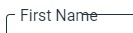
Has there been movement on making the outlined shrink property more accessible? I'm looking to increase the font size of the outlined input text label when the label has shrunk.
I'v been able to increase the text side of the label using overrides, but still running into a similar situation as above with the border intersecting the label text.
```javascript
// MuiOutpinedInput.js
export default {
root: {
fontSize: 16
},
notchedOutline: {
fontSize: 16
},
'& legend.PrivateNotchedOutline-legendLabelled-503': {
fontSize: 16
}
};
`
 NathanHealea
on 26 Mar 2020
NathanHealea
on 26 Mar 2020
Solved in #17680, question answered in #19952.
oliviertassinari
on 26 Mar 2020
@oliviertassinari,
Maybe I'm missing something, but I attempted implementing #19952 with not change.

As you can see .MuiInputLabel-outlined.MuiInputLabel-shrink still takes the default values, and not the values I'm specifying transform: "translate(14px, -6px) scale(2)"
Here is a codepen with my attempt: https://codesandbox.io/s/fast-cache-yg6cf
NathanHealea
on 26 Mar 2020
See #19952.
oliviertassinari
on 26 Mar 2020
Related issues
 activatedgeek
·
3Comments
activatedgeek
·
3Comments
 reflog
·
3Comments
reflog
·
3Comments
 mattmiddlesworth
·
3Comments
mattmiddlesworth
·
3Comments
 pola88
·
3Comments
pola88
·
3Comments
 TimoRuetten
·
3Comments
TimoRuetten
·
3Comments
Most helpful comment
@LeviWB Thank you! solution below as per Levi's suggestion.