Material-ui: <LinearProgress /> css classes when overriding has to use !important;
Issue:
I want to change the primary color of the loading bar and doing so with a custom name of barColorPrimary class. It does work but CSS loading order is so my custom thing is loaded 1st and then material-ui default css is replacing my custom. So I have to add !important;
Should be
Load default CSS 1st and then custom. So custom would override as intended.
<LinearProgress classes={{barColorPrimary: classes.loaderOk}} color="primary" value={70} variant={'determinate'}/>
without !important loader is in default color
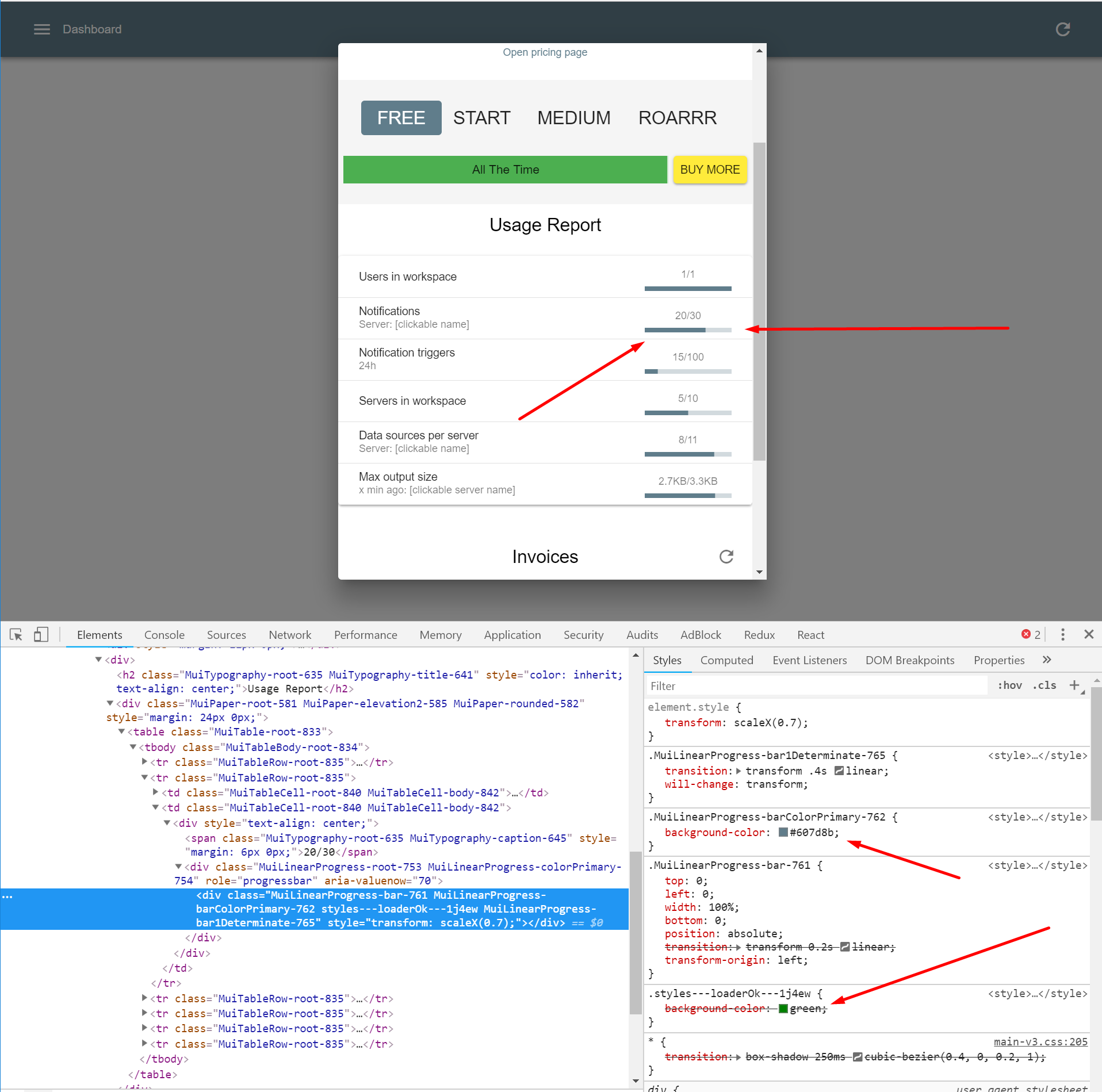
with !important loader is green

| Tech | Version |
|--------------|---------|
| Material-UI | v3.0.0 |
| React | 16.4.2 |
| Browser | chrome Version 68.0.3440.106 (Official Build) (64-bit) |
 liesislukas
All 2 comments
@liesislukas Material-UI styles are applied after your custom CSS. You need to make sure they are added before. See how you can change the CSS injection order. JSS has an option for it. You can find that in the documentation :). We have have live examples in the style interop page. It would be better to use StackOverflow next time.
 oliviertassinari
on 28 Aug 2018
oliviertassinari
on 28 Aug 2018
will go with StackOverflow next time, thanks for the tip 👍
liesislukas
on 30 Aug 2018
Related issues
 sys13
·
3Comments
sys13
·
3Comments
 FranBran
·
3Comments
FranBran
·
3Comments
 mb-copart
·
3Comments
mb-copart
·
3Comments
 ericraffin
·
3Comments
ericraffin
·
3Comments
 activatedgeek
·
3Comments
activatedgeek
·
3Comments
Most helpful comment
@liesislukas Material-UI styles are applied after your custom CSS. You need to make sure they are added before. See how you can change the CSS injection order. JSS has an option for it. You can find that in the documentation :). We have have live examples in the style interop page. It would be better to use StackOverflow next time.