Material-ui: Tooltip bug (flex + ~100vh conflict)
Strange leftish positioning of tooltip when flex grid for container and right aligning for element used (using either "margin-left: auto" or flex-grow > 0 for siblings).
Bug appears only when body/container has height ~95-100vh and vertical scroll bar is hidden.
Here's the example
https://codesandbox.io/s/kkz6m8n8r
Environment
Material-ui/core: 1.4.0,
React: 16.3.0,
OS Ubuntu / Windows
Browser Chrome 64 / FireFox 56
 Zyets
Zyets
All 7 comments
@Zyets What's the issue?
 oliviertassinari
on 1 Aug 2018
oliviertassinari
on 1 Aug 2018
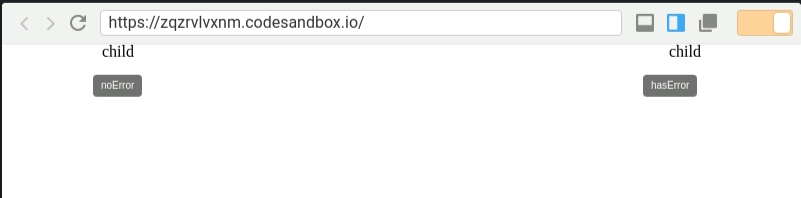
@oliviertassinari The right tooltip is shifted to the left by ~25pixels. Expected to be centered relatively to its child.
Zyets
on 1 Aug 2018
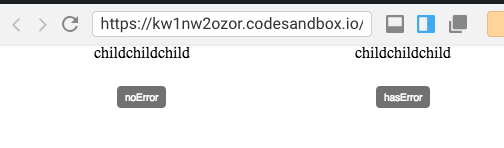
I'm sorry, It looks all good to me: https://codesandbox.io/s/kw1nw2ozor
oliviertassinari
on 1 Aug 2018
Oh...
here is my screenshot!
By the way, same problem on Windows..
Zyets
on 1 Aug 2018
I tried the example too.
On initial load I also get strange centering as @Zyets
The moment i resize the window even a single pixel however it fixes itself.
So something is maybe not calculated right on initial render.
 ivoiva
on 1 Aug 2018
ivoiva
on 1 Aug 2018
Same story with the dependencies up-to-date? https://codesandbox.io/s/04np1y5nrw (it's important to always try out problems with the latest version)
oliviertassinari
on 1 Aug 2018
@Zyets Yes, I confirm the issue. It's an issue with the scrollbar logic. It's why it can only be seen on Windows. I can only suggest you a workaround, it's about using the default preventOverflow options:
        <Tooltip
          PopperProps={{
            modifiers: {
              preventOverflow: {}
            }
          }}
        >
We are using a different option to solve some overflow issue (we portal the popper):
https://github.com/mui-org/material-ui/blob/8013fdd36d40980ebb8f116f20e2843b781c0c39/packages/material-ui/src/Popper/Popper.js#L113-L116
Regarding moving forward with a proper fix, you gonna have to escalate the issue to Popper.js. It's the library we are using for positioning the tooltip. I hope that help. Thanks for raising the issue.
oliviertassinari
on 1 Aug 2018
Related issues
 mb-copart
·
3Comments
mb-copart
·
3Comments
 reflog
·
3Comments
reflog
·
3Comments
 rbozan
·
3Comments
rbozan
·
3Comments
 revskill10
·
3Comments
revskill10
·
3Comments
 FranBran
·
3Comments
FranBran
·
3Comments
Most helpful comment
I tried the example too.
On initial load I also get strange centering as @Zyets
The moment i resize the window even a single pixel however it fixes itself.
So something is maybe not calculated right on initial render.