Material-ui-pickers: Feature request: Quick month selection
Thanks for the great component, I like it a lot. 🙌
Is your feature request related to a problem? Please describe.
One small gripe I have is that there isn't a way to quickly select a specific month by clicking on the month. It feels like the only UX feature missing from the component but I think it's pretty important for a calendar.
-- Just noticed that it is possible to have a month selection but it's not really transparent how to get there. In my opinion click on the month name in the header and on the month in between the arrows should open the month selection.
Describe the solution you'd like
I'd like a month list similar to the year list when you click on the year where you can quickly select a specific month instead of having to click on the arrows multiple times to get to the desired month. Should be easy enough to implement using the same component used for the year list.
Describe alternatives you've considered
Additional context
 Anwardo
All 12 comments
Oh god! I missed the issues :))))
 dmtrKovalenko
on 6 Mar 2019
dmtrKovalenko
on 6 Mar 2019
Looking at the DatePickerRoot.tsx component. It looks like this should be the case. The onClick event calls setOpenView('month'). It makes sense because even when you hover over the month the cursor is set to a pointer. Can confirm that clicking on the month doesn't open the month view. So this is probably a bug rather than a feature.
 stormmuller
on 25 Apr 2019
stormmuller
on 25 Apr 2019
If @dmtrKovalenko can confirm this to be a bug. I can take a look at the issue and create a PR?
stormmuller
on 1 May 2019
Actually that line is displaying only if “date” not provided to the views. I suppose we need to change overall logic of displaying toolbar
dmtrKovalenko
on 1 May 2019
"date" view? I assume you meant the "day" view? Anyway, you're right. If the views prop only has the "year" and "month", then clicking on the month does bring up the month selector. If the "day" view is also included then clicking on the month will take you to the day selector. So I guess it is a feature request. That being said, if we want the user to be able to open the month selector from the day selector, what would be the expected/intuitive UX?
stormmuller
on 3 May 2019
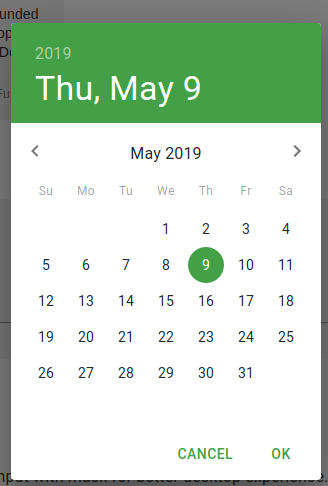
First thing that comes to my mind when I see the date and knowing it is clickable is that it will open the month picker since clicking the year will open up the year picker. So it's safe to say that we should add an event when clicking the date it will open up the month picker.
In this case, clicking Thu, May 9 should open the month picker.
 edilsalvador
on 9 May 2019
edilsalvador
on 9 May 2019
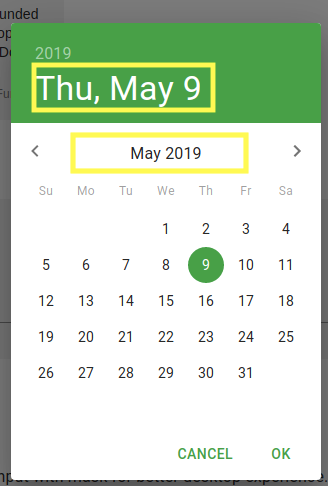
In my opinion both of the marked clickarea's should open up the month view, but most importantly the "May 2019" area. This is the most commonly used pattern by datepickers so it's the expected behavior. The "Thu, May 9" part is debatable since it references both the day and the month but I'd opt to let it open the month view as well for consistency with the way to open the year view.
Anwardo
on 9 May 2019
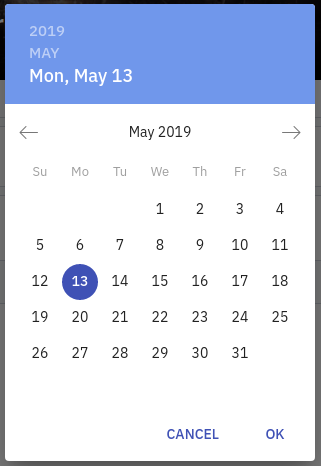
In our app what I did was add another Toolbar button for the month view, I'll keep it this way until mui-pickers support the month view :sweat_smile:
edilsalvador
on 13 May 2019
I'm interested by that feature as well. It seems that currently I can set the month selection but than I need to select a day. Would be nice just to have a list of months and when selecting one the popup closes.
 tjaskula
on 24 Jun 2019
tjaskula
on 24 Jun 2019
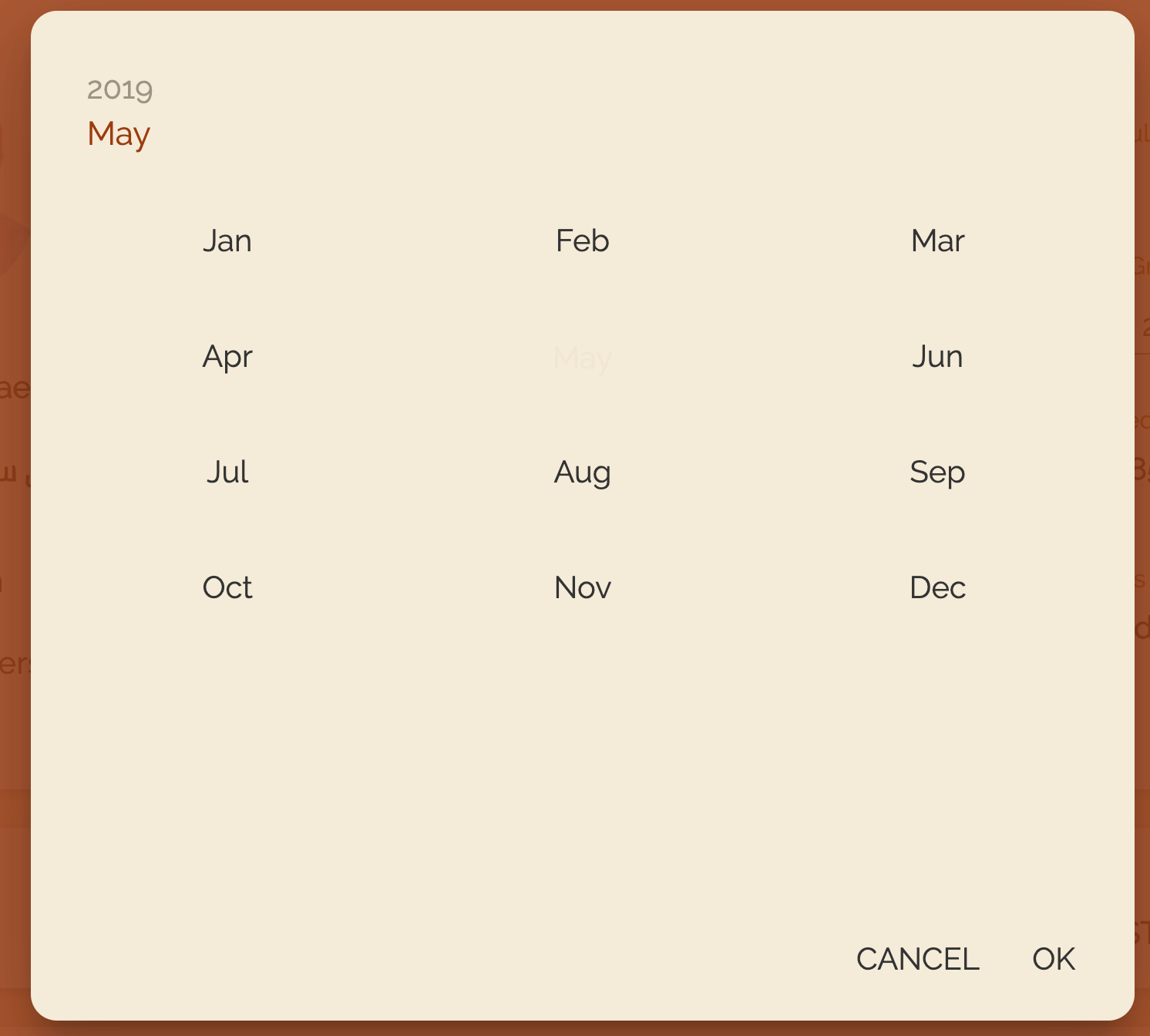
MuiPickersMonth: {
        root: {
            color: '#333333',
            fontSize: '2rem',
            '&:focus': {
                color: '#ad582d',
            }
        },
        '&$selected': {
            color: '#ad582d',
            background: '#ae582d'
        }
    },
This code is not working anyone knows the solution for this.
Selected month is not highlighted, even i give usig selector
 jameelappsintegra
on 9 Sep 2019
jameelappsintegra
on 9 Sep 2019
This will be released as a part of v4 #1293
dmtrKovalenko
on 8 Oct 2019
@edilsalvador The image you have posted above. Do you have any example code so that I can use it?
 DharmedraKumar
on 21 Feb 2020
DharmedraKumar
on 21 Feb 2020
Related issues
 idrm
·
3Comments
idrm
·
3Comments
 basselAhmed
·
3Comments
basselAhmed
·
3Comments
 katy6514
·
3Comments
katy6514
·
3Comments
 benneq
·
3Comments
benneq
·
3Comments
 Lysander
·
3Comments
Lysander
·
3Comments
Most helpful comment
First thing that comes to my mind when I see the date and knowing it is clickable is that it will open the month picker since clicking the year will open up the year picker. So it's safe to say that we should add an event when clicking the date it will open up the month picker.
In this case, clicking

Thu, May 9should open the month picker.