Material-theme-jetbrains: How do I install the Material theme in PyCharm
I downloaded Material_Theme.zip but I do not know how do I install it in PyCharm. Somehow I could not find instructions in GitHub.
Also, can one modify a theme? I have my own editor theme that works well for me and I would like to use it in the PyCharm UI as well, but again I could not find a way to do it. The PyCharm menu only shows Darcula, IntelliJ and Windows.
I am using Community Edition 3.6.
 Soldalma
All 23 comments
There is an option "Install plugin from disk" in the Plugins section in the settings.
As for the theme, it is under the "Color Scheme" section.
 mallowigi
on 9 Jan 2017
mallowigi
on 9 Jan 2017
Elior,
many thanks for your suggestions. I was able to install the plugin, and
PyCharm restarted with the Material Theme. Later I changed back to another
theme and could not go back to the Material Theme as it did not appear
under Settings/Appearance and Behavior/Appearance Theme. The Theme dropdown
menu displayed the same themes as before.
I looked in several places for the "Color Scheme" section but could not
find it.
Thanks again.
Best regards,
FS
On Mon, Jan 9, 2017 at 7:46 AM, Elior Boukhobza notifications@github.com
wrote:
There is an option "Install plugin from disk" in the Plugins section in
the settings.As for the theme, it is under the "Color Scheme" section.
—
You are receiving this because you authored the thread.
Reply to this email directly, view it on GitHub
https://github.com/ChrisRM/material-theme-jetbrains/issues/291#issuecomment-271243949,
or mute the thread
https://github.com/notifications/unsubscribe-auth/AD6zWBfxCeImhbTC1yIfnpu66h00RuKVks5rQgH8gaJpZM4LdyCa
.
Soldalma
on 9 Jan 2017
Yes, this is because the Material Theme is based on the Darcula theme by overriding most of its settings. Unfortunately switching back to Darcula reloads the original Darcula theme.
You need to select the Material Theme again using the icon on the toolbar or inside the Tools menu > Material Theme
mallowigi
on 9 Jan 2017
Ok, I actually reinstalled it. Is there a way to change the colors? My eyes
are not very good and I need a blacker background. You mentioned a "Color
Scheme" section but I cannot find it.
Cheers,
FS
On Mon, Jan 9, 2017 at 12:30 PM, Elior Boukhobza notifications@github.com
wrote:
Yes, this is because the Material Theme is based on the Darcula theme by
overriding most of its settings. Unfortunately switching back to Darcula
reloads the original Darcula theme.You need to select the Material Theme again using the icon on the toolbar
or inside the Tools menu > Material Theme—
You are receiving this because you authored the thread.
Reply to this email directly, view it on GitHub
https://github.com/ChrisRM/material-theme-jetbrains/issues/291#issuecomment-271297941,
or mute the thread
https://github.com/notifications/unsubscribe-auth/AD6zWNkHIv2qBT99bkmYm7eM263PRouRks5rQkSjgaJpZM4LdyCa
.
Soldalma
on 9 Jan 2017
Settings > Editor > Colors and Fonts. You can click on "Save as" next to the Scheme, so you can edit the colors at your leisure.
mallowigi
on 9 Jan 2017
Thanks. I am familiar with that menu and I have created my own theme for
the editor. However, the changes only apply to the editor and I would like
to have the changes applied to the application itself.
There is another menu at Settings/Appearance and Behavior/Appearance that
lets one change the application theme. However, it contains only three
items: Darcula, IntelliJ, and Windows. I would like to either modify these
themes or to be able to add my own theme that I used for the editor to that
list. Is that possible?
Thanks again for your help.
FS
On Mon, Jan 9, 2017 at 5:33 PM, Elior Boukhobza notifications@github.com
wrote:
Settings > Editor > Colors and Fonts. You can click on "Save as" next to
the Scheme, so you can edit the colors at your leisure.—
You are receiving this because you authored the thread.
Reply to this email directly, view it on GitHub
https://github.com/ChrisRM/material-theme-jetbrains/issues/291#issuecomment-271383837,
or mute the thread
https://github.com/notifications/unsubscribe-auth/AD6zWCvgUxHNoF6YZL6tjtFaLPHF4kKXks5rQotsgaJpZM4LdyCa
.
Soldalma
on 10 Jan 2017
When I download the Material Theme, it is in a .zip file.
I unpack the .zip file and there are 3 .jar files.
When I go into Pycharm and go to File>Import Settings>
one by one, I try each of the .jar files that were unpacked.
None of them work.
I get an error that says, "Invalid File"
"The file contains no settings to import. Make sure you have generated the file using 'File|Export Settings' feature."
 mfcecilia
on 26 Sep 2017
mfcecilia
on 26 Sep 2017
You need to select the zip file itself
--
Elior
On Sep 27, 2017, 00:52 +0300, Mykayla Fernandes notifications@github.com, wrote:
When I download the Material Theme, it is in a .zip file.
I unpack the .zip file and there are 3 .jar files.
When I go into Pycharm and go to File>Import Settings>
one by one, I try each of the .jar files that were unpacked.
None of them work.
I get an error that says, "Invalid File"
"The file contains no settings to import. Make sure you have generated the file using 'File|Export Settings' feature."
—
You are receiving this because you commented.
Reply to this email directly, view it on GitHub, or mute the thread.
mallowigi
on 27 Sep 2017
I downloaded the .zip file, this time, without unpacking it.
I opened Pycharm and went to File>Import Settings>
I selected the .zip file and I got the same exact error:
"Invalid File
The file contains no settings to import. Make sure you have generated the file using 'File|Export Settings' feature."
mfcecilia
on 28 Sep 2017
Not import settings, but Settings > plugins > install plugin from disk
mallowigi
on 28 Sep 2017
Thanks for your help! It's working :)
mfcecilia
on 28 Sep 2017
mallowigi thanks
 dinurymomshad
on 18 Nov 2017
dinurymomshad
on 18 Nov 2017
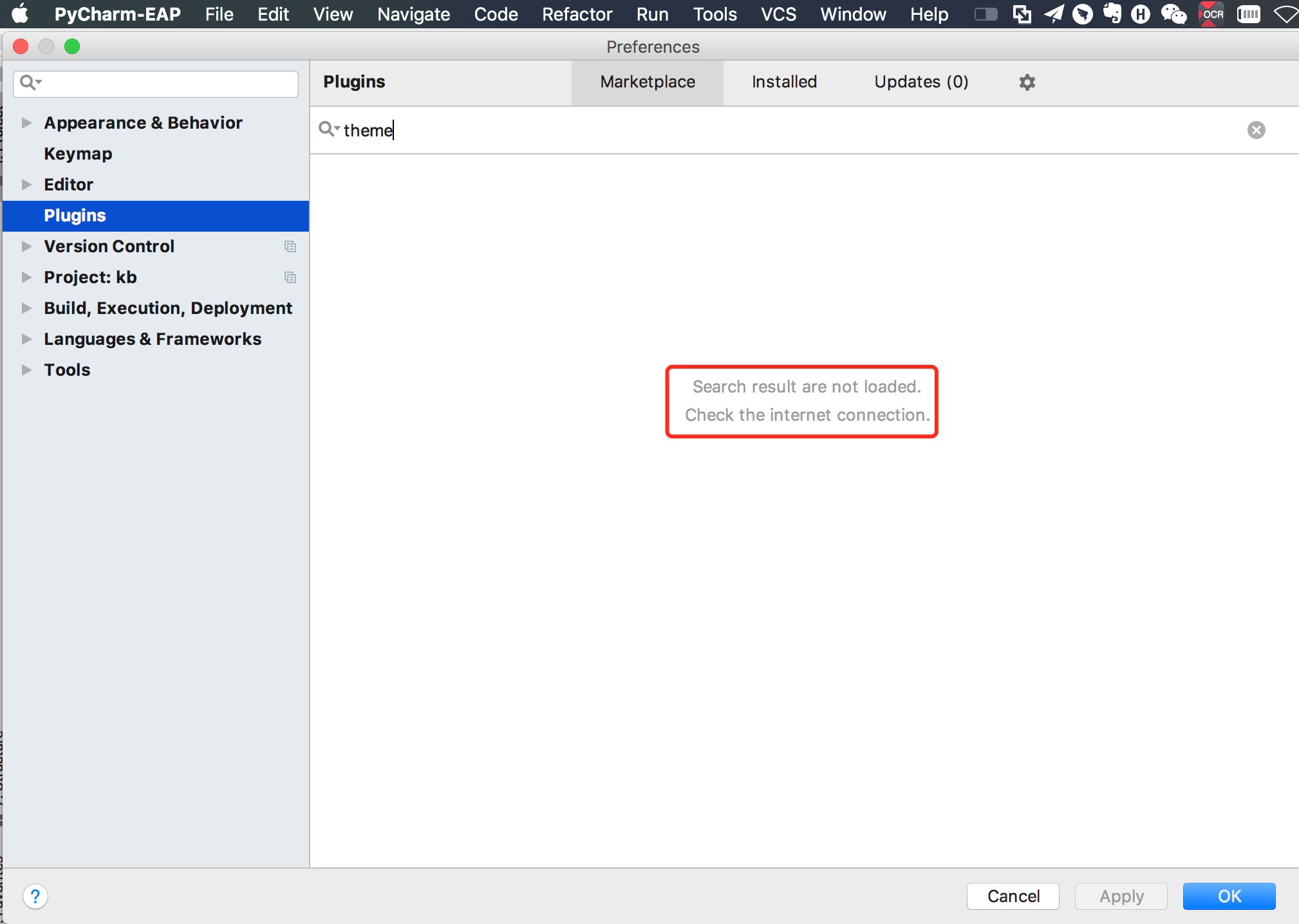
For easy install go to:
Settings > Plugins > Browse repositories
then Search for "theme"
You will see Material Theme, Rainglow, Afterglow Theme etc.
Install it with one click and restart PyCharm.
 jturi
on 24 Jan 2018
jturi
on 24 Jan 2018
That works!
 ghost
on 31 Jan 2018
ghost
on 31 Jan 2018
Just for what it's worth. I use PHPStorm and PyCharm sometimes and Material has been just fine for PHPStorm but when opening PyCharm the UI was using the default one.
I had to uninstall the theme entirely then reinstall it. Now it's working just fine.
Maybe this will help someone who sees this.
 SkylerLS
on 20 Apr 2018
SkylerLS
on 20 Apr 2018
@mallowigi my attempt android studio 3.1.2 version install Material Theme hint Plugin Material Theme UI is incompatible with this installation .
about this problem How Solve Thank you
 forYueji
on 26 Jun 2018
forYueji
on 26 Jun 2018
try to download the latest release
mallowigi
on 28 Jun 2018
Hey, I'm unable to install the latest version (2.8.0) downloaded from https://plugins.jetbrains.com/plugin/8006-material-theme-ui in IntelliJ IDEA 2017.3.4 (Ultimate Edition)
Installing from disk shows:
Plugin 'Material Theme UI' is incompatible with this installation
 usman-kamal
on 15 Aug 2018
usman-kamal
on 15 Aug 2018
Look at the versions numbers in the plugin page, you'll see their compatibility with the different versions of the IDE. To see what version of the IDE you have, you can find it in the About window.
As for the 2017.3 edition, I think the last compatible version is 1.6.1 if I'm not wrong.
mallowigi
on 15 Aug 2018
 CptJason
on 29 Oct 2018
CptJason
on 29 Oct 2018

CptJason
on 29 Oct 2018

?
 MitaiGit
on 17 Apr 2019
MitaiGit
on 17 Apr 2019
There is an option "Install plugin from disk" in the Plugins section in the settings.
As for the theme, it is under the "Color Scheme" section.
It tells a lot about IDE when you have to find this functionality on some random GH issue.
 Kein
on 5 Dec 2020
Kein
on 5 Dec 2020
Related issues
 sheinfeld
·
4Comments
sheinfeld
·
4Comments
 jpap
·
3Comments
jpap
·
3Comments
 ovr
·
3Comments
ovr
·
3Comments
 anstarovoyt
·
3Comments
anstarovoyt
·
3Comments
 nammaianh
·
3Comments
nammaianh
·
3Comments
Most helpful comment
For easy install go to:
Settings > Plugins > Browse repositoriesthen Search for
"theme"You will see Material Theme, Rainglow, Afterglow Theme etc.
Install it with one click and restart PyCharm.