Material-table: Material Table is hanging the browser on adding, updating and deleting rows one by one continuously
Hello Team, this material-table is incredible and it helps a lot of people as well, thank you so much for your support! The issues that I'm facing are the following:
Describe the bug
- When I add rows one by one continuously, around the 10th row the material-table hangs the browser and I have to refresh the page.
- When I update rows one by one continuously, around the 10th row the material-table hangs the browser and I have to refresh the page.
- When I delete rows one by one continuously, around the 10th row the material-table hangs the browser and I have to refresh the page.
- When I do a mix of CRUD of rows one by one continuously, around the 10th row the material-table hangs the browser and I have to refresh the page.
Expected behavior
What I expect to happen is that I would like to do a CRUD continuously without to refresh the browser because it's hanged by the material-table.
Screenshots
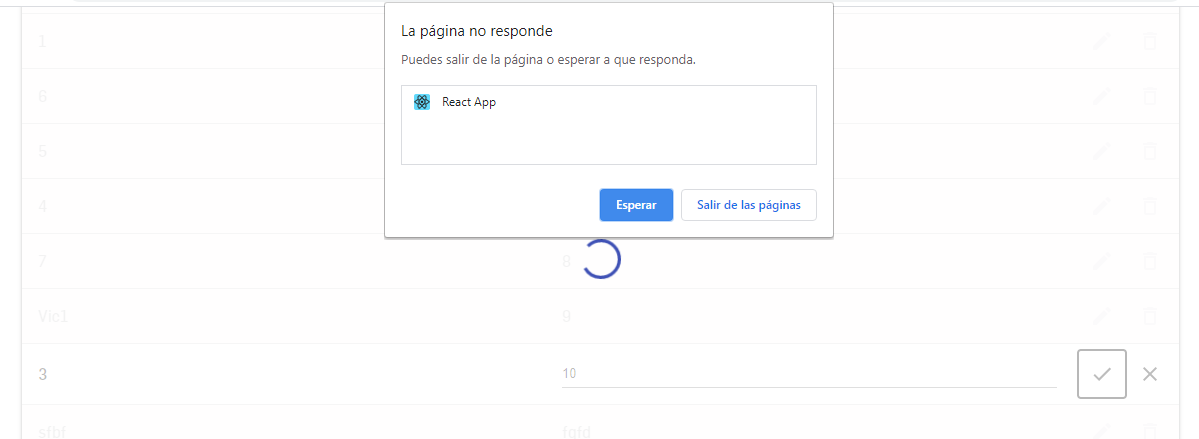
The browser is hanging
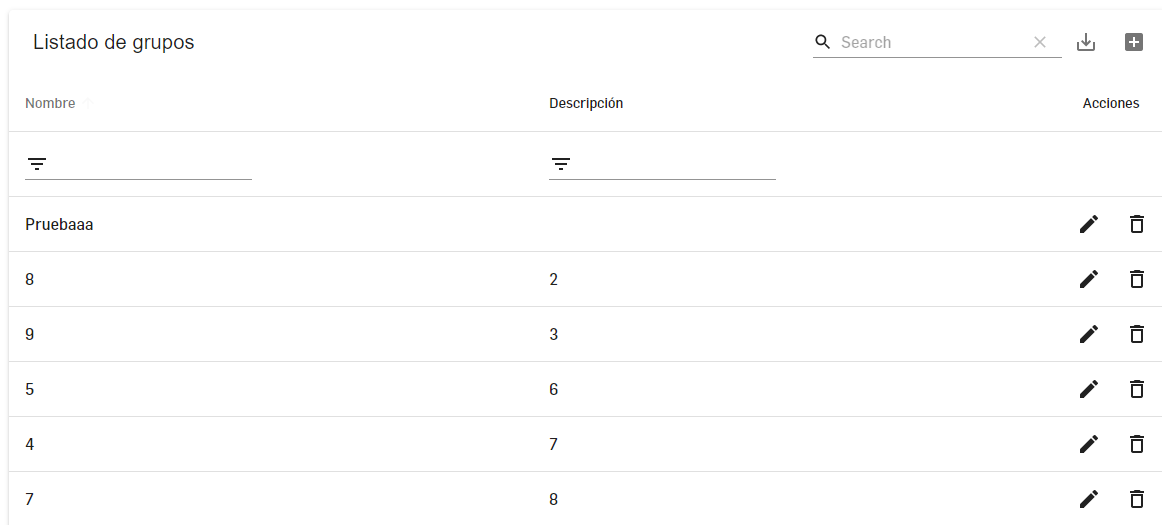
This is the table
Desktop (please complete the following information):
- OS: Windows 10
- Browser: Google Chrome
Additional context
The server is working well and I can do a CRUD continuously with other alternatives.
Again thank you so much for your support, I hope you can replicate this issue and solve it for next releases.
 VictorPotes
All 10 comments
I have a similar problem exactly as described above except my OS is mac. Additionally, repeatedly updating a row is causing the page to hang too.
 bvenkatr10
on 4 Sep 2020
bvenkatr10
on 4 Sep 2020
I have the same issue!!! My OS is Windows 10.
 CristianEliab
on 8 Sep 2020
CristianEliab
on 8 Sep 2020
Had the same problem, installing the older version (1.52.0, u can try newer ones) fixed the problem for me 👍
Edit:
Tried version 1.68.0 -> Works flawlessly
Tried version 1.69.0 -> Hangs the browser on frequent data change.
 Nsquik
on 8 Sep 2020
Nsquik
on 8 Sep 2020
@Nsquik Thank you for your support. I tried the 1.68.0 version and it didn't work. I'll try with the 1.52.0 version.
VictorPotes
on 11 Sep 2020
@VictorPotes do you resolve this problem?
 pskrajnyy
on 12 Sep 2020
pskrajnyy
on 12 Sep 2020
@pskrajnyy I returned to 1.67.0 version and it worked again
Update: I have upgraded again to 1.68.0 version and it worked, the last time didn't work for a mistake mine. It seems the problem is only in 1.69.0 version.
Update 2: I returned to 1.67.0 cause in 1.68.0 I could not personalized the columns when I edit or add an item.
VictorPotes
on 14 Sep 2020
Had the same problem, installing the older version (1.52.0, u can try newer ones) fixed the problem for me 👍
Edit:
Tried version 1.68.0 -> Works flawlessly
Tried version 1.69.0 -> Hangs the browser on frequent data change.
I triad it and work fine by downgrade to 1.68.0
 SheikhJuned
on 27 Sep 2020
SheikhJuned
on 27 Sep 2020
I ended up reverting all the way back to 1.52 (I could probably inch it forward to newer versions but it works fine for me right now). 1.69, 1.68, and 1.67 all freeze up.
 lbuscherX
on 10 Oct 2020
lbuscherX
on 10 Oct 2020
Had this issue as well,
Returned to 1.67.0 and it's back to normal.
User is able to update row by row and it does not freeze the browser.
 CodeMasterZeroOne
on 23 Oct 2020
CodeMasterZeroOne
on 23 Oct 2020
I have this logic in the table but it's crashing after two interactions with the action buttons. I used multiple versions -- some are worse (crashes only after one interaction)
options={{
         rowStyle: (rowData) => ({
                backgroundColor: rowData.highlighted === true ? "#ffeb3b5c" : ""
                color: rowData.red === true ? "red" : "",
          })
}}
I don't know what to do😐
 alexdobsom
on 10 Nov 2020
alexdobsom
on 10 Nov 2020
Related issues
 balibou
·
3Comments
balibou
·
3Comments
 slevy85
·
3Comments
slevy85
·
3Comments
 jlgreene2
·
3Comments
jlgreene2
·
3Comments
 kfirshahar
·
3Comments
kfirshahar
·
3Comments
 VipinJoshi
·
3Comments
VipinJoshi
·
3Comments
Most helpful comment
Had the same problem, installing the older version (1.52.0, u can try newer ones) fixed the problem for me 👍
Edit:
Tried version 1.68.0 -> Works flawlessly
Tried version 1.69.0 -> Hangs the browser on frequent data change.