Material-table: How to remove title in material-table
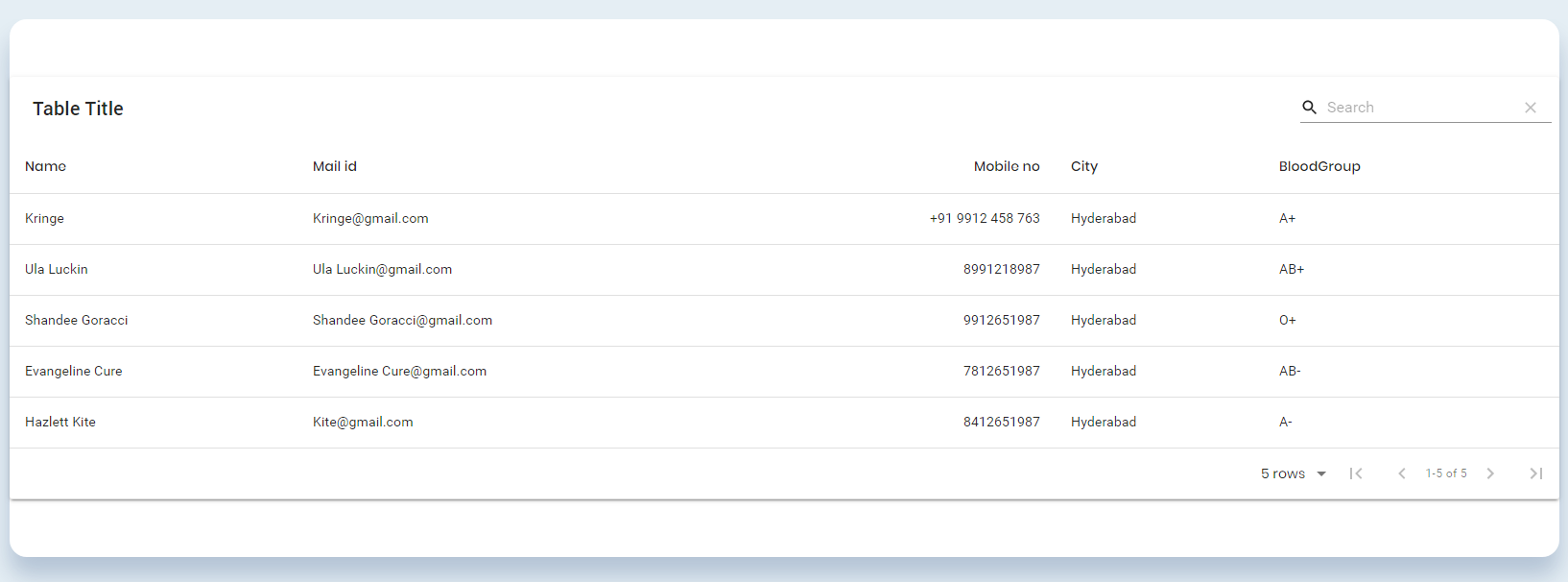
I'm trying to remove the table title text on the top but couldn't find any solution. I managed to remove the search bar and make title="" but this title will take up the space. I don't want that.
 lakshmikanth-reddy-au2
All 2 comments
Hi
You can use options.toolbar: false.
I will close the issue. You can reopen if it requires
 mbrn
on 6 Feb 2020
mbrn
on 6 Feb 2020
👍7
🎉3
The better way to hide the table title is to set showTitle to false in options like this :
options={{
        showTitle: false,
   }}
 AWIXOR
on 27 Jun 2020
AWIXOR
on 27 Jun 2020
Was this page helpful?
0 / 5 - 0 ratings
Related issues
 lazeebee
·
3Comments
lazeebee
·
3Comments
 ModPhoenix
·
3Comments
ModPhoenix
·
3Comments
 rasheedb
·
3Comments
rasheedb
·
3Comments
 balibou
·
3Comments
balibou
·
3Comments
 Mihier-Roy
·
3Comments
Mihier-Roy
·
3Comments
Most helpful comment
Hi
You can use options.toolbar: false.
I will close the issue. You can reopen if it requires