Material-table: Search is not working at Remote data code
Search is not working while calling rest call dynamically
 PATTANPARVIN
All 9 comments
I have search working fine with a dynamic REST (actually GraphQL, but still remote) can you share a code snippet?
 cbschuld
on 18 Dec 2019
cbschuld
on 18 Dec 2019
@cbschuld are you using onSearchChange with material-table 1.54.2 ?
 szkiecin
on 19 Dec 2019
szkiecin
on 19 Dec 2019
i have the same issue, the documentation example not working too.
https://material-table.com/#/docs/features/remote-data
 tuliocll
on 22 Dec 2019
tuliocll
on 22 Dec 2019
@cbschuld can you share your implementation of remote search ?
 gaurav-agarwal27
on 2 Jan 2020
gaurav-agarwal27
on 2 Jan 2020
i have the same issue, the documentation example not working too.
https://material-table.com/#/docs/features/remote-data
facing same issue . have you got solution?
 narottamdattatrey
on 6 Jan 2020
narottamdattatrey
on 6 Jan 2020
Search is not working while calling rest call dynamically
simply first save your api data into variable instead of fetching directly from an api into MaterialTable data.
then add that variable data into materialTable data.
 therohitjha
on 17 Jan 2020
therohitjha
on 17 Jan 2020
hello,I solve this problem use
function handlePagingQuery(query) {
    if(query.search){
      return new Promise(resolve => {
        axios.get(`${api}?search=${query.search}`).then(res => {
          resolve(res)
        })
      })
    }else{
       // fetch your initial data
    }

  }
  return (
    <MaterialTable
      data={handlePagingQuery}
    />
  );
hope this will help you
 pjshu
on 19 Jan 2020
pjshu
on 19 Jan 2020
This issue has been automatically marked as stale because it has not had recent activity. It will be closed if no further activity occurs. Thank you for your contributions. You can reopen it if it required.
![stale[bot] picture](https://avatars3.githubusercontent.com/in/1724?v=4&s=40) stale[bot]
on 1 Jul 2020
stale[bot]
on 1 Jul 2020
This worked for me.
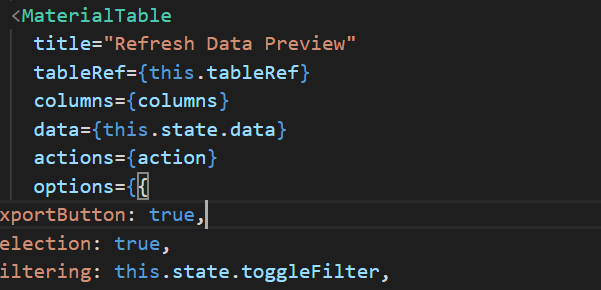
      <MaterialTable
        title="Refresh Data Preview"
        tableRef={tableRef}
        columns={[
          { title: 'Id', field: 'id' },
          { title: 'First Name', field: 'object_id' },
          { title: 'Last Name', field: 'last_name' },
        ]}
        data={query =>
          new Promise((resolve, reject) => {

            if(query.search){
                console.log(query.search)

                fetch( `${props.route}?filter=${query.search}` )
                .then(response => response.json())
                .then(result => {
                  console.log(result)
                  resolve({
                    data: result.data,
                    page: result.page - 1,
                    totalCount: result.total,
                  })
                })

              }else{

                let url = props.route
                url += '?per_page=' + query.pageSize
                url += '&page=' + (query.page + 1)
                fetch(url)
                  .then(response => response.json())
                  .then(result => {
                    console.log(result)
                    resolve({
                      data: result.data,
                      page: result.page - 1,
                      totalCount: result.total,
                    })
                  })
              }
            })
        }
        actions={[
          {
            icon: 'refresh',
            tooltip: 'Refresh Data',
            isFreeAction: true,
            onClick: () => tableRef.current && tableRef.current.onQueryChange(),
          }
        ]}
        options={{
            search: true
          }}
      />
 e-hop
on 10 Jul 2020
e-hop
on 10 Jul 2020
Related issues
 Mihier-Roy
·
3Comments
Mihier-Roy
·
3Comments
 jlgreene2
·
3Comments
jlgreene2
·
3Comments
 roseak
·
3Comments
roseak
·
3Comments
 victorwvieira
·
3Comments
victorwvieira
·
3Comments
 timrchavez
·
3Comments
timrchavez
·
3Comments
Most helpful comment
hello,I solve this problem use
hope this will help you