Material-table: Overriding MTableHeader (how to add button to header)
How would I go about overriding MTableHeader to add a button directly to the right of the search bar in the table header. Thank you!
 nikhilwbhatia
>All comments
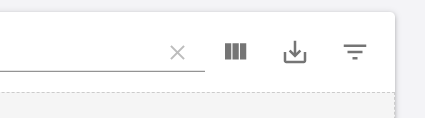
You can add a button with the 'actions' prop and set 'isFreeAction' to true.
Exemple:
actions={[
            {
              icon: () => <FilterlistIcon />,
              tooltip: 'Filter',
              onClick: (event, rowData) =>  alert("Alert"),
              isFreeAction: true
            },
          ]}
 rafaelkerni
on 8 Aug 2019
rafaelkerni
on 8 Aug 2019
👍3
Was this page helpful?
0 / 5 - 0 ratings
Related issues
 behrouz-s
·
3Comments
behrouz-s
·
3Comments
 VipinJoshi
·
3Comments
VipinJoshi
·
3Comments
 Likurg2010
·
3Comments
Likurg2010
·
3Comments
 victorwvieira
·
3Comments
victorwvieira
·
3Comments
 rasheedb
·
3Comments
rasheedb
·
3Comments
Most helpful comment
You can add a button with the 'actions' prop and set 'isFreeAction' to true.
Exemple: