Material-table: Centering action button
Hi,
The property actionsCellStyle apply to the action BTW, i don't know what is the utility of this div. When the div Thanks. It's hard to read what you wrote. You can center an action button like this: Thanks, but as you can see the bottom line isn't aligned with your code I can pass through using But that's look tricky ... Just go down to read the solution... that is actually what i did. but no, it does not work Even adding display: 'flex' or textAlign: 'center' Please see image. the css instead gets applied to the cell but it does not center it because the buttons have a container. The solutions above don't work, this issue should be reopened You can try something tricky like actionsCellStyle:{justifyContent: "center",maxWidth: 90,width: 90} In waiting for the official fix, set it like this: It seems to be lack of Thanks @lucacattide, works fine for me. I had to add a bit more padding and push the bottom margin... seems we all have to wait for this fix. As i said in the first post, the problem come from the DIV which contains the buttons. If you want to CENTER the BUTTONS you have to apply a style to the DIV which contains the BUTTONS instead of the TD You can do it in multiple ways. Here an exemple using external style for exemple: Result: You can see a working demo at: Anyway, there should be an option for that in material-table, and for now it is missing. But if you want to contribute you can try to do a PR with an option that apply "justify-content: center;" to the action DIV container. Or maybe there is another way and it need to be found. @JeffEmery Thanks. finally i got it: I tried the justifyContent prop. but it is not working, I don't know why, finally i got it: I tried the justifyContent prop. but it is not working, I don't know why, Read the post of the 10 Apr then check JeffEmery commit @FroggDev .MuiTable-root tr td:last-child div { [...] but at present, the acticon title is centered by default, how to change it to left, I tried the headerStyle, but it does not work. Try:
If i want to center the custom action button in the TD, I need to access to the properties of the extra
actionsCellStyle:{justifyContent:'center'}

All 17 comments
javascript
options={{actionsCellStyle: {display:"flex", justifyContent: "center"}}}

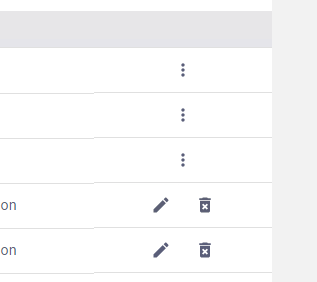
actionsCellStyle:{display:"flex", justifyContent: "center",marginBottom:' -1px'},
actionsCellStyle: {
            justifyContent: 'center'
          },
<div style="display: flex">



actionsCellStyle: {
  display: 'flex',
  justifyContent: 'center',
  padding: 16,
  width: '100%'
}
1px on bottom, but better than nothing.
If you find a better one please share it. 😉 

actionsCellStyle: {
    display: 'flex',
    justifyContent: 'center',
    padding: '24px',
    width: '100%',
    marginBottom: '-1px',
},

When actionsCellStyle is set, it is applied to the TD, so it does not change the DIV behavior..MuiTable-root tr td:last-child div {
justify-content: center;
}
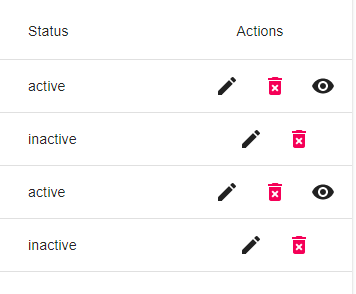
https://codesandbox.io/s/pedantic-villani-xl7nf?file=/src/styles.css:59-126
actionsCellStyle:{justifyContent: "center"},
I used paddingLeft instead to move the icon to the center of the cell.actionsCellStyle: {
paddingLeft: '2rem',
}

actionsCellStyle:{justifyContent: "center"},
I used paddingLeft instead to move the icon to the center of the cell.actionsCellStyle: {
paddingLeft: '2rem',
}
justify-content: center;
}
thanks,it works for me
but at present, the acticon title is centered by default, how to change it to left, I tried the headerStyle, but it does not work.
const useStyles = makeStyles((theme: Theme) =>
  createStyles({
    root: {
      '& .MuiTable-root tr th:last-child': {
        textAlign: 'right !important',
        paddingRight: theme.spacing(3),
      }
    },
  }),
);

actionsCellStyle: {
                margin: "0 auto",
                display: "flex",
                flexGrow: "1",
                justifyContent: "center",
                // border: "3px solid black",
              },
in options worked for me
Related issues


Most helpful comment
The solutions above don't work, this issue should be reopened