Material-table: Layout breaks in production build (create-react-app)
Describe the bug
I use React 16.8.6, material-ui/core v4.0.1 and material-table v1.36.4. In production build, when I move to a page where material table is being used, all the markup breaks.
After multiple clicks between pages everything becomes ok.
I thought that maybe it happens because of JSS classes
To Reproduce
Steps to reproduce the behavior:
- Use create-react-app -> npm run build
- Move to the page where material-table is being used
- See broken layout
Expected behavior
A clear and concise description of what you expected to happen.
Screenshots

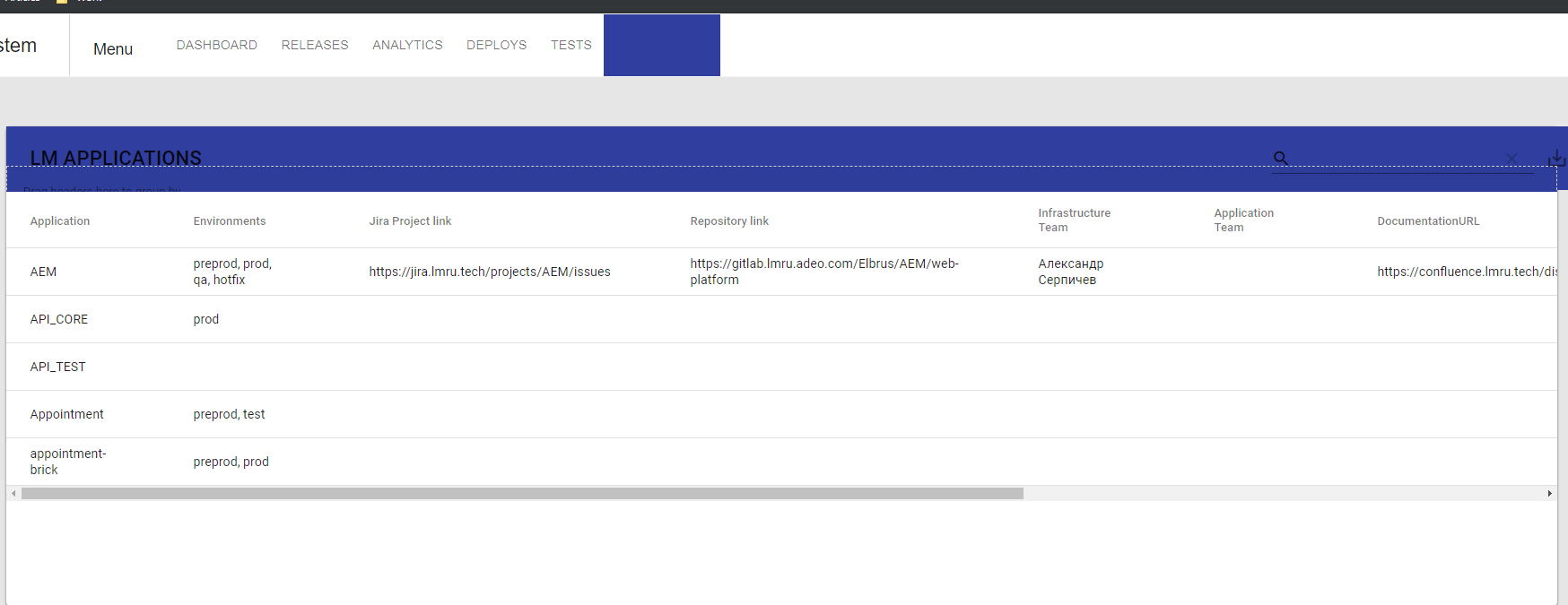
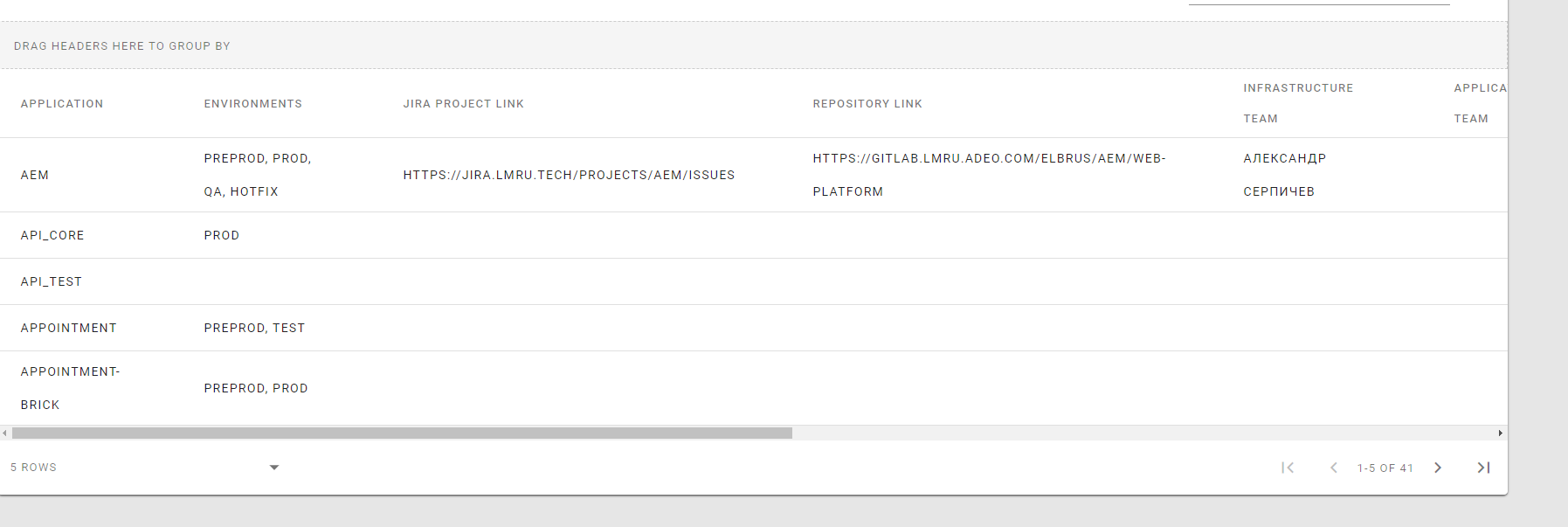
Desktop (please complete the following information):
- OS: Windows 10
- Browser Chrome
- Version 70
 ghost
ghost
All 6 comments
To Remember:
@mbrn thank you, just installed 1.37.0 but the problem still exists. It happens only with a production build, when I use development server everythink is ok.
In production build after a couple of clicks the problem disappears
 mbrn
on 28 May 2019
mbrn
on 28 May 2019
I'm facing the same issue.
React 16.8.6 and Material-UI 4.0.1.
 lkameya
on 28 May 2019
lkameya
on 28 May 2019
Hi @serg-kan
I tried this case but it works properly.
I developed a page with appbar and table
My CRA:
"@material-ui/core": "^4.0.1",
"material-table": "^1.37.0",
"react": "^16.8.6",
"react-dom": "^16.8.6",
"react-scripts": "3.0.1"
mbrn
on 28 May 2019
@mbrn with these versions it worked, thank you.
I just changed "material-table": "1.37.0" to "material-table": "^1.37.0", can you please explain why does this changed the behavior?
ghost
on 29 May 2019
it may upgraded to 1.38.0 that i publish a few hours ago :)
mbrn
on 29 May 2019
Just in case anyone stumbles here, it works only with exact set of versions as mentioned by @mbrn. Tried with "material-table": "^1.39.0" failed, "material-table": "^1.37.0" failed , even altering material core version "@material-ui/core": "^3.9.x" fails !
 MohitKS5
on 6 Jun 2019
MohitKS5
on 6 Jun 2019
Related issues
 revskill10
·
3Comments
revskill10
·
3Comments
 balibou
·
3Comments
balibou
·
3Comments
 ps1011
·
3Comments
ps1011
·
3Comments
 Likurg2010
·
3Comments
Likurg2010
·
3Comments
 roseak
·
3Comments
roseak
·
3Comments