Material-table: Styling with MuiThemeProvider does not work with @material-ui/[email protected]
Describe the bug
Table ignores styling with MuiThemeProvider on @material-ui/[email protected].
To Reproduce
Steps to reproduce the behavior:
- Install @material-ui/[email protected]
- Add MuiThemeProvider with your theme
- Nothing changes (default theme)
Expected behavior
Theme from MuiThemeProvider should be applied.
Screenshots
It can be checked out in the docs example
 timsazon
All 6 comments
I will upgrade it to MT 4.0 asap.
 mbrn
on 25 May 2019
mbrn
on 25 May 2019
Upgraded with version 1.37.0
mbrn
on 28 May 2019
With [email protected]
I'm using @material-ui/styles/ThemeProvider instead of @material-ui/core/styles/MuiThemeProvider. This is my theme configuration:
import { createMuiTheme, responsiveFontSizes } from '@material-ui/core/styles'
import blue from '@material-ui/core/colors/blue'
import { ThemeProvider } from '@material-ui/styles'

const theme = responsiveFontSizes(createMuiTheme({
  palette: {
    type: 'dark',
    primary: blue
  }
}))
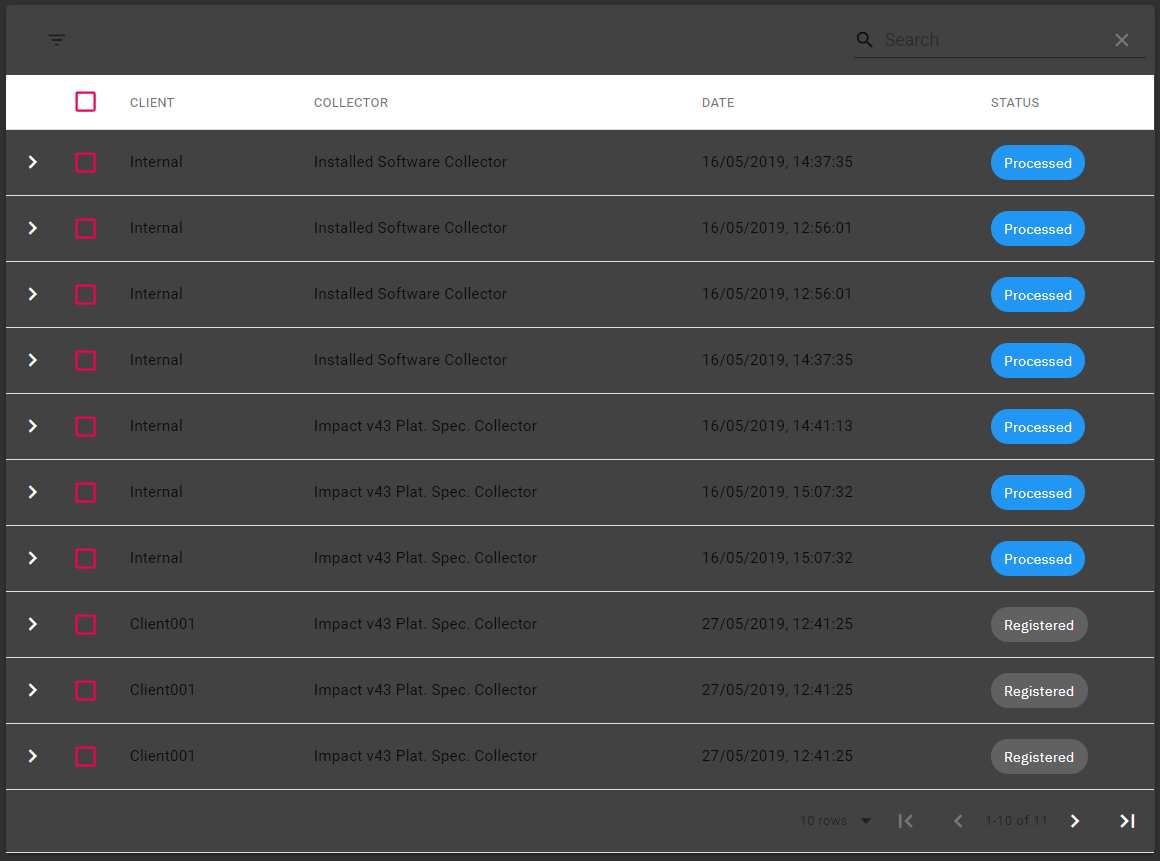
But the table renders like this:
 Neko250
on 28 May 2019
Neko250
on 28 May 2019
@Neko250
It's looks like you have several instances of mui styles.
Try to reinstall node_modules or just run npm dedupe (see duplicated module in node_modules).
timsazon
on 28 May 2019
@Neko250
It's looks like you have several instances of mui styles.
Try to reinstall node_modules or just runnpm dedupe(see duplicated module in node_modules).
It worked, thank you ! :tada:
Neko250
on 28 May 2019
@material-ui/[email protected], same problem. Who know how to solve this guys?
 Lukashev
on 17 Jul 2019
Lukashev
on 17 Jul 2019
Related issues
 jlgreene2
·
3Comments
jlgreene2
·
3Comments
 roseak
·
3Comments
roseak
·
3Comments
 ps1011
·
3Comments
ps1011
·
3Comments
 lazeebee
·
3Comments
lazeebee
·
3Comments
 timrchavez
·
3Comments
timrchavez
·
3Comments
Most helpful comment
I will upgrade it to MT 4.0 asap.