material-table modifies global styles
Describe the bug
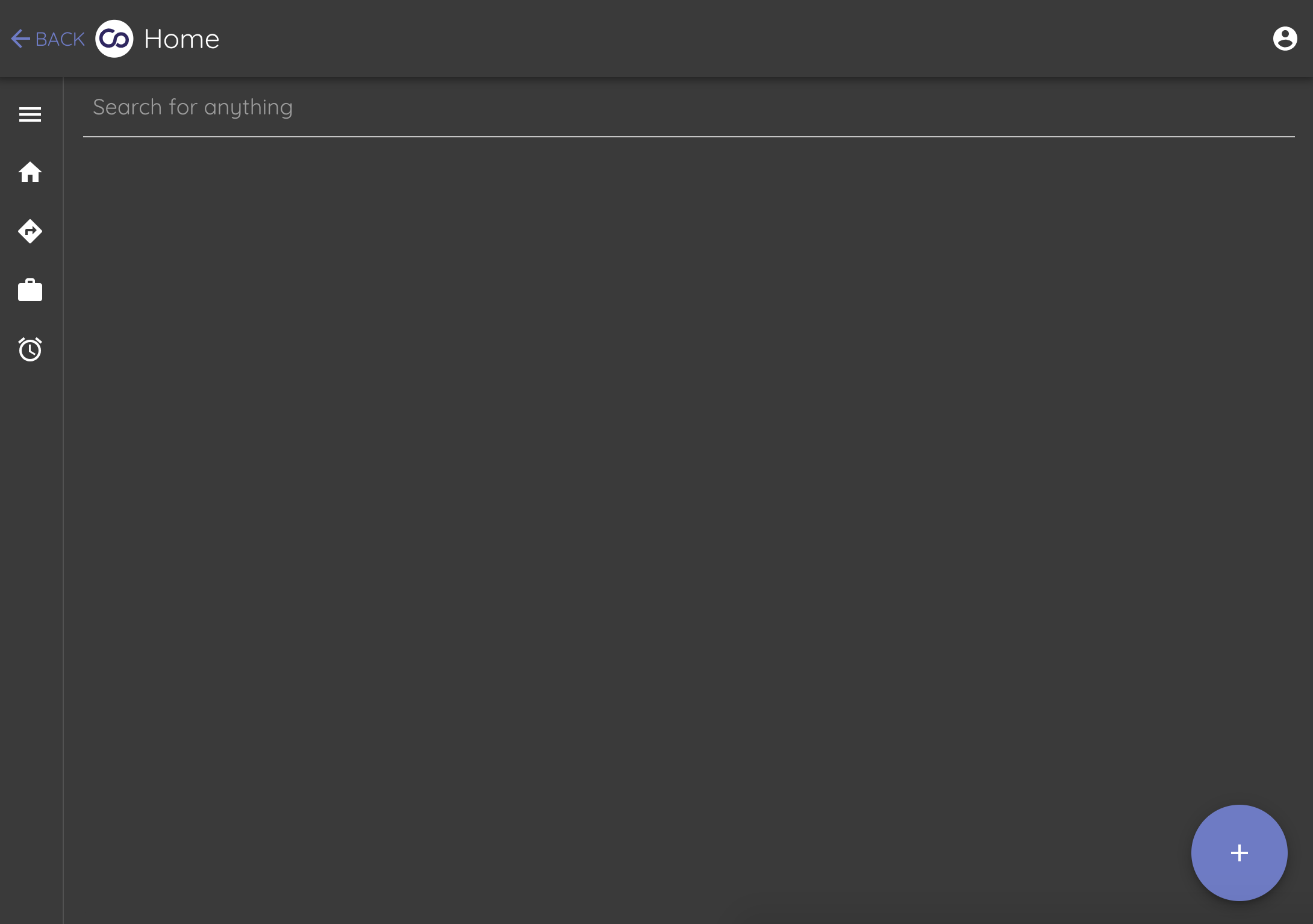
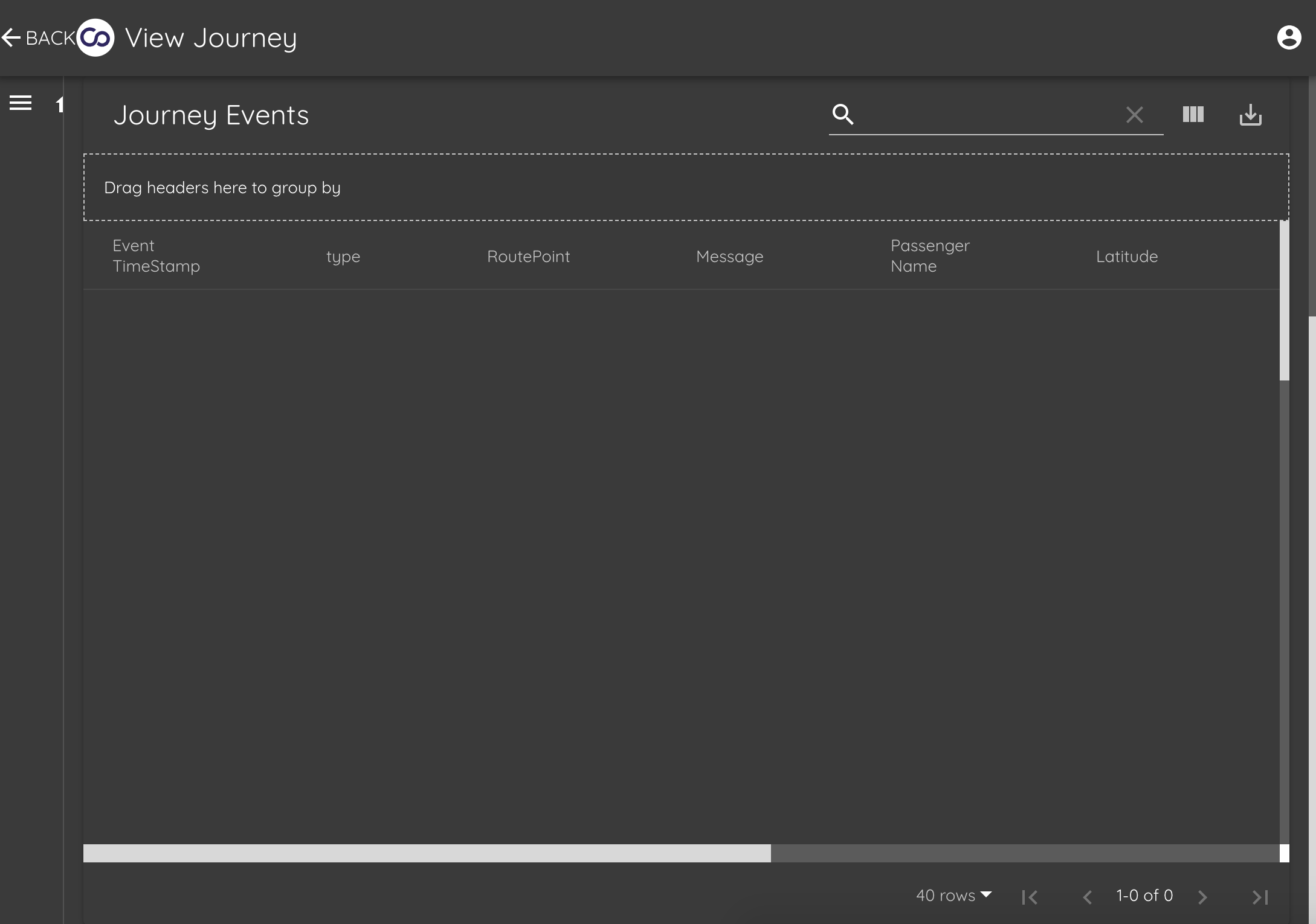
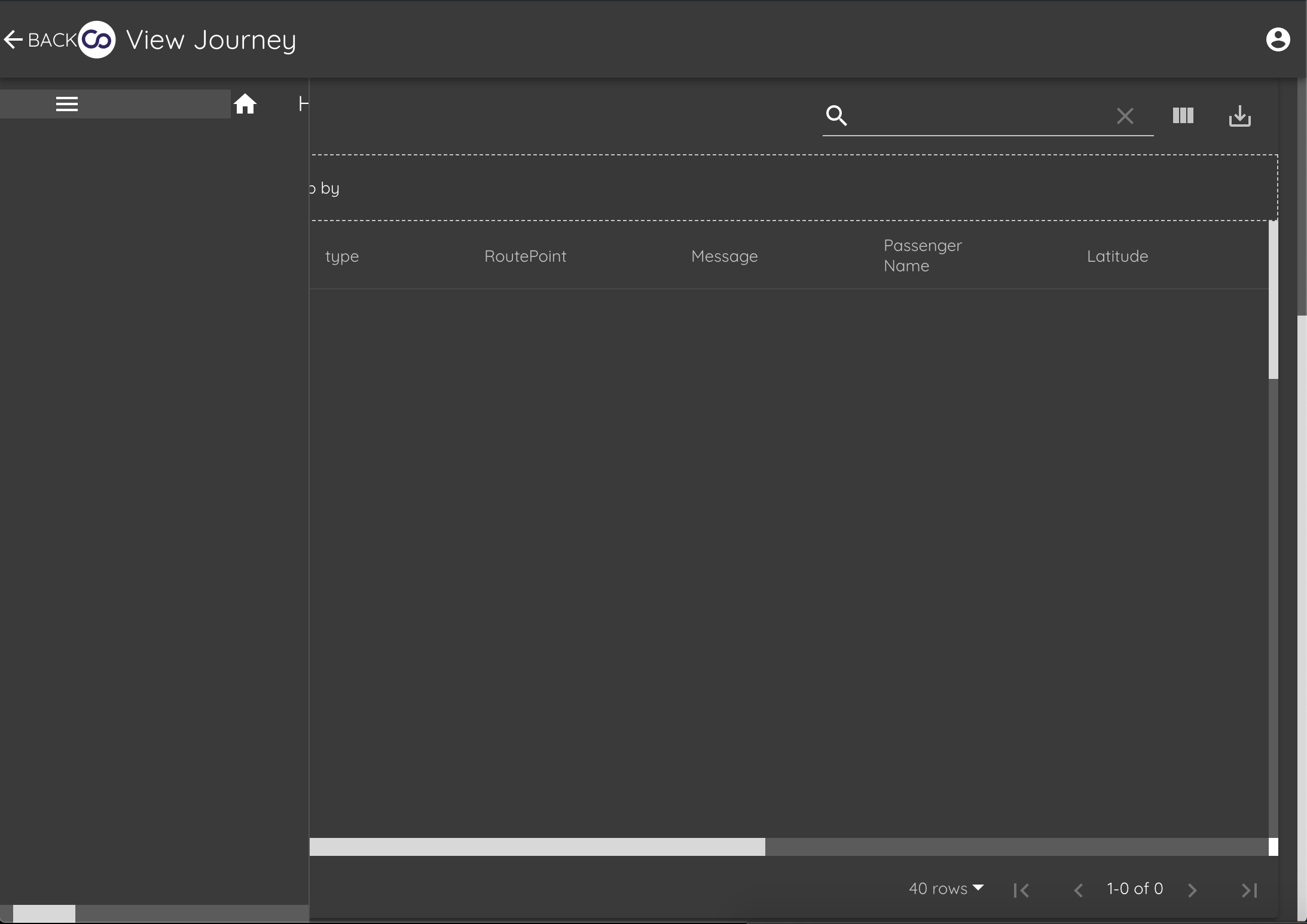
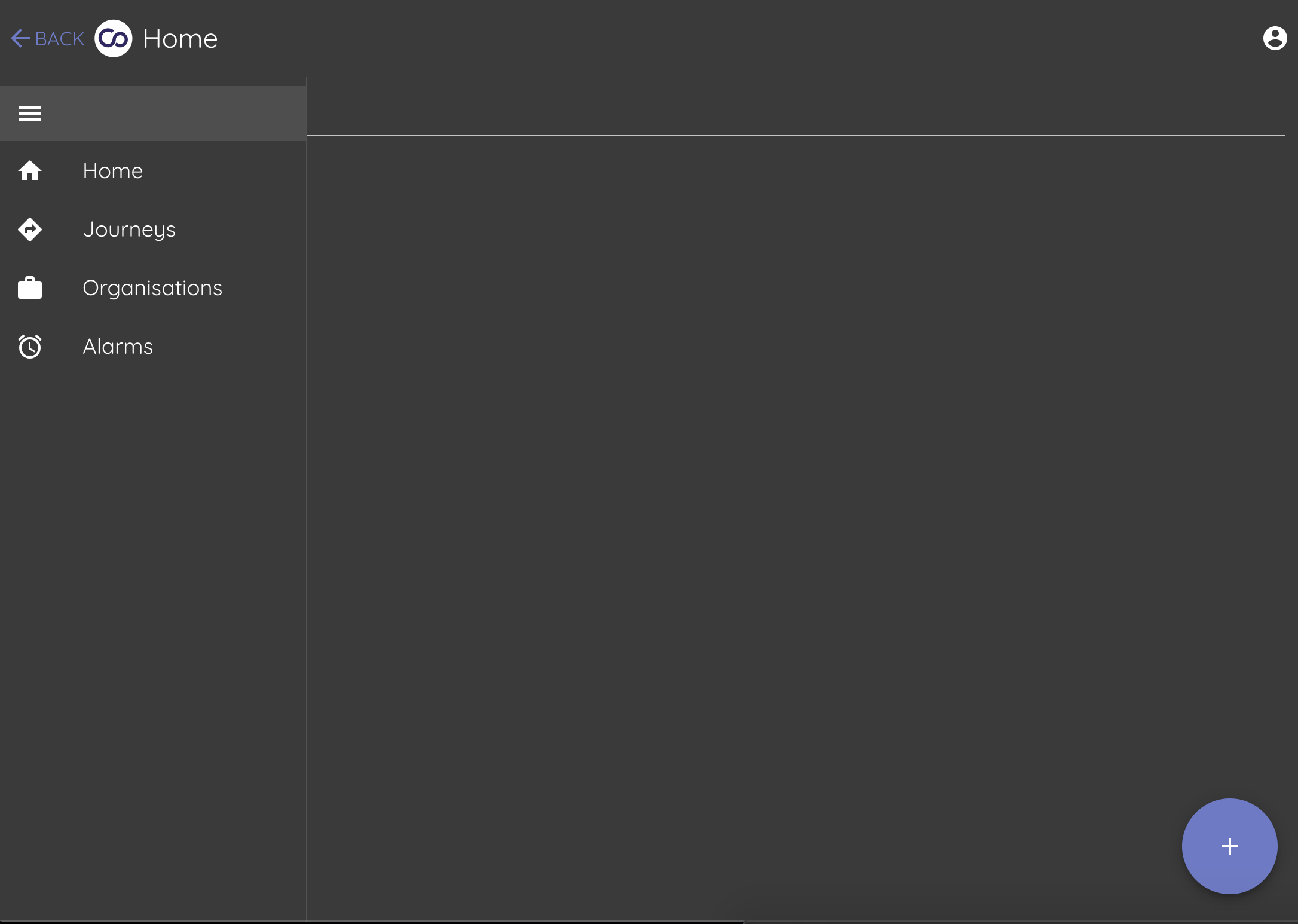
When material-table is on screen it modifies the global styles which cause the material-ui menu drawer and more to render incorrectly.
This is only since upgrading from 1.18 to 1.32
To Reproduce
Steps to reproduce the behavior:
1) Run a site with a material ui menu drawer (https://material-ui.com/demos/drawers/#mini-variant-drawer)
2) Load a material-table instance in the main view
Expected behavior
Material-table does not affect components outside of it's own scope.
Screenshots
Look at drawer and back button rendering
Desktop (please complete the following information):
- OS: [e.g. iOS] OSX + Windows
- Browser [e.g. chrome, safari] Chrome
- Version [e.g. 22] latest
 Foosballfan
All 20 comments
Experienced similar issue..
 artanisdesign
on 30 Apr 2019
artanisdesign
on 30 Apr 2019
I will test this case asap.
 mbrn
on 1 May 2019
mbrn
on 1 May 2019
Hi @Foosballfan , @artanisdesign ,
I could not find any problem with drawer and MT. Can you check this sandbox please? https://codesandbox.io/embed/71z24v9k81
mbrn
on 4 May 2019
I am closing this issue. You can reopen if you need.
mbrn
on 4 May 2019
Hi @mbrn ! Thanks for looking into this.
What i meant by similar issue is that, it seems somehow the module affects the styles of other components out of its scope.
Let me add 2 screenshots:
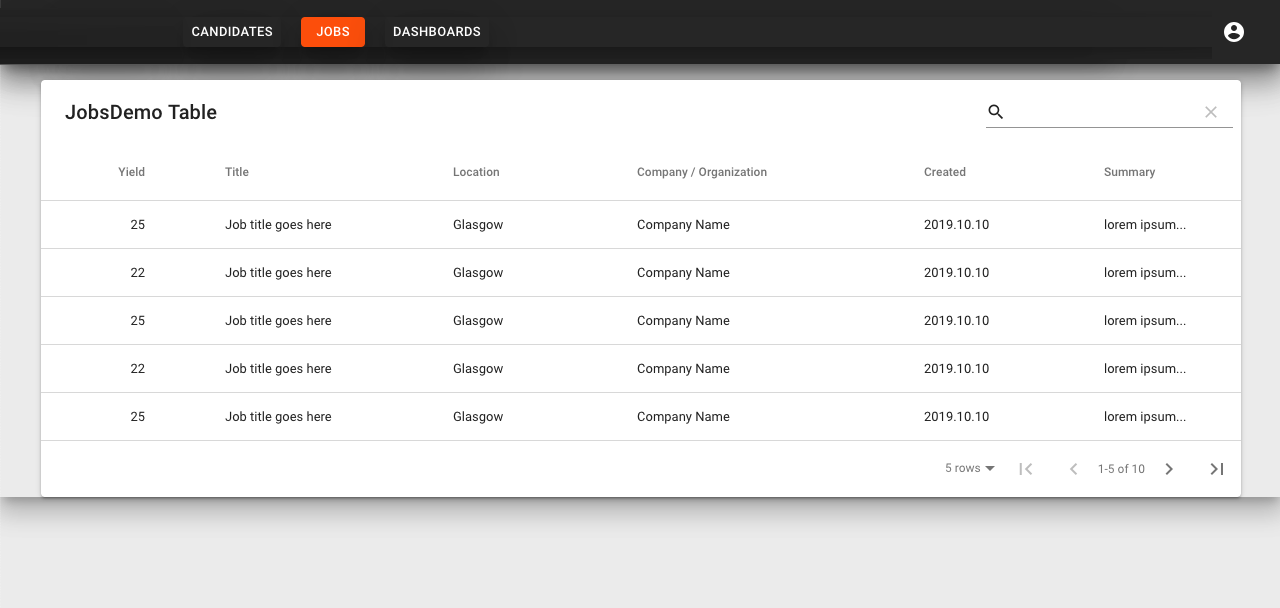

The 1st is on first load, you can see somehow extra shadows appeared (under appbar for example). If i click away to an other page, then come back it all works okay, so its something on first load and only in production build. This only happens on the page where i use material-table, if i remove it, all good.
artanisdesign
on 6 May 2019
Hi @artanisdesign ,
I could not find problem. Can you create a sandbox to reproduce case, please? I want to play on it
mbrn
on 6 May 2019
Hi @mbrn
Will try to create one later on
artanisdesign
on 6 May 2019
A potential factor is that I'm using material-ui/styles (https://material-ui.com/css-in-js/basics/).
Tomorrow I will be able to spend some time working on this issue.
Foosballfan
on 6 May 2019
Hi again! @mbrn
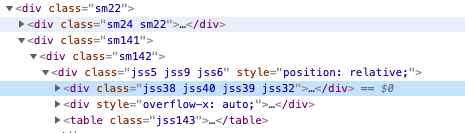
So here is what i found.. i noticed in production i got class collision..
I believe your module uses the same class generator (jss ) as material-ui, and since the counter starts at 0 on both, we can end up with collissions..
Once i changed the class prefix in my project see link its all fine in production.
You can see the generated classes on the next image. I use "sm" prefix, and you use the built in "jss" prefix, previously both where jss, and in some cases unfortunately got collision. You might wanna have your prefix in the future.
regards
artanisdesign
on 6 May 2019
I will take a look at it.
mbrn
on 6 May 2019
@mbrn do you need any more info for this bug?
Foosballfan
on 9 May 2019
@mbrn do you need any more info for this bug?
i need just time :)
mbrn
on 12 May 2019
For anyone experiencing this issue, here is how I prevented it:
// top of file
import { StylesProvider, createGenerateClassName } from '@material-ui/styles';
const generateClassName = createGenerateClassName({
  productionPrefix: 'mt',
  seed: 'mt'
});

// in component
  return (
    <StylesProvider generateClassName={generateClassName}>
      <MaterialTable
       ...
      />
    </StylesProvider>
  );
For anyone experiencing this issue, here is how I prevented it:
// top of file
import { StylesProvider, createGenerateClassName } from '@material-ui/styles';
const generateClassName = createGenerateClassName({
  productionPrefix: 'mt',
  seed: 'mt'
});

// in component
  return (
    <StylesProvider generateClassName={generateClassName}>
      <MaterialTable
       ...
      />
    </StylesProvider>
  );
This is the solution.
mbrn
on 26 May 2019
`// top of file
import { StylesProvider, createGenerateClassName } from '@material-ui/styles';
const generateClassName = createGenerateClassName({
productionPrefix: 'mt',
seed: 'mt'
});
// in component
return (
/>
);`
I'm using material-table in many components of my project. Please merge this solution with the next update in such a way that doesn't change the global theme.
 SreejithNS
on 30 May 2019
SreejithNS
on 30 May 2019
The solution does not work for me
For anyone experiencing this issue, here is how I prevented it:
// top of file
import { StylesProvider, createGenerateClassName } from '@material-ui/styles';
const generateClassName = createGenerateClassName({
  productionPrefix: 'mt',
  seed: 'mt'
});

// in component
  return (
    <StylesProvider generateClassName={generateClassName}>
      <MaterialTable
       ...
      />
    </StylesProvider>
  );
 lucifer1004
on 11 Jun 2019
lucifer1004
on 11 Jun 2019
Actually, this solution works for material-table <= 1.36.0.
For material-table >= 1.37.0, the issue is more likely to be #667 instead of this one, which cannot be solved by the solution provided here.
Updated
After several trials, I found that the above solution worked for material-table 1.36.0 only in development mode, but not in production mode.
To get everything work, I ended up using material-table 1.37.0 and the latest material-ui packages.
lucifer1004
on 11 Jun 2019
Hi @lucifer1004 , I have encountered a similar issue, I found it changed the order of classes.
E.g. I used a
Second is I found the performance issue after rendering the
Thanks @mbrn and appreciate for the hard work, please advise:)
 jason050196
on 12 Jun 2019
jason050196
on 12 Jun 2019
Hi,
the above solution does not work for "material-table": "^1.39.2".
can you please suggest any other solution. @mbrn
Thanks
 indunie
on 18 Jun 2019
indunie
on 18 Jun 2019
This issue has been automatically marked as stale because it has not had recent activity. It will be closed if no further activity occurs. Thank you for your contributions. You can reopen it if it required.
![stale[bot] picture](https://avatars3.githubusercontent.com/in/1724?v=4&s=40) stale[bot]
on 15 Jun 2020
stale[bot]
on 15 Jun 2020
Related issues
 balibou
·
3Comments
balibou
·
3Comments
 ps1011
·
3Comments
ps1011
·
3Comments
 diegosps
·
3Comments
diegosps
·
3Comments
 behrouz-s
·
3Comments
behrouz-s
·
3Comments
 slevy85
·
3Comments
slevy85
·
3Comments
Most helpful comment
For anyone experiencing this issue, here is how I prevented it: