Material-table: adding material-table package has caused IE11 to report syntax errors
I added code to use material-table. worked great on all browsers except on IE11. On IE11, when I launch my page, it reports syntax errors.
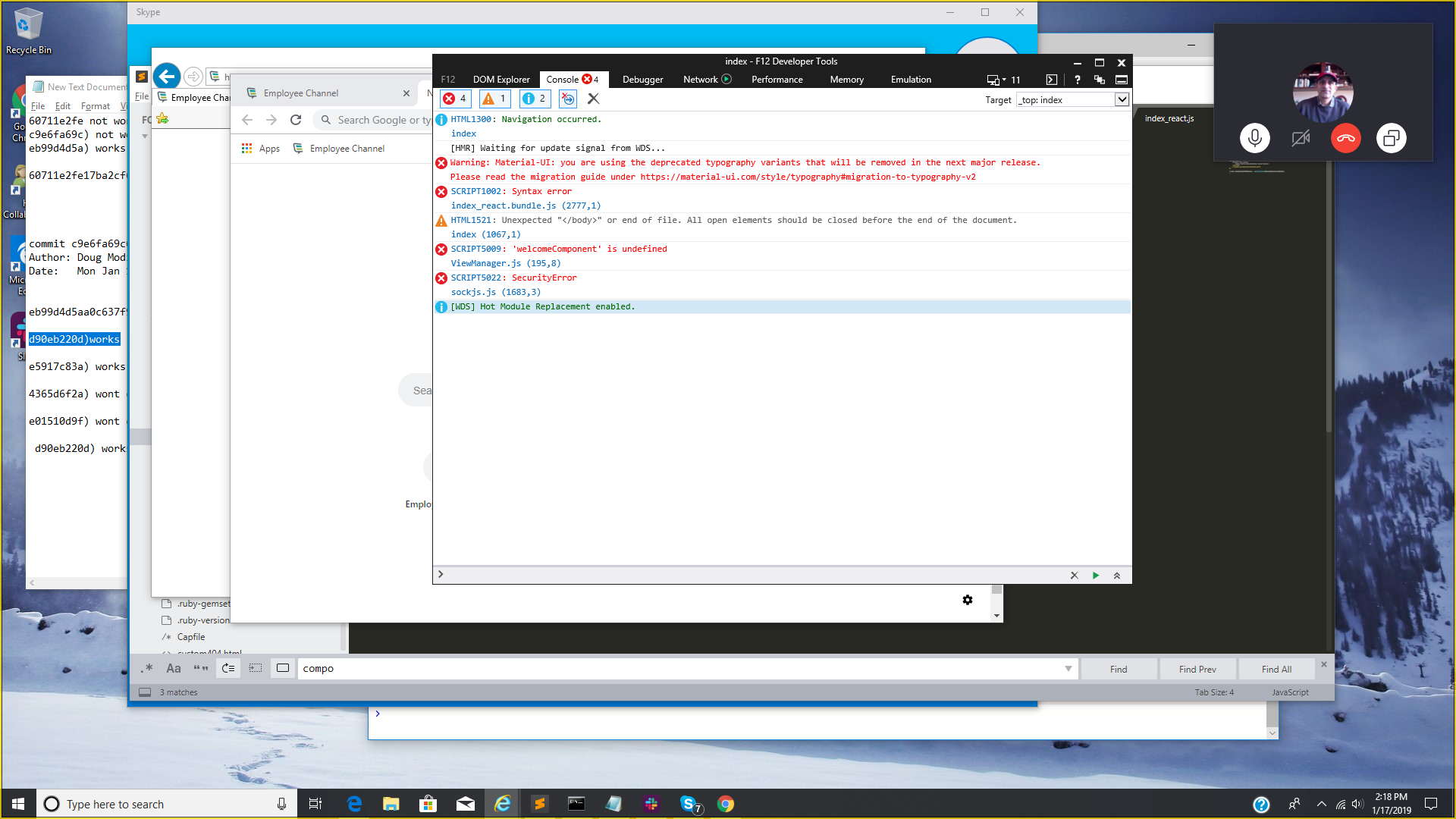
The way we traced this problem, is that we got to the exact commit that worked on IE11. Then the next commit was me committing the package.json with material-table dependency and committing my component using the material-table. Restarting the page in IE11 reports the syntax error.
Can you help me on this problem, because there are still a lot of customers who use IE11 ?
Could it be a webpack or babel issue and if so, any help you can provide me is much appreciated.
Thanks
 aswamina
All 7 comments
I will look at this @aswamina
 mbrn
on 18 Jan 2019
mbrn
on 18 Jan 2019
Thank you so so much. Your component is amazing and fits our needs
perfectly. I really appreciate if you can help me with this.
On Thu, Jan 17, 2019 at 9:09 PM Mehmet Baran notifications@github.com
wrote:
I will look at this @aswamina https://github.com/aswamina
—
You are receiving this because you were mentioned.
Reply to this email directly, view it on GitHub
https://github.com/mbrn/material-table/issues/167#issuecomment-455429414,
or mute the thread
https://github.com/notifications/unsubscribe-auth/AIva_XkEJDhYFC778UZyzdcU_DQkfNgSks5vEVb6gaJpZM4aG3m_
.
--
Anand Swaminathan
aswamina
on 18 Jan 2019
Thank you @aswamina , I will :)
mbrn
on 18 Jan 2019
Hi Mehmet,
I found this article :
https://dev.to/errietta/-how-to-fix-your-node-dependencies-es6-causing-browser-errors-37di
which is closest to the problem I described. I was wondering if this will
help get closer to the dependency that material-table has in terms of the
IE error. I am going to try that out today as well on my webpack.config.js.
Thanks,
Anand
On Thu, Jan 17, 2019 at 9:44 PM Mehmet Baran notifications@github.com
wrote:
Thank you @aswamina https://github.com/aswamina , I will :)
—
You are receiving this because you were mentioned.
Reply to this email directly, view it on GitHub
https://github.com/mbrn/material-table/issues/167#issuecomment-455434544,
or mute the thread
https://github.com/notifications/unsubscribe-auth/AIva_U3dtAC5Eg_bjZLh02ss71oE-zaqks5vEV9HgaJpZM4aG3m_
.
--
Anand Swaminathan
aswamina
on 18 Jan 2019
Hi @aswamina,
Can you explain how did you resolved this problem. I know more developers that ask for this problem.
mbrn
on 28 Jan 2019
I was use WebStorm IDE and was adding the line "export const withStyles(styles)". When I did this, WebStorm automatically imported withStyles from "@material-ui/core/es/styles/withStyles" instead of "@material-ui/core/styles/withStyles". This happened in two files. Similarly there were two other lines where I used Typography and WebStorm automatically imported Typography from "@material-ui/core/es/.../Typography". When this happened, you get a syntax error on IE11. Tracing this took a long time because IE11 shows the syntax error pointing to the bundle in the former case and in the latter case pointing to a random line of some other file.
aswamina
on 28 Jan 2019
My resolution to his issue was to install babel-polyfill from npm, and import it into my App.js file. Worked like a champ.
 jlgreene2
on 30 Jan 2019
jlgreene2
on 30 Jan 2019
Related issues
 Mihier-Roy
·
3Comments
Mihier-Roy
·
3Comments
 bohrsty
·
3Comments
bohrsty
·
3Comments
 ModPhoenix
·
3Comments
ModPhoenix
·
3Comments
 KKrisu
·
3Comments
KKrisu
·
3Comments
 Likurg2010
·
3Comments
Likurg2010
·
3Comments