Material-dialogs: Styles attributes for title and text color
([x] becomes a filled in checkbox, [ ] is an empty one)
- [x] I have verified there are no duplicate active or recent bugs, questions, or requests
- [x] I understand that versions below 2.0.0 will no longer be supported for updates.
- [x] I have given my issue a non-generic title.
- [x] I have read over the documentation (before asking questions on how to do something).
Include the following:
- Material Dialogs version:
2.0.0-alpha09 - Affected device: All
Also, please wrap your code with correct syntax highlighting (not just indents).
MaterialDialog(this)
                        .title(R.string.attention)
                        .message(R.string.choose_screen)
                        .positiveButton(android.R.string.ok)
                        .show()
<item name="android:textColorPrimary">@color/black</item>
<item name="android:textColorSecondary">@color/white</item>
Reproduction Steps
Obsolete, happens always
Expected Result
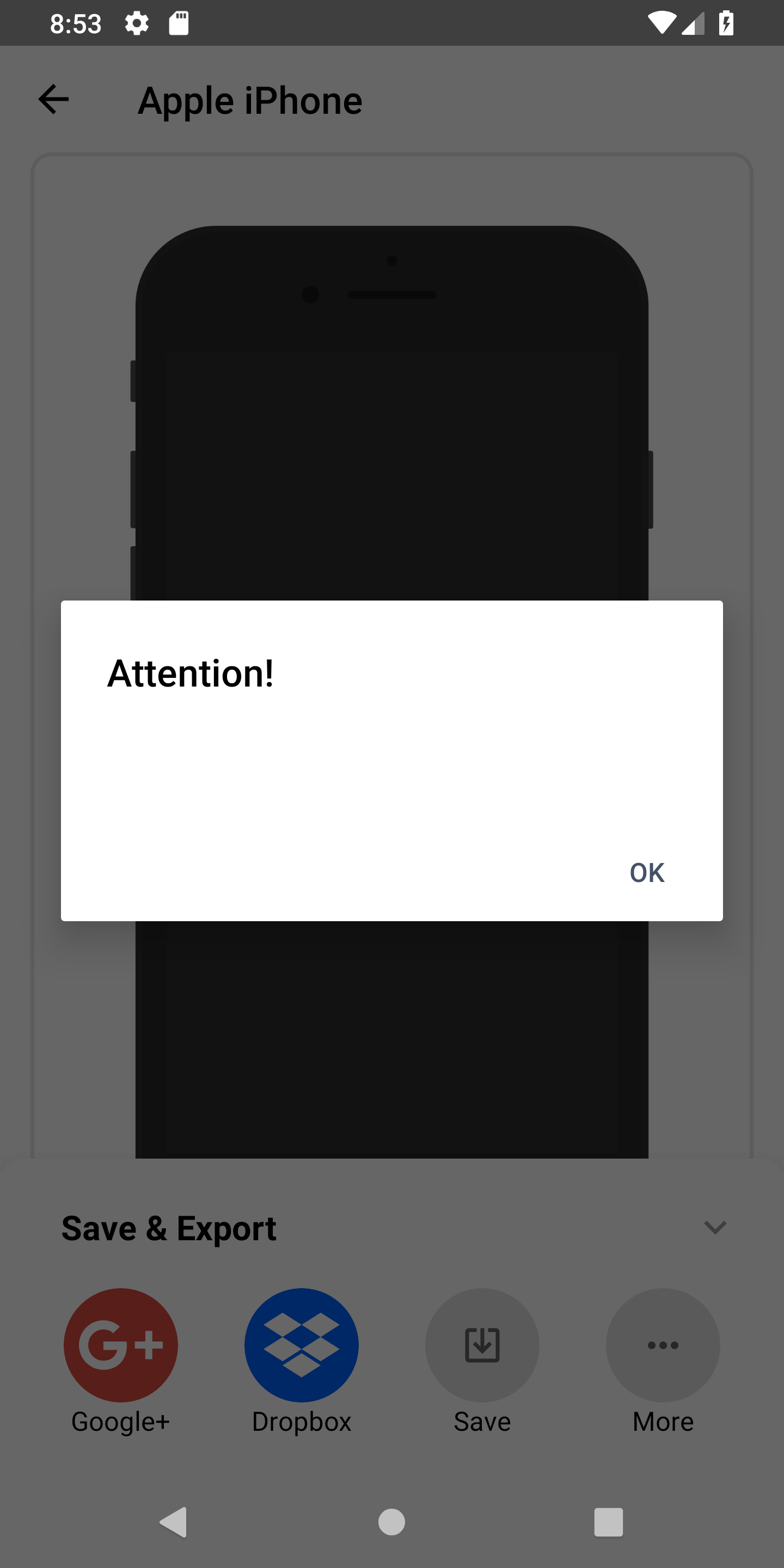
Text should be a darker color
Actual Result
Text is either white or transparent
This happens with all dialogs we implemented, and we just can't figure out why. We checked all styles, colors and Kotlin files for wrong configurations, but all seems to be fine.
 timbremer
All 6 comments
The text color is set in styles here: https://github.com/afollestad/material-dialogs/blob/b571da41183cb57420a48592669f514296befc66/core/src/main/res/values/styles.xml#L50
Which is taking ?android:textColorSecondary from the dialog's base theme (would be Theme.AppCompat.Light.Dialog.Alert). This shouldn't be possible 🤔 have you tried it on other devices?
 afollestad
on 13 Sep 2018
afollestad
on 13 Sep 2018
Tested on 4 devices and various different emulators. Let me know if you need more info!
timbremer
on 13 Sep 2018
I can't reproduce on my Pixel 2 XL or emulators, at least not with the sample project.

There must be something in Screener affecting it somehow 🤔
afollestad
on 13 Sep 2018
You have <item name="android:textColorSecondary">@color/white</item> above, is that in your Activity theme?
afollestad
on 13 Sep 2018
That was actually the cause. When testing, we missed changing the v23+ styles. However, removing that style would affect many other elements in the app. Do you think custom text colors could be something for a future release?
timbremer
on 13 Sep 2018
afollestad
on 16 Sep 2018
Related issues
 jlelse
·
6Comments
jlelse
·
6Comments
 ghost
·
4Comments
ghost
·
4Comments
 dabo248
·
7Comments
dabo248
·
7Comments
 enricocid
·
4Comments
enricocid
·
4Comments
 imcloud
·
5Comments
imcloud
·
5Comments
Most helpful comment
That was actually the cause. When testing, we missed changing the v23+ styles. However, removing that style would affect many other elements in the app. Do you think custom text colors could be something for a future release?