Material-components-android: [MaterialCardView] Setting EdgeTreatment on shapeAppearanceModel of MaterialCardView hides the card view content
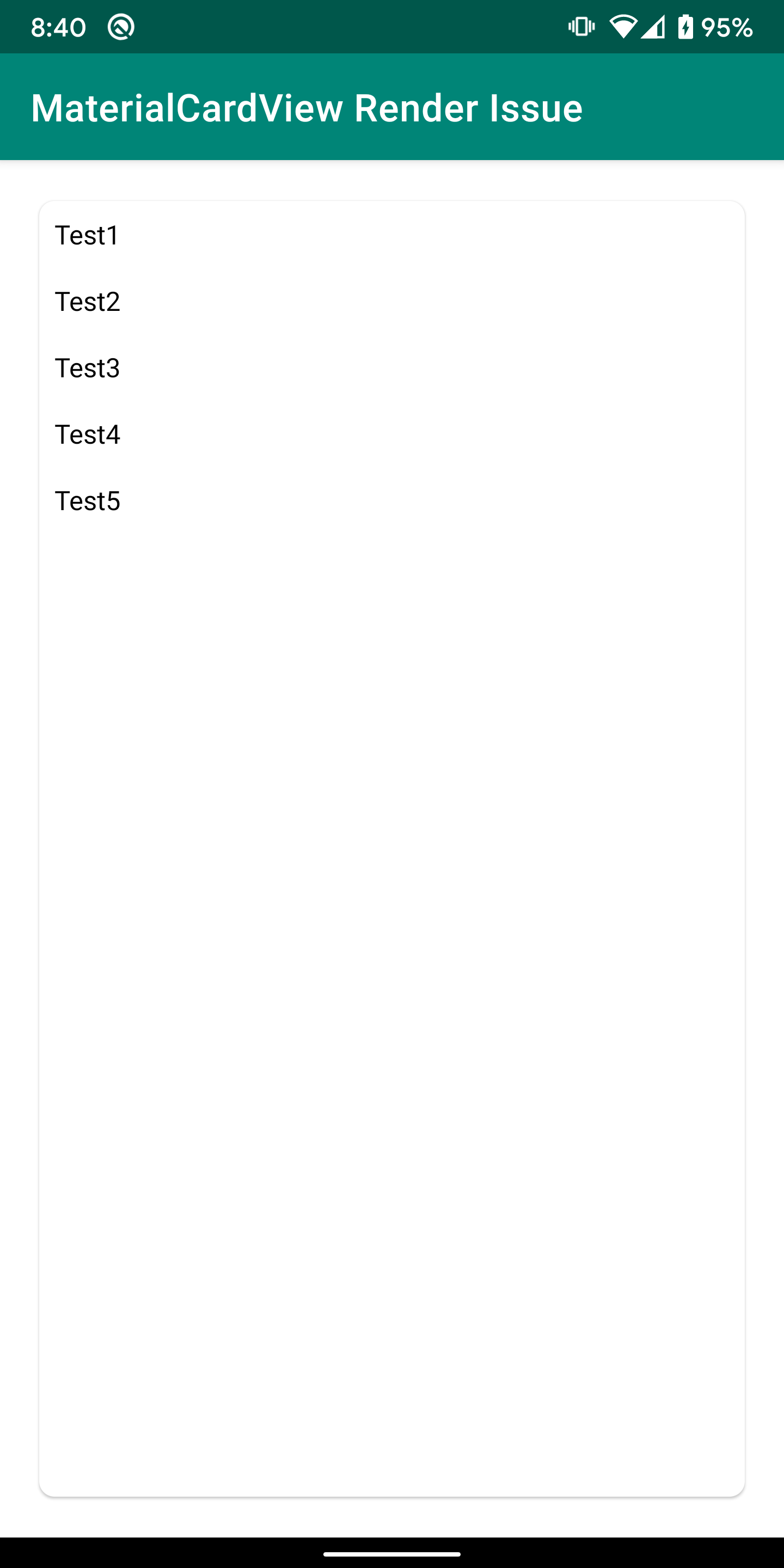
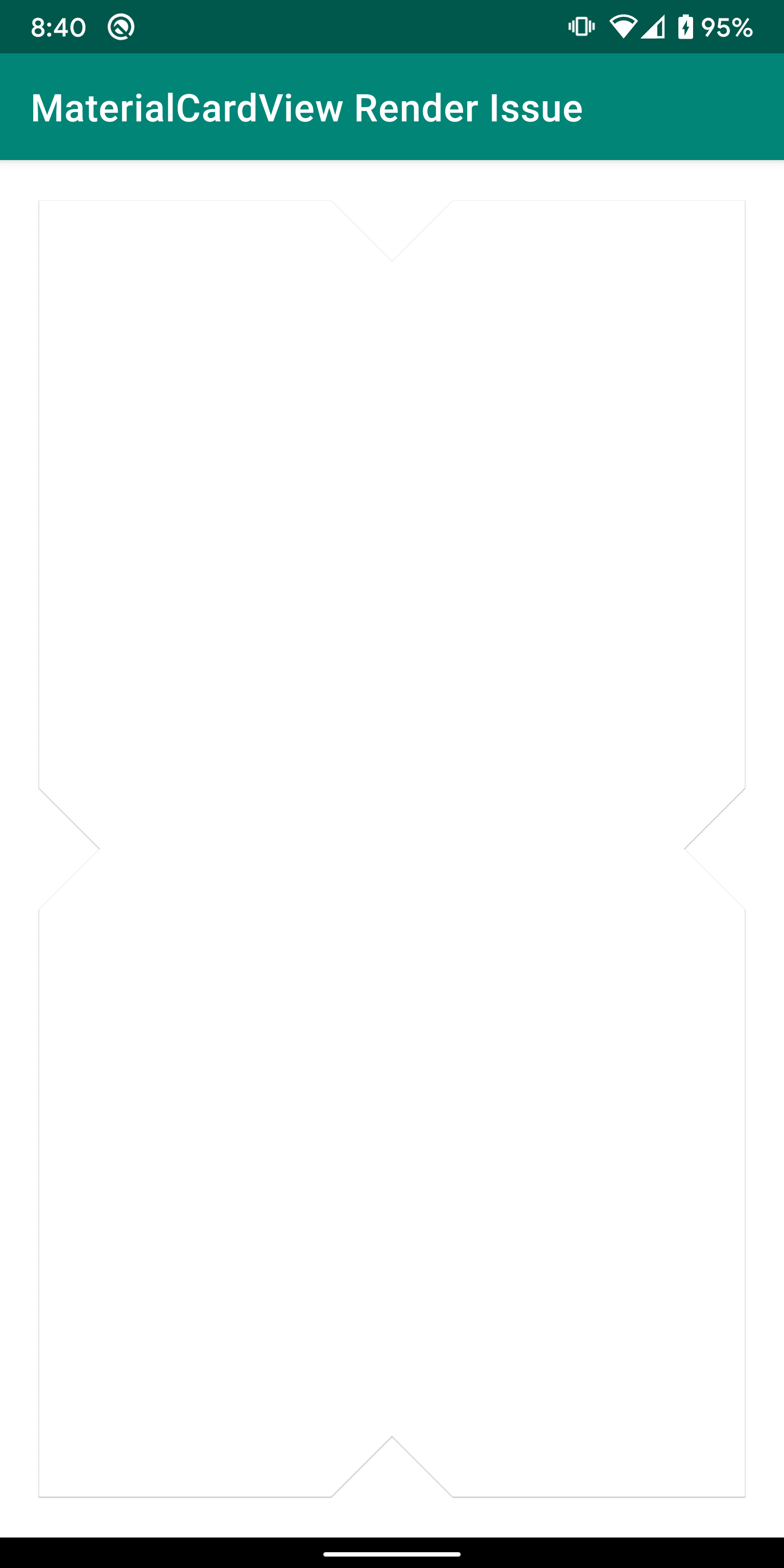
Description: Adding EdgeTreatment (using setLeftEdge/setRightEdge/setTopEdge/setBottomEdge/setAllEdges) on shapeAppearanceModel of the MaterialCardView hides the content of that card view
Expected behavior:
Actual behavior:
Source code: https://github.com/muthuraj57/MaterialCardView_Render_Issue
Android API version: Android 10 (29)
Material Library version: 1.1.0-alpha10
Device: Google Pixel 2 xl
 muthuraj57
All 5 comments
Expected behavior is actually the blend of both the screenshots(with the content and the cut out).
muthuraj57
on 12 Sep 2019
Thanks for the report until we fix it you can do this after changing the shape appearance.
if (Build.VERSION.SDK_INT >= Build.VERSION_CODES.LOLLIPOP) {
    cardView.getChildAt(0).clipToOutline = false
}
 ymarian
on 12 Sep 2019
ymarian
on 12 Sep 2019
👍1
@ymarian Thanks the workaround works perfectly fine.
muthuraj57
on 13 Sep 2019
Note:
The work around now is:
cardView.clipToOutline = false
We should get this addressed soon though.
ymarian
on 7 Oct 2019
👍1
 wcshi
on 13 May 2020
wcshi
on 13 May 2020
Was this page helpful?
0 / 5 - 0 ratings
Related issues
 hkchakladar
·
3Comments
hkchakladar
·
3Comments
 Mirmuhsin
·
3Comments
Mirmuhsin
·
3Comments
 Sanusy
·
3Comments
Sanusy
·
3Comments
 magnusfernandes
·
3Comments
magnusfernandes
·
3Comments
 jaychang0917
·
3Comments
jaychang0917
·
3Comments