Material-components-android: [Menu] ListPopupWindow doesn't respect the Elevation overlay
Description
ListPopupWindow doesn't use any dynamic elevation overlay. Instead of this, it uses a absolute 11% alpha overlay. So if the parent view already has elevation, it doesn't respect that elevation.
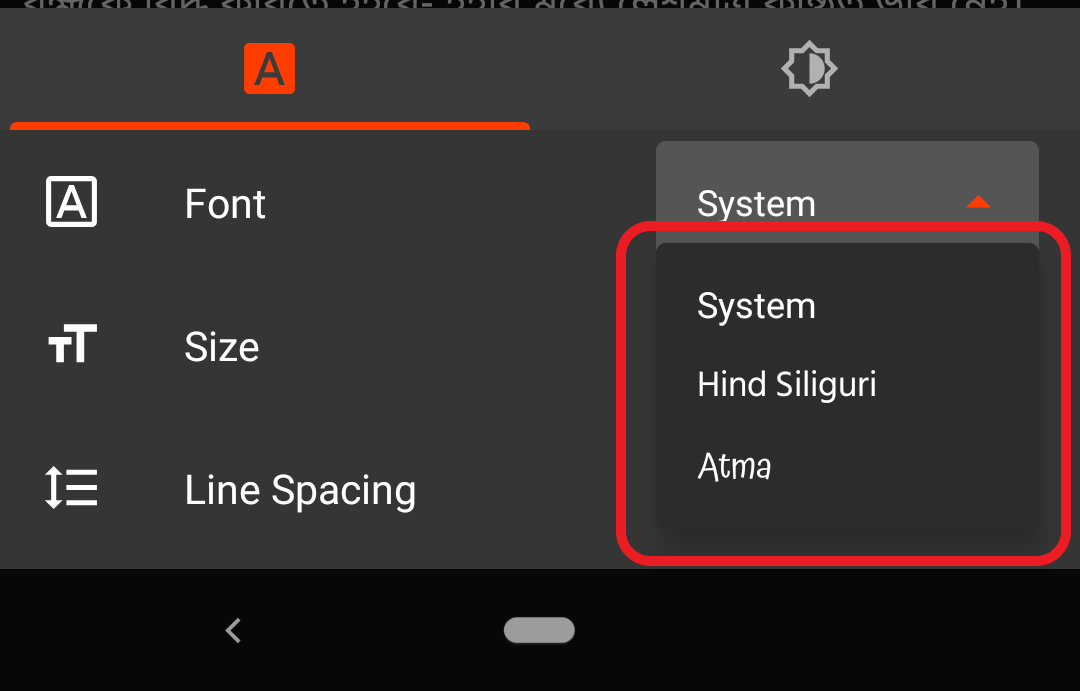
Expected behaviour
ListPopupWindow should use MaterialShapeDrawable as background. But ListPopupWindow doesn't have any exposed getElevation or setElevation method. So we are unable to get the Elevation value and can't implement proper background for listPopupWindow.
 Sourav-21
All 8 comments
Unfortunately ListPopupWindow is not part of the MDC-Android library and we can't theme its default background to a MaterialShapeDrawable in XML, so at this time we can't update it to support absolute elevation overlays.
For now I'm wondering if you can create a MaterialShapeDrawable with absolute elevation factored in:
    ElevationOverlayProvider elevationOverlayProvider = new ElevationOverlayProvider(context);
    MaterialShapeDrawable background = MaterialShapeDrawable.createWithElevationOverlay(context, menuElevation);
    background.setParentAbsoluteElevation(elevationOverlayProvider.getParentAbsoluteElevation(menu));
And set that as the ListPopupBackground via ListPopupBackground#setBackgroundDrawable (you may need to wrap the MaterialShapeDrawable in an InsetDrawable and set some corners on the MaterialShapeDrawable).
 dsn5ft
on 23 Oct 2019
dsn5ft
on 23 Oct 2019
Unfortunately
ListPopupWindowis not part of the MDC-Android library and we can't theme its default background to aMaterialShapeDrawablein XML, so at this time we can't update it to support absolute elevation overlays.For now I'm wondering if you can create a
MaterialShapeDrawablewith absolute elevation factored in:ElevationOverlayProvider elevationOverlayProvider = new ElevationOverlayProvider(context); MaterialShapeDrawable background = MaterialShapeDrawable.createWithElevationOverlay(context, menuElevation); background.setParentAbsoluteElevation(elevationOverlayProvider.getParentAbsoluteElevation(menu));And set that as the
ListPopupBackgroundviaListPopupBackground#setBackgroundDrawable(you may need to wrap theMaterialShapeDrawablein anInsetDrawableand set some corners on theMaterialShapeDrawable).
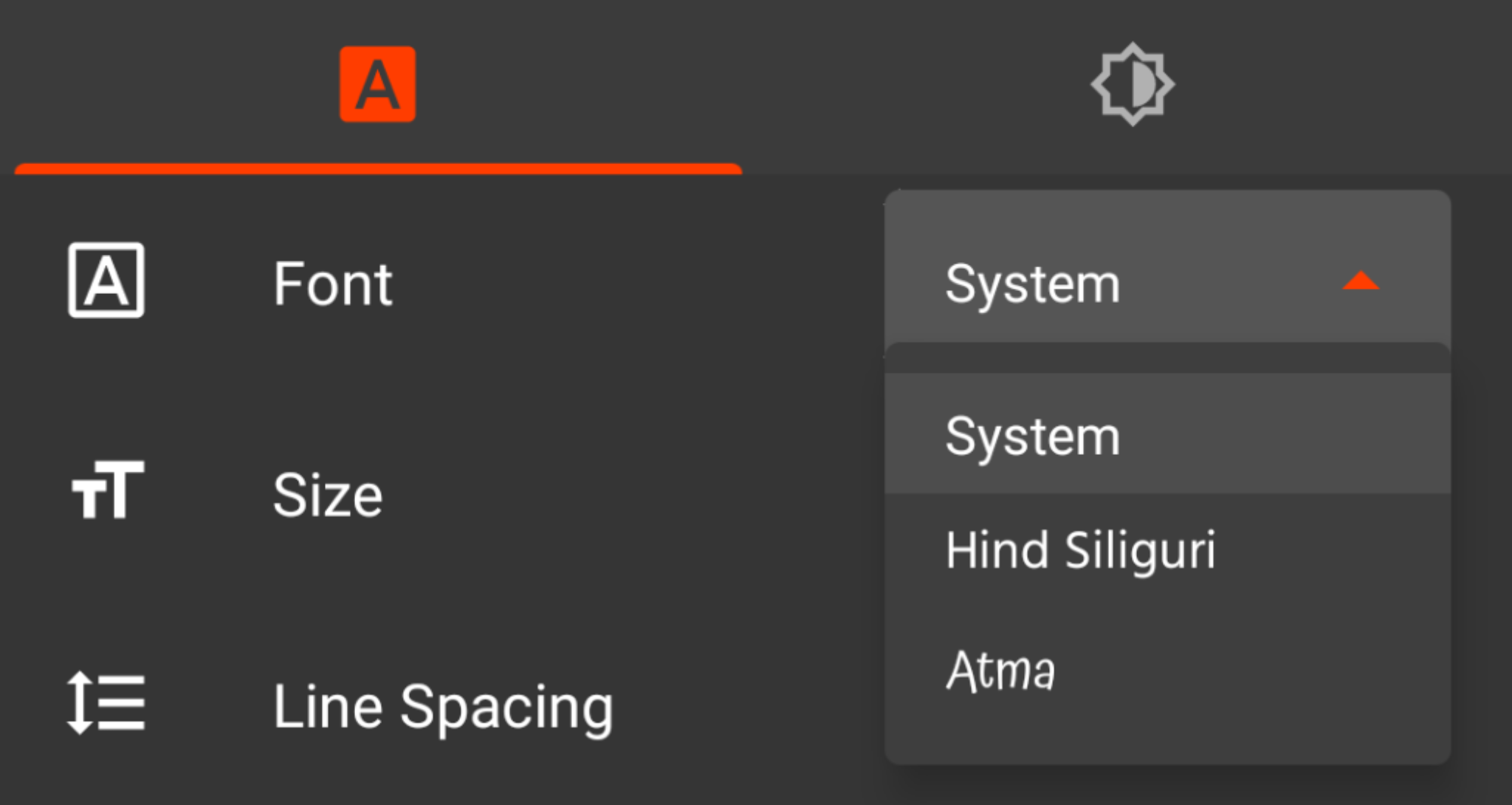
Thanks a lot. I am now quite satisfied by the result. I extended ListPopupWindow and set MaterialShapeDrawable as background.
Sourav-21
on 18 Dec 2019
Another alternative is to use ColorDrawable with color provided by MaterialOverlayProvider,
eg: popupListWindow.setBackgroundDrawable(new ColorDrawable(elevatedColor));
 khaykov
on 29 Jan 2020
khaykov
on 29 Jan 2020
@Sourav-21 Is there a reason for not exposing the setElevation(float) method of the PopupWindow mPopup; member in ListPopupWindow? Are there concerns around older APIs that might not support it?
 cristiannancu
on 27 Feb 2020
cristiannancu
on 27 Feb 2020
@cristiannancu the setElevation method of PopupWindow is already exposed. But there is no setElevation inside ListPopupWindow. But you can set elevation vai style res xml.
Sourav-21
on 27 Feb 2020
Yes that's what I meant - expose it in ListPopupWindow. I only mentioned the mPopup member because that's the View being used by ListPopupWindow.
@Sourav-21 the question still stands: is it possible to add the setter&getter for elevation to ListPopupWindow?
public void setElevation(float elevation) {
        mPopup.setElevation(elevation);
}

public float getElevation() {
        return mPopup.getElevation();
}
@cristiannancu yes. Possible.
I don't know why there is no setElevation method in listPopupWindow.
I think the material design team should rewrite listPopupWindow from scratch.
Sourav-21
on 28 Feb 2020
@cristiannancu In my custom listPopupWindow class, I changed lot of things. I completely ditched listView and embraced RecyclerView.
Sourav-21
on 28 Feb 2020
Related issues
 mnayef95
·
3Comments
mnayef95
·
3Comments
 gabrielemariotti
·
3Comments
gabrielemariotti
·
3Comments
 Sanusy
·
3Comments
Sanusy
·
3Comments
 sepehr-alipour
·
3Comments
sepehr-alipour
·
3Comments
 hkchakladar
·
3Comments
hkchakladar
·
3Comments
Most helpful comment
Thanks a lot. I am now quite satisfied by the result. I extended
ListPopupWindowand setMaterialShapeDrawableas background.