Material-components-android: [BottomNavigationView] Adding extra padding
Description: Whenever full-screen mode enabled by code icons are shrinking and after debugging I got to know that it's adding extra padding at the bottom.
Expected behavior:


Source code:
val flags = (View.SYSTEM_UI_FLAG_LAYOUT_STABLE
                or View.SYSTEM_UI_FLAG_LAYOUT_HIDE_NAVIGATION
                or View.SYSTEM_UI_FLAG_LAYOUT_FULLSCREEN
                or View.SYSTEM_UI_FLAG_HIDE_NAVIGATION
                or View.SYSTEM_UI_FLAG_FULLSCREEN
                or View.SYSTEM_UI_FLAG_IMMERSIVE_STICKY)

        if (PreferenceUtil.getInstance().fullScreenMode) {
            window.decorView.systemUiVisibility = flags
        }
Android API version: Android 28
Material Library version: 1.1.0-alpha09
Device: Xioami Pocco f1
To help us triage faster, please check to make sure you are using the latest version of the library.
We also happily accept pull requests.
 h4h13
h4h13
All 22 comments
I am unable to reproduce the bug in the catalog app using the flags you provided, could you please share a sample app?
 wcshi
on 5 Aug 2019
wcshi
on 5 Aug 2019
@h4h13 are you setting a fixed height on the BottomNavigationView?
wcshi
on 5 Aug 2019
@wcshi why you ask about the fixed height?
I have somehow a similar issue #431 where I'm using 56dp as a bnb with different values for every swXXXdp I can come up with.
Since you asked about the height I'm curious if that is something that is affecting me too.
 GuanacoDevs
on 6 Aug 2019
GuanacoDevs
on 6 Aug 2019
BottomNavigationView should have layout_height set to wrap_content in order to handle the extra padding adjustment from edge to edge w/o its contents getting squished.
wcshi
on 6 Aug 2019
@wcshi Yes I have fixed height too for 56dp should remove fixed height works?
h4h13
on 6 Aug 2019
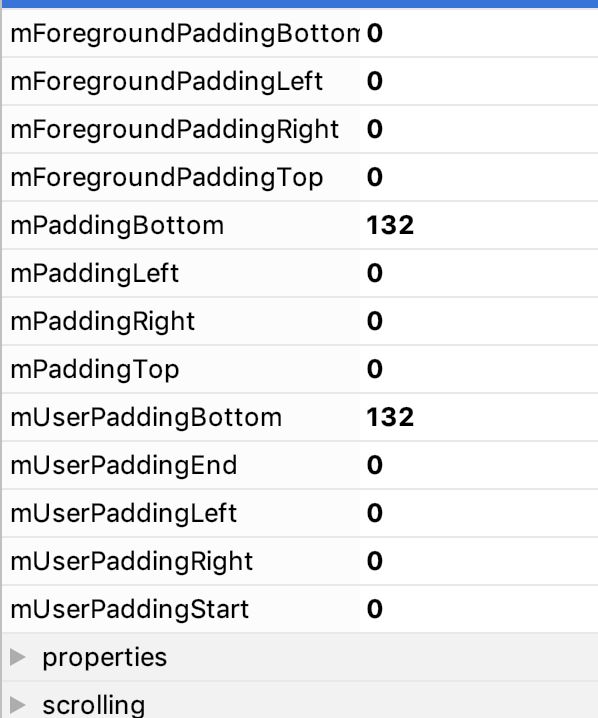
@h4h13 I have removed fixed height but when I enable full screen this happens

By layout inspector I got it 132
h4h13
on 6 Aug 2019
@h4h13 that is what I expect, the BottomNavigationView is offset by the height of the navigation bar (132). What is your desired behavior?
wcshi
on 6 Aug 2019
@wcshi Should be no padding at bottom
h4h13
on 6 Aug 2019
@h4h13 what system ui flags are you setting?
wcshi
on 6 Aug 2019
val flags = (View.SYSTEM_UI_FLAG_LAYOUT_STABLE
                or View.SYSTEM_UI_FLAG_LAYOUT_HIDE_NAVIGATION
                or View.SYSTEM_UI_FLAG_LAYOUT_FULLSCREEN
                or View.SYSTEM_UI_FLAG_HIDE_NAVIGATION
                or View.SYSTEM_UI_FLAG_FULLSCREEN
                or View.SYSTEM_UI_FLAG_IMMERSIVE_STICKY)

        if (PreferenceUtil.getInstance().fullScreenMode) {
            window.decorView.systemUiVisibility = flags
        }
@h4h13 subclass BottomNavigationView and within the init block add the following line setOnApplyWindowInsetsListener(null) (You may need to setPadding(0) too)
 paolovalerdi
on 8 Aug 2019
paolovalerdi
on 8 Aug 2019
@paolovalerdi @h4h13 please do not subclass bottomNavigationView just to do that. Have you read this comment? It may apply to your situation as well.
wcshi
on 8 Aug 2019
I used the same flags in the catalog app and did not observe the extra paddings. Could you please share a sample app to reproduces your bug?
wcshi
on 8 Aug 2019
@paolovalerdi as I mentioned in this comment please file a separate bug with a sample app for your bug, thank you.
wcshi
on 8 Aug 2019
@paolovalerdi It did help my problem of doing this!.
@wcshi I have subclass for theme thing bnb
h4h13
on 8 Aug 2019
@h4h13 why did you subclass BottomNavigationView? To workaround the extra padding or something else?
wcshi
on 8 Aug 2019
If you just want to setOnApplyWindowInsetsListener(null), you can do set it in your app instead.
https://speakerdeck.com/chrisbanes/becoming-a-master-window-fitter-droidcon-london-2017?slide=158
wcshi
on 8 Aug 2019
Closing due to inactivity. Please reopen with additional info.
wcshi
on 18 Aug 2019
Here's a sample app.
Entering immersive mode with following flags:
window.decorView.systemUiVisibility = (
                View.SYSTEM_UI_FLAG_IMMERSIVE_STICKY
                        or View.SYSTEM_UI_FLAG_LAYOUT_STABLE
                        or View.SYSTEM_UI_FLAG_LAYOUT_HIDE_NAVIGATION
                        or View.SYSTEM_UI_FLAG_LAYOUT_FULLSCREEN
                        or View.SYSTEM_UI_FLAG_HIDE_NAVIGATION
                        or View.SYSTEM_UI_FLAG_FULLSCREEN
                )
Running on 1.1.0-alpha09 and above with API 28 simulator has extra padding:
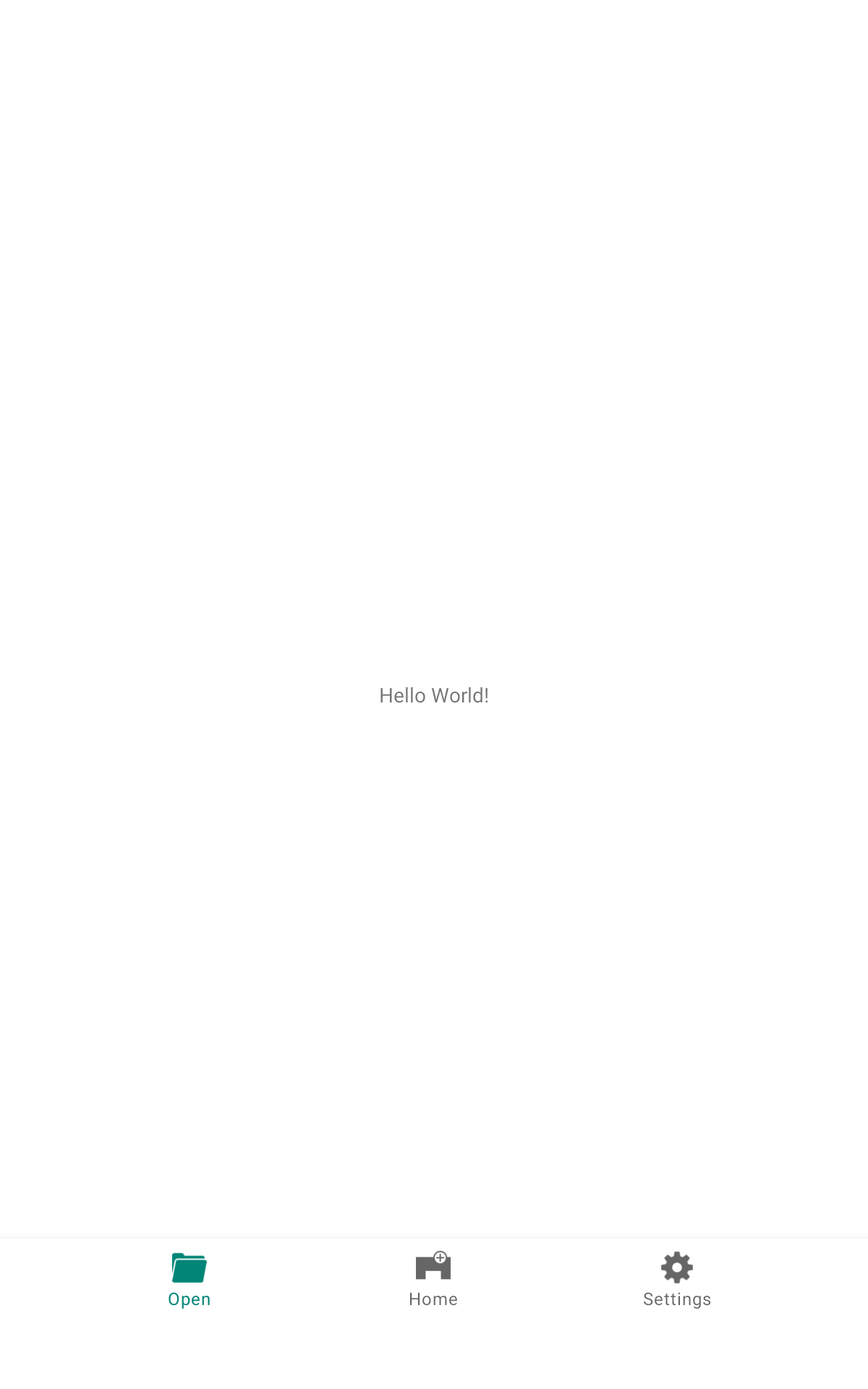
I expect no padding as running on 1.1.0-alpha08 so we can use BottomNavigationView with immersive mode:

 IvanBean
on 12 Nov 2019
IvanBean
on 12 Nov 2019
@wcshi please take a look if you have time, thanks!
IvanBean
on 19 Nov 2019
Can we get paddingBottomSystemWindowInsets as with BottomAppBar? I would like to remove the padding and use margin instead, because I would like the text to be visible under the transparent navigation bar. The padding used makes that area opaque.
 TadejZupancic
on 21 Nov 2019
TadejZupancic
on 21 Nov 2019
@TadejZupancic Yep. We're working on adding the same support for paddingBottomSystemWindowInsets to BottomNavigationView.
 hunterstich
on 21 Nov 2019
hunterstich
on 21 Nov 2019
Related issues
 ABr751
·
26Comments
ABr751
·
26Comments
 thevoiceless
·
16Comments
thevoiceless
·
16Comments
 jereld
·
20Comments
jereld
·
20Comments
 erikhuizinga
·
16Comments
erikhuizinga
·
16Comments
 danielesegato
·
24Comments
danielesegato
·
24Comments
Most helpful comment
@h4h13 subclass BottomNavigationView and within the init block add the following line
setOnApplyWindowInsetsListener(null)(You may need tosetPadding(0)too)