Material-components-android: Material Companent Theme with NoActionBar
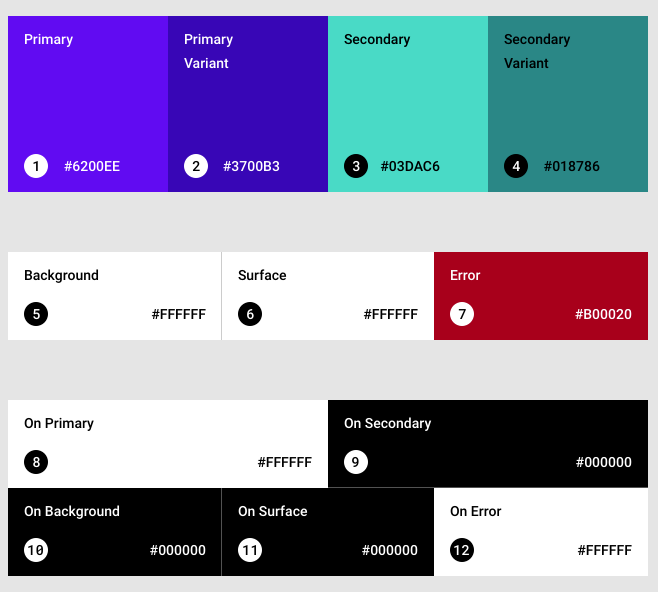
When you use a NoActionBar, the status bar color is not affected by colorPrimaryVariant, so you have to use the older colorPrimaryDark.
I tried Light and DayNight NoActionBar. Both have the same issue.
 JavierSegoviaCordoba
All 3 comments
This is somewhat intentional. Since by default status bars are assumed to be a relatively dark color (the status bar text and icons are light by default),colorPrimaryDark is semantically a better fit; whereas colorPrimaryVariant could either be lighter or darker than colorPrimary.
 dsn5ft
on 1 Aug 2019
dsn5ft
on 1 Aug 2019
@dsn5ft I think it has no sense to keep using colorPrimaryDark if it is not appearing in Material Design guidelines. At least it should be added then in this page: https://material.io/design/color/#color-theme-creation
JavierSegoviaCordoba
on 2 Aug 2019
Would like to revive the issue. The problem still exists - just today spent ~40 minutes trying to find what is missing in my setup and why colorPrimaryVariant is ignored. Please update info on https://material.io/design/color/#color-theme-creation page.
 vbuberen
on 7 Sep 2020
vbuberen
on 7 Sep 2020
Related issues
 mnayef95
·
3Comments
mnayef95
·
3Comments
 gabrielemariotti
·
3Comments
gabrielemariotti
·
3Comments
 jaychang0917
·
3Comments
jaychang0917
·
3Comments
 KelvinPac
·
3Comments
KelvinPac
·
3Comments
 danielwilson1702
·
3Comments
danielwilson1702
·
3Comments
Most helpful comment
@dsn5ft I think it has no sense to keep using
colorPrimaryDarkif it is not appearing in Material Design guidelines. At least it should be added then in this page: https://material.io/design/color/#color-theme-creation