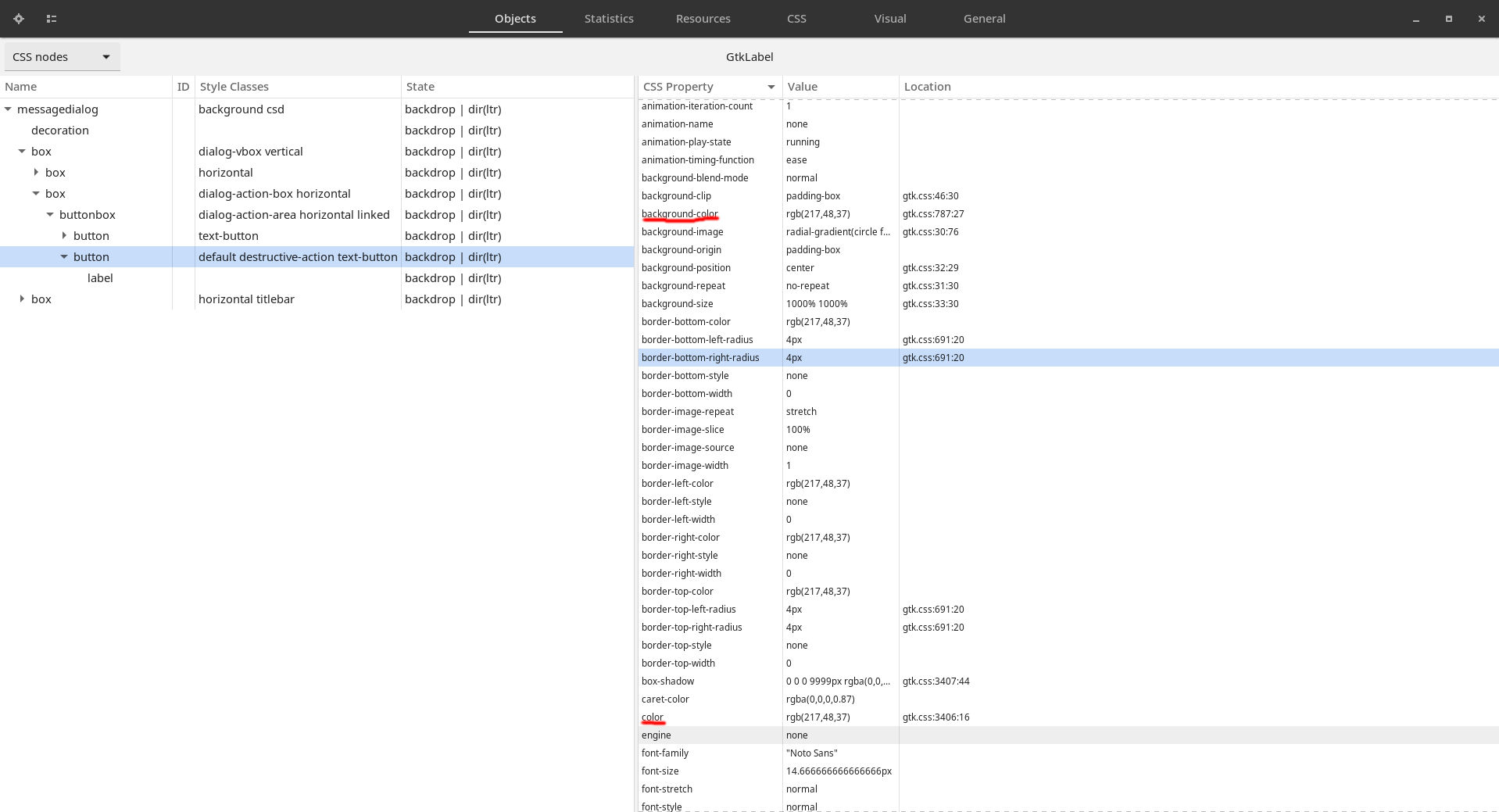
Materia-theme: Nautilus .destructive-action red text on red background
Reporter Info
- Materia version: 80ded17b03c9bac4807fc9420e4fe254e7783715
- GTK3 version: 3.24.13
- Distribution (and version): Fedora 31
- Desktop environment (and version): Gnome 3.34.2
- Related application (and version): Nautilus 3.34.2-stable
Actual Issue
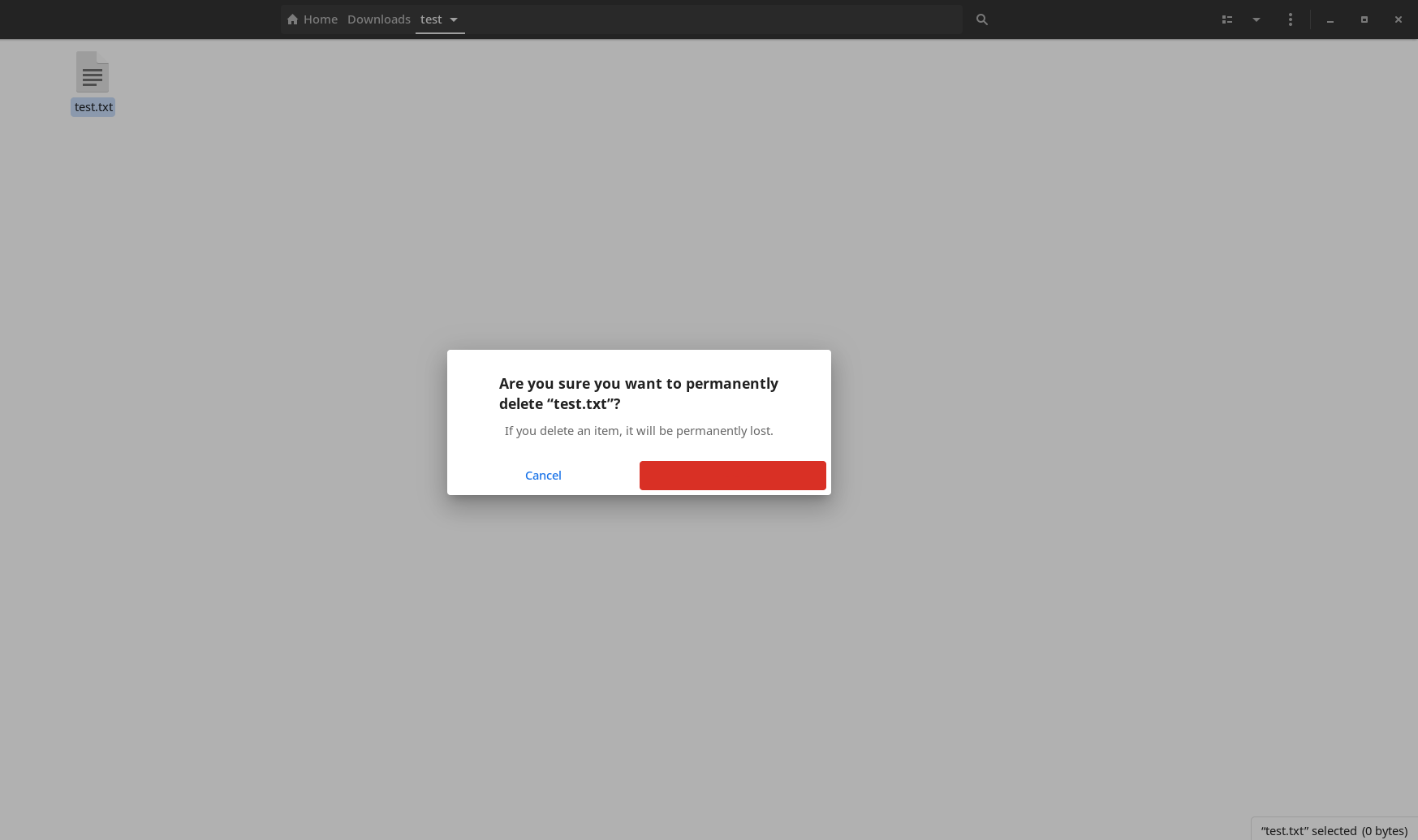
"Delete" text is red on red background resulting in invisible text.
Steps to Reproduce
- Delete file permanently with Shift+Del
- "Delete" text is invisible
Additional Info
 ghost
ghost
All 6 comments
Same here also with b1e4c563146ae34fff6a697393b6a1bc66b612f5, dark theme. It applies also for other destructive actions, like for example closing an unsaved window of gedit.
 ddnexus
on 12 Jan 2020
ddnexus
on 12 Jan 2020
AFAIK, this bug was introduced from commit c3d3555, where all the dialog buttons was forced to be flat button style.
 ramottamado
on 14 Mar 2020
ramottamado
on 14 Mar 2020
Here's a little patch I created to fix this issue for me:
diff --git src/_sass/gtk/_common-3.20.scss src/_sass/gtk/_common-3.20.scss
index 71a979fd..2ddf32ab 100644
--- src/_sass/gtk/_common-3.20.scss
+++ src/_sass/gtk/_common-3.20.scss
@@ -3442,7 +3442,7 @@ messagedialog { // Message Dialog styling
   }

   &.destructive-action:not(:disabled) {
-    @include ink-color($error);
+    @include ink-color($error, $activated: true);
   }
 }
A lot better. Thank you!
ddnexus
on 14 Mar 2020
Fixed.
So sorry for the late response... and thanks for the report!
 nana-4
on 15 Mar 2020
nana-4
on 15 Mar 2020
@nana-4 you are working a lot on this theme, and we are all very grateful for your work! No need to be sorry!
I just noticed the reorganization of the gnome-shell scss: that's great (and a lot of work)! Thank you!
ddnexus
on 16 Mar 2020
Related issues
 rudrab
·
4Comments
rudrab
·
4Comments
 vinyanalista
·
3Comments
vinyanalista
·
3Comments
 TechnoSparks
·
3Comments
TechnoSparks
·
3Comments
 luispabon
·
3Comments
luispabon
·
3Comments
 johnfactotum
·
3Comments
johnfactotum
·
3Comments